The 10 mistakes that get transcripts rejected
1. Wrong verbatim style
The mistake: Delivering clean verbatim to a legal client who needed full verbatim, or leaving every "um" in a market research transcript that should be intelligent verbatim.
How to catch it: Check the order or style guide before you start, not after. Then search the file for um, uh, like, and you know. In an intelligent verbatim file they should be gone; in a full verbatim file they should be present wherever spoken.
Fix: Confirm the style in writing and apply it to the entire file in one pass. If you're unsure which style applies, compare clean verbatim vs. full verbatim.
2. Inconsistent speaker labels
The mistake: Interviewer: on page one, INTERVIEWER: on page four, Int: on page nine. Or the same participant labeled Dr. Patel, Patel and Speaker 2.
How to catch it: Search for each label variant. List every distinct label in the file. There should be exactly one per person.
Fix: Pick the client's format (caps, bold, colon, name vs. role) and replace every variant. Our guide to how to format a transcript shows the common label styles.
3. Speaker misattribution
The mistake: A line assigned to the wrong person, usually at fast turn-taking, interruptions, or when AI diarization merged two similar voices.
How to catch it: Listen again at every speaker change in dense back-and-forth sections, and anywhere a speaker seems to answer their own question.
Fix: Correct the label. If you truly can't tell, use the client's unknown-speaker convention instead of guessing. More on why this happens in speaker diarization problems nobody talks about; to fix a label everywhere at once, rename speaker labels in an existing transcript.
4. Missing or wrong-format timestamps
The mistake: Timestamps every turn in one section and none in another; [0:4:9] next to [00:12:34]; a guide that asks for every 2 minutes but timestamps at every turn.
How to catch it: Search for the timestamp pattern. In regex: \[\d{2}:\d{2}:\d{2}\]. Any timestamp that doesn't match is wrong. Scan for long stretches with none.
Fix: Apply one format with zero padding at the frequency the guide specifies. See how to add timestamps to an existing transcript.
5. Untimed or inconsistent tags
The mistake: [inaudible] with no timestamp, mixed with (unintelligible) and [INAUDIBLE] in the same file. Or a guessed word presented as fact.
How to catch it: Search for [, (, inaudible, unclear, crosstalk. Every instance should match the guide's tag format exactly.
Fix: Standardize all tags to the client's format and timestamp every inaudible and crosstalk tag so the client can verify it, for example [inaudible 00:14:22].
6. Number formatting that breaks the guide
The mistake: 8 sites when the guide says spell out one through nine; twenty percent when it says 20%; dates written two different ways.
How to catch it: Search for digits ([0-9] in regex) and for spelled-out numbers (one, two, ... nine). Check each against the rule.
Fix: Apply the number rule file-wide. Watch exceptions most guides list: ages, money, percentages, times and numbers at the start of a sentence.
7. Misspelled names and terms
The mistake: A company, product, drug or person's name spelled three ways, or spelled the way AI heard it rather than how it's actually written.
How to catch it: Make a term list from client notes, the file name, slides or any reference material. Search for each term and its likely misspellings.
Fix: Correct every instance. If you can't verify a spelling, mark it per the guide (for example Henderson [?]) and mention it in your delivery note. AI engines struggle most with names and accents; see how accurate AI transcription is for accented English.
8. Wrong punctuation for interruptions and self-corrections
The mistake: Using an ellipsis where the guide wants an em dash for interruptions, or double hyphens (--) where it wants a true em dash (—).
How to catch it: Search for --, —, ... and …. Every instance should use the same marks for the same situation.
Fix: Standardize: commonly an em dash for being cut off, an ellipsis for trailing off, a hyphen after a stutter in full verbatim. Use the client's marks if they differ.
9. Layout and template errors
The mistake: Missing header block, wrong font, no blank line between speakers, a monologue left as one 600-word paragraph, or delivering TXT when the client asked for DOCX.
How to catch it: Open the client's template or a previously accepted file side by side with yours.
Fix: Match the template exactly: header fields, font and size, spacing, page numbers, paragraph length, and the requested export format. See transcript to Word, PDF or SRT for which format fits which client.
10. No final pass against the actual style guide
The mistake: Formatting from memory. You've done 50 files for this client and "know" the rules, but the guide was updated last month, or this project has an addendum.
How to catch it: Reopen the current guide before every delivery and compare it rule by rule with the file. The Rev style guide formatting errors we see repeatedly show how small rule misses add up.
Fix: Treat the style guide as the checklist. This is the step a tool should do for you: Guideline Format reads the guide you upload, applies the supported rules, and reports each one as applied, needs review or not applied. Run the final pass automatically →
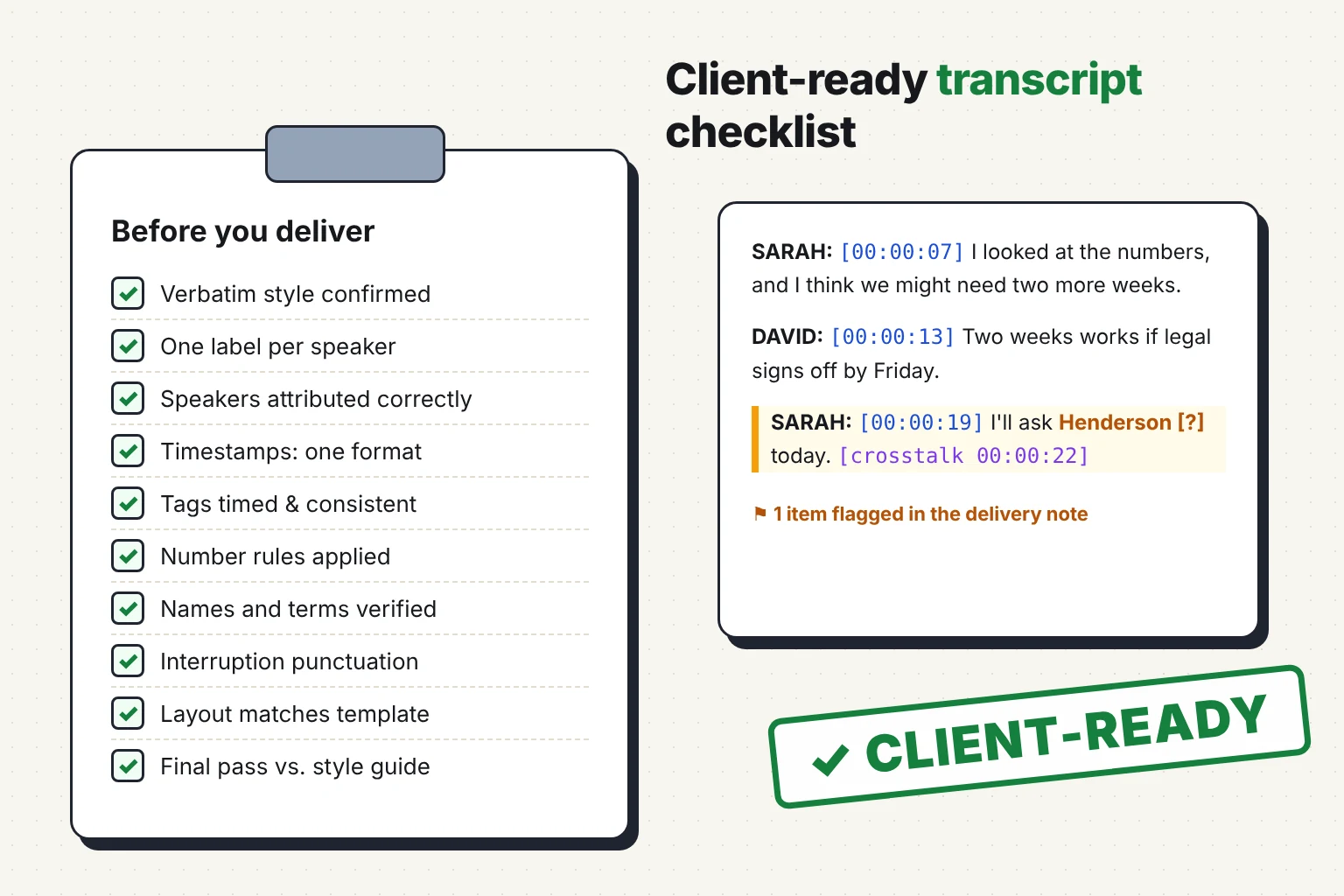
The client-ready transcript checklist (copy this)
Before you start
Content
Formatting
Delivery
What a client-ready transcript looks like
Before (raw machine output):
SPEAKER_01 [00:07] yeah so i looked at the numbers and uh i think we we might need more time like maybe 2 more weeks
After (client-ready, intelligent verbatim, caps labels, words for one through nine):
SARAH: [00:00:07] I looked at the numbers, and I think we might need two more weeks.
Six of the ten checks above touched that single line: style, label, timestamp format, fillers, repetition and numbers. A full walkthrough is in our raw AI output vs. client-ready transcript example.
Checking by hand vs. checking with Guideline Format
|
Manual checklist |
VideoText Guideline Format |
| Reads the client's style guide |
You do |
Upload PDF, DOCX, TXT or Markdown |
| Applies rules across the whole file |
One rule per pass |
Supported rules in one pass |
| Shows what changed |
No record |
Per-rule QA report |
| Flags what needs judgment |
Only if you notice |
Flagged for review, with location |
| Works on transcripts from any source |
Yes |
Yes |
| Exports |
Whatever your editor supports |
DOCX, PDF, TXT (plus SRT/VTT for subtitles) |
The checklist still matters. Judgment calls such as speaker attribution, unverifiable names and inaudibles need a human. The tool removes the mechanical passes so your time goes to those calls.
Make your next transcript client-ready with Guideline Format →
Frequently asked questions
What is a client-ready transcript?
A client-ready transcript is accurate, follows the client's required verbatim style, and applies every rule in their style guide consistently: speaker labels, timestamps, tags, numbers, punctuation and layout. It can be used or published without revision.
Why do transcripts get rejected by clients?
Most rejections come from formatting, not accuracy: the wrong verbatim style, inconsistent speaker labels, untimed inaudible tags, number rules not followed, or template and export errors. Inconsistency across a long file is the most common pattern.
How do I check a transcript before delivery?
Confirm the verbatim style, then search the file for label variants, fillers, timestamp patterns, tags, digits and punctuation marks, and compare each against the style guide. Finish with a rule-by-rule pass against the current guide, or run it through Guideline Format for a per-rule QA report.
Can AI make a transcript client-ready?
AI can transcribe and apply supported formatting rules automatically. VideoText Guideline Format applies a client's uploaded style guide and flags items that need human judgment, such as ambiguous speakers or unverifiable names. A human should still review flagged items before delivery.
What should a transcript delivery note include?
The verbatim style used, any terms or names you couldn't verify, the count and timestamps of inaudible sections, and any deviation from the style guide the client approved.
Stop sending files back and forth
Every rejection costs you unbilled rework and some of the client's trust. Upload your transcript and the client's style guide, fix what's flagged, and deliver it right the first time.
Check your transcript with Guideline Format, free →
Related guides