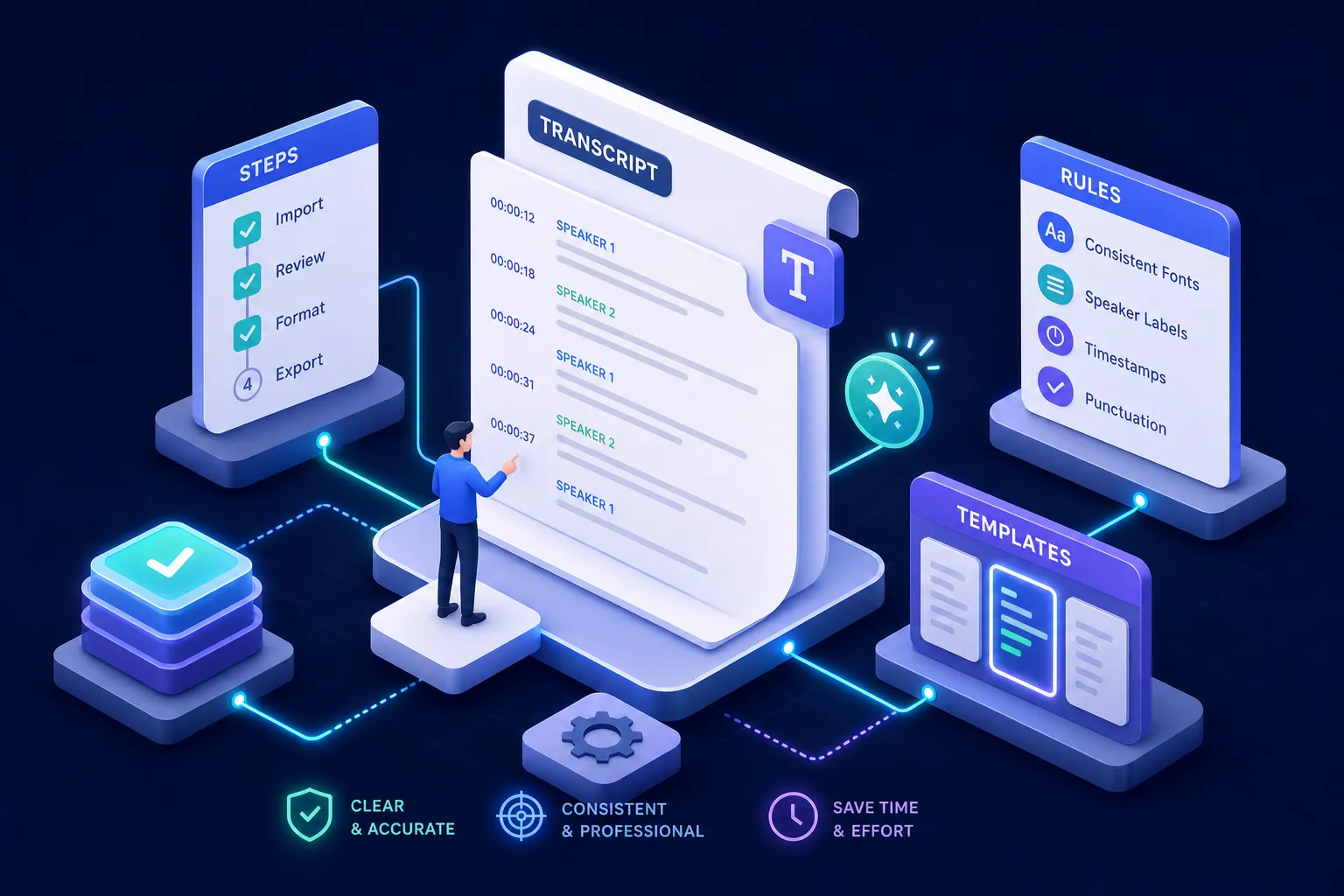
What should you do first when a client sends you a style guide?
The first job is not to open the audio file. It's to read the style guide in full and extract every rule that will affect your client transcript formatting decisions. Most transcriptionists skim style guides, miss edge-case rules, and spend hours in revision as a result.
How to identify the rules that actually change your output
Focus immediately on five categories: verbatim level, speaker label format, treatment of inaudible audio, number formatting, and any platform-specific tags or symbols. These categories are consistently cited in industry QA guidance as the highest-priority items to confirm before you begin. Everything else in the guide typically affects presentation; these categories affect compliance.
Why misreading the style guide costs you revision rounds
Some client guides contain internal contradictions. A common one: the guide specifies "clean verbatim" but also requires all false starts to be retained. That's a conflict that needs to be clarified before you start, not discovered after you've formatted 60 pages. Flag the ambiguity in writing and get a resolution. VideoText, Transcript Formatter reads uploaded client style guides in PDF, DOCX, or TXT format and surfaces the rules as an editable list, which makes conflicts like this visible before you format a single line.
What to do when no style guide is provided
Ask for one. If the client doesn't have one, state the conventions you'll apply in your deliverable so the client has a reference for feedback and approvals. This protects both parties and prevents the most common complaint: "This isn't what I expected."
Skip the manual rule extraction: upload the client's style guide to Guideline Format and edit the extracted rule list before you run it.
Client transcript formatting: speaker labels, page numbers, and timestamps
This is where most formatting issues live. Standard legal transcripts follow jurisdiction-specific rules, but several conventions apply across nearly all U.S. deposition and court transcript formatting requirements.
Standard speaker label conventions for legal transcripts
Questions and answers use Q. and A. designations on separate lines. Counsel and other speakers are identified in capitalized, indented labels such as MR. SMITH:, MS. JONES:, or THE COURT:, commonly beginning around the tenth character position. Colloquy between attorneys is handled by speaker label rather than converted into Q./A. format. For unidentified speakers in litigation-support or general transcripts, neutral labels such as SPEAKER 1 are the standard choice when identity can't be established.
Page and line numbering rules you need to get right
The common U.S. standard is 25 numbered lines per page, double-spaced, with line numbers 1 through 25 running along the left margin. Page numbers appear consecutively, typically at the upper-right corner. Deposition transcripts also include front matter (cover page, appearances, case caption) and back matter (certification, errata), all of which require correct pagination. Some jurisdictions specify margin widths, such as a 1¾-inch left margin; local court rules govern the specifics. Deposition citations follow the page-and-line format, for example "Dep. Tr. 42:7-15," so your numbering must be exact.
When timestamps are required and how to format them
Timestamps are not universally mandatory. When a client or court requests them, the style guide or court rule specifies placement (left of line numbers or far right), format (HH:MM:SS or military time), and consistency requirements. Never invent a timestamp format. If the guide is silent on timestamps, ask before adding them, since placement affects line layout and can break pagination in ways that are difficult to correct after the fact.
Labels and timestamps inconsistent across a long file? Guideline Format applies one label and timestamp format to every line. To rename a speaker everywhere at once, see rename speaker labels in an existing transcript; to add missing times, see add timestamps to an existing transcript.
Verbatim, clean verbatim, or summary: which level does your client actually need?
The verbatim level is the single most consequential formatting decision in the transcript. Using the wrong level, even if every other element is perfect, makes the deliverable non-compliant.
| Style |
What it preserves |
Best for |
| Verbatim |
Every word, filler, stutter, false start, pause, and relevant sound |
Legal proceedings, formal investigations, speech-pattern research |
| Clean verbatim |
Meaning and wording without distracting fillers or stumbles; no paraphrasing |
Interviews, meetings, focus groups, client-facing documents |
| Summary |
Main ideas and decisions in condensed form |
Executive digests, meeting records, action lists |
How to confirm the verbatim level before you start
Client guides should state the verbatim level explicitly. If they don't, clean verbatim is the professional default for most deliverables. Ask before transcribing, not after. Note that terms like "verbatim" and "clean verbatim" aren't applied identically by every client, so confirm whether to retain meaningful repetitions, false starts, crosstalk, and nonverbal sounds.
Labeling the verbatim style in your deliverable
Identify the chosen style in the document itself, especially when material has been cleaned or condensed. This gives the client and any downstream reviewer a clear reference for what standard was applied. It also protects you if questions arise about why a particular filler word or false start isn't in the transcript.
Set the verbatim level once, apply it everywhere: run your draft through Guideline Format with the client's guide, and fillers, false starts and stutters are handled to that level across the whole transcript.
How to handle interpreter and multilingual content in a transcript
Interpreted testimony trips up even experienced transcriptionists because the roles of the interpreter and the witness look similar on paper but require different labels.
The core rule: English interpretation goes in the A. label
The interpreter's English rendition of the witness's answer is the witness's answer for transcript purposes. It gets the A. label, not THE INTERPRETER:. That label is reserved for when the interpreter addresses the court personally, such as requesting clarification or reporting a problem. Getting this wrong changes the apparent record of who said what, which is a serious error in legal proceedings.
How to mark English answers and language-switching
When a witness answers directly in English without going through the interpreter, mark that with a parenthetical such as (In English) immediately after the A. label. Some jurisdictions require THE WITNESS: instead; follow the local rule. For mixed-language answers where the original wording is legally significant, use bracket notation: [Spanish] "No quiero ir." [English] "I do not want to go." Include a notation key at the top of the transcript so reviewers understand your conventions without guessing.
How to format the interpreter's independent statements
Use THE INTERPRETER: label for clarification requests or reported problems, then return to A. for the resumed interpreted answer. When an attorney addresses the interpreter directly rather than the witness, format the exchange as colloquy, not Q./A., since the question isn't directed at the witness. This distinction matters for anyone who later reads the transcript to understand the proceeding's flow.
Working with more than one language? See multilingual video transcription.
What accessibility rules apply to your transcript
Accessibility transcripts follow WCAG 2.1/2.2 requirements, and the specific standard depends on media type. Clients in education, government, or public-facing content are commonly required to meet these standards under laws and policies such as Section 508 and applicable state accessibility regulations.
WCAG levels and when a descriptive transcript is required
Prerecorded audio-only content requires a transcript at WCAG Level A under Success Criterion 1.2.1. Prerecorded audio-video content requires captions at Level A and, for Level AA, audio description when visual information isn't conveyed in the audio track (SC 1.2.5). A full descriptive transcript covering both audio and visual information is primarily a Level AAA requirement for synchronized media (SC 1.2.8). A descriptive transcript is not just dialogue: it includes speaker identification, relevant non-speech sounds, visual actions, scene changes, and on-screen text, all in chronological order.
How to transcribe non-speech sounds and visual descriptions
Use concise, objective square-bracket notation placed at the point in the transcript where the sound or action occurs: [door opens], [applause], [three knocks]. Describe meaning rather than every incidental noise. For visual content, insert descriptions chronologically: [A map appears showing the affected neighborhoods in red.] Keep descriptions neutral and brief. The goal is to give someone relying on the transcript the same understanding of the content as someone watching and hearing the media directly.
Metadata and document structure for accessible transcripts
An accessible transcript document should include the media title, duration, speaker names and roles, language, transcript type (basic or descriptive), and a publication date. Use logical headings, selectable text, and a clearly visible link to the transcript adjacent to the media player. Documents that bury the transcript behind an inaccessible control or omit speaker identification fail the standard, even if the content itself is accurate.
For caption-specific accessibility requirements, see closed captioning for higher education and ADA compliance.
Client transcript formatting: export and validation workflow
The export step is where correctly formatted transcripts get quietly broken. Font reflow, pagination shifts, and line-number drift can undo hours of formatting work if the workflow isn't managed deliberately.
Word and Google Docs workflows for court-ready transcripts
In Word: set page size, margins, font, line spacing, and line numbering through document controls rather than manual spaces. Use defined styles, not ad-hoc formatting. Export via File > Save As > PDF, then reopen and verify that the PDF is searchable, text is copyable, and page and line numbers display correctly. In Google Docs: use Pages format rather than pageless, configure headers and footers, then download as DOCX for final validation in Word before producing the PDF. Google Docs paginated output can shift during conversion, so always inspect the downloaded file against the source.
Choosing the right export format for your client
Legal clients typically require a searchable PDF or PDF/A plus an ASCII or TXT file for CAT-system workflows. Accessibility clients may need SRT or VTT for synchronized captions alongside the transcript. The specific court or client specification controls, and guessing the wrong format wastes time for both parties.
Using VideoText: Transcript Formatter to apply style rules and validate before export
Not sure which file the client needs? See transcript to Word, PDF or SRT.
VideoText, Transcript Formatter lets you paste or upload a raw transcript, attach the client's style guide, and produce a formatted document with a per-rule compliance report. Rules that the tool is uncertain about are flagged for your review before anything is exported. The final file exports to TXT, DOCX, PDF, RTF, SRT, or VTT depending on what your client requires, with the formatting already aligned to the guide you uploaded. This addresses one of the most persistent sources of rejection cycles: rules that were in the style guide but never applied consistently across a long document.
Try Guideline Format on your next client transcript → Free account, one run a day, no card needed.
The client transcript formatting workflow that prevents rejections
The sequence is straightforward: read the style guide first, set up speaker labels and page structure to spec, lock in the verbatim level, handle interpreter and accessibility notation correctly, then validate the export before it leaves your hands. Each of these steps catches a category of error that the next step won't catch.
Most client transcript formatting rejections are preventable. They come from skipping the style guide read, applying the wrong verbatim level, or missing jurisdiction-specific rules. These are process problems, not skill gaps. A reliable process, applied consistently, produces compliant transcripts the first time.
VideoText, Transcript Formatter is built for exactly this workflow: upload the style guide once, let the tool extract and apply the rules, review the flagged items, and export in the format your client requires. If you're formatting transcripts across multiple clients or platforms, try VideoText, Transcript Formatter on a real transcript and see how much of the revision cycle disappears when the formatting is done right from the start.
Before you deliver, run the client-ready transcript checklist. Working to a marketplace guide? Use the built-in presets for the Rev style guide, GoTranscript style guide, Scribie style guide or TranscribeMe style guide.
Format a transcript to your client's style guide now →
Related guides