Correct the file you already have when most of the words are right and a smaller set is wrong: names, terms, punctuation, or a few sentences. You are usually not looking for another AI transcription pass—you already paid for the draft from Otter, Zoom, Whisper, a recorder app, or a freelancer. The pain is the time and risk of making that export usable. Upload the TXT, DOCX, SRT, or VTT in Fix Transcript, edit the lines, and export. Run transcription again only when the draft is the wrong language, large stretches are missing, or you need times that follow the speech.
That split is the whole decision. Retranscribing a 40-minute interview to change “Marie” to “Mary” twelve times throws away a draft that was otherwise usable.
When editing the file is the faster job
People land here after another tool has already produced the text. A typical draft looks like this:
Speaker 1: We should ship the onboarding checklist before the Q3 review.
Speaker 2: Mary said the API limit is 400 requests, not 4,000.
The sentences are fine. The name might be Marie, and “400” might have been “4,000” or the other way around. Reduct’s help center describes the same situation: correct the passage in the editor, and use a replace-all when one word is wrong in many places. Fix Transcript edits line by line in the workspace. There is no file-wide find-and-replace today, so a name that repeats twenty times means twenty line edits—or a quick pass in a text editor before upload. Retranscribe a section when the audio itself was hard to hear, not when you already know the right spelling.
Edit the existing file when:
- The transcript came from Otter, Zoom, YouTube, Whisper, a freelancer, or an earlier VideoText export, and you still have the text.
- Errors repeat: a product name, a place, an acronym.
- You need a cleaner DOCX or PDF for a client, not a new pass over the audio.
- You want to correct a transcript without losing timestamps that are already in an SRT or VTT. Fix Transcript keeps imported cue times while you edit the words. It does not invent new speech alignment.
Transcribe the recording again, with Video to Transcript, when:
- Whole minutes are missing or the language is wrong.
- You need timestamps that follow the words, and the file you have is plain text with no cue times.
- Speaker turns are so scrambled that renaming labels would still leave the wrong person on the wrong lines. Renaming is covered in Rename speaker labels in an existing transcript.
Open the transcript you already have
- Go to Fix Transcript.
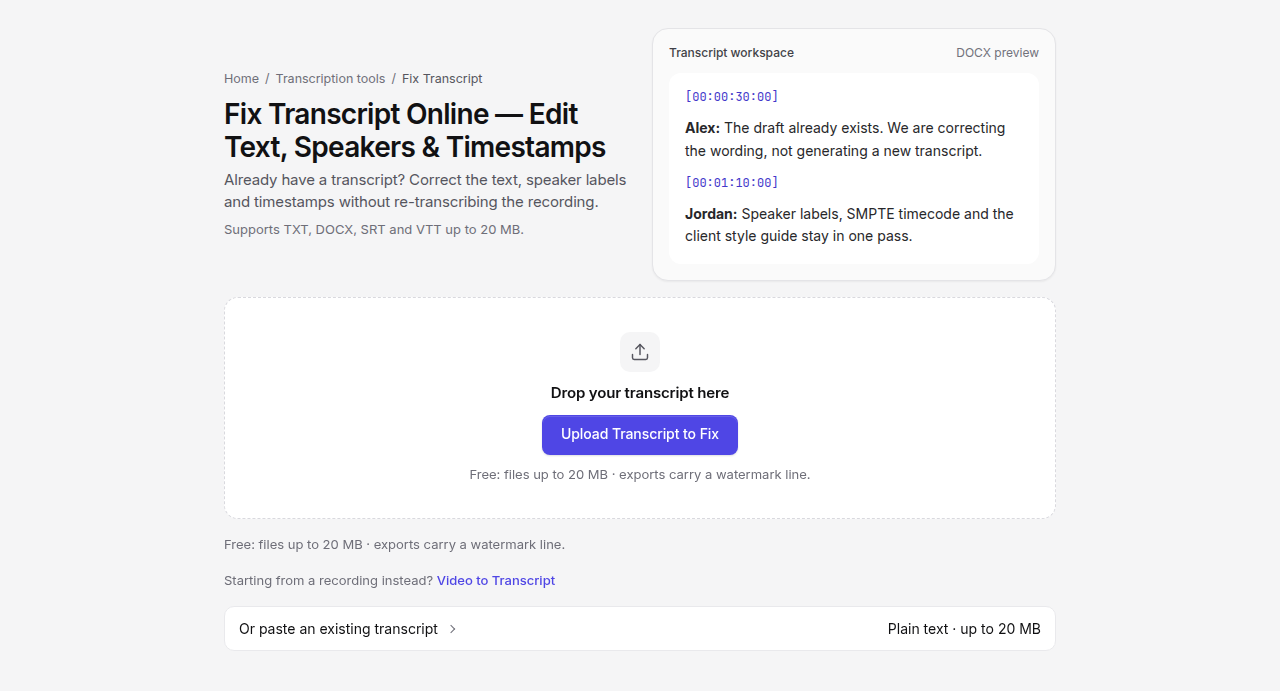
- Drop a TXT, DOCX, SRT, or VTT, or paste the text. Other file types are refused. An empty file, a scan, or a document that is not actually text will not open.
- Files larger than 20 MB, or longer than 1.5 million characters, need to be split.
- Choose what you want done. Text editing is the default. Speaker labels, timestamps, SMPTE timecode, and client formatting stay off until you turn them on.
- Open the workspace. The original import is kept. You can show it beside the working copy.
Free accounts can open one Fix Transcript job per UTC day. The export includes a short watermark line. Pro is not counted against that daily job, and the watermark line is omitted. The draft is stored in this browser until you start a new file or clear site data. It is not saved to your account.
A line that already looks like Alex: We should ship the checklist is read as speaker Alex plus the sentence. A line that is only the sentence stays unlabeled. Fix Transcript does not guess speakers from audio.
Fix the words, then export
In the Transcript tab, each block is a line you can edit. Change the misspelled name, the wrong number, the missing period. Undo is available if a pass goes too far.
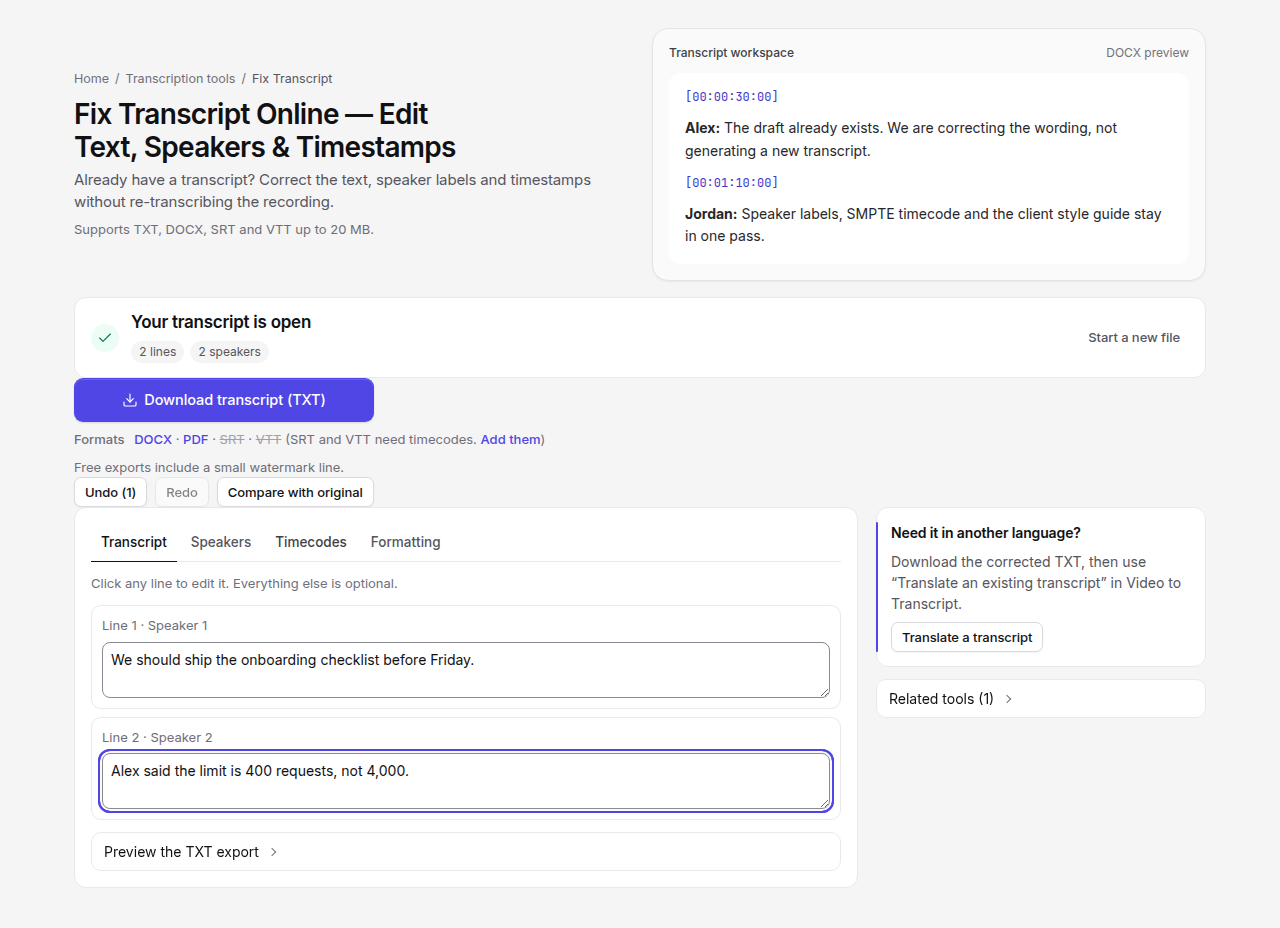
Work in this order:
- Fix repeated names and terms first, while you still remember the glossary.
- Then punctuation and sentence boundaries.
- Then any line that is simply the wrong words. If you still have the recording, play it in another tab and correct only that line. This page does not force-align the text to the audio.
- Open Compare with original before you export, so a deleted sentence is obvious.
Download TXT for a plain file, DOCX when someone else will review it, or PDF when the wording is finished. SRT and VTT stay unavailable until every line has a start and end that came from an uploaded subtitle file or that you typed on the Timecodes tab. Presentation timestamps, covered in Add timestamps to a transcript you already have, are labels in the document. They are not subtitle cue times.
If the client wants a house style (Rev-style, GoTranscript-style, TranscribeMe-style, Scribie-style, or a guide you upload), turn formatting on and preview the diff before you apply it. VideoText is not those companies. The preview shows what would change, including preservation checks for things like numbers and names. You can keep the working copy if the preview is wrong. Formatting on this job does not open a second quota charge on Format → Client guidelines, and it is capped at five applies on the same job. For a longer style-guide review, use Format to Client Guidelines.
What this page will not do
It will not listen to the file and rewrite the draft to match the speech. Attaching a recording can supply a duration for presentation timestamps. The confirmation on that action says the times are not speech-aligned, and that is accurate.
It will not turn a transcript that is wrong from start to finish into a good one. If you are correcting more lines than you are keeping, upload the audio or video to Video to Transcript and edit that result. There is a separate guide for editing inside that flow before the first export: Can you edit an AI-generated transcript before exporting it?
It will not repair subtitle reading speed or overlapping cues. That is Fix Subtitles, after you have an SRT or VTT.
A short example
A producer exports a Whisper transcript as interview.txt. The guest’s company, “Northline,” is written “North Lyn” nine times. The rest of the hour is usable.
They upload interview.txt to Fix Transcript, change those nine lines, leave timestamps off because the source had none, and download DOCX. They do not upload the hour of audio again. The DOCX still needs a listen pass for the two minutes where both people talked at once. That listen pass is shorter than a new transcription plus a full read.
If “Northline” had been wrong and the middle 20 minutes were also gibberish, they would transcribe the recording instead of editing the text.
Frequently asked questions
Can I fix a transcript without retranscribing the audio?
Yes, when you still have the text file. Upload TXT, DOCX, SRT, or VTT to Fix Transcript and edit the lines. The recording is optional and is only used for duration or frame rate if you add presentation timestamps.
Will Fix Transcript sync my text to the speech?
No. It does not force-align words to the waveform. If you need cue times that follow the recording, use Video to Transcript.
Does editing use my free daily Fix Transcript job?
Free accounts get one Fix Transcript job per UTC day. Paid plans are not metered on that daily bucket, and Pro exports omit the watermark line.