Legal deposition transcription turns recorded testimony, sworn interviews, and attorney-witness exchanges into a written, timestamped record built for citation and case review. Depositions demand a different standard than podcast or interview transcripts: every filler word, false start, and pause can matter to the record, and speaker attribution has to be exact.
TL;DR
- Transcription for legal depositions requires full verbatim text, not clean verbatim, to preserve evidentiary detail.
- Videotext turns deposition audio into a timestamped draft transcript with speaker diarization in one pass.
- An AI draft speeds up the first pass but still needs human QA and certification before filing in 2026.
- Speaker mislabeling and skipped audio QA are the most common errors in deposition transcripts.
Why transcription accuracy matters for legal depositions and interviews
Depositions and legal interviews are the recorded record attorneys cite in motions, at trial, and on appeal. Courts and reporting agencies expect a full verbatim transcript, not a cleaned-up summary of what was said. Uploading the recording to a transcription platform like Videotext produces a first-pass, timestamped draft in minutes, but the record still has to hold up when opposing counsel checks it against the audio.
The constraints are specific to this segment: multiple speakers talk over each other, legal terminology and party names trip up general ASR models, some material is privileged and can't leave a secure workflow, and deadlines are fixed to court filing dates, not editorial calendars. A transcript that's 95% accurate on a podcast is unusable on a deposition where the missing 5% is a disputed word in sworn testimony.
How to transcribe legal depositions and interviews step by step
1. Record clean audio before you transcribe anything
Every downstream step depends on the source recording. A room mic picking up HVAC hum or cross-table noise makes even a good ASR model guess.
- Use a dedicated microphone per speaker when possible, not a single room mic
- Record a backup audio-only track separate from any video feed
- Check for HVAC hum, hallway noise, and paper shuffling before the deposition starts
- Save the original master recording unedited before any processing
- Note the start time on the record and any off-the-record breaks
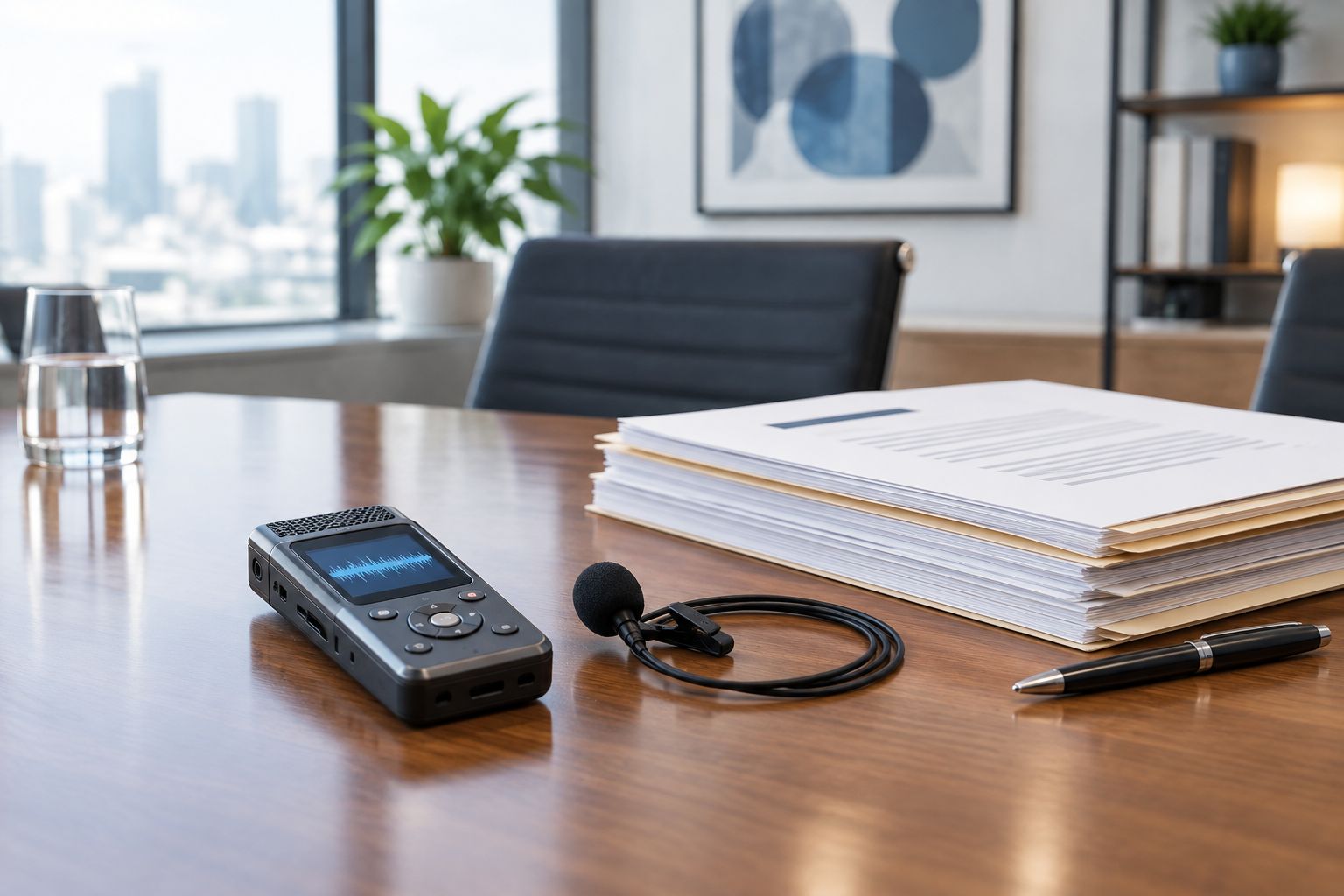
A dedicated mic per speaker prevents the crosstalk that later confuses diarization.
2. Choose full verbatim, not clean verbatim
Full verbatim captures speech exactly as spoken, including fillers, false starts, and repeated words. Clean verbatim strips those out for readability. Depositions and legal interviews call for full verbatim because a filler or a self-correction can be part of what's argued about later.
- Transcribe every "um," "uh," and repeated word exactly as spoken
- Mark false starts and self-corrections instead of smoothing them into a complete sentence
- Flag inaudible or overlapping speech as [inaudible] or [crosstalk] rather than guessing
- Note nonverbal sounds relevant to testimony, such as [pause] or [crying]
- Keep off-the-record statements in a separate, clearly labeled section
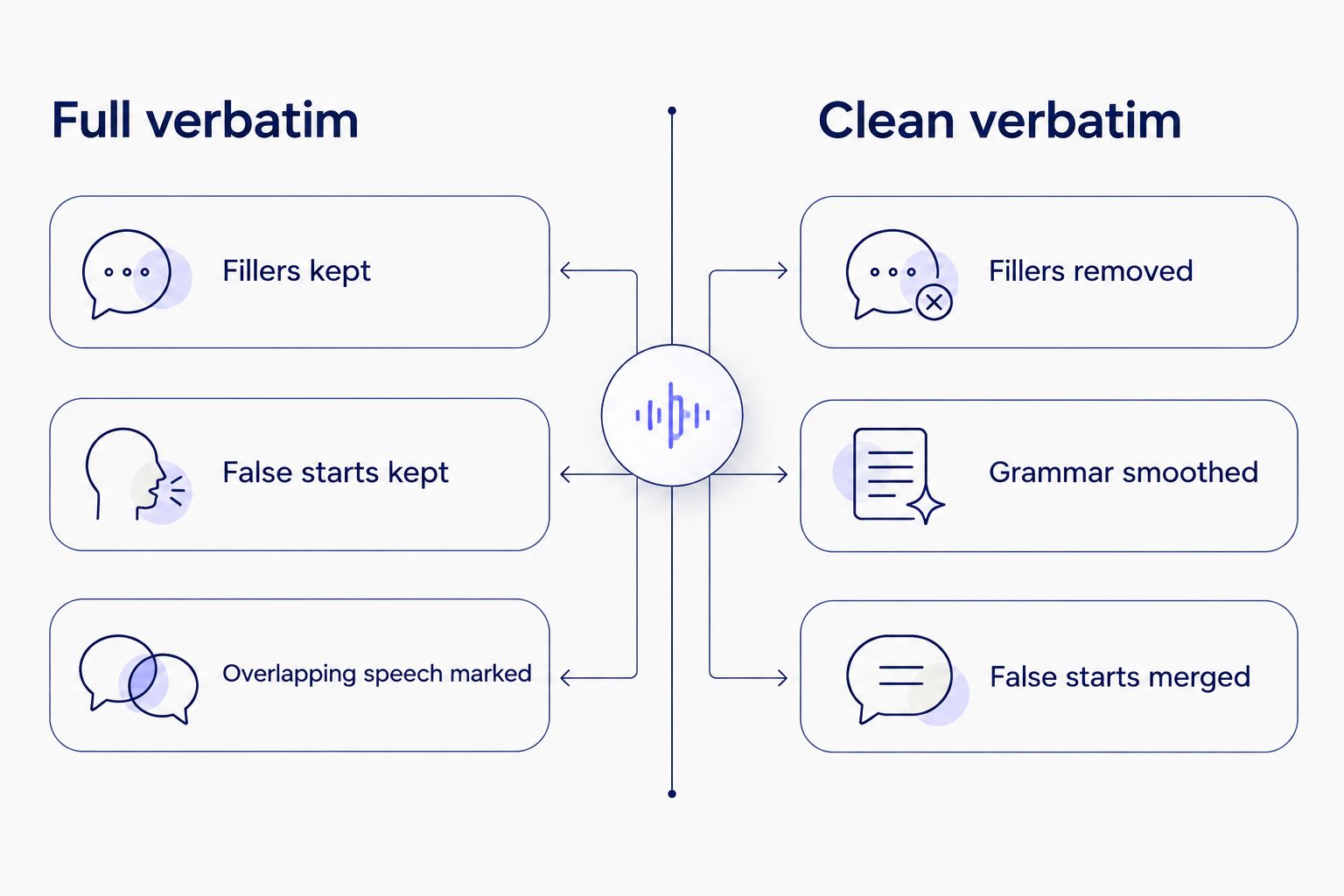
Depositions call for the left column; clean verbatim belongs to interviews and podcasts.
3. Run the recording through ASR for a first-pass draft
Typing a one-hour deposition by hand from scratch takes hours. Running it through ASR first gives you a draft to edit instead of a blank page. Videotext's ASR transcription turns an uploaded audio or video file into a timed-segment draft, with each line linked back to its exact point in the recording.
- Upload the audio or video file directly, no separate conversion step
- Get a timed-segment draft with each line pointing to its moment in the recording
- Use the timestamp on each line to jump straight to that point for verification
- Treat the ASR output as a draft, not a final record, until checked against the audio
4. Label and verify every speaker
Mislabeling who asked a question versus who answered breaks the record. Speaker diarization software detects distinct voices in the recording and separates them automatically, and Videotext lets you rename generic speaker tags to match the actual roles on the record.
- Rename generic "Speaker 1 / Speaker 2" tags to Q (examining attorney) and A (witness), or to actual names
- Check every point where a new attorney, interpreter, or the court reporter interjects
- Verify speaker assignment on overlapping speech manually; diarization tools can misattribute crosstalk
- Keep one consistent speaker key for the entire transcript, including exhibits marked mid-testimony
5. Caption video depositions for court exhibits
When a deposition is video-recorded for use as a trial exhibit, the video may need on-screen captions for accessibility or jury presentation. Videotext exports SRT and VTT from the same transcript and can burn captions directly into the video file.
- Export the verified transcript as SRT or VTT instead of retyping captions separately
- Check caption timing against the video for drift, especially after clip trims
- Keep caption line length and reading speed low enough to read before the next cue
- Burn captions into the video only after the transcript text is final, not before
6. Format the transcript to the reporting agency's guideline
Courts, firms, and reporting agencies each specify a format: Q&A layout, line numbering, page-and-line citation. Reformatting a draft by hand to match a client's style guide is where most QA time goes. Videotext's guideline formatting reformats a transcript to match Rev, GoTranscript, Scribie, or a custom client format. For a non-English-speaking witness, Videotext also translates the transcript across 70+ languages while keeping cue timing intact on the record.
- Confirm the receiving court or firm's citation format (page-line vs. line-only) before formatting
- Apply consistent speaker labels and indentation across the whole document
- Match the agency's rules on numbering exhibits referenced mid-testimony
- Keep a plain-text or DOCX master alongside any specially formatted PDF version
7. QA the transcript against the audio before delivery
ASR mishears matter more here than anywhere else: a mistaken word can change the reading of testimony. Videotext's in-browser QA review syncs the transcript to the video so a reviewer checks it line by line instead of scrubbing a separate media player.
- Listen to the full recording against the transcript at least once before delivery
- Check near-homophones and legal terms the ASR model may not recognize, including party names and case citations
- Confirm every timestamp still lines up with the audio after edits
- Flag any section still marked [inaudible] for a second listen or client review
8. Export, then route for certification
An AI-generated transcript is a draft, not a certified record. Certification, an affidavit attesting the transcript is accurate, typically requires a certified court reporter or transcription agency to review and sign it.
- Export as DOCX or PDF for a certifying reporter to review and sign
- Keep TXT, JSON, or CSV exports for internal search and case management systems
- Send the timestamped draft, not just the clean text, so the certifier can verify against the recording
- Confirm the certifying party's required format before the deposition date, not after
Deposition transcription options compared
| Option |
Best for |
Verdict |
Key limitation |
| Videotext AI transcription |
Fast first-pass drafts with speaker labels and timestamps |
Use for drafts |
Not a certified record on its own |
| Certified court reporter / stenographer |
A legally certified, admissible verbatim record |
Required for filing |
Turnaround depends on reporter availability |
| Freelance transcriptionist (manual) |
Custom formatting and judgment calls on unclear audio |
Good for complex audio |
Time-intensive; consistency varies by person |
| General-purpose AI transcription tools |
Quick drafts for non-evidentiary interviews |
Skip for depositions |
Often lack accurate diarization or legal export formats |
Some teams comparing AI options also look at Descript alternatives built more for video editing workflows than for legal QA — worth checking if diarization accuracy on multi-party audio is the deciding factor.
Turn deposition audio into a draft
Upload the recording and get a timestamped transcript with speaker labels.
Try Videotext
Common mistakes in legal deposition transcription
- Treating an AI draft as a certified transcript without a human review and signed affidavit
- Using clean verbatim instead of full verbatim, which strips fillers and false starts that can matter to testimony
- Mislabeling speakers in multi-party depositions, especially when attorneys interject or the court reporter reads back testimony
- Skipping the audio QA pass and shipping a transcript with unresolved [inaudible] tags
- Losing the original master recording after editing, breaking the chain of custody for the audio itself
FAQ
What accuracy standard applies to legal deposition transcription?
Legal depositions require full verbatim transcription, capturing every filler word, false start, and repeated phrase exactly as spoken. Clean verbatim, which removes fillers for readability, is used for interviews and podcasts, not sworn testimony.
Is an AI transcript admissible in court on its own?
An AI-generated draft is not a certified record by default. Certification requires a certified court reporter or transcription agency to review the draft against the recording and sign an affidavit before it's filed.
What's the difference between verbatim and clean verbatim for depositions?
Full verbatim keeps every filler, false start, and stutter as spoken; clean verbatim removes them and smooths grammar. Depositions in 2026 still follow the full verbatim standard because those details can matter to the testimony.
How long does deposition transcription take?
Turnaround depends on the recording length, audio quality, and how much QA the draft needs before certification. An ASR first pass shortens the draft stage, but certification still runs on the certifying reporter's schedule.
Do deposition transcripts need speaker labels?
Yes. Depositions are formatted in Q&A style with the examining attorney and witness clearly labeled, and any interpreter or interjecting attorney marked separately.
Can a video deposition be captioned for a trial exhibit?
Yes. The verified transcript exports as SRT or VTT and can be burned into the video file as open captions once the transcript text is final.
What file format do courts require for deposition transcripts?
Requirements vary by court and reporting agency, but DOCX and PDF with page-and-line numbering are the most common for filing, alongside a plain-text or JSON version for internal case management systems.
One last thing
The biggest QA cost on a deposition transcript in 2026 usually isn't the ASR draft — it's reformatting the document to match each firm's or agency's citation style by hand. Fixing that formatting step once, per client, saves more editor time than any accuracy tweak to the transcription model itself.
Related guides



