VEED is fast for turning raw footage into social clips with auto-generated captions and a template library that covers most social formats out of the box — that's a real strength for quick-turn creators. The tool wasn't built for subtitle QA at scale: no dedicated CPL/CPS control, no guideline formatting for Rev-, GoTranscript-, or Scribie-style delivery, and thin batch handling for teams processing dozens of files a week. The best VEED alternative in 2026 is VideoText if you deliver client-ready transcripts and subtitles for a living; Maestra if your main job is dubbing and translating video into other languages.
TL;DR
- VideoText wins the veed alternatives search in 2026 for subtitle QA, CPL/CPS fixing, and client-guideline formatting.
- VEED stays the right pick for quick social-video edits with templates and a brand kit.
- Kapwing fits real-time collaborative editing; Maestra fits multilingual dubbing and subtitle translation.
- GoTranscript adds human-reviewed transcription when accuracy outranks turnaround speed.
- None of these tools beat VEED on timeline-based video editing in 2026 — that's still its lane.
Why this matters
VEED grew as a browser-based video editor with auto-captions bolted on. That's fine for a 60-second clip going straight to a social feed. It gets thin the moment captions have to pass a client's style guide, hit characters-per-line (CPL) and reading-speed (CPS) limits, or ship in dozens of languages with cue timing intact.
Freelance transcriptionists, subtitle editors, and media agencies feel this first. They're the ones re-checking overlaps and reading-speed violations by hand before a deadline. That's the gap VideoText — a subtitle QA and transcription tool built around exactly this cleanup step — is built to close.
VEED alternatives at a glance
| Tool |
Best for |
Standout feature |
How it differs from VEED |
| VEED |
Quick social-video edits |
Templates and brand kit |
Baseline — editing-first, captions are a feature, not the focus |
| VideoText |
Subtitle QA and client-ready delivery |
CPL/CPS fixing, guideline formatting |
Built for cleanup and export, not timeline editing |
| Kapwing |
Real-time collaborative editing |
Multi-user browser editing |
Stronger on live collaboration, thinner on subtitle QA |
| Happy Scribe |
Professional transcription and export |
Wide export format range |
Transcription-first, no editing timeline |
| Maestra |
Multilingual dubbing and translation |
AI dubbing voices |
Localization-first, not a social editor |
| GoTranscript |
Human-reviewed transcription |
Human transcriptionist network |
Service-based, not self-serve software |
1. VideoText: best for subtitle QA and client-ready delivery
VideoText turns uploaded video or audio into a timed transcript, then focuses on getting captions ready for delivery: fixing overlaps, CPL and CPS violations, timing drift, and scene-cut spans before the file goes out. Guideline formatting reformats a raw transcript to Rev, GoTranscript, Scribie, or a custom client spec, so QA time drops instead of starting from a blank cleanup pass. Speaker diarization tags each speaker automatically, and translation across 70+ languages keeps cue timing intact on export.
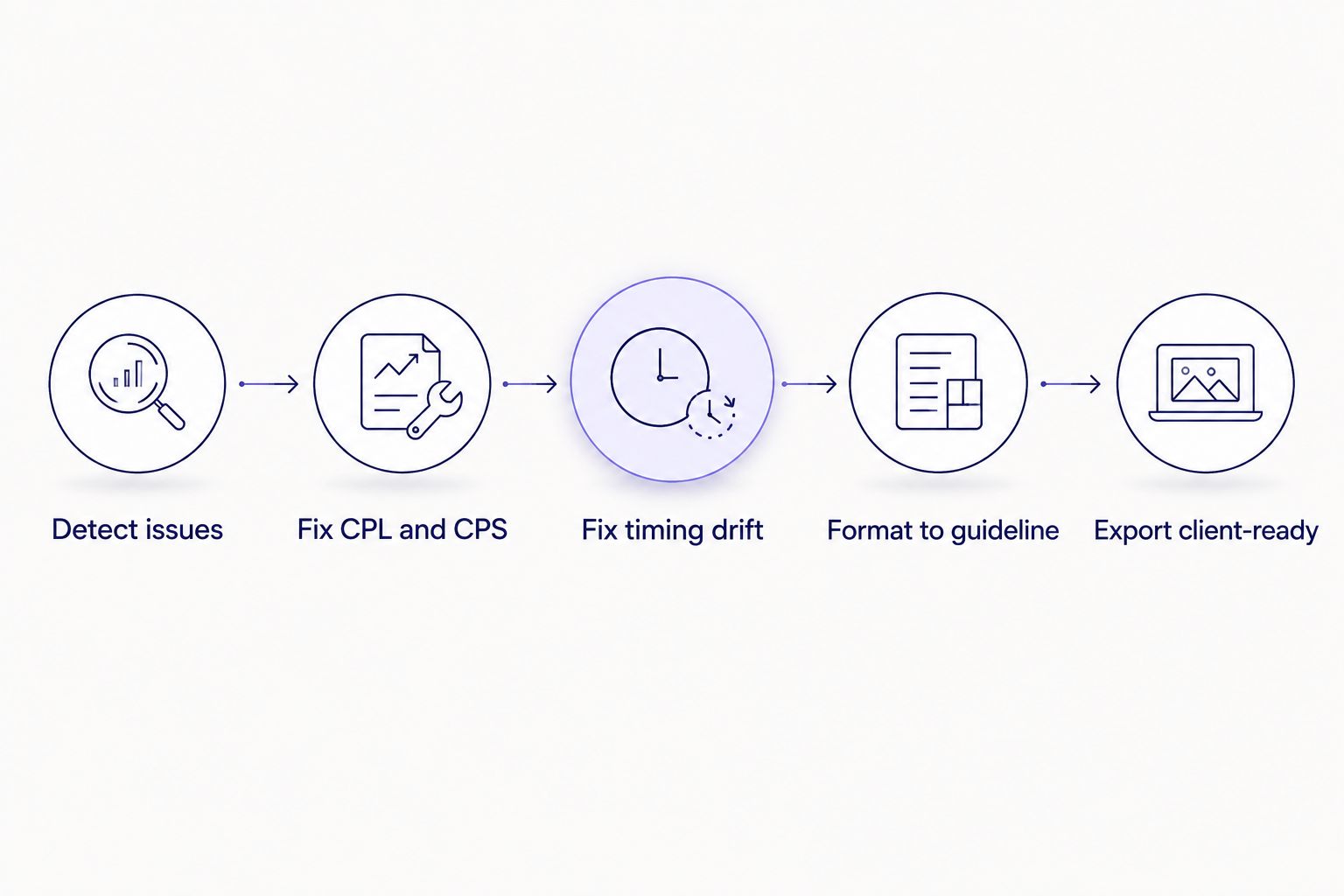
Guideline formatting is the last step, not an afterthought, once CPL/CPS and timing drift are fixed.
Where VideoText shines:
- Subtitle QA review with an in-browser cue editor synced to video and automatic issue detection
- CPL/CPS fixing plus timing-drift and overlap correction in one pass
- Guideline formatting to Rev, GoTranscript, Scribie, or a custom spec
- Translation across 70+ languages with cue timing preserved
- Batch processing and ZIP export for multi-file jobs (Pro+)
Where VideoText falls short:
- No timeline-based video editing — it doesn't cut scenes or add motion graphics the way VEED does
- No social-clip template library for quick TikTok or Reels exports
- Live transcription is streaming ASR, not a live multi-track editing session
Best for: freelance transcriptionists, subtitle editors, podcast teams, and media agencies delivering client-ready captions on a deadline.
| Dimension |
VideoText |
VEED |
| CPL/CPS fixing |
Dedicated pass with issue detection |
Not a dedicated feature |
| Guideline formatting (Rev/GoTranscript/Scribie) |
Yes |
No |
| Subtitle translation with timing preserved |
70+ languages |
Limited |
| Timeline video editing |
Not the focus |
Core feature |
2. Kapwing: best for real-time collaborative editing
Kapwing runs in the browser and lets multiple editors work on the same timeline at once, which suits social teams turning clips around fast. Templates and export presets cover most social formats.
Pros: real-time multi-user editing, a broad template library, quick export presets.
Cons: subtitle QA is limited to basic caption styling — no CPL/CPS controls, no guideline formatting for client delivery.
Best for: social content teams that need quick, collaborative edits rather than deep caption cleanup.
3. Happy Scribe: best for professional transcription and export
Happy Scribe transcribes audio and video into text, then exports to a wide range of transcript and subtitle formats. It also offers a human transcription option alongside automatic speech recognition, which matters when accuracy has to hold up on review.
Where Happy Scribe shines:
- Wide export format range across transcript and subtitle types
- Human transcription option alongside ASR
- Transcript search across long files
Where Happy Scribe falls short:
- No timeline video editing
- No caption burn-in to video
- Subtitle QA tools are thinner than a dedicated cue-level editor
Best for: teams that need multiple export formats out of one transcription pass without touching a video timeline.
| Dimension |
Happy Scribe |
VEED |
| Export format range |
Wide (TXT, SRT, VTT, DOCX, and more) |
Narrower, editing-focused exports |
| Human transcription option |
Yes |
No |
| Video editing timeline |
No |
Yes |
4. Maestra: best for multilingual dubbing and translation
Maestra focuses on turning a transcript or subtitle file into another language, including AI dubbing that replaces the original voice track. That's a different job than editing raw footage — it's built for teams pushing one video into several markets at once.
Where Maestra shines:
- AI dubbing across multiple languages
- Subtitle translation with voice cloning options
Where Maestra falls short:
- Not built as a general video editor
- Caption styling options are thinner than VEED's template system
Best for: teams localizing a video library into multiple languages rather than cutting new footage.
| Dimension |
Maestra |
VEED |
| AI dubbing |
Yes |
No |
| Subtitle translation |
Yes |
Limited |
| Social-clip templates |
No |
Yes |
5. GoTranscript: best for human-reviewed transcription
GoTranscript routes audio and video to human transcriptionists rather than relying only on automatic speech recognition. That trade-off costs turnaround time but buys accuracy on files where accents, crosstalk, or technical terminology trip up ASR.
Pros: human review, useful for legal or academic accuracy requirements.
Cons: turnaround takes longer than an automated pipeline; no self-serve editing or caption-burning tools.
Best for: transcription jobs where accuracy matters more than same-day turnaround.
Why people switch from VEED
- No CPL/CPS control. VEED's auto-captions don't flag reading-speed or characters-per-line violations, so QA teams catch these by hand before delivery.
- No guideline formatting. Agencies delivering to Rev, GoTranscript, or Scribie specs still reformat manually after export.
- Thin batch handling. Teams running dozens of files a week look for a dedicated batch queue and ZIP export rather than a one-file-at-a-time flow.
- Translation timing. Subtitle translation that shifts cue timing means a resync pass; teams translating regularly look for tools that preserve timing on export.
“The best veed alternative for you depends on whether the bottleneck is editing speed or subtitle QA — they're rarely the same problem.”
When staying with VEED is the right call
Stick with VEED if your output is short social clips with quick auto-captions and there's no client-delivery QA process behind it — the template library and timeline editing still win for that job in 2026. Switch when subtitle QA, CPL/CPS limits, or client-guideline formatting become the bottleneck instead.
Cut subtitle QA time
See the workflow for fixing CPL, CPS, and timing drift before delivery.
See the QA workflow
FAQ
What's the best VEED alternative for subtitle QA in 2026?
VideoText is the best veed alternative for subtitle QA in 2026 because it checks CPL, CPS, timing drift, and overlaps in one pass and formats to Rev, GoTranscript, or Scribie specs before export.
Is VideoText better than VEED for client-ready transcripts?
For client-ready transcripts, yes — VideoText's guideline formatting and cue-level QA review are built for that step, while VEED focuses on timeline editing and social templates.
Does VEED support CPL and CPS checking?
VEED does not include a dedicated CPL/CPS checking pass; reading-speed and characters-per-line violations are typically caught manually or with a separate QA tool.
Can VEED translate subtitles into multiple languages?
VEED offers translation features, but preserving exact cue timing across many languages is a narrower capability than tools built specifically for subtitle translation, such as Maestra or VideoText.
What's the best VEED alternative for social-media video editing?
Kapwing is the closest veed alternative for social-media editing, with real-time collaborative editing and a comparable template library.
Is Kapwing a good VEED alternative for teams?
Kapwing works well for teams that need multiple editors working on the same timeline at once, though it doesn't cover CPL/CPS fixing or guideline formatting the way VideoText does.
How does GoTranscript compare to VEED for transcription accuracy?
GoTranscript uses human transcriptionists rather than automatic speech recognition alone, which suits accuracy-critical jobs; VEED relies on automatic captioning built into its editor.
Should I switch from VEED to VideoText?
Switch if subtitle QA, CPL/CPS limits, or client-guideline formatting are slowing delivery; stay on VEED if the job is fast social-clip editing with templates.
One last thing
The detail most teams miss when shortlisting a veed alternative isn't editing power — it's whether subtitle translation preserves cue timing. Translate a file without that guarantee and the captions drift out of sync with the audio, cue by cue, and someone has to manually resync every line before delivery. Check for timing-preserved translation before committing a multilingual project to any tool on this list in 2026.



