Clideo alternatives in 2026 split into two lanes: quick browser editors for one-off trims and crops, and dedicated subtitle QA tools built for editors who deliver client-ready captions every week. Clideo owns the first lane — fast, free-tier friendly, no install required. It never built out the second.
TL;DR
- VideoText is the best Clideo alternative in 2026 for subtitle QA, CPL/CPS fixing, and client-ready caption delivery.
- Clideo stays useful for quick one-off trims, crops, and format conversions in the browser.
- Kapwing and VEED.io cover team editing and social captioning but keep the same shallow caption-QA depth as Clideo.
- Descript edits video by editing transcript text, a different workflow from subtitle QA entirely.
Subtitle QA benchmarks
42 characters
Netflix max line length
20 cps
Netflix reading-speed cap
Why this matters
Clideo's caption tool auto-generates subtitles and burns them into a clip. It does not check line length, reading speed, or gaps between cues. For a 30-second social clip, that gap rarely matters.
For paid transcription and subtitle work, it matters every time. Files delivered to agencies or direct clients need to clear line-length limits, reading-speed caps, and timing checks before they go out. That's the layer a caption-generation tool skips and a QA-focused tool like VideoText is built around.
The pattern holds across 2026's caption tools: general video editors add auto-captions as a feature, not as a delivery pipeline. Editors who bill for subtitle work need the pipeline, not the feature.
Clideo alternatives at a glance
| Tool |
Best for |
Standout feature |
How it differs from Clideo |
| Clideo |
Quick single-clip edits in the browser |
One-click trim, crop, convert, auto captions |
Baseline for comparison |
| VideoText |
Subtitle QA and client-ready caption delivery |
CPL/CPS fixing, timing-drift correction, guideline formatting |
Adds a full subtitle QA layer Clideo doesn't have |
| Kapwing |
Browser-based team video editing |
Shared workspace with comment threads |
Built for collaborative editing, not caption QA |
| VEED.io |
Social-ready video editing with auto-captions |
Auto-subtitle styling presets for short-form video |
Faster caption styling, same shallow QA depth as Clideo |
| Descript |
Transcript-driven video editing |
Edit video by editing the transcript text |
A different editing model, not a caption-QA tool |
1. VideoText: best for subtitle QA and client-ready delivery
VideoText takes raw video or audio, runs ASR transcription with timed segments, and produces SRT/VTT subtitles, speaker labels, and an AI summary with chapters. The part that separates it from Clideo is what happens after the first draft: fixing overlaps, CPL, CPS, gaps, scene-cut spans, and timing drift, then reformatting to Rev, GoTranscript, Scribie, or a custom client guideline.
VideoText is the tool to pick when the deliverable is a subtitle file that has to pass someone else's QA checklist, not just play back correctly on a phone screen.
Where VideoText shines:
- Fixes CPL, CPS, overlaps, and timing drift in an in-browser cue editor synced to the video
- Reformats transcripts and subtitles to named client guidelines automatically
- Detects and labels speakers, with rename support in the UI — see the speaker diarization comparison for how this stacks against other tools
- Translates subtitles and transcripts across 70+ languages with timing preserved on cues
- Batch-processes multiple files with ZIP export on paid plans
Where VideoText falls short:
- No timeline video editing, color grading, or motion graphics — it doesn't compete with a general editor there
- Not built for one-off casual clip trimming the way Clideo is
Best for: freelance transcriptionists and subtitle editors who deliver QA-checked SRT/VTT files to agencies or direct clients.
| Dimension |
VideoText |
Clideo |
| Subtitle QA tooling |
In-browser cue editor with issue detection |
Not available |
| CPL/CPS control |
Direct fixing against limits like Netflix's 42-character line cap |
No line-length or reading-speed check |
| Guideline formatting |
Rev / GoTranscript / Scribie / custom presets |
Not available |
| Speaker diarization |
Detect, label, rename |
Not available |
2. Kapwing: best for browser-based team video editing
Kapwing is a collaborative video editor built for teams that need to comment, approve, and revise clips in one shared workspace. It handles trimming, resizing, and auto-captioning the same way Clideo does, with the addition of multi-user editing threads.
Where Kapwing shines:
- Shared workspace with comment threads for team review
- Auto-caption generation on upload, similar to Clideo's baseline
Where Kapwing falls short:
- No CPL/CPS validation or timing-drift fixing on generated captions
- No guideline formatting for delivery to transcription agencies
Best for: small teams reviewing and approving social video edits together, not editors delivering QA-checked subtitle files.
3. VEED.io: best for social-ready video editing and captioning
VEED.io focuses on styled auto-captions for short-form and social video — animated text, branded fonts, and quick export presets. It covers the same auto-caption ground as Clideo with more styling control.
Where VEED.io shines:
- Auto-subtitle styling presets built for vertical, short-form video
- Fast turnaround from upload to styled export
Where VEED.io falls short:
- Same shallow caption-QA depth as Clideo — no CPL/CPS checker, no timing-drift correction
Best for: creators publishing styled captions to social platforms, not editors validating subtitle files against a client spec.
4. Descript: best for transcript-driven video editing
Descript edits video by editing the transcript text — delete a word in the transcript and the matching clip in the timeline moves too. It's a different editing model from Clideo's timeline-based trim-and-crop approach, built around correcting spoken content rather than caption formatting.
Where Descript shines:
- Transcript-based editing removes the need to scrub a timeline for small cuts
Where Descript falls short:
- Not built around subtitle QA — CPL, CPS, and guideline formatting aren't the focus
Best for: editors cutting spoken-word video by editing text, not editors delivering caption files to a QA spec. A full breakdown sits in the Descript alternatives comparison.
Why people switch from Clideo
The reasons editors move off Clideo for subtitle work repeat across 2026 workflows:
- No CPL/CPS validation. Clideo's auto-captions can exceed common line-length limits like the 42-character cap without flagging it.
- No timing-drift fixing. Cues generated from ASR often drift out of sync on longer files; Clideo has no correction pass for this.
- No guideline formatting. Delivering to Rev, GoTranscript, or Scribie-style specs means manual reformatting after export.
- No batch processing. Multi-file jobs run one at a time in the browser.
Editors producing captions specifically for platforms like YouTube run into a related gap — see the subtitle generator comparison for YouTube for how caption tools differ on platform-specific formatting.
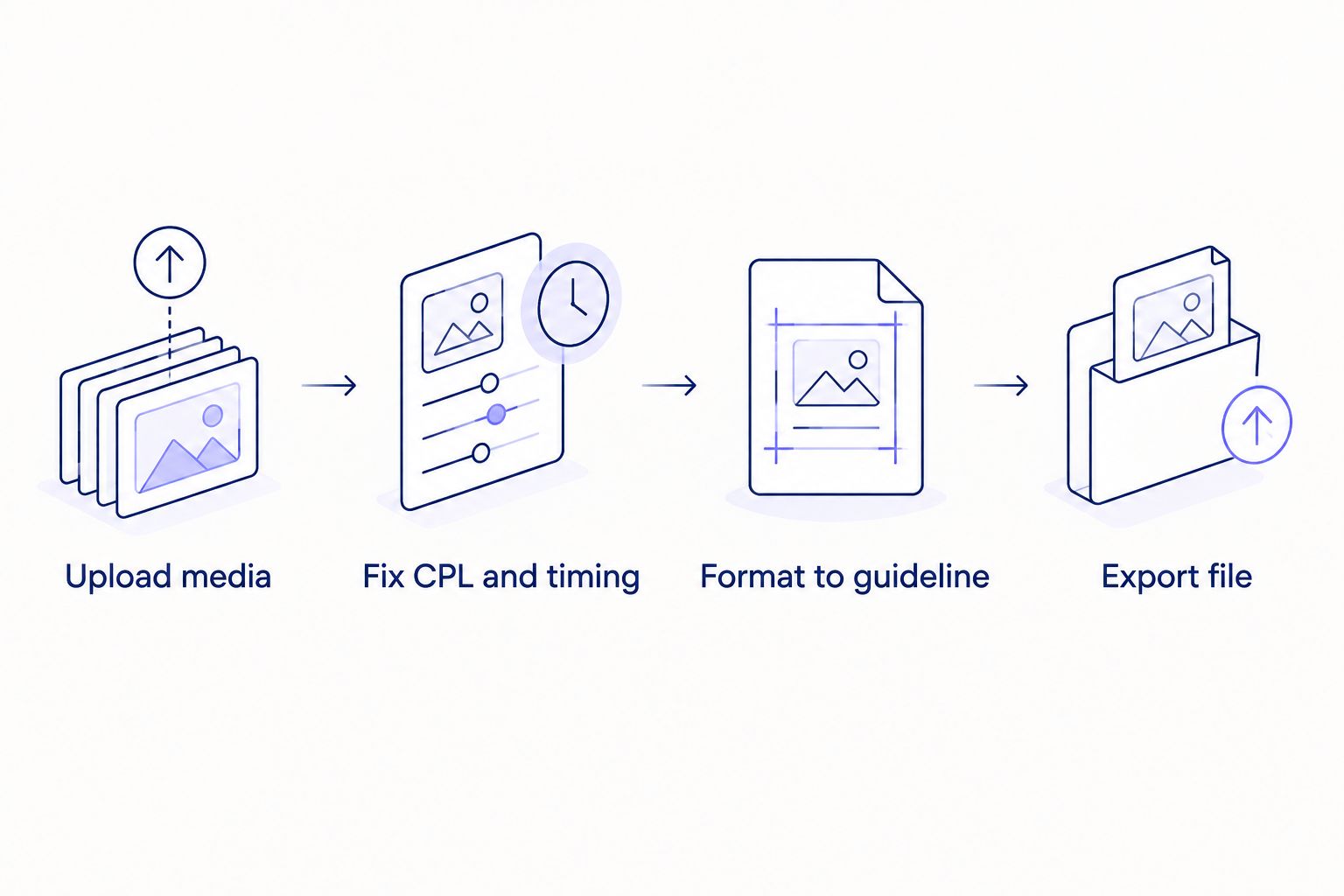
The QA step between generating captions and exporting them is what Clideo's pipeline skips.
When Clideo is still the right call
Clideo is a reasonable pick for a single clip that needs a trim, a crop, a format conversion, or a rough auto-caption before posting. If there's no client spec to hit and no QA pass required, switching tools adds a step that wasn't needed.
The honest line: Clideo handles the edit, VideoText handles the QA — pick based on whether anyone downstream is checking the caption file.
Check a subtitle file's QA readiness
Fix CPL, CPS, and timing drift before delivery.
Try VideoText
FAQ
What's the best Clideo alternative for subtitle QA in 2026?
VideoText is the best Clideo alternative for subtitle QA in 2026. It fixes CPL, CPS, overlaps, and timing drift, and reformats output to client guidelines — none of which Clideo's caption tool does.
Is VideoText better than Clideo for captions?
VideoText is better than Clideo for caption QA and delivery, not for casual one-off video trimming. Clideo covers quick edits faster; VideoText covers the QA layer Clideo skips.
Can Clideo fix subtitle timing drift?
No, Clideo has no timing-drift correction. Cues generated from auto-captioning can drift out of sync on longer files with no fix built in.
Does Clideo check CPL and reading speed?
Clideo does not check characters-per-line or reading speed against common caption standards, such as Netflix's 42-character line cap and 20 cps reading-speed limit.
What does Kapwing do differently than Clideo?
Kapwing adds a shared team workspace with comment threads on top of the same trim, crop, and auto-caption features Clideo offers. Neither validates caption line length or timing.
Is VEED.io a good replacement for Clideo's caption tool?
VEED.io replaces Clideo for styled social captions but not for subtitle QA. Both generate auto-captions without checking CPL, CPS, or timing drift.
How does Descript compare to Clideo for video editing?
Descript edits video by editing the transcript text, a different model from Clideo's timeline-based trim-and-crop editing. Neither is built around caption QA.
When should I still use Clideo instead of a dedicated subtitle tool?
Use Clideo for a single quick clip — a trim, a crop, a format conversion — with no client caption spec to hit. Once QA against a guideline is required, a dedicated tool covers ground Clideo doesn't.
One last thing
Most auto-caption tools, Clideo included, generate lines that exceed common caption standards by default. Run any auto-generated SRT through a CPL and reading-speed check before delivery in 2026, regardless of which tool produced the file — the generation step and the QA step are not the same step.
Related guides



