Choose VideoText if your job is turning raw audio or video into client-ready transcripts and subtitles, and you need to fix CPL, CPS, and timing drift before delivery. Choose Kapwing if you need a browser-based video editor with templates, resizing, and auto-captions for social content, and subtitle accuracy is a secondary concern. The axis that separates them: VideoText is built around subtitle QA and transcript cleanup workflows; Kapwing is built around video editing with captions bundled in.
TL;DR
- VideoText vs Kapwing in 2026: VideoText wins on subtitle QA, speaker diarization, and client-guideline formatting.
- Kapwing wins on general video editing, templates, and social media resizing.
- Both translate subtitles into multiple languages, but only VideoText preserves cue timing across 70+ languages.
- Freelance transcriptionists and subtitle editors get more QA control from VideoText; social teams get more editing range from Kapwing.
What each tool covers
70+
Languages VideoText translates subtitles into
7+
Export formats VideoText supports
TXT, SRT, VTT, PDF, DOCX, JSON, CSV
Why this matters
A freelance transcriptionist delivering to Rev or GoTranscript guidelines and a marketing team cutting a 30-second social clip need different tools, even though both tools output SRT files. Mixing them up costs QA time: reformatting a transcript by hand after the wrong tool exports it wrong takes longer than picking correctly at the start. VideoText is built for the first job. Kapwing is built for the second.
The difference shows up fastest in subtitle QA. VideoText checks and fixes overlaps, characters-per-line (CPL), characters-per-second (CPS) reading speed, gaps, and timing drift inside a cue editor synced to the video. That's a distinct workflow from trimming a clip and dropping auto-generated captions on top.
At a glance
| Dimension |
VideoText |
Kapwing |
| Best for |
Transcriptionists, subtitle editors, podcast teams, media agencies |
Social media editors, marketing teams |
| Transcription & ASR |
Timed-segment transcription with speaker labels |
Auto-captions generated during video editing |
| Subtitle QA (CPL/CPS/timing) |
In-browser cue editor with issue detection |
Not a dedicated QA workflow |
| Speaker diarization |
Detects and labels speakers, renamed in the UI |
Not a core feature |
| Guideline formatting |
Reformats to Rev, GoTranscript, Scribie, or custom guidelines |
Not offered |
| Video editing & templates |
Trim, compress, burn subtitles |
Full timeline editor, templates, resizing |
| Translation |
70+ languages, timing preserved on cues |
Auto-translate captions |
| Team & social publishing |
Share links, embeds, API, Zapier |
Team workspaces, direct social export |
Both use modern ASR for transcription accuracy
Neither tool requires you to type from scratch. VideoText runs automatic speech recognition (ASR) to produce timed-segment transcripts from uploaded video, audio, or browser voice recordings. Kapwing generates auto-captions as part of its editing timeline.
Where they diverge is what happens after the first pass. VideoText treats that first ASR output as a draft that needs cleanup, which is why it ships filler-word removal, grammar fixes, and line-break correction as separate steps. Kapwing treats captions as a feature of the video, styled and positioned inside the editor rather than exported for standalone review.
Verdict: tie on raw transcription, split on what you do with it next.
VideoText offers deeper subtitle QA controls (by a lot)
This is the dimension that matters most for anyone delivering subtitle files under a client contract. VideoText's cue editor flags overlaps, CPL violations, CPS reading-speed issues, gaps, scene-cut spans, and timing drift, then lets you fix them inline while watching the synced video.
Kapwing does not run a dedicated QA pass against those metrics. If a caption line runs too many characters per second or a cue overlaps the next one, catching that requires manual review inside the editor, not an automated check.
For a freelancer billing by the file, that gap is the difference between a 10-minute QA pass and an hour of manual scrubbing.
Verdict: VideoText wins on subtitle QA — this is its core specialty.
VideoText handles speaker diarization; Kapwing doesn't build for it
Speaker diarization means detecting who is talking and labeling each speaker in the transcript. VideoText detects speakers automatically and lets you rename them in the UI, which matters for interview transcripts, podcast episodes, and multi-speaker panels.
Kapwing's caption tooling isn't structured around speaker separation. If a transcript needs "Speaker 1" and "Speaker 2" tagged correctly before delivery, that's not a workflow Kapwing is built to run.
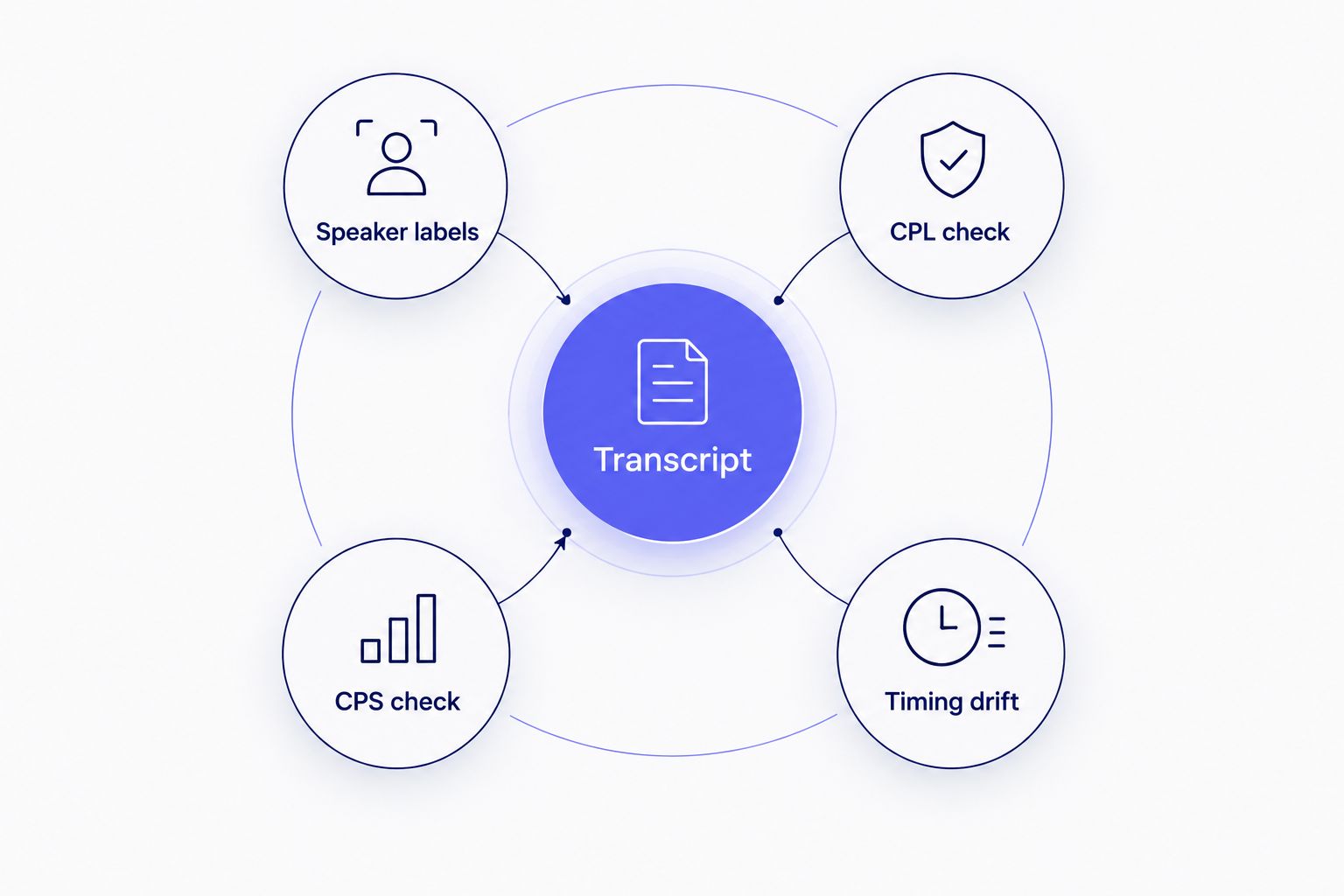
Subtitle QA in VideoText runs speaker labeling and timing checks off the same transcript.
Check the workflow in more detail on the speaker diarization software comparison page.
Verdict: VideoText wins on speaker diarization.
VideoText formats to Rev, GoTranscript, and Scribie guidelines; Kapwing has no equivalent
Any transcriptionist who's worked freelance platforms knows the pain of reformatting a clean transcript to match a specific client's style guide — line lengths, timecode format, speaker layout, punctuation rules. VideoText reformats output to Rev, GoTranscript, Scribie, or a custom guideline directly, which is the step that usually eats the most QA time before delivery.
Kapwing has no comparable feature. It exports captions styled for video, not transcripts formatted to a third-party style guide.
Verdict: VideoText wins on guideline formatting — Kapwing doesn't compete here.
Kapwing wins on video editing and templates (by a lot)
Kapwing is a full browser-based video editor: timeline cutting, effects, templates, and social media resizing for platforms like TikTok, Instagram, and YouTube Shorts. If the deliverable is a finished, styled video rather than a transcript or subtitle file, Kapwing's editor covers more ground.
VideoText's video-side features are narrower by design: trim, compress, and burn subtitles into video. Those cover the last mile of a subtitle workflow, not a full edit.
Verdict: Kapwing wins on video editing — it's built for that job, VideoText isn't.
Kapwing wins on team collaboration and social publishing
Kapwing's workspace model is oriented toward marketing and social teams working on the same project, with direct export paths to social platforms. That's a natural fit for a tool whose core product is the finished video.
VideoText supports share links, embeds, an API, and Zapier integration for automating transcription, fixing, translation, and export — useful for pipeline automation, but a different kind of collaboration than a shared social-editing workspace.
Verdict: Kapwing wins on team/social publishing workflows.
Translation: both cover multiple languages, timing is the difference
Both tools translate captions. VideoText translates subtitles and transcripts into 70+ languages while preserving cue timing, meaning the translated file drops in without a re-sync. Kapwing auto-translates captions inside its editor as part of the video workflow.
For standalone subtitle-file delivery in a second language, timing preservation matters more than it sounds — a translated line that's a few characters longer can push past CPL limits and needs the same QA pass as the original.
Verdict: tie on language coverage, edge to VideoText on preserved timing for file delivery.
“If your delivery checklist includes CPL and CPS validation, a general video editor is not built for that job.”
Pricing models: predictability vs. bundled editing
Neither tool's current pricing figures are the point here — check each site directly for the numbers, since they change. What's worth comparing is the model.
VideoText runs tiered subscription plans, with batch processing and ZIP exports gated to Pro+ tiers. That structure rewards volume: freelancers and agencies processing many files get proportionally more value as usage scales.
Kapwing runs a freemium model layered around its editor, with paid tiers unlocking export and collaboration features. That structure suits teams who need the editing surface more than they need bulk transcript throughput.
Neither model is objectively cheaper — they're built for different usage patterns. A transcriptionist processing 40 files a week and a social editor publishing 3 videos a week are optimizing for different things.
See VideoText's subtitle QA workflow
Upload a file and check CPL, CPS, and timing drift before delivery.
Try VideoText
Final verdict
Choose VideoText if: you're a freelance transcriptionist, subtitle editor, or podcast team delivering client-ready transcripts and SRT/VTT files, and you need CPL/CPS validation, timing-drift fixes, speaker diarization, and Rev/GoTranscript/Scribie formatting before delivery. VideoText wins for this profile in 2026.
Choose Kapwing if: you're a social media editor or marketing team producing finished, styled videos with captions baked in, and you need templates, resizing, and a full editing timeline more than standalone subtitle QA. Kapwing wins for this profile in 2026.
Scorecard
| Dimension |
Winner |
| Transcription & ASR |
Tie |
| Subtitle QA (CPL/CPS/timing) |
VideoText |
| Speaker diarization |
VideoText |
| Guideline formatting |
VideoText |
| Video editing & templates |
Kapwing |
| Team/social publishing |
Kapwing |
| Translation |
Tie (VideoText on timing) |
If you're evaluating other options beyond these two, the Descript alternatives roundup covers tools built for a similar cleanup-heavy workflow.
FAQ
Is VideoText better than Kapwing for subtitle QA in 2026?
Yes, for subtitle QA specifically. VideoText runs a dedicated cue editor that checks CPL, CPS reading speed, overlaps, gaps, and timing drift, which Kapwing does not offer as a standalone workflow.
Does Kapwing support speaker diarization?
Kapwing's caption tooling is not built around speaker separation. VideoText detects and labels speakers automatically, with renaming available in the UI.
Can Kapwing format subtitles to Rev or GoTranscript guidelines?
No, Kapwing has no equivalent feature. VideoText reformats transcripts and subtitles to Rev, GoTranscript, Scribie, or a custom client guideline directly.
How many languages does VideoText translate subtitles into?
VideoText translates subtitles and transcripts into 70+ languages while preserving cue timing, so the translated file doesn't need to be re-synced.
Does VideoText have a full video editor like Kapwing?
No. VideoText covers trim, compress, and subtitle burn-in, which handle the last steps of a subtitle workflow, but it is not a timeline video editor like Kapwing.
Which tool is better for freelance transcriptionists?
VideoText is built specifically for transcript cleanup, subtitle QA, and client-guideline formatting, which matches the freelance transcription workflow more directly than Kapwing's editor-first design.
Does Kapwing fix subtitle timing drift automatically?
Kapwing does not run an automated timing-drift check. VideoText detects and fixes timing drift, gaps, and scene-cut spans inside its subtitle QA review.
What export formats does VideoText support compared to Kapwing?
VideoText exports TXT, SRT, VTT, PDF, DOCX, JSON, and CSV, including timecode and speaker layouts. Kapwing's exports are oriented around styled video and caption files for publishing.
One last thing
The fastest way to tell which tool fits your workflow: open your last delivered file and check whether the client rejected it for caption style or for a timing/formatting error. Style rejections point to Kapwing's territory. Timing, CPL, or guideline-formatting rejections point straight at the gap VideoText is built to close.
Related guides



