At a glance
| Dimension |
Videotext |
GoTranscript |
| Best for |
Editors managing repeatable transcript and subtitle workflows |
Buyers who want a human-produced transcript |
| Transcription method |
ASR with timed segments |
Human transcription service |
| Pricing model |
Plan and usage based |
Audio-minute and service based |
| Turnaround model |
Automated processing after upload |
Delivery handled through a human service workflow |
| Speaker labels |
Automatic diarization with editable names |
Labels prepared during human transcription |
| Subtitle QA |
CPL, CPS, timing, gap, overlap, and line-break checks |
No equivalent self-serve QA editor stated in the inputs |
| Translation |
Automated translation across 70+ languages with cue timing preserved |
Human translation services available separately |
| Export formats |
TXT, SRT, VTT, PDF, DOCX, JSON, CSV, and more |
Transcript and subtitle delivery formats |
| Standout feature |
Subtitle repair and client-guideline formatting |
Human-produced first draft |
Videotext is faster for self-serve transcription
Videotext processes uploaded video or audio with ASR. It creates text with timed segments without waiting for a human transcriber to accept and complete the file. You can then review the transcript in the same workflow.
GoTranscript uses a service model. A human transcriber listens to the recording and prepares the output. That model removes the need to create the first draft yourself, but it does not provide the same immediate, self-serve workflow.
Videotext wins on processing speed and direct control. GoTranscript wins when delegating the first draft matters more than starting the edit immediately.
Videotext offers much deeper subtitle QA
A transcript records spoken content. A subtitle file also controls when each cue appears, how long it stays visible, where lines break, and how quickly viewers must read it.
Videotext checks the technical problems that make an SRT or VTT file fail review:
- CPL, or characters per line
- CPS, or characters per second
- Cue overlaps and gaps
- Timing drift
- Scene-cut spans
- Grammar and filler cleanup
- Line-break problems
Its in-browser cue editor stays synced to the video and identifies issues during review. That matters when a client expects a delivery-ready subtitle file rather than a readable transcript alone.
GoTranscript can deliver subtitle files, but the supplied data does not identify an equivalent self-serve editor for rerunning CPL, CPS, overlap, and timing checks. Videotext is the clear winner for subtitle QA in 2026. The wider category comparison covers more subtitle generator tools for YouTube.
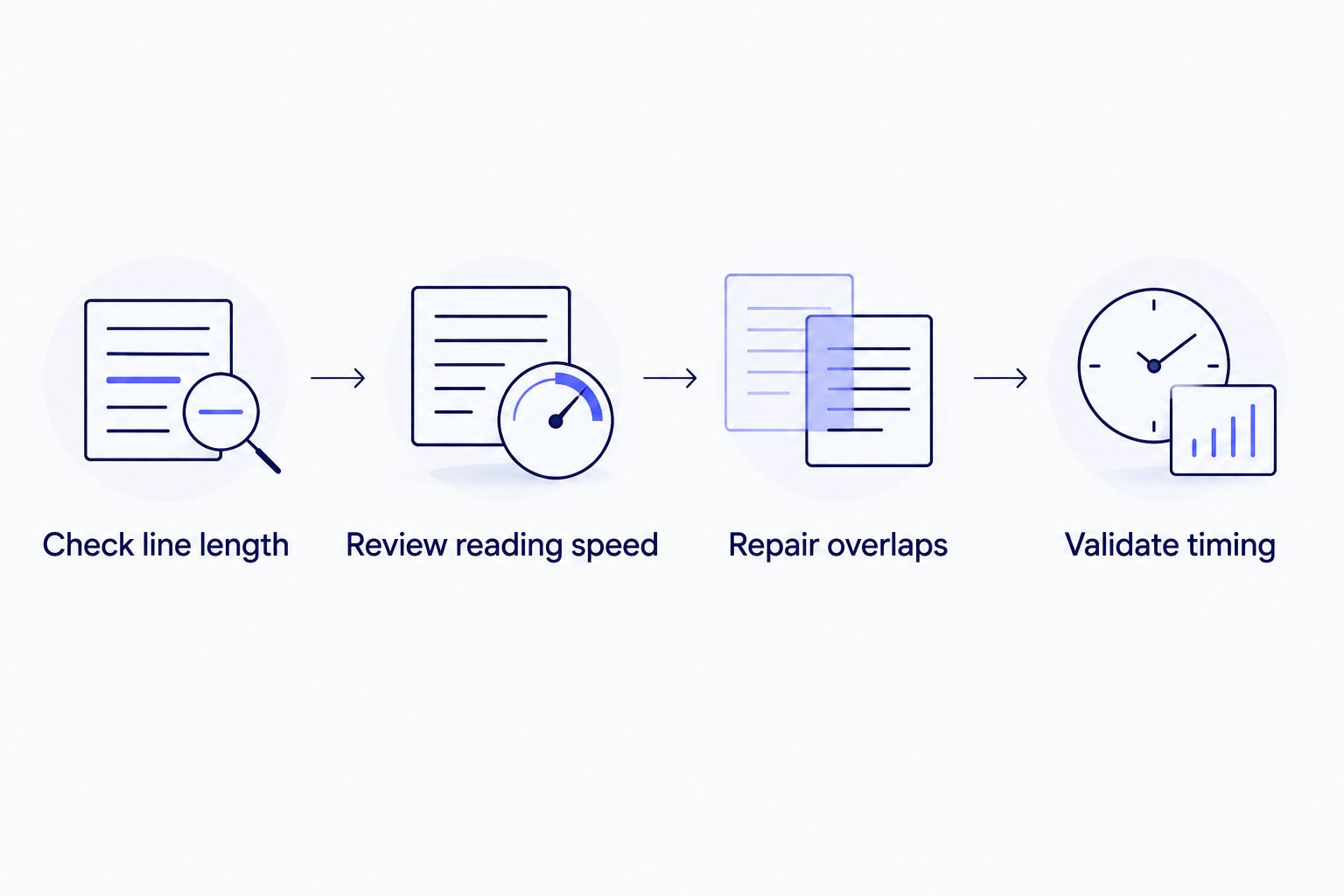
A client-ready subtitle workflow checks text and cue timing before export.
Both approaches handle speaker labels well
Speaker diarization detects where one speaker stops and another starts. Videotext performs this step automatically, assigns labels, and lets you rename speakers in the interface. This is useful for interviews, podcasts, and panel recordings.
GoTranscript handles speaker identification as part of human transcription. A person listens for voice and context changes while preparing the transcript.
This dimension is a tie with different tradeoffs. Videotext is better when you need automatic diarization that remains editable. GoTranscript is better when you want a human to make the initial speaker decisions. Compare other options in this guide to speaker diarization software.
GoTranscript is better when human transcription is mandatory
Some assignments require human transcription because the client contract, internal process, or subject matter excludes an automated first draft. GoTranscript fits that requirement directly because human transcription is the service.
Videotext uses ASR to produce the initial transcript. You remain responsible for reviewing names, technical language, crosstalk, and unclear speech before delivery.
GoTranscript wins when a human-produced first draft is non-negotiable. Videotext is not a substitute for a contractual human-transcription requirement.
Videotext gives editors more control over translation timing
Videotext translates subtitles and transcripts across 70+ languages. For subtitle files, it preserves the timing attached to each cue. That prevents the translation step from discarding the cue structure and forcing you to rebuild the timeline.
Translation still needs review. Text expansion can create longer lines or faster reading speeds even when cue timing remains intact. Videotext lets you run the translated output through the same CPL, CPS, and timing checks used for the source language.
GoTranscript offers human translation services. That is the better route when the assignment explicitly requires a human translator. Videotext wins for automated, timing-preserved subtitle translation; GoTranscript wins for human translation.
Videotext wins on client-guideline formatting
Freelancers rarely deliver every transcript in one format. One client wants timestamps at speaker changes. Another wants clean verbatim text. A third imposes a specific subtitle line length or speaker-label convention.
Videotext can reformat output for Rev, GoTranscript, Scribie, or custom client guidelines. This separates transcription from final formatting: you can process the source once, then prepare the output for the required delivery specification.
GoTranscript supplies work in its own service workflow. It is not positioned as a self-serve tool for converting an existing transcript among competing client specifications. Videotext wins this dimension by a wide margin in 2026.
Videotext supports more automation-ready exports
Videotext exports TXT, SRT, VTT, PDF, DOCX, JSON, and CSV, with timecode and speaker-layout options. TXT and DOCX suit transcript review. SRT and VTT carry subtitle cues. JSON and CSV support structured processing in other systems.
Videotext also provides an API, Zapier integration, and Chrome extensions. Batch processing adds a multi-file queue and ZIP exports on Pro and higher plans. These options matter when files move through a repeated production workflow rather than a single manual handoff.
GoTranscript delivers files as a managed service. That is enough when the delivered transcript or subtitle file is the endpoint. Videotext wins for structured exports and workflow automation; both handle standard transcript delivery.
Run a subtitle QA pass
Upload media, review timed cues, and check CPL, CPS, overlaps, and timing before export.
Open Videotext
Pricing: usage plan versus managed service
Videotext and GoTranscript use different pricing models, so a direct rate comparison needs the current plan and service pages. Hard-coded prices would become stale and are not needed to understand the tradeoff.
Videotext uses a software plan and usage model. This suits repeat work because the same account covers transcription, subtitle repair, translation, exports, and automation. Your team performs the final review.
GoTranscript charges for managed transcription and related services according to the job. This suits buyers who want to hand off individual recordings rather than operate the software themselves. The service includes human labor, while Videotext gives you tools to complete and validate the work internally.
Videotext has the more predictable workflow for recurring production. GoTranscript has the more flexible model for occasional outsourced jobs. Check current terms on both sites before purchase.
Final verdict
Choose Videotext if you are an editor managing repeat work
Choose Videotext when you regularly produce transcripts, SRT or VTT files, translated captions, summaries, and chapters. It is the stronger option when your bottleneck is QA: fixing CPL, CPS, line breaks, overlaps, timing drift, and client-specific formatting before delivery.
Videotext is best for freelance transcriptionists, subtitle editors, podcast teams, and media agencies that want an automated first draft plus direct control over QA.
Choose GoTranscript if you want to outsource the first draft
Choose GoTranscript when you want a human transcriber to prepare the transcript and you do not need to operate the transcription software yourself. It is also the correct choice when the assignment explicitly requires human transcription or human translation.
GoTranscript is best for one-off or policy-constrained jobs where human production matters more than self-serve speed and automation.
One-glance scorecard
| Dimension |
Winner |
| Self-serve transcription speed |
Videotext |
| Subtitle QA |
Videotext |
| Speaker labeling |
Tie |
| Mandatory human transcription |
GoTranscript |
| Automated translation workflow |
Videotext |
| Human translation |
GoTranscript |
| Client-guideline formatting |
Videotext |
| Structured exports and automation |
Videotext |
| Occasional outsourced work |
GoTranscript |
A practical 2026 selection workflow
Use these steps before committing a client file to either option:
- Read the delivery specification. Confirm whether ASR is allowed or whether the client requires a human-produced transcript.
- Identify the output. A DOCX transcript, timed SRT file, translated VTT file, and JSON dataset require different workflows.
- List the QA rules. Record required CPL, CPS, timestamp, speaker-label, and line-break conventions.
- Assess the recording. Note crosstalk, unclear speakers, specialist terminology, and background noise before choosing automated or human transcription.
- Choose the operating model. Use Videotext when you want to process and validate files yourself. Use GoTranscript when you want to outsource production.
- Review before delivery. Neither automated nor human transcription removes the need to check names, terminology, timestamps, and formatting against the source.
This workflow keeps the tool decision tied to the actual deliverable. It also prevents a common mistake: choosing a transcription method before checking the subtitle specification.
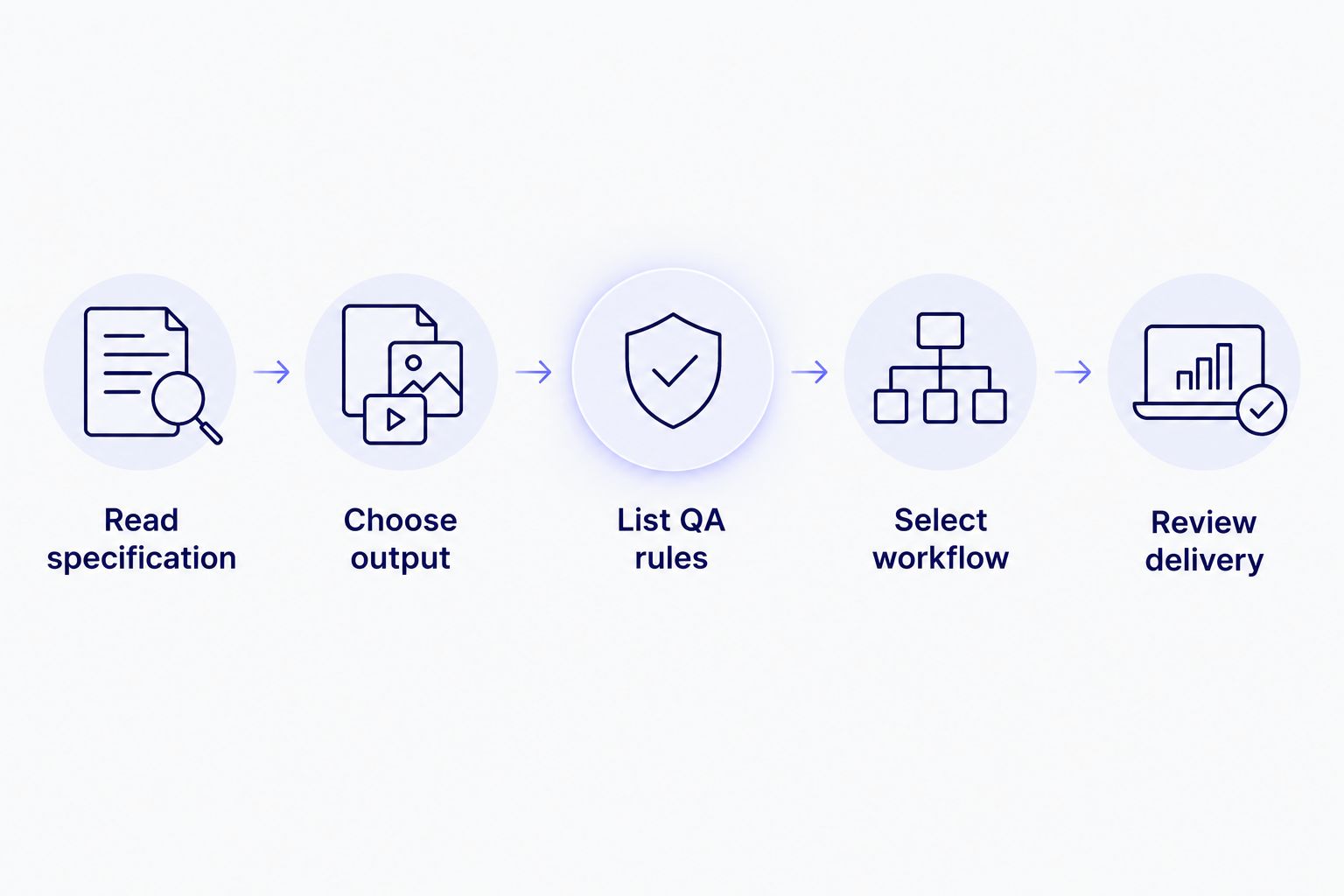
Start with the client's delivery rules, not the transcription tool.
FAQ
Is Videotext or GoTranscript better in 2026?
Videotext is better for self-serve ASR transcription, subtitle QA, translation, formatting, and automation. GoTranscript is better when you want a human transcriber to produce the first draft.
Is Videotext better than GoTranscript for subtitles?
Videotext is better for editors who need to inspect and repair subtitle files themselves. It checks CPL, CPS, overlaps, gaps, timing drift, scene-cut spans, grammar, and line breaks in a video-synced editor.
Does Videotext support speaker diarization?
Yes. Videotext automatically detects and labels speakers, and you can rename them in the interface. The feature is designed for multi-speaker transcripts such as interviews, podcasts, and panel recordings.
Can Videotext format a transcript for GoTranscript guidelines?
Yes. Videotext can reformat output for GoTranscript, Rev, Scribie, or custom client guidelines. You should still review the result against the client's current specification before delivery.
Which tool is better for human transcription?
GoTranscript is the better choice when human transcription is required because its service is built around human transcribers. Videotext creates the initial draft with ASR and gives the editor tools for review and correction.
Can Videotext translate subtitle files?
Yes. Videotext translates subtitles and transcripts across 70+ languages while preserving cue timing. Review translated line length and reading speed before exporting the final file.
What formats can Videotext export?
Videotext exports TXT, SRT, VTT, PDF, DOCX, JSON, CSV, and additional timecode or speaker-layout formats. The available structured formats also support downstream automation.
How much do Videotext and GoTranscript cost?
Videotext uses a software plan and usage model, while GoTranscript prices managed services by the job and audio duration. Check each provider's current terms because plans and service rates can change.
One last thing
The most useful difference is not ASR versus human transcription. It is who owns the final QA pass. Videotext gives the editor direct control over cue timing, reading speed, line breaks, translation, and client formatting; GoTranscript delegates more of the initial production work to a service provider. Make that decision first in 2026, then compare current terms.
Related guides



