SDH captioning software adds speaker labels, non-speech sound tags like [door slams], and reading-speed-controlled line breaks to a video — a different job than plain subtitle translation. Six tools handle SDH work in 2026, and only a handful actually enforce CPL and CPS limits before you hit export.
TL;DR
- VideoText is the best SDH captioning software for CPL/CPS compliance and QA before client delivery in 2026.
- Rev fits agencies that need human-captioned SDH matched to a broadcast style guide.
- GoTranscript is the budget pick for human-reviewed SDH on smaller jobs.
- Happy Scribe handles multi-language SDH subtitle translation without breaking timing sync.
- Descript and Kapwing are editors first, SDH tools second — use them only if the edit is the main job.
Why this matters
SDH (Subtitles for the Deaf and Hard-of-hearing) is not the same deliverable as a standard translated subtitle file. SDH tracks carry speaker identification, sound-effect descriptors, and music cues on top of dialogue, and most style guides — Netflix's Timed Text Style Guide included — cap line length at 42 characters and reading speed around 17-20 characters per second for English. Miss either spec and a delivery gets kicked back.
VideoText builds its subtitle workflow around exactly that QA step: fixing overlaps, gaps, and CPL/CPS violations before export instead of after a client flags them. That's the lens for this list — not just "can it transcribe," but "can it produce an SDH file that clears QA on the first pass in 2026."
What makes the best SDH captioning software
- Style-guide compliance — templates or presets for Netflix, BBC, Rev, GoTranscript, Scribie, or a custom client spec
- CPL/CPS control — a way to cap line length and reading speed instead of eyeballing it
- Non-speech and speaker labeling — proper handling of [MUSIC], [door slams], and speaker tags, not just dialogue text
- Timing-drift and QA tooling — a way to find and fix overlaps, gaps, and scene-cut spans before delivery
- Translation without breaking sync — cues stay timed when the SDH track moves to another language
- Export flexibility — SRT and VTT output without manual reformatting
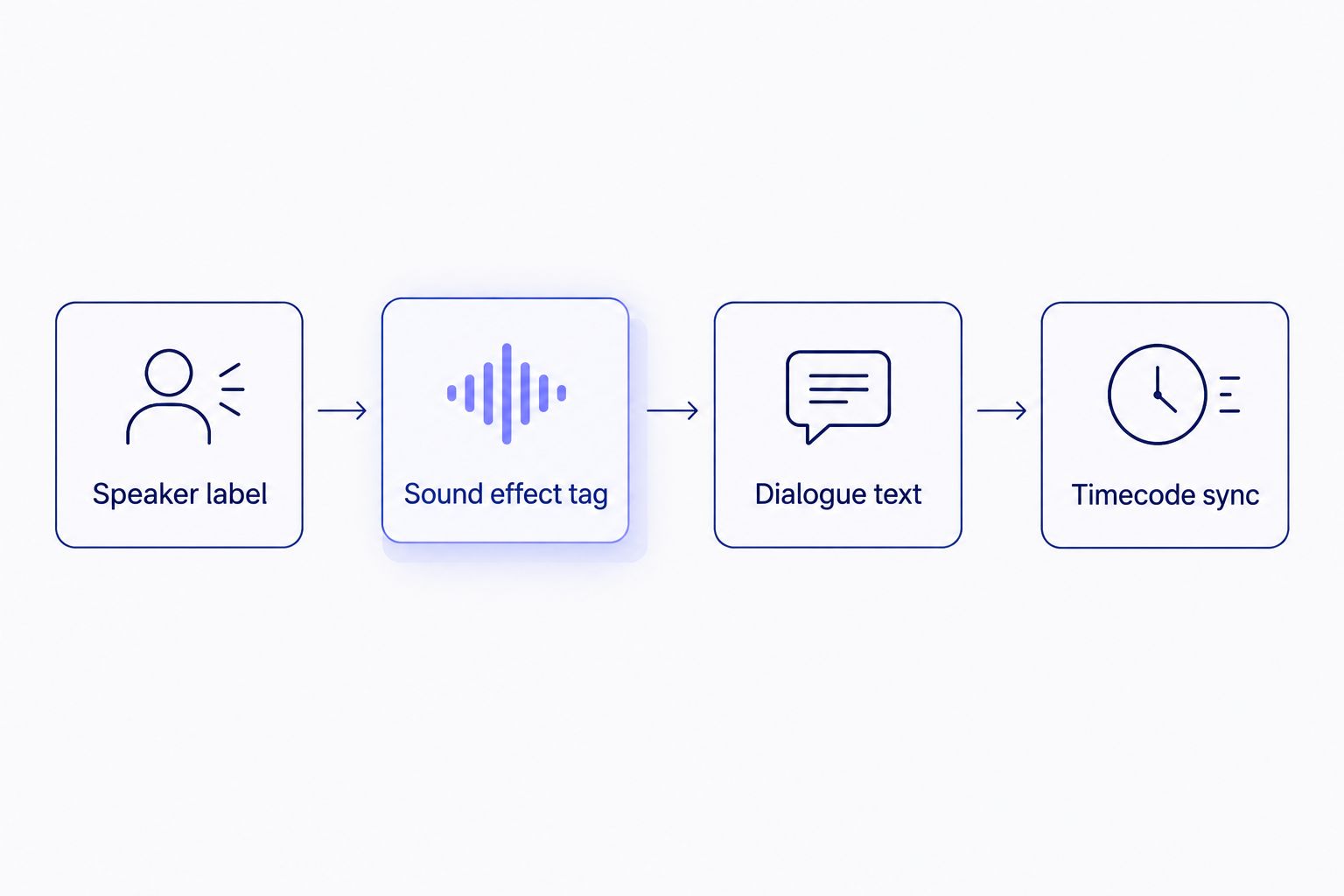
An SDH cue carries more than dialogue: speaker tags and sound descriptors ride alongside the timecode.
SDH captioning software at a glance
| Tool |
Best for |
Standout feature |
Key limitation |
| VideoText |
SDH QA and CPL/CPS compliance |
In-browser cue editor with issue detection and guideline reformatting |
Batch/ZIP export gated to the Pro+ tier |
| Rev |
Broadcast-standard human SDH |
Human captioners working to published style guides |
Human queue runs slower than automated turnaround |
| GoTranscript |
Budget human-reviewed SDH |
Manual review on smaller jobs |
Turnaround measured in days, not minutes |
| Happy Scribe |
Multi-language SDH translation |
Automatic plus human-reviewed subtitle transcription |
Human-review tiers add turnaround time |
| Descript |
SDH inside a video edit |
Text-based editing timeline with caption export |
No native sound-effect descriptor tagging |
| Kapwing |
Social-caption SDH-lite |
Browser-based caption editor built for short-form |
Not built for strict broadcast CPL/CPS compliance |
1. VideoText: best SDH captioning software for QA and CPL/CPS compliance
VideoText turns uploaded video or audio into a timed transcript, then runs a subtitle QA pass that flags overlaps, gaps, scene-cut spans, and CPL/CPS violations before you export the SDH file. Guideline formatting reformats a transcript to Rev, GoTranscript, Scribie, or a custom client spec, which is the step most freelancers do by hand. Speaker diarization labels who's talking, and translation preserves cue timing across 70+ languages.
VideoText pros:
- In-browser cue editor synced to the video, with issue detection built in
- Guideline formatting to named style guides cuts manual QA time
- Translation keeps timing sync instead of shifting cues line by line
- SRT, VTT, TXT, PDF, DOCX, JSON, and CSV export options
VideoText cons:
- Batch processing and ZIP exports sit behind the Pro+ tier
- No automatic sound-effect descriptor generation — [door slams]-style tags still need manual insertion
- Live transcription accuracy on heavy accents varies, same as any ASR-based tool
VideoText pricing: check current plan details on the site — features scale by tier.
Best for: freelancers and agencies delivering SDH files that must pass a client's own QA checklist. Verdict: Buy.
2. Rev: best SDH captioning software for broadcast style-guide matching
Rev is a human-captioning service built around published style guides, which makes it a common reference point for SDH formatting standards in the industry. Jobs go into a paid human queue rather than an automated pipeline.
Rev pros:
- Human captioners trained on standard SDH conventions
- Style-guide output matches what broadcasters expect
- Useful as a formatting reference even if you don't use the service directly
Rev cons:
- Turnaround runs on a human review queue, so same-day delivery isn't the norm
- No in-browser QA editor for fixing your own timing drift
Best for: teams that need broadcast-grade SDH and can wait on a human turnaround. Verdict: Hold — use it for reference-quality jobs, not volume work.
3. GoTranscript: best SDH captioning software for budget human review
GoTranscript offers human-reviewed transcription and captioning, including SDH-style formatting on request. It's a name VideoText's own guideline-formatting presets reference directly, alongside Rev and Scribie.
GoTranscript pros:
- Human review catches errors automated ASR misses
- Familiar formatting conventions for freelancers already working to its spec
GoTranscript cons:
- Manual workflow means turnaround in days, not minutes
- No built-in CPL/CPS validator — compliance is manual
Best for: smaller SDH jobs where budget matters more than speed. Verdict: Hold.
See how VideoText and GoTranscript compare directly on VideoText vs. GoTranscript.
4. Happy Scribe: best SDH captioning software for multi-language delivery
Happy Scribe combines automatic and human-reviewed subtitle transcription with translation across many languages, which matters when an SDH track has to ship in more than one market's language.
Happy Scribe pros:
- Automatic and human-reviewed tiers in one workflow
- Translation across a wide language set
Happy Scribe cons:
- Human-review tiers add turnaround time and review overhead
- SDH-specific formatting presets are less granular than a dedicated QA tool
Best for: agencies delivering the same SDH file in multiple languages. Verdict: Hold — full comparison at VideoText vs. Happy Scribe.
5. Descript: best SDH captioning software for editors working inside a timeline
Descript is a text-based video editor that generates captions as part of the edit, not a dedicated broadcast SDH tool. If the SDH file is a byproduct of an edit you're already doing in Descript, it saves a step.
Descript pros:
- Captions generate directly from the edit timeline
- Useful when editing and captioning happen in the same pass
Descript cons:
- No native sound-effect descriptor tagging for SDH
- Not built around style-guide-specific CPL/CPS enforcement
Best for: editors who need captions as a side effect of editing, not a standalone SDH deliverable. Verdict: Skip for dedicated SDH work — see Descript alternatives if that's the real need.
6. Kapwing: best SDH captioning software for social-caption turnaround
Kapwing is a browser-based video and caption editor built for short-form and social content, not broadcast SDH delivery.
Kapwing pros:
- Fast browser-based caption generation
- Good fit for short-form social clips
Kapwing cons:
- Not built for strict broadcast CPL/CPS compliance
- Limited SDH-specific formatting (speaker tags, sound descriptors)
Best for: social clips that need captions fast, not SDH files bound for broadcast or streaming delivery. Verdict: Skip for SDH work — see VideoText vs. Kapwing.
How this list was ranked
Each tool was weighed against the six criteria above: style-guide compliance, CPL/CPS control, speaker and sound-effect labeling, timing-drift QA, translation sync, and export flexibility. Tools built primarily for video editing or social captions score lower on SDH-specific compliance even when they're strong at their core job.
“If a caption line exceeds 42 characters, it wraps or truncates on a standard screen — CPL isn't a style preference, it's a display limit.”
Cut SDH QA time before delivery
See the workflow freelancers use to catch CPL, CPS, and timing errors before a client does.
See the QA workflow
Which SDH captioning software should you choose?
For freelancers and agencies delivering SDH files that need to clear a client's QA checklist on the first pass, VideoText is the default pick in 2026 — the CPL/CPS detection and guideline formatting handle the part of the job that eats the most hours. If the job specifically requires human-captioned SDH matched to a named broadcast style guide, Rev or GoTranscript cover that at the cost of turnaround speed. If the deliverable is multi-language, Happy Scribe's translation tier is the one built for that. Descript and Kapwing are worth using only when captioning rides along with an edit you're already doing there — not as standalone SDH tools.
FAQ
What is SDH captioning software?
SDH captioning software generates subtitle files that include speaker labels and non-speech sound descriptors like [MUSIC] or [door slams], not just translated dialogue. It's built for viewers who are deaf or hard of hearing, and most streaming platforms require a separate SDH track from any translated subtitle file.
What is the best SDH captioning software in 2026?
VideoText is the best SDH captioning software in 2026 for QA and CPL/CPS compliance before delivery. Rev and GoTranscript are stronger picks when the job specifically calls for human-captioned SDH matched to a broadcast style guide.
What's the difference between SDH and closed captions?
Closed captions can be turned on or off and often follow broadcast-specific formatting rules; SDH is a similar but distinct spec used mainly for streaming and disc delivery, and typically follows platform style guides like Netflix's Timed Text Style Guide.
What is CPL in subtitle formatting?
CPL stands for characters per line, a cap on how much text fits on one subtitle line before it wraps or gets cut off on screen. Netflix's published style guide caps English CPL at 42 characters.
What is CPS in subtitle formatting?
CPS stands for characters per second, a measure of how fast a viewer has to read a caption line. Netflix's guide targets roughly 17-20 CPS for adult content in English.
Is AI-generated SDH accurate enough to skip human proofreading?
AI transcription handles dialogue well but doesn't reliably generate sound-effect descriptors or catch every timing-drift issue on its own. A QA pass — automated or human — is standard practice before an SDH file ships in 2026.
Can SDH subtitles be translated without breaking timing sync?
Yes, when the tool preserves cue timing during translation rather than regenerating timestamps. Happy Scribe and VideoText both keep cues timed through translation instead of shifting them line by line.
Does SDH captioning software work with SRT and VTT files?
Most SDH-capable tools import and export SRT and VTT, the two most common subtitle formats for streaming and web delivery in 2026.
One last thing
A lot of freelancers treat SDH as an extra step tacked onto a translated subtitle file. It isn't — Netflix's delivery spec requires a separate English SDH track for English-language titles, independent of any translated subtitle track, and that requirement trips up more deliveries than a bad ASR transcript does. Check the SDH requirement on the delivery spec before the QA pass, not after.
Related guides



