Best overall: Videotext. Best for transcript-based video editing: Descript. Best budget option for local automation: OpenAI Whisper. This 2026 guide compares six batch transcription tools for multi-file queues, subtitle QA, collaborative review, local processing, and structured export.
TL;DR
- Videotext is the best batch transcription software for subtitle QA, client formatting, and ZIP delivery.
- Descript fits editors who want transcript-based video editing rather than a dedicated subtitle QA queue.
- MacWhisper fits Mac users who need local batch transcription.
- Trint suits collaborative review; Sonix suits browser processing; OpenAI Whisper suits scripted local automation.
Why this matters
Batch transcription means submitting multiple audio or video files to one processing queue. It removes repeated uploads, but upload automation is only the first step. Working transcriptionists still need speaker labels, consistent exports, subtitle validation, and a clear way to review failed cues.
Subtitle QA becomes the bottleneck in 2026 when software produces SRT or VTT files without checking line length and reading speed. The Netflix English Timed Text Style Guide, accessed in 2026, lists a maximum of 42 characters per line. It also lists reading-speed limits of 20 characters per second for adult programs and 17 characters per second for children’s programs.
A useful batch tool catches those issues before delivery. A weak one processes every file but leaves you to inspect every cue manually.
What makes the best batch transcription software
- Multi-file queue: You can select several files, start one job, and monitor each file separately.
- Batch export: Completed transcripts and subtitles can be downloaded together instead of one at a time.
- Subtitle QA: The editor identifies CPL, CPS, overlaps, gaps, line-break problems, and timing drift.
- Speaker diarization: The software separates speakers and lets you correct names before export.
- Format coverage: The workflow supports the transcript and subtitle formats your client requests.
- Client formatting: One rule set can be applied consistently across every file in the delivery.
The ranking gives more weight to downstream QA than raw upload convenience. A batch tool that processes every file but leaves every CPL check to the editor has moved the repetitive work, not removed it.
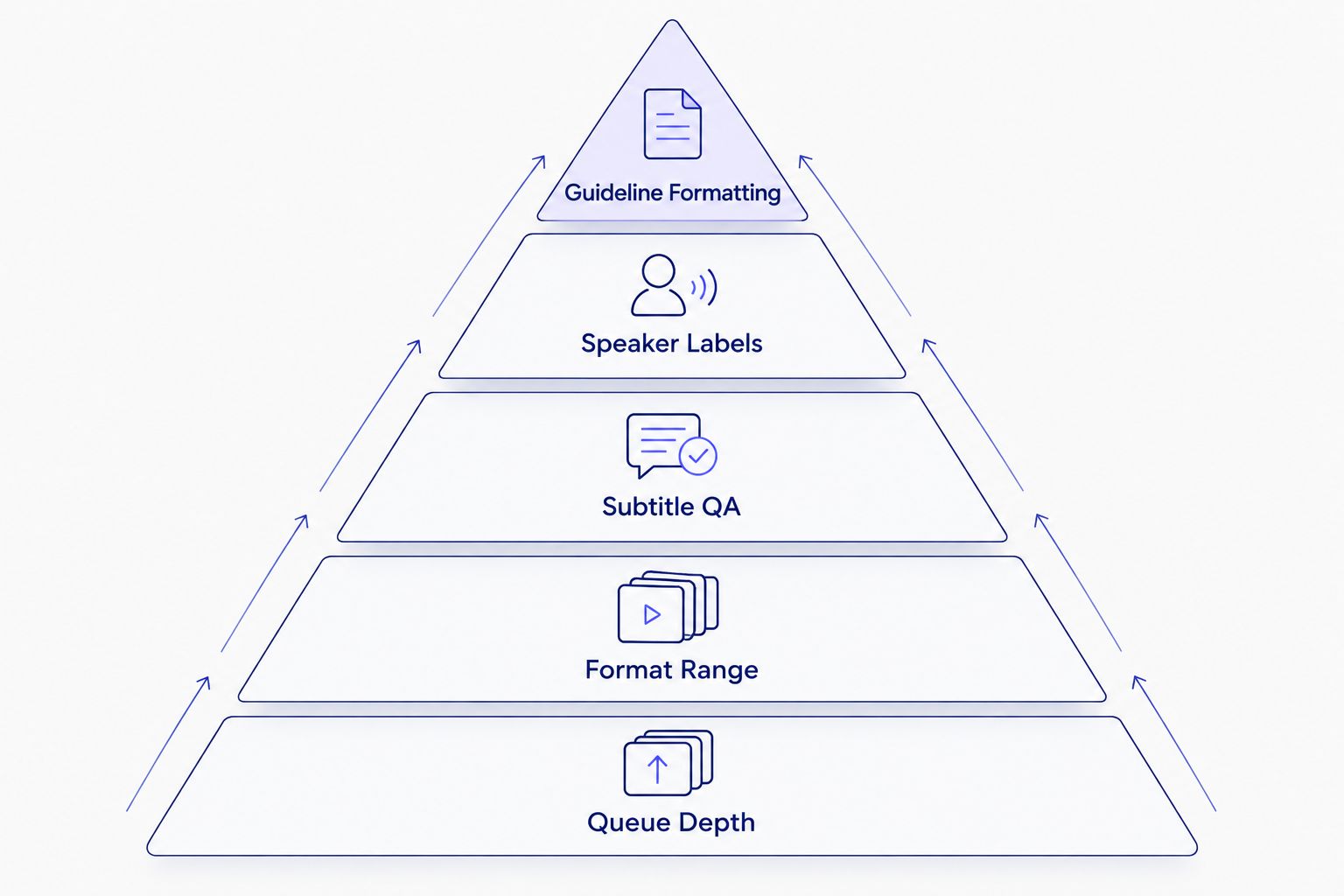
The strongest workflow combines file processing with subtitle validation and consistent client formatting.
Batch transcription software at a glance
| Rank |
Tool |
Best for |
Standout capability |
Key limitation |
| 1 |
Videotext |
Client-ready transcript and subtitle batches |
Multi-file queue, ZIP exports, subtitle fixes, and guideline formatting |
Batch processing and ZIP export require Pro+ |
| 2 |
Descript |
Editing video through its transcript |
Text-based media editing inside a project |
Subtitle QA is not the center of the workflow |
| 3 |
MacWhisper |
Local batch transcription on a Mac |
On-device Whisper transcription |
Limited to Apple platforms |
| 4 |
Trint |
Shared editorial and newsroom review |
Collaborative browser editing |
Cloud-first workflow does not suit local-only processing |
| 5 |
Sonix |
Straightforward browser-based batch exports |
Multiple uploads with transcript and subtitle exports |
Fewer client-formatting controls than a subtitle-first workflow |
| 6 |
OpenAI Whisper |
Scripted local batch automation |
Open-source speech recognition with command-line output |
Requires technical setup and has no built-in QA editor |
1. Videotext: best for client-ready subtitle batches
Videotext processes uploaded video and audio through one transcript and subtitle workflow. Batch processing adds a multi-file queue and ZIP exports on Pro+, while the editor handles the work that usually follows ASR: speaker naming, filler cleanup, cue review, line breaks, overlaps, gaps, CPL, CPS, and timing drift.
The same workflow can reformat output for Rev, GoTranscript, Scribie, or custom client guidelines. Translation covers 70+ languages while preserving subtitle cue timing. Named exports include TXT, SRT, VTT, PDF, DOCX, JSON, and CSV.
Videotext pros:
- Multi-file queue and ZIP delivery keep related files together.
- Subtitle issue detection covers CPL, CPS, overlaps, gaps, scene-cut spans, grammar, and timing drift.
- In-browser cue editing stays synchronized with the source video.
- Client-guideline formatting can be applied before the batch leaves the workspace.
Videotext cons:
- Batch processing and ZIP exports are limited to Pro+.
- It does not provide the human transcription service required by some contracts.
- Editors must still review names, specialist terms, and ambiguous speech before delivery.
Best for: freelance transcriptionists, podcast teams, and media agencies delivering transcript and subtitle batches. Verdict: Buy.
2. Descript: best for transcript-based video editing
Descript transcribes imported media and links the resulting text to the editing timeline. Delete words from the transcript and the corresponding media is edited inside the project. This makes it useful when transcription is an intermediate step in video or podcast production.
Descript pros:
- Text-based editing connects transcript corrections to the media timeline.
- Speaker labels support multi-person recordings.
- Subtitle and transcript exports can follow the edit.
Descript cons:
- Its workflow is organized around editing projects rather than a dedicated subtitle QA queue.
- CPL, CPS, and client-guideline validation are not its primary review model.
- Editors who only need clean SRT files may not need the wider production interface.
Best for: editors who want to cut recorded media through the transcript. Verdict: Buy for transcript-based editing; hold for standalone subtitle QA. Compare the wider category in this guide to Descript alternatives.
3. MacWhisper: best for local Mac processing
MacWhisper runs Whisper-based transcription on macOS and can queue multiple files. Local model processing keeps the core transcription workload on the Mac, which fits projects that should not be sent to a cloud transcription platform.
MacWhisper pros:
- Local transcription is available without a browser upload workflow.
- Batch processing fits folders of interviews, lectures, or podcast recordings.
- Transcript and subtitle formats can be generated from the same source media.
MacWhisper cons:
- It is limited to Apple platforms.
- Local speed depends on the Mac and the selected model.
- Client-specific subtitle QA still needs a separate validation step when the required rules exceed the available editor controls.
Best for: Mac users who prioritize local processing and direct file control. Verdict: Buy for a Mac-only local workflow; skip for Windows or browser-based teams.
4. Trint: best for collaborative editorial review
Trint is built around cloud transcription, shared workspaces, and collaborative transcript editing. Multiple recordings can move through the same editorial workspace while team members review text and prepare material for publication.
Trint pros:
- Shared browser editing supports distributed editorial teams.
- Team members can review and correct the same transcript workflow.
- The platform fits newsroom and media-production collaboration.
Trint cons:
- Cloud processing does not fit local-only media requirements.
- The collaboration layer adds complexity for a solo editor.
- Dedicated CPL and CPS validation is less central than collaborative transcript review.
Best for: newsrooms and editorial teams that need shared review more than local processing. Verdict: Buy for collaborative teams; hold for solo subtitle editors.
5. Sonix: best for straightforward browser batches
Sonix provides automated transcription in a browser with multi-file upload, transcript editing, speaker controls, and common transcript or subtitle exports. The interface suits users who want to submit recordings, correct the text, and export without building a command-line workflow.
Sonix pros:
- Multiple files can enter the browser-based transcription workflow.
- The editor combines playback with transcript correction.
- Transcript and subtitle exports cover common delivery needs.
Sonix cons:
- Client-guideline formatting is not as central as it is in a subtitle-first QA workflow.
- Automated output still requires manual review for names and specialist vocabulary.
- Local-only processing is not the main deployment model.
Best for: users who need conventional browser transcription and standard exports. Verdict: Buy for simple batches; hold when strict subtitle validation drives the job.
6. OpenAI Whisper: best budget option for custom automation
OpenAI Whisper is an open-source automatic speech recognition system rather than a finished client-delivery platform. Its command-line workflow can process local files and output text or timed subtitle formats. A script can repeat that process across a folder.
OpenAI Whisper pros:
- Open-source code supports local and custom deployments.
- Command-line processing can be scripted for recurring batches.
- Timed output provides a base for SRT or VTT workflows.
OpenAI Whisper cons:
- Setup requires command-line or development experience.
- There is no built-in synchronized subtitle QA editor in the base project.
- CPL, CPS, overlap, and client-guideline checks require other software or custom code.
Best for: technical users building a local transcription pipeline around their own scripts. Verdict: Buy for custom automation; skip if you need a ready-to-use review and delivery interface.
How the tools were ranked
The 2026 ranking follows the six criteria defined above. Multi-file handling establishes whether a tool belongs on the list. Export control, subtitle QA, speaker correction, and guideline formatting determine where it ranks.
No tool wins every workflow. Descript ranks highly for production editing but not strict subtitle validation. MacWhisper and OpenAI Whisper rank well for local processing but require extra QA steps. Trint favors shared editorial review. Sonix covers standard browser transcription. The top position goes to the tool that combines the queue with the post-transcription work required for client delivery.
A practical batch workflow
Use the same sequence for every 2026 batch so files do not leave the workspace with different formatting.
- Standardize the source files. Confirm that every file opens, contains the expected audio, and uses a clear filename.
- Submit the full queue. Keep related episodes, interviews, or client assets in one batch.
- Correct speaker labels. Diarization separates speakers, but the editor still assigns the correct names.
- Review transcript text. Check names, technical terms, numbers, and unclear speech against the recording.
- Run subtitle validation. Inspect CPL, CPS, overlaps, gaps, line breaks, and timing drift.
- Apply client rules. Set the required verbatim style, speaker layout, timecodes, and subtitle format consistently.
- Export and inspect. Open at least one transcript and subtitle file from the completed ZIP before delivery.
This sequence separates ASR output from approved client output. Automatic transcription creates a draft; the QA and formatting steps make the batch deliverable.
Which batch transcription software should you choose?
Videotext is the default choice in 2026 when the deliverable includes client-ready transcripts, SRT or VTT subtitles, and documented QA. Choose Descript when transcription feeds directly into a video edit. Choose MacWhisper for local Mac processing, Trint for shared newsroom review, Sonix for standard browser batches, or OpenAI Whisper when you can build and maintain the automation yourself.
Process your next batch
Queue files, review subtitle issues, apply client formatting, and export the completed delivery.
Start processing
FAQ
What is the best batch transcription software in 2026?
Videotext is the best batch transcription software in 2026 for editors who need multi-file processing, subtitle QA, guideline formatting, and ZIP delivery. Descript is the better fit when transcript-based video editing is the main task.
What does batch transcription software do?
Batch transcription software processes multiple audio or video files through one queue. The strongest tools also apply speaker, export, QA, and formatting controls consistently across the batch.
Can batch transcription software create SRT and VTT files?
Yes, several batch transcription tools create SRT and VTT subtitle files. Confirm that the software also checks CPL, CPS, overlaps, line breaks, and timing drift before client delivery.
Is local batch transcription better than cloud transcription?
Local batch transcription is better when files must stay on controlled hardware or when you need a custom offline workflow. Cloud tools are easier for shared review, browser access, and managed processing.
Is Descript better than MacWhisper for batch transcription?
Descript is better for editing media through a transcript, while MacWhisper is better for local transcription on a Mac. Neither use case is identical to a dedicated client-subtitle QA queue.
How much does batch transcription software cost?
Current costs depend on processing volume, plan limits, collaboration features, and whether transcription runs locally or in the cloud. Check each vendor’s current pricing page rather than relying on a fixed figure in a comparison guide.
What subtitle checks should run after batch transcription?
Check characters per line, characters per second, overlaps, gaps, line breaks, scene-cut spans, and timing drift. Then review names, technical terms, and speaker labels against the source media.
Can batch transcription software translate subtitles?
Some batch transcription platforms translate subtitles while preserving cue timing. Videotext supports transcript and subtitle translation across 70+ languages, but every translated batch still needs language and timing review.
One last thing
Do not approve a batch because the transcript text looks correct. Subtitle compliance is a separate check. In 2026, a cue can contain accurate words and still fail because it exceeds 42 characters per line, runs above the required CPS limit, overlaps the next cue, or stays on screen across an unwanted scene cut.
Validate one representative file before applying the same formatting rules to the complete batch. That first review catches a bad preset before it affects every export.
Related guides



