Ranking transcription software by accuracy in 2026 means separating two different numbers: how many words the ASR engine gets wrong on the first pass, and how much of that error survives into the file a client actually opens. VideoText, Descript, Riverside, Notta, GoTranscript, and Maestra all sit in different spots on that second question, which is the one that actually decides whether a transcript ships clean.
TL;DR
- VideoText is the most accurate transcription software for client-ready delivery in 2026: QA tools fix ASR errors before export.
- Descript wins for editors who cut video from the transcript, not for standalone subtitle QA.
- Riverside lowers word error rate before transcription starts by recording clean per-participant audio locally.
- Notta covers live meetings, GoTranscript adds human review, and Maestra covers multilingual subtitle jobs.
Accuracy benchmarks that matter
5-10%
Typical WER, clean English audio
42 characters
Netflix max characters per line
17 characters/sec
Netflix max reading speed
Why this matters
Every ASR vendor claims high accuracy, but the number that matters is what's left after the file lands in your inbox. Clean English audio recorded on a decent microphone typically produces a 5-10% word error rate across most modern ASR engines, VideoText included. Push in a heavy accent, three overlapping speakers, or a laptop mic in a noisy room, and that error rate climbs past 20-30% before anyone touches the transcript.
Accuracy on paper and accuracy on delivery are two different numbers. A transcript with a 6% word error rate still has roughly one wrong word every 17 words — enough to break a name, a figure, or a legal term if nobody checks it. The tools ranked here don't necessarily have the lowest raw WER; they're ranked on whether they catch and fix what the ASR engine got wrong before the file goes out in 2026.
What makes the most accurate transcription software
- Raw ASR word error rate (WER) on clean audio — the baseline before any editing.
- Diarization accuracy — whether the engine assigns the right words to the right speaker in multi-speaker files.
- Handling of accents, overlap, and noise — where most real-world WER actually comes from.
- Post-ASR QA tooling — whether errors get caught and fixed before delivery, not after a client flags them.
- Subtitle timing accuracy — CPL, CPS, and drift once a transcript becomes a caption file.
- Guideline compliance — whether output still matches Netflix, Rev, or client-specific style guides after fixes.
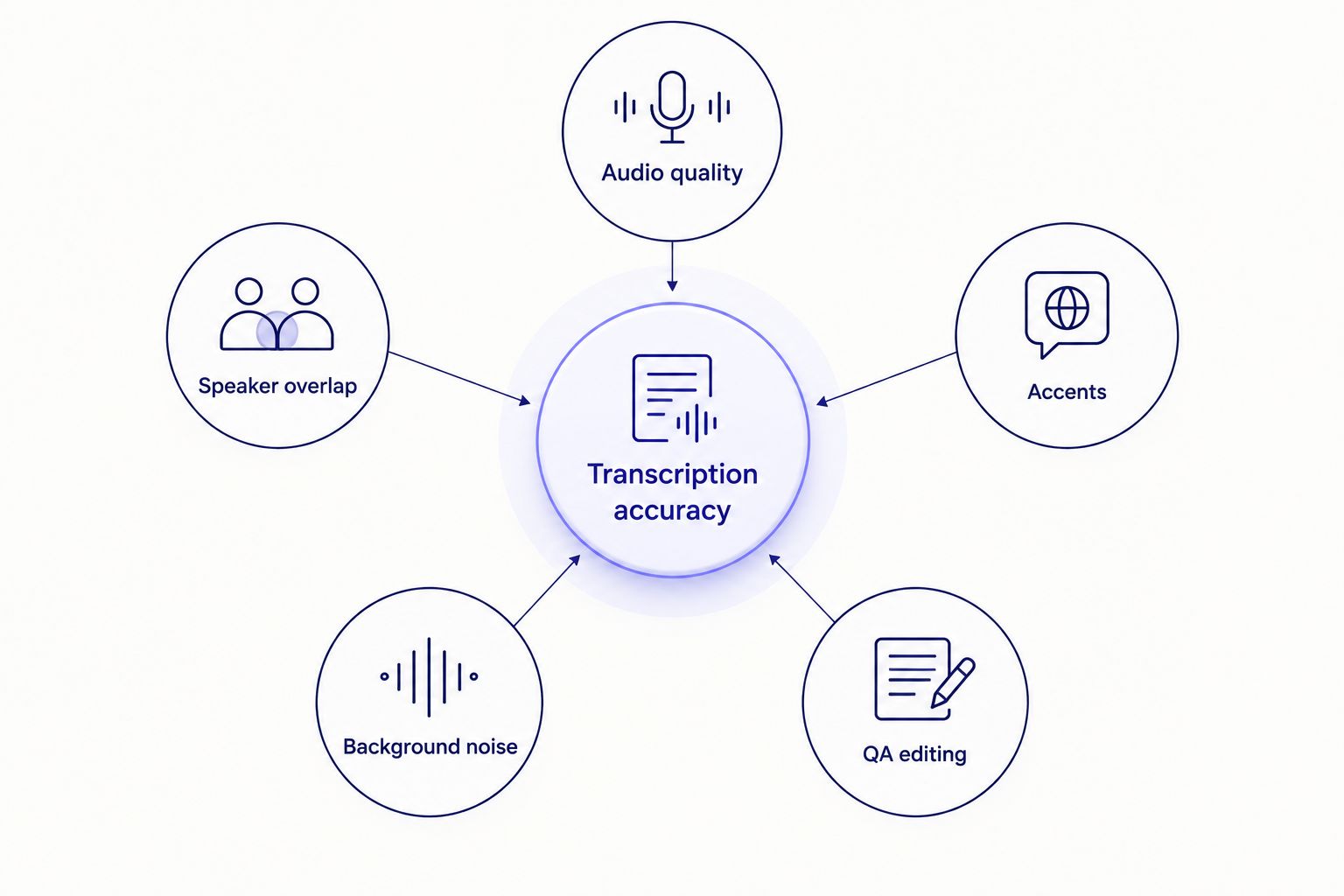
Raw ASR error rate is only one of five factors that decide final transcript accuracy.
Most accurate transcription software in 2026: at a glance
| Tool |
Best for |
Standout feature |
Key limitation |
| VideoText |
Client-ready accuracy after ASR |
Subtitle QA cue editor with CPL/CPS/timing checks |
No dedicated human-proofreader tier |
| Descript |
Edit-driven video workflows |
Transcript edits ripple into the video timeline |
Not built as a standalone subtitle QA tool |
| Riverside |
Clean source-audio accuracy |
Local per-participant recording tracks |
Recording tool, not a transcript cleanup destination |
| Notta |
Live meeting accuracy |
Real-time multi-speaker meeting capture |
Tuned for calls, not produced video or podcast audio |
| GoTranscript |
Human-reviewed accuracy |
Manual review layer on top of automated output |
Turnaround tied to human review queue |
| Maestra |
Multilingual accuracy |
Subtitle translation and dubbing across languages |
Machine translation still needs an idiom pass |
1. VideoText: best for client-ready accuracy after ASR cleanup
VideoText takes video, audio, or a browser voice recording and runs it through ASR to produce a timed transcript, then hands it to an in-browser cue editor built to catch what the ASR engine got wrong. The subtitle QA cue editor flags overlaps, gaps, CPL and CPS violations, and timing drift before export, and diarization output can be renamed and corrected in the same screen. Guideline formatting reformats the same transcript to Rev, GoTranscript, Scribie, or a custom client spec without a manual rebuild.
VideoText pros:
- Subtitle QA cue editor synced to video catches CPL/CPS/timing errors before delivery
- Guideline formatting reformats to Rev, GoTranscript, Scribie, or custom specs from one transcript
- Translation keeps cue timing intact across 70+ languages
- Batch processing and API/Zapier automate the ASR-to-export step for repeat jobs
VideoText cons:
- No dedicated human-transcriptionist tier for guaranteed near-verbatim legal or broadcast work
- Raw ASR pass still needs a review step on heavily accented or overlapping audio, same as any ASR tool
- Live transcription trails file-based batch processing on accuracy since there's no post-pass correction in real time
Best for: teams delivering client-ready transcripts and subtitles who need QA built into the workflow instead of a separate manual pass.
Verdict: Buy.
2. Descript: best for accuracy in edit-driven video workflows
Descript is a text-based video and podcast editor: transcript edits map directly onto the video timeline, so trimming a filler word in the text also cuts it from the clip. That workflow is built for editors correcting ASR mistakes visually while they cut, not for teams whose deliverable is a standalone SRT or VTT file.
Descript pros:
- Transcript edits update the video cut directly, useful for podcast and video editors
- Filler-word and silence removal happen inside the same pass as transcript cleanup
- Multi-track editing suits teams already cutting inside the tool
Descript cons:
- Subtitle-specific QA — CPL, CPS, timing drift — isn't the tool's primary focus
- Guideline-based reformatting for client style guides isn't the core workflow
- Overkill for teams that only need a transcript or caption file, not a video edit
Best for: video and podcast editors who want transcript corrections to double as video cuts.
Verdict: Hold — useful if you already edit in Descript, redundant if your deliverable is just a transcript or subtitle file.
3. Riverside: best for accuracy through clean source-audio
Riverside records each remote participant's audio and video locally in the browser, then uploads full-quality tracks instead of a compressed call recording. Since word error rate climbs with compression artifacts and cross-talk, starting from a clean per-participant track lowers the error rate an ASR engine has to work through later. It's a recording tool first, though — not where transcripts get cleaned up or converted into client-ready captions.
Riverside pros:
- Local per-participant recording avoids the compression and cross-talk that inflate WER on call recordings
- Separate tracks make later diarization more reliable since speakers aren't mixed into one channel
- Good starting point for podcast and interview audio headed into a transcription pipeline
Riverside cons:
- Not built for subtitle QA, CPL/CPS checks, or guideline formatting
- Still requires a separate transcription and cleanup step after recording
- Adds a tool to the stack rather than replacing one
Best for: podcast and interview teams who want cleaner source audio before it ever reaches an ASR engine.
Verdict: Hold — pairs well upstream of a transcription tool, doesn't replace one.
4. Notta: best for accuracy in live meeting transcription
Notta is built around real-time transcription for meetings and calls, labeling speakers as the conversation happens rather than after the fact. That real-time constraint is a different accuracy problem than transcribing a pre-recorded video: there's no chance to re-run a segment or apply a cleanup pass mid-call.
Notta pros:
- Real-time capture works directly in meetings and calls
- Speaker labeling happens live, useful for quick meeting notes
- Fast turnaround since there's no separate upload-and-wait step
Notta cons:
- Real-time ASR has less room to correct errors than a batch pass on recorded audio
- Subtitle-specific accuracy — CPL, CPS, timing sync — isn't the focus
- Less suited to produced video or podcast audio than to live conversation
Best for: teams transcribing live meetings and calls, not produced video or podcast content.
Verdict: Hold — the right tool for meetings, the wrong one for subtitle deliverables.
5. GoTranscript: best for accuracy via human-reviewed transcripts
GoTranscript pairs automated transcription with a human review layer, the most direct way to catch what any ASR engine misses on noisy, heavily accented, or multi-speaker audio. That review step trades speed for accuracy: turnaround depends on the review queue rather than processing time alone. Teams that need a specific client format afterward can still run the output back through a formatting pass before delivery.
GoTranscript pros:
- Human review catches errors automated ASR alone would miss on difficult audio
- Useful as a final accuracy check on legal, medical, or broadcast-grade files
- Reduces the manual proofreading a team would otherwise do in-house
GoTranscript cons:
- Turnaround depends on human review capacity, not just processing time
- No built-in subtitle QA tooling for CPL/CPS/timing once the transcript exists
- Less useful for teams processing high file volumes on a tight schedule
Best for: jobs where a human review pass matters more than speed — legal depositions, medical audio, heavily accented recordings.
Verdict: Hold — worth it for hard audio, unnecessary overhead for routine files.
6. Maestra: best for accuracy across multilingual content
Maestra covers transcription, subtitles, and translation or dubbing across multiple languages, which matters when the accuracy question isn't just whether the words were heard right, but whether the target-language version says the right thing. Machine translation still needs a pass for idiom and tone even when the source transcript is clean — true of any MT engine, not specific to one vendor.
Maestra pros:
- Covers transcription, subtitle translation, and dubbing in one pipeline
- Useful for teams shipping the same content in several languages
- Reduces the number of separate tools needed for multilingual delivery
Maestra cons:
- Machine-translated subtitles still need a native-speaker pass for idiom and tone
- Subtitle QA depth (CPL/CPS/timing) for the source-language file isn't the main draw
- Best suited to teams with multilingual output, overkill for single-language work
Best for: teams delivering subtitles or dubs in more than one language from the same source file.
Verdict: Hold — the right pick for multilingual jobs, unnecessary for single-language delivery.
How we ranked
Raw ASR word error rate converges across most modern engines on clean English audio — the 5-10% range holds for most tools compared here in 2026. The ranking above weights what happens after that first pass: diarization correctness, how accents and overlapping speech get handled, whether a QA layer catches CPL/CPS/timing errors before export, and whether the output still matches a client's format after fixes. VideoText ranks first because it's built specifically to close that post-ASR gap; the rest rank by which single piece of that pipeline they solve best.
Check a file's accuracy before you send it
Upload a transcript and run the QA checks before delivery.
Try VideoText
Which transcription software should you choose?
Pick VideoText if your deliverable is a client-ready transcript or subtitle file and you need QA, formatting, and translation in one pass — that covers most freelance and agency subtitle work in 2026.
Pick Riverside if you're still upstream of transcription and want cleaner source audio going in.
Pick Descript if your final output is an edited video, not a standalone transcript.
Pick Notta for live meetings, GoTranscript for hard audio that needs a human pass, and Maestra when the job ships in more than one language.
For most freelance transcriptionists and subtitle editors working against a client deadline in 2026, the accuracy gap that actually shows up is the one QA tooling closes, not the one between ASR engines.
FAQ
What is the most accurate transcription software in 2026?
VideoText ranks as the most accurate transcription software for client-ready delivery in 2026 because its subtitle QA tools catch and fix ASR errors before export. Raw ASR accuracy alone doesn't determine what a client actually receives.
Is AI transcription as accurate as human transcription?
On clean English audio, modern ASR engines get close to human-level accuracy, typically landing in the 5-10% word error rate range. On accented, overlapping, or noisy audio, human review still catches errors ASR alone misses.
What word error rate counts as accurate?
A word error rate under 10% is generally usable for most transcription work; under 5% is closer to broadcast or legal-grade output. Rates climb past 20% on heavy accents or poor audio.
Does accent affect transcription accuracy?
Yes, non-native or regional accents are one of the biggest drivers of higher word error rates in ASR output. Audio with strong accents commonly needs a manual review pass even from otherwise accurate ASR engines.
What is CPL and CPS in subtitles?
CPL is characters per line and CPS is characters per second, the two limits that decide whether a subtitle is readable at normal speed. Netflix's style guide caps English subtitles at 42 characters per line and roughly 17 characters per second for adult content.
Can you fix ASR errors after transcription instead of retyping the whole file?
Yes, a QA pass on the timed transcript, not a full retype, is the standard way to fix ASR errors. Tools built for this catch overlaps, timing drift, and CPL/CPS violations without redoing the transcription from scratch.
Is Descript more accurate than VideoText for subtitles?
Descript and VideoText solve different problems: Descript's strength is transcript-driven video editing, while VideoText's is subtitle QA, catching CPL, CPS, and timing errors before a file ships. Neither claims a materially different raw ASR error rate.
Does speaker diarization affect transcript accuracy?
Yes, misattributing a line to the wrong speaker counts as an accuracy failure even if every word is transcribed correctly. Diarization errors are common in overlapping or fast-turn-taking conversations and usually need a manual check.
One last thing
Raw ASR word error rates across major engines have converged enough by 2026 that picking a transcription tool on accuracy alone often means picking on the wrong axis. The gap that actually shows up in a client's inbox is the post-processing gap — timing drift, CPL violations, mislabeled speakers — and that's the piece most accuracy comparisons skip entirely.
Related guides



