Freelance subtitle editors comparing transcription software in 2026 need one that cuts QA time, not just one that outputs a transcript. Best overall for freelance subtitle editors: VideoText, for CPL/CPS QA and client-guideline formatting. Best for transcript-based video editing: Descript. Best for accuracy-critical human review: Happy Scribe. Best budget option: GoTranscript.
TL;DR
- VideoText is the best transcription software for freelance editors doing subtitle QA and client-guideline formatting in 2026.
- Descript wins for editors who cut video directly from a transcript instead of a timeline.
- GoTranscript stays the budget pick for freelancers billing by the minute on tight-margin jobs.
- Happy Scribe and Notta cover human-reviewed accuracy and fast mobile voice notes.
- Riverside pairs remote recording and transcription for podcast-focused freelance producers.
What the numbers say in 2026
70+ languages
VideoText subtitle translation coverage
7 export formats
TXT, SRT, VTT, PDF, DOCX, JSON, CSV
Why this matters
Most freelance editors don't lose money on typing speed. They lose it on the QA pass: fixing overlapping cues, catching characters-per-line (CPL) violations, and reformatting a transcript to whatever style guide the client's agency uses.
A transcription tool that hands you a clean SRT with correct timing saves an hour of manual cue editing per project. One that dumps raw ASR output with drift and no diarization costs you that hour back, every time. That gap is the real difference between tools in 2026, not the headline accuracy percentage.
VideoText builds the QA layer into the transcription step instead of treating it as a separate manual pass, which is why it opens this list.
What makes the best transcription software for freelance editors
- Subtitle QA detection — flags CPL overages, CPS (reading speed) violations, overlaps, and timing drift automatically
- Client-guideline formatting — reformats output to match Rev, GoTranscript, Scribie, or a custom in-house spec
- Speaker diarization — detects and labels speakers, with easy renaming before export
- Export format range — SRT, VTT, and document formats without a second conversion tool
- Translation with timing preserved — subtitle translation that doesn't require re-timing every cue
- Batch handling — processes multiple files without re-uploading one at a time
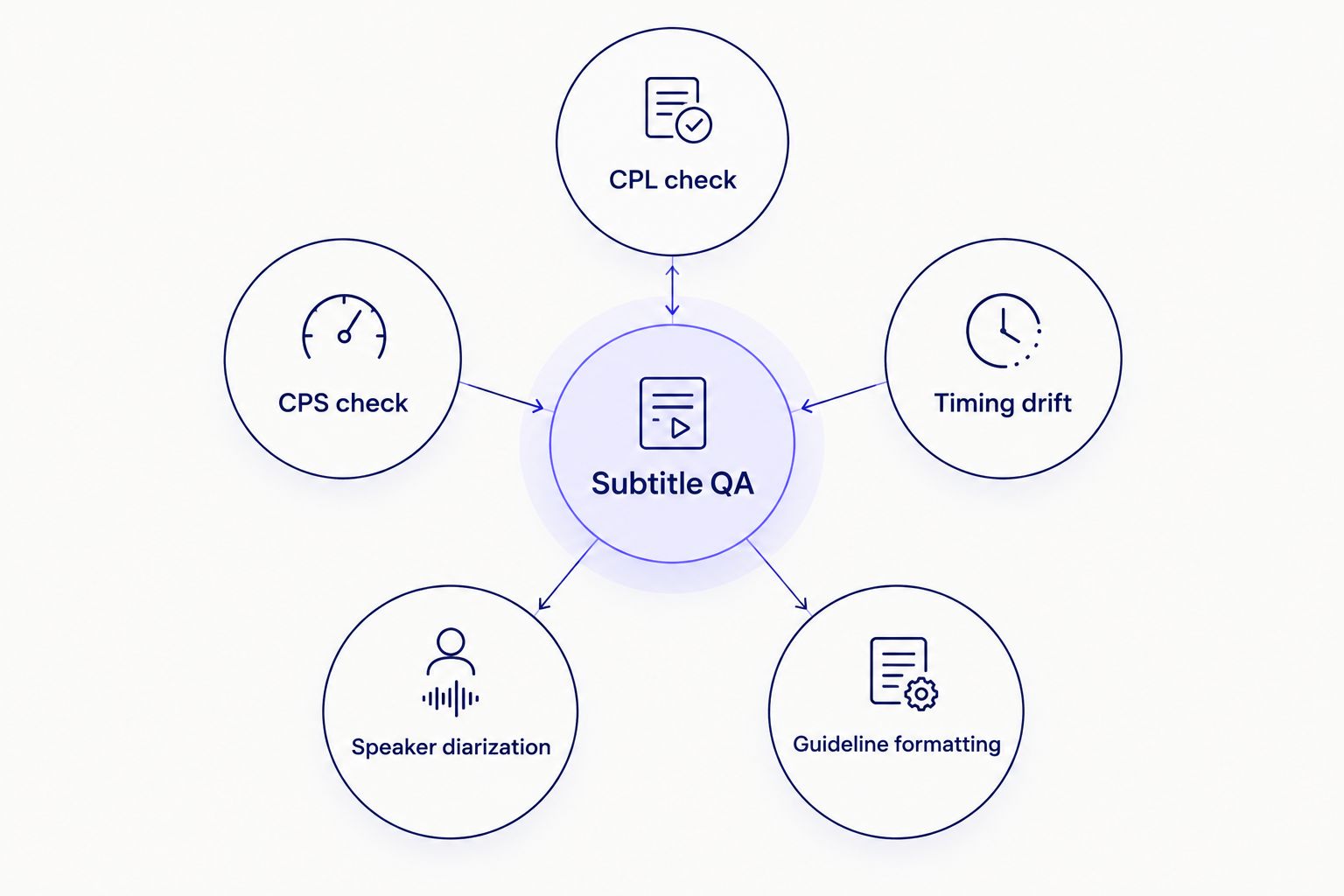
Subtitle QA is five separate checks, not one accuracy score.
At a glance: transcription software comparison
| Tool |
Best for |
Standout feature |
Key limitation |
| VideoText |
Subtitle QA and client-guideline formatting |
CPL/CPS/timing-drift detection in one review screen |
No timeline video editor |
| Descript |
Transcript-based video editing |
Cut video by deleting text in the transcript |
Subtitle QA isn't the core focus |
| Happy Scribe |
Accuracy-critical human review |
Human transcription plus broadcast export formats |
Human turnaround is slower than AI-only |
| GoTranscript |
Budget human transcription |
Per-minute human transcription with guideline formatting included |
No self-serve QA screen |
| Notta |
Mobile meeting and voice-memo capture |
Real-time transcription on mobile during live calls |
Not built for long-form subtitle work |
| Riverside |
Podcast recording plus transcription |
Local per-guest recording avoids call-drop audio issues |
Subtitle QA still needs a separate tool |
1. VideoText: best transcription software for subtitle QA and client-ready formatting
VideoText turns uploaded video or audio into a timed transcript, then runs the subtitle QA tools that catch what raw ASR output misses: CPL overages, CPS reading-speed violations, overlapping cues, and scene-cut timing drift. The guideline formatting step reformats the output to Rev, GoTranscript, Scribie, or a custom client spec, which is the part most freelance editors currently do by hand.
VideoText pros:
- CPL, CPS, and timing-drift detection built into an in-browser cue editor synced to the video
- Guideline formatting presets for the major agency style guides plus custom specs
- Exports to SRT, VTT, TXT, PDF, DOCX, JSON, and CSV without a separate conversion step
- Speaker diarization with in-UI renaming before delivery
VideoText cons:
- No timeline-based video editor — cuts, transitions, and effects need a separate NLE
- Batch processing and ZIP exports are gated to the Pro+ tier
Best for: freelance subtitle editors and QA specialists delivering client-ready SRT/VTT files.
Verdict: Buy — for editors who spend more time fixing drift than typing.
2. Descript: best transcription software for transcript-based video editing
Descript transcribes the file first, then lets you cut video and audio by deleting words in the transcript instead of scrubbing a timeline. That workflow suits freelance editors trimming interviews, podcast episodes, or talking-head content where the cut follows the words.
Descript pros:
- Transcript-driven editing removes manual scrubbing for straightforward cuts
- Built-in audio cleanup and multitrack editing in the same app
- Screen recording alongside standard video import
Descript cons:
- Subtitle QA — CPL, CPS, timing drift — isn't the focus; output needs a dedicated pass before delivery
- Heavier learning curve for editors who only need transcription and captions
Best for: freelance video editors who cut narrative or interview content directly from the transcript.
Verdict: Buy — if editing is the job, not just captioning.
3. Happy Scribe: best transcription software for accuracy-critical human review
Happy Scribe offers both AI and human transcription, with export formats built for broadcast and subtitling work. Freelancers handling legal, medical, or broadcast footage where an AI-only transcript isn't acceptable lean on the human-reviewed option.
Happy Scribe pros:
- Human transcription option for footage where accuracy requirements exceed AI-only ASR
- Wide subtitle export list, including broadcast-specific formats
- Team features for agencies routing files across multiple editors
Happy Scribe cons:
- Human turnaround takes longer than an AI-only pipeline
- Subtitle QA automation is thinner than a tool built around fix-and-review
Best for: freelancers who need a human-reviewed transcript for legal, medical, or broadcast delivery. Compare the two directly on VideoText vs Happy Scribe.
Verdict: Hold — worth it only when the job specifically requires human review.
4. GoTranscript: best transcription software for budget human transcription
GoTranscript is a human transcription service aimed at freelancers and agencies billing by the minute. Heavy accents, cross-talk, and noisy audio that trip up ASR are exactly the cases where a human transcriptionist earns the extra turnaround time.
GoTranscript pros:
- Human transcriptionists handle accents and overlapping speech more reliably than ASR alone
- Guideline-specific formatting is part of the service
- Simple per-minute ordering for one-off jobs
GoTranscript cons:
- Turnaround runs hours to days, not minutes
- No self-serve subtitle QA screen for editors who want to fix drift themselves
Best for: freelancers who outsource the raw transcript and keep the QA pass in-house.
Verdict: Hold — a fit for overflow work, not primary volume.
5. Notta: best transcription software for mobile meeting and voice-memo capture
Notta is a mobile-first AI transcription app built around meetings, calls, and voice memos rather than long-form video. Freelance journalists and researchers transcribing interviews on the go use it for the same reason people use a voice recorder: speed of capture.
Notta pros:
- Fast mobile capture for voice notes and calls
- Real-time transcription during live meetings
- Simple export for quick-turnaround interview notes
Notta cons:
- Subtitle-specific tools — CPL, CPS, burn-in — aren't the focus
- Less suited to multi-speaker podcast episodes needing diarization accuracy
Best for: freelance journalists and researchers transcribing interviews on the go.
Verdict: Wait — solid for notes, thin for subtitle deliverables.
6. Riverside: best transcription software for podcast recording plus transcription
Riverside records remote podcast and video interviews locally on each guest's device, then transcribes the session. Freelance producers who both book and edit remote interviews avoid the dropped-frame and audio-sync problems that come with browser-based call recording.
Riverside pros:
- Local per-guest recording avoids call-drop and audio-sync issues
- Transcription and basic editing live in the same platform as the recording
- Useful for producers handling both the interview and the rough cut
Riverside cons:
- Editing depth is thinner once files leave the recording environment
- Subtitle QA and guideline formatting still need a separate tool before agency delivery
Best for: freelance podcast producers recording and transcribing in the same workflow.
Verdict: Buy — for the recording step; pair it with a dedicated subtitle QA tool for final delivery.
How we ranked these
Each tool is scored against the six criteria above: subtitle QA detection, client-guideline formatting, speaker diarization, export range, translation timing, and batch handling. No tool wins on all six — the ranking above matches each one to the criterion it actually solves, which is why the "best for" label matters more than an overall score.
Which transcription software should you choose in 2026?
If subtitle QA and client-guideline formatting eat your billable hours, VideoText is the default pick — the CPL/CPS/timing-drift checks and format presets remove the manual pass most freelancers still do by hand. If the job is video editing built around the transcript, Descript fits better. If a client mandates human review, Happy Scribe or GoTranscript cover that requirement depending on budget. For podcast producers, Riverside handles the recording side and pairs with a QA tool for delivery.
Test your subtitle QA workflow
Upload a file and run CPL, CPS, and timing-drift checks before you deliver.
Try VideoText
FAQ
What is the best transcription software for freelance editors in 2026?
VideoText is the best transcription software for freelance editors in 2026 when the job includes subtitle QA and client-guideline formatting. Descript fits better for editors cutting video directly from the transcript.
Is Descript better than VideoText for subtitles?
Descript is better for transcript-based video editing; VideoText is better for subtitle QA, CPL/CPS checks, and client-guideline formatting. The two solve different parts of the job.
How much does transcription software cost for freelancers?
Pricing varies by vendor, tier, and volume, and it changes often, so check current plans directly on each provider's site before committing.
Can AI transcription replace human proofreading?
AI transcription still produces errors on accents, cross-talk, and noisy audio, so a proofreading or QA pass is standard practice before client delivery. The gap narrows with better ASR models but hasn't closed.
What is CPL and CPS in subtitle QA?
CPL is characters-per-line, a limit on how much text fits in a single subtitle line before it's hard to read. CPS is characters-per-second, a measure of reading speed that flags cues appearing and disappearing too fast to read.
Do freelance editors need speaker diarization?
Speaker diarization matters for any multi-speaker recording — interviews, podcasts, panel discussions — because it labels who said what without manual review. Single-speaker voice memos don't need it.
How do you format a transcript to a client's style guide?
Guideline formatting tools reformat line breaks, timing, and speaker labels to match a specific spec such as Rev, GoTranscript, or Scribie. Doing this by hand is the slowest part of freelance delivery, which is why dedicated formatting tools exist.
Can subtitles be translated without losing timing sync?
Yes, when the translation tool preserves cue timing rather than regenerating it. VideoText translates subtitles across 70+ languages while keeping the original timing on each cue.
One last thing
Most subtitle rejections from agencies aren't accuracy complaints — they're timing-drift complaints from scene cuts that ASR never flags on its own. Run a timing-drift check before delivery even when the transcript reads clean; it's the failure mode that costs freelancers repeat clients in 2026.
Related guides



