Documentary filmmaker transcription converts raw interview, verite, and archival audio into timed, searchable text, built for cutting a paper cut before a single frame lands on the timeline. Documentary workflows differ from other video work because a single project mixes studio interviews, field audio, and archival clips with wildly different sound quality, and often carries five or more speakers who need separate labels through the edit.
TL;DR
- Transcription for documentary filmmakers works best when speaker labels and searchable text exist before the paper cut, not after.
- VideoText handles multi-speaker diarization and CPL/CPS subtitle checks in one pipeline, best for docs with five or more interview subjects.
- Manual transcription still works for single-subject shorts under 20 minutes; budget several hours per finished hour of footage.
- Festival subtitle rejections trace back to character-per-line and reading-speed violations as often as they trace back to bad translations.
Why transcription matters for documentary filmmakers
Documentary editors build paper cuts from transcript text, not from scrubbing raw footage on a timeline. A two-hour shoot with three interview subjects generates 15,000 to 20,000 words of raw transcript, and finding one 12-second soundbite by scrubbing video instead of searching text costs an editor real hours on a feature cut with a fixed deadline.
Festival programmers and distributors reject subtitle files that violate character-per-line (CPL) and reading-speed (CPS) limits before anyone watches a frame of the film. A transcript that's word-for-word accurate but never checked against a style guide — Netflix TTSC, BBC, or a festival's own delivery spec — can knock a film out of competition on a technicality, not on content.
VideoText turns raw interview audio into a timed transcript with speaker labels in one pass, which is where documentary transcription diverges most from single-speaker content like lectures or solo podcasts: the tool has to track who's talking across archival tape, sit-down interviews, and voiceover in the same project.
Step 1: Transcribe every interview and field recording before you touch the timeline
Do this manually first, or run it through an ASR pipeline, but never start an edit off memory of what someone said on set.
- Log a timecode every time a subject changes topic, not just at the start of the clip
- Keep one transcript file per interview subject, matched by filename to the raw audio
- Flag inaudible sections in brackets, e.g. [inaudible 00:12:34], instead of guessing
- Note off-camera questions so the transcript reads as dialogue, not a monologue
- Separate archival audio transcripts from original-shoot transcripts; they need different accuracy checks
Step 2: Label speakers before multi-subject scenes reach the edit bay
Manually, this means building a speaker key by ear and renaming labels in a text editor line by line — workable for a two-person interview, painful past four subjects.
Automatic speaker diarization software detects distinct voices and labels them Speaker 1, Speaker 2, and so on; VideoText lets you rename those labels to the subject's actual name once, and the change applies across every export.
- Rename generic speaker tags to subject names right after diarization runs
- Check diarization accuracy on overlapping dialogue — cross-talk in verite scenes is where automatic detection struggles most
- Keep a name key document if subjects go by nicknames on camera but legal names in credits
- Re-run diarization if you add a pickup interview with a new subject mid-project
Step 3: Build a paper cut from transcript text, not from the timeline
- Paste selected quotes into a script document ordered by narrative beat, not by shoot date
- Mark each select with source timecode so the assistant editor can pull the exact clip later
- Group selects by theme first, then sequence them into a rough narrative arc
- Leave gaps in the paper cut for B-roll and archival material that has no dialogue
Step 4: Clean fillers and false starts before pulling final quotes
Manual cleanup means striking "um," "you know," and repeated words by hand across every transcript page — tedious on a 90-minute interview.
VideoText's filler cleanup pass strips these automatically while preserving the underlying timecodes, so the clean version still lines up with the source video frame for frame.
- Strip filler words only from quotes you plan to use on camera, not from your research notes
- Keep a full-verbatim backup of every interview for legal and fact-checking purposes
- Flag false starts that change the meaning of a sentence — those need editorial judgment, not automatic removal
- Re-check cleaned quotes against the original audio before locking picture
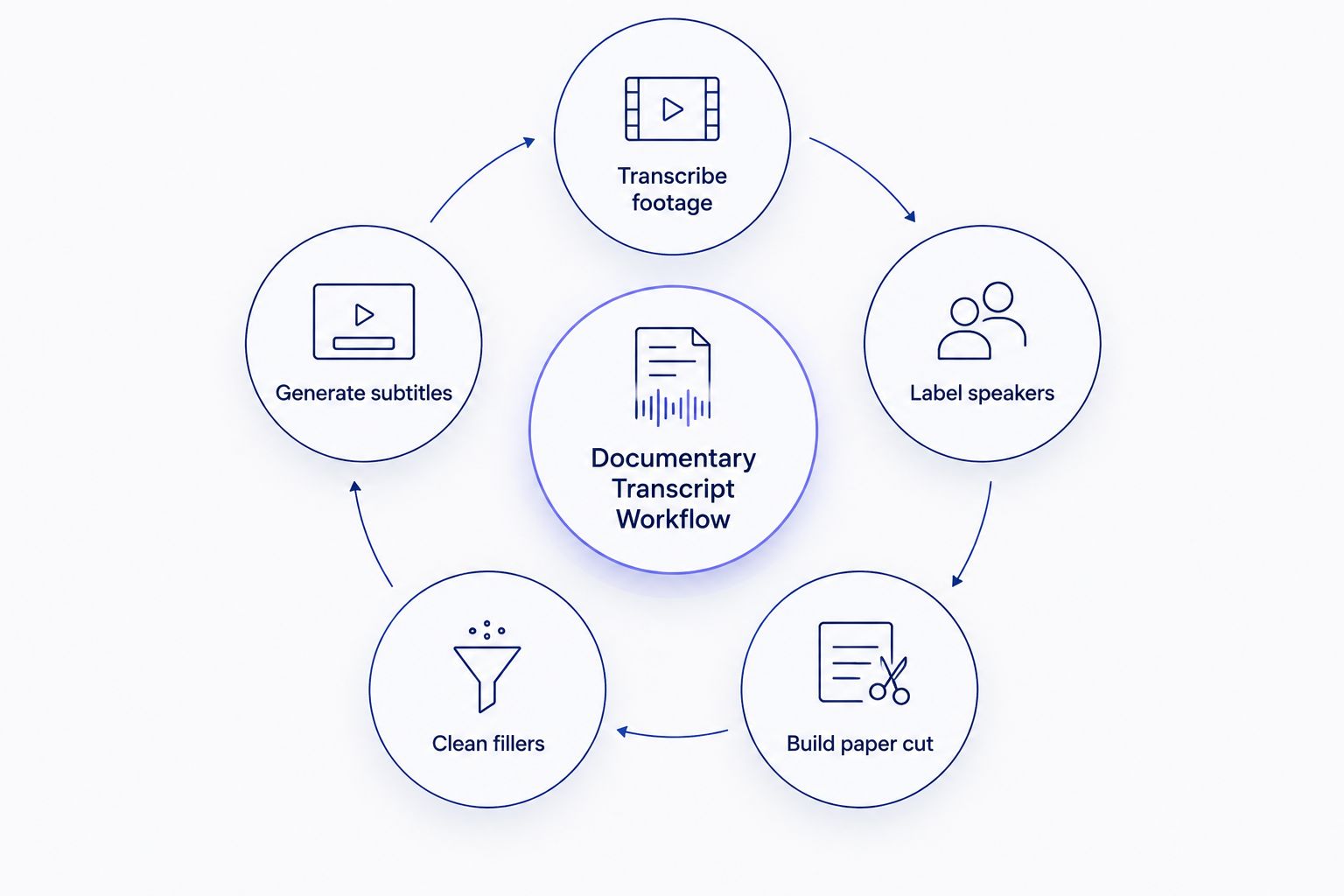
Speaker labels and a clean transcript come before the paper cut, not after it.
Step 5: Generate subtitles and hit CPL/CPS limits before festival delivery
Manual QA means counting characters per line against a style guide row by row — realistic for a 10-minute short, unrealistic for an 80-minute feature with 900+ subtitle cues.
Check cues against CPL and CPS benchmarks by style guide before export, since Netflix, BBC, and individual festivals each set different reading-speed limits.
- Run every subtitle file through a CPL checker before submission, not after a rejection notice
- Split long lines at natural clause breaks, never mid-phrase
- Check reading speed (CPS) on scenes with fast, overlapping dialogue — those cues fail most often
- Fix timing drift caused by trims made after subtitles were first generated
- Verify scene-cut spans don't leave a subtitle bridging two shots with a hard cut between them
If a caption reads faster than a viewer can process, the subtitle fails the spec regardless of translation quality.
“If a caption reads faster than a viewer can process, the subtitle fails the spec regardless of translation quality.”
Step 6: Translate subtitles for international festival submissions
- Confirm which language versions the festival or distributor actually requires before translating all of them
- Preserve original timing on translated cues; re-timing every line by hand introduces new drift errors
- Flag idioms and regional references that don't translate literally for a human reviewer
- Keep a glossary of proper nouns (subject names, place names) consistent across every translated version
Step 7: QA subtitles against the locked picture before final delivery
- Re-check subtitle timing after every picture lock revision, not just after the first cut
- Watch the full film with subtitles on at real speed, not just spot-checking cues
- Confirm speaker labels in burned-in subtitles match the names used in on-screen lower thirds
- Log every fixed issue so a second QA pass doesn't re-flag the same cue
Step 8: Format the delivery package to the client or festival's exact spec
- Confirm required export formats (SRT, VTT, or burned-in) before generating final files
- Match line-break and reading-speed rules to the specific delivery guideline, since Netflix and BBC specs differ
- Package transcripts and subtitle files with matching version numbers to avoid delivering an outdated cue file
- Keep a delivery checklist per festival, since specs change between submission cycles



