Riverside.fm records clean, high-bitrate local audio and video for remote interviews, and that part of the job is solid — separate tracks per guest, no dropped frames when someone's Wi-Fi hiccups. The ceiling shows up right after the call ends: Riverside doesn't fix subtitle drift, check characters-per-line, or reformat a transcript to a client's delivery spec. The best Riverside alternative in 2026 is VideoText if your bottleneck is subtitle QA and guideline formatting, Descript if you need transcript-based video editing, and Zencastr if you just want a lighter recording swap without the extra features.
TL;DR
- Riverside alternatives in 2026 split into two jobs: recording (Zencastr, Riverside itself) and post-production cleanup (VideoText, Trint).
- VideoText is the pick for subtitle QA: CPL/CPS checks, timing-drift fixes, and Rev/GoTranscript/Scribie-style guideline formatting.
- Descript wins for transcript-based video editing where you cut a video by editing the text.
- Zencastr is the closer swap for teams that only need remote recording, not caption cleanup.
- Riverside stays the right call when live multi-guest recording is the whole job and no one downstream checks CPL or CPS.
What changes after recording
70+ languages
Subtitle translation with timing preserved
7 export formats
TXT, SRT, VTT, PDF, DOCX, JSON, CSV
Why this matters
Recording quality gets a video into the room. Delivery quality gets it out the door. In 2026, most client contracts still specify caption timing rules — max characters per line, minimum gap between cues, reading-speed caps — and none of that gets checked by a recording tool.
Freelance editors and podcast teams who outgrow Riverside almost always hit the same wall: the recording is fine, but the SRT file that comes out of it (or out of a separate transcription pass) still needs a CPL and CPS pass before a client will accept it. That's a different job than recording, and it needs a different tool.
Riverside alternatives at a glance
| Tool |
Best for |
Standout feature |
How it differs from Riverside |
| VideoText |
Subtitle QA and client-guideline formatting |
CPL/CPS checker with in-browser cue editor |
Riverside doesn't check line length, reading speed, or reformat to Rev/GoTranscript/Scribie specs |
| Descript |
Transcript-based video editing |
Edit a video by deleting words in the transcript |
Riverside separates tracks but doesn't let you cut video from text |
| Zencastr |
Remote audio/video recording |
Local per-guest recording, lighter interface |
Closest like-for-like swap if you don't need caption tooling |
| Trint |
Enterprise transcription workflows |
Team-based review and export controls |
Riverside has no dedicated transcript review layer for teams |
| Riverside.fm |
Remote interview recording |
Local capture per participant, avoids call-quality loss |
Baseline for comparison — strong at capture, thin on post-production |
1. VideoText: best for subtitle QA and guideline formatting
VideoText picks up where Riverside stops. Upload the exported video or audio, run transcription, and the CPL/CPS checker flags overlaps, timing drift, and lines that run too long before a client ever sees the file. Guideline formatting reformats a transcript to Rev, GoTranscript, Scribie, or a custom house style, which is the step most editors still do by hand.
Where VideoText shines:
- CPL (characters per line) and CPS (reading speed) checks with an in-browser cue editor synced to the video
- Guideline formatting to Rev/GoTranscript/Scribie specs, cutting manual QA time
- Speaker diarization with rename-in-UI, useful for multi-guest podcast exports (see speaker diarization software for how this compares across tools)
- Subtitle translation across 70+ languages with cue timing preserved
- Batch processing and ZIP export for multi-file queues
Where VideoText falls short:
- No live recording feature — it's a post-production tool, not a call-recording platform, so you still need Riverside, Zencastr, or a similar app to capture the session
- No text-based video cutting like Descript's edit-by-deleting-words workflow
Best for: editors and podcast teams whose real bottleneck is caption cleanup and client-guideline compliance, not the recording itself.
| Dimension |
VideoText |
Riverside.fm |
| Recording capture |
No — post-production only |
Yes — local per-participant capture |
| CPL/CPS subtitle checks |
Yes, in-browser cue editor |
No dedicated tooling |
| Guideline formatting (Rev/GoTranscript/Scribie) |
Yes |
No |
| Subtitle translation with preserved timing |
Yes, 70+ languages |
Limited |
2. Descript: best for transcript-based video editing
Descript turns a transcript into an edit surface — delete a word in the text and the matching video frame gets cut. That's a genuinely different workflow than either Riverside or VideoText, and it's the reason people reach for it instead of a straight alternative.
Where Descript shines:
- Edit video and audio by editing the transcript text directly
- Useful for solo creators cutting long interviews down fast
Where Descript falls short:
- Not built around CPL/CPS compliance or guideline-specific subtitle formatting for delivery to caption vendors
- Speaker diarization and batch export controls are less granular for teams handling multiple client files a week
Best for: solo creators and small teams editing video primarily by cutting transcript text, not delivering broadcast-spec captions. A fuller breakdown sits in the Descript alternatives comparison.
3. Zencastr: best for lightweight remote recording
Zencastr is a straight recording swap. If the only thing Riverside was doing for you was capturing a remote interview locally per guest, Zencastr does the same job with a simpler interface and fewer extras layered on top.
Where Zencastr shines:
- Local recording per participant, similar reliability model to Riverside
- Lighter learning curve for teams that don't need AI clip generation or show-note automation
Where Zencastr falls short:
- No subtitle QA, CPL/CPS checking, or guideline formatting — same gap Riverside has
- Still requires a separate tool downstream for anything client-delivery related
Best for: teams that want a simpler recorder and plan to run transcription and subtitle cleanup somewhere else anyway.
4. Trint: best for enterprise transcription workflows
Trint targets media and broadcast teams that need review permissions, shared workspaces, and export controls across multiple editors touching the same transcript.
Where Trint shines:
- Team review layers built for newsroom and broadcast-style workflows
- Established transcription accuracy for long-form content
Where Trint falls short:
- Guideline-specific formatting (matching a named vendor's house style) is not the focus
- Recording isn't part of the product at all — same as VideoText, you need a separate capture tool
Best for: larger media teams where the priority is shared review permissions over granular subtitle-timing tools.
“If your subtitles are stalling at a client's QA gate, the fix is a CPL and CPS pass, not a new recorder.”
Why people switch from Riverside
Riverside was never built to check caption compliance, and that's the recurring reason teams add a second tool instead of trying to make Riverside do the whole job:
- CPL/CPS violations get caught late. Riverside's export doesn't flag lines that run too long or cues that move too fast for a reader, so those errors surface at the client's QA stage instead of before delivery.
- Guideline formatting is manual. Reformatting a transcript to Rev, GoTranscript, or Scribie house style by hand eats the hours a recording tool was supposed to save.
- Translation with preserved timing isn't a recording feature. Subtitle translation across 70+ languages with cues staying in sync is a post-production job, not a capture job — see how it's handled in a subtitle generator for YouTube workflow.
- Speaker labeling for multi-guest episodes needs a rename-in-UI step that recording tools don't offer once the file leaves the call.
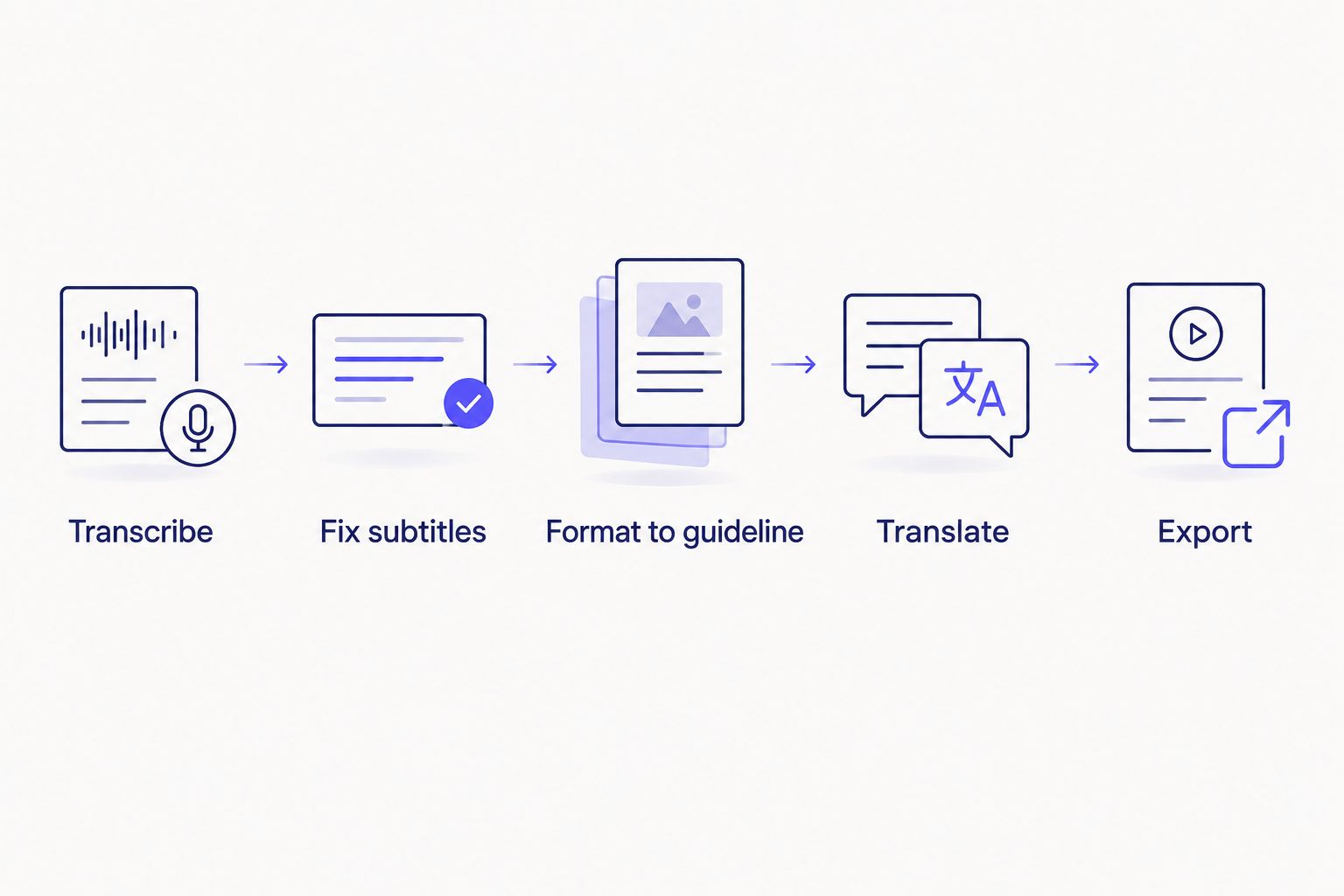
Recording is one step; everything after it is where QA time actually goes.
Fix subtitle drift before delivery
Run CPL/CPS checks and guideline formatting on your next export.
Open VideoText
When staying with Riverside is the right call
Riverside is still the correct tool when the entire job is recording a remote interview and nothing downstream checks subtitle compliance. If a podcast never ships captions to a client with a house style — it just publishes audio or raw video — a dedicated subtitle QA tool is overhead you don't need in 2026.
FAQ
What is the best Riverside alternative in 2026?
VideoText is the best Riverside alternative in 2026 for subtitle QA and client-guideline formatting. Descript is better if you need transcript-based video editing, and Zencastr if you only need a simpler recording swap.
Does Riverside check CPL and CPS on subtitles?
Riverside does not include dedicated CPL (characters per line) or CPS (reading speed) checking. That step requires a subtitle QA tool such as VideoText run after export.
Is Descript a good Riverside alternative for podcasters?
Descript works well if editing is your main task, since it lets you cut video by editing the transcript text. It's not built for CPL/CPS subtitle compliance or guideline-specific formatting.
Can VideoText replace Riverside for recording?
No. VideoText is a post-production tool for transcripts, subtitles, and QA — it doesn't record live sessions. You still need Riverside, Zencastr, or a similar recorder for capture.
What is guideline formatting in subtitle work?
Guideline formatting reformats a transcript or subtitle file to match a specific delivery spec, such as Rev, GoTranscript, or Scribie house style. It covers line breaks, punctuation rules, and timing conventions a client requires.
Does Riverside support subtitle translation?
Riverside's translation and captioning tools are limited compared to dedicated subtitle platforms. Teams needing translation across many languages with preserved cue timing typically add a tool like VideoText for that step.
Is Zencastr cheaper or simpler than Riverside?
Zencastr and Riverside serve the same core function — local per-participant recording — with Zencastr offering a lighter interface for teams that don't need Riverside's added editing and clip features.
One last thing
The subtitle timing rules that trip up most freelance editors aren't obscure — CPL limits and reading-speed caps follow long-standing broadcast and streaming conventions (the kind of rules behind Netflix's own timed-text style checklists). A recording tool was never going to check those for you in 2026, and it isn't going to start now. The fix is a dedicated QA pass, not a different recorder.
Related guides



