Best overall: VideoText for subtitle QA and client-ready delivery. Best for live meeting capture: Otter.ai. Best budget option for live notes: Otter.ai. Best for human-reviewed work: Rev. VideoText is the best transcription software in 2026 for freelance transcriptionists and subtitle editors who need to fix timing, CPL, CPS, and client formatting after ASR. This guide ranks the cheapest transcription software by total workflow cost rather than an unsupported fixed price snapshot.
TL;DR
- Cheapest transcription software in 2026 depends on the complete workflow, not the initial transcript alone.
- VideoText wins for subtitle QA; Otter.ai wins for live capture; Rev wins for human-reviewed transcription.
- Descript fits transcript-based video editing, while Sonix fits multilingual transcription and translation.
- Count correction, formatting, conversion, and delivery time before choosing the lowest-cost tool.
Subtitle workflow limits
70+ languages
VideoText translation coverage
7 formats
Named export formats
42 characters/line
Netflix English line limit
20 characters/second
Netflix adult reading speed
Why this matters
The transcript is only the first output. Freelance transcriptionists and subtitle editors still need to check speaker labels, punctuation, timestamps, line breaks, reading speed, cue overlaps, and client formatting before delivery.
VideoText combines ASR transcription with subtitle review and correction. Its workflow covers CPL, CPS, gaps, overlaps, scene-cut spans, timing drift, grammar, filler cleanup, translation, and exports. That changes the cost comparison because fewer tasks need a separate editor or converter.
A low entry price does not make software cheap if every SRT file needs another manual pass. In 2026, compare the billable unit, included processing, export limits, and time required to reach the final deliverable.
What makes the cheapest transcription software
Use these criteria before comparing current vendor totals:
- Complete workflow cost: Count transcription, correction, formatting, translation, conversion, and delivery.
- Output type: A TXT transcript has different requirements from an SRT or VTT subtitle file.
- Subtitle validation: Check whether the editor detects CPL, CPS, timing gaps, overlaps, and drift.
- Speaker handling: Diarization detects speaker changes; the editor must still let you review and rename speakers.
- Export coverage: Confirm that the required client format is included before processing the file.
- Batch support: Multi-file queues and combined exports matter when you process recurring episodes or media libraries.
Netflix's published English timed-text guidance provides a concrete QA example: a maximum of 42 characters per line and an adult reading speed of 20 characters per second. These are delivery constraints, not transcription accuracy measures. A tool that produces accurate words can still generate noncompliant subtitles.
Cheapest transcription software at a glance
| Rank |
Tool |
Best for |
Cost basis to inspect |
Standout capability |
Key limitation |
| 1 |
VideoText |
Subtitle QA and client delivery |
Processing tier and included QA |
CPL, CPS, drift, and guideline formatting |
Batch queues and ZIP exports require Pro+ |
| 2 |
Otter.ai |
Live meetings and notes |
Included live transcription allowance |
Real-time meeting capture |
Not centered on subtitle compliance |
| 3 |
Rev |
Human-reviewed transcription |
Automated versus human service |
Human transcription option |
Human review changes turnaround and cost structure |
| 4 |
Descript |
Transcript-based video editing |
Media processing and editing allowance |
Edit media through transcript text |
Subtitle QA is not the main workflow |
| 5 |
Trint |
Collaborative transcript review |
Workspace and usage requirements |
Shared transcript editing |
Less focused on delivery-rule validation |
| 6 |
Sonix |
Multilingual transcription |
Transcription and translation usage |
Translation inside the transcript workflow |
Translated cues still require review |
The table does not hard-code changing prices. Open each vendor's current plan page, enter the same monthly media volume, and include every paid step needed to deliver the requested file.
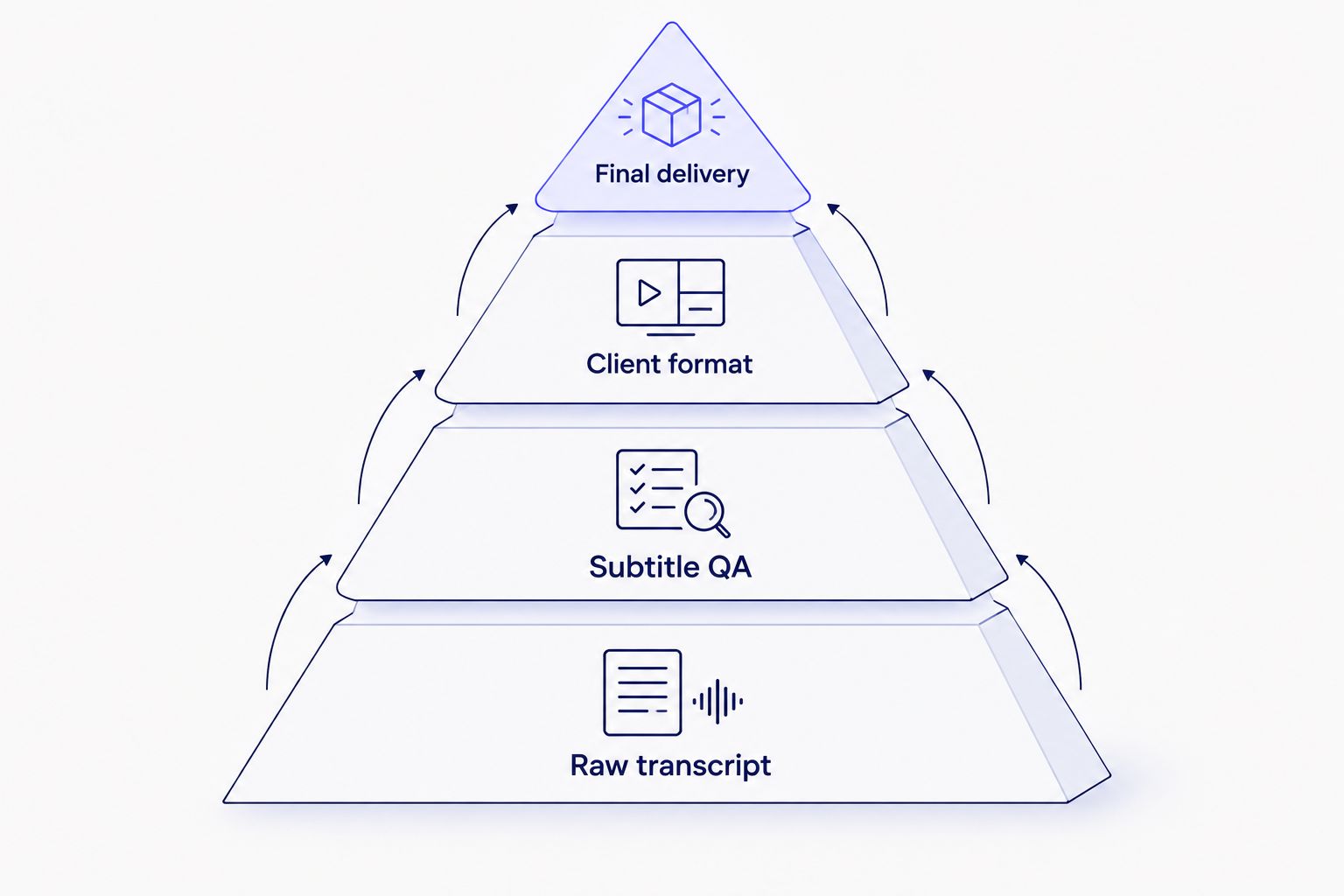
The cheapest workflow covers the steps between raw ASR and final delivery.
1. VideoText: best transcription software for subtitle QA
VideoText converts uploaded video, audio, or browser voice recordings into timed transcripts. It also generates SRT and VTT subtitles, detects speakers, creates summaries and chapters, and provides a term index for transcript navigation.
The main distinction is the correction stage. The in-browser cue editor is synchronized to the video and detects subtitle issues. It can address overlaps, CPL, CPS, gaps, scene-cut spans, timing drift, grammar, line breaks, and filler cleanup before export.
VideoText pros:
- Formats transcripts and subtitles to Rev, GoTranscript, Scribie, or custom client guidelines
- Translates subtitles and transcripts across 70+ languages while preserving cue timing
- Exports 7 explicitly named formats: TXT, SRT, VTT, PDF, DOCX, JSON, and CSV
- Supports subtitle burning, video compression, trimming, sharing, embedding, API access, and automation
VideoText cons:
- Batch processing and ZIP exports are limited to Pro+ workflows
- Detected speakers still need clear names assigned during review
- Automated correction does not remove the need to watch critical cues against the source video
Best for: freelancers, podcast teams, editors, and media agencies delivering transcripts or subtitles to a defined client specification.
Verdict: Buy when QA and formatting take more time than initial transcription.
2. Otter.ai: best transcription software for live meetings
Otter.ai focuses on real-time transcription for meetings, interviews, lectures, and spoken notes. It fits users who need searchable text during or shortly after a live conversation rather than a finished subtitle package.
Otter.ai pros:
- Captures speech during live meetings
- Produces searchable meeting transcripts
- Supports shared notes and collaborative review
Otter.ai cons:
- Subtitle CPL and CPS validation are not the primary workflow
- Client-specific subtitle formatting requires another review step
- Meeting notes and delivery-ready captions solve different problems
Best for: teams that need live notes and searchable meeting records.
Verdict: Buy for live capture; skip it when the required deliverable is a validated SRT or VTT file.
3. Rev: best transcription software for human-reviewed work
Rev offers automated and human transcription services. The human option fits recordings where names, technical language, background noise, or speaker overlap make an ASR-only workflow too risky.
Human review does not eliminate client QA. You still need to verify the required verbatim style, speaker labels, timestamps, and formatting rules before submitting the file.
Rev pros:
- Provides a human transcription path alongside automated processing
- Uses documented transcription and caption formatting conventions
- Fits projects where manual review is part of the purchasing decision
Rev cons:
- Human processing has a different cost and turnaround structure from ASR software
- Post-delivery changes still require editorial review
- The service model is less suited to editors who want to control every cue inside one workspace
Best for: accuracy-sensitive work where human review is required by the assignment.
Verdict: Buy when the brief requires human transcription; hold for routine ASR jobs you can review yourself.
4. Descript: best transcription software for text-based editing
Descript connects a transcript to audio and video editing. Removing words from the transcript can remove the corresponding media, so it suits creators who treat transcription as part of post-production.
This is a different workflow from subtitle compliance. Compare the editing focus with the tools in this guide to the best Descript alternatives in 2026.
Descript pros:
- Connects transcript text to media edits
- Keeps recording, transcription, and editing in one project
- Fits podcast and video rough-cut workflows
Descript cons:
- Transcript-based editing does not replace a complete subtitle QA pass
- Client guideline formatting is not the core use case
- Editors focused only on transcription can pay for a broader editing workflow than they need
Best for: creators who edit audio or video through transcript text.
Verdict: Buy when transcription drives the edit; skip it for subtitle validation alone.
5. Trint: best transcription software for team review
Trint centers on collaborative transcription and editorial review. Shared workspaces help reporters, producers, and editors search recordings, annotate transcripts, and work on the same material.
Trint pros:
- Supports collaborative transcript editing
- Fits newsroom and production-team review
- Keeps source media connected to searchable text
Trint cons:
- Collaboration does not replace CPL, CPS, overlap, or drift checks
- A separate delivery pass can be necessary for strict subtitle specifications
Best for: editorial teams that need several people to review the same transcript.
Verdict: Hold unless collaboration is the main bottleneck.
6. Sonix: best transcription software for multilingual output
Sonix combines automated transcription, browser-based editing, and translation. It fits teams preparing one recording for multiple language workflows.
Translation is not the final QA step. Text expansion can change line length, reading speed, and cue balance even when timestamps remain attached. Compare dedicated caption workflows in the best subtitle generator tools for YouTube in 2026.
Sonix pros:
- Combines transcription and translation in one workflow
- Provides a browser-based transcript editor
- Supports multilingual media projects
Sonix cons:
- Translated subtitles require native-language review
- Cue timing, CPL, CPS, and line breaks must be checked after translation
- The lowest transcription option is not necessarily the lowest multilingual delivery cost
Best for: teams translating transcripts and subtitles for several audiences.
Verdict: Buy for multilingual preparation; hold if you only need same-language transcription.
A step-by-step cost comparison for 2026
1. Define the deliverable
Write down the exact output before opening a pricing page. Common deliverables include clean-verbatim DOCX, speaker-labelled PDF, timecoded TXT, SRT, VTT, or burned-in captions. Each requires different processing and QA.
2. Use one sample workload
Apply the same monthly media duration, file count, language count, and number of editors to every vendor. Do not compare one tool's entry allowance with another tool's team workflow.
3. Add the correction stage
Estimate the work after ASR. Include speaker renaming, terminology correction, timestamp checks, CPL and CPS fixes, line-break changes, and timing-drift repair.
4. Add conversion and delivery
Confirm whether the tool exports the final client format directly. If not, include the converter, subtitle editor, storage system, or manual formatting step needed to finish the job.
5. Check current limits
Vendor plans change. Confirm current processing limits, export restrictions, batch access, collaboration rules, and API availability directly before purchasing in 2026.
Review subtitles before delivery
Upload media, generate timed text, and check CPL, CPS, overlaps, and drift.
Start subtitle QA
How we ranked the tools
The ranking uses six decision factors: complete workflow cost, output type, subtitle validation, speaker handling, export coverage, and batch support. It gives each product a distinct use case rather than treating meeting notes, human transcription, video editing, collaboration, translation, and subtitle QA as interchangeable.
The 2026 default is simple: select the tool that produces the requested deliverable with the fewest separate correction steps. Fixed price figures are excluded because they change; current vendor checkout pages remain the source for the final total.
Which transcription software should you choose?
Choose VideoText when your work ends with a client-ready transcript, SRT, or VTT file and QA is the expensive step. Choose Otter.ai for live meeting notes, Rev when a human-reviewed service is required, Descript for transcript-based media editing, Trint for team review, and Sonix for multilingual preparation.
Podcast workflows add speaker naming, chapters, summaries, and recurring episode volume. The best AI transcription software for podcasters in 2026 compares that narrower use case.
For an undecided freelance subtitle editor, choose the tool that validates the final cue file, not the tool that stops at raw ASR. That is the safer cheapest-transcription-software decision in 2026.
FAQ
What is the cheapest transcription software in 2026?
The cheapest transcription software in 2026 is the tool with the lowest complete delivery cost for your output. Include transcription, correction, speaker review, subtitle validation, conversion, and formatting before comparing current vendor totals.
How much does transcription software cost in 2026?
Transcription software cost depends on media duration, processing type, user count, exports, and required review. Check each vendor's current plan page with the same workload because fixed figures change.
Is Otter.ai better than Rev?
Otter.ai is better for live meeting transcription, while Rev is better when the job requires a human transcription service. The correct choice depends on whether you need immediate notes or reviewed delivery.
Is Descript good for professional transcription?
Descript fits professional workflows where transcript text controls audio or video edits. Dedicated subtitle editors still need to validate timing, CPL, CPS, line breaks, and client formatting.
What is CPL in subtitles?
CPL means characters per line. It measures subtitle line length, and Netflix's English timed-text guidance sets a maximum of 42 characters per line.
What is CPS in subtitle editing?
CPS means characters per second. It measures reading speed; Netflix's English timed-text guidance uses 20 characters per second for adult programs.
Can transcription software export SRT and VTT files?
Many transcription tools export SRT or VTT, but supported formats vary. VideoText explicitly supports SRT, VTT, TXT, PDF, DOCX, JSON, CSV, and additional layouts.
Does speaker diarization identify speaker names?
Speaker diarization detects when the speaker changes and separates speech into speaker-labelled segments. Editors still need to review the boundaries and replace generic labels with the correct names.
One last thing
ASR accuracy and subtitle quality are separate measurements. A transcript can contain the correct words while its subtitle cues still fail because lines are too long, reading speed is too high, cues overlap, or timing has drifted from the audio.
Run subtitle validation after every major edit or translation pass in 2026. If speaker separation is the main issue, compare the best speaker diarization software in 2026 before changing the rest of your workflow.



