A subtitle workflow for corporate video teams is the fixed sequence you run from raw recording to published caption file — transcription, timing fixes, QA, and guideline formatting — built to catch drift and CPL overages before a video reaches employees or the public. In-house teams work under a different constraint than a freelance editor or a media agency: multiple non-expert requesters submitting files, no dedicated caption QA headcount, and growing ADA and Section 508 pressure on internal training libraries that nobody thought counted as public-facing.
TL;DR
- A subtitle workflow for corporate video teams needs transcription, CPL/CPS fixes, QA, and guideline formatting before publishing in 2026.
- VideoText fixes overlaps, timing drift, and CPL/CPS in one pass — best for in-house teams without dedicated caption QA staff.
- Netflix's published TTSC benchmark (42 characters per line, 17 CPS for English) works as an internal standard even outside streaming.
- Manual caption editing works for one-off executive videos; batch libraries above roughly 10 videos a month need a QA tool.
Why subtitle workflow matters for in-house corporate video teams
Corporate video output looks nothing like a YouTube channel's. One team ships all-hands recordings, onboarding modules, product demo libraries, and exec comms clips from four different tools — Zoom, Microsoft Teams, Panopto, a phone camera in a hallway — and every source hands off captions differently, if at all.
A subtitle workflow platform like VideoText matters here because the failure mode isn't obscurity, it's volume without QA staff. A media agency has a proofreader on retainer. An in-house comms team has a marketing coordinator who was handed captioning as an extra task in 2026 and no style guide to follow.
The practical risk is accessibility exposure: Section 508 and ADA cover internal Learning Management System content, not just public video, and a caption drift complaint from an employee with a hearing impairment is a compliance issue, not a cosmetic one.
Standardize video intake before transcription
Before any caption gets touched, lock down what format enters the pipeline. Inconsistent intake is the single biggest cause of downstream CPL and timing errors on corporate libraries.
- Require MP4 or MOV exports from Zoom/Teams recordings, not raw screen-capture files
- Trim dead air and pre-roll before transcription, not after
- Tag each file with department (HR, product, exec comms) so the right style guide applies later
- Flag any file with more than one speaker for diarization at intake, not during QA
- Set a max file length policy for training modules — long unedited recordings compound every downstream error
Transcribe every recording before you touch captions
Don't caption directly on the timeline. Transcribe first, review the text, then generate subtitle timing from the corrected transcript — editing a transcript is faster than editing scattered subtitle cues.
- Run automatic speech recognition (ASR) to get timed segments, not a flat text dump
- Turn on speaker diarization for panel discussions, all-hands Q&A, and interview-style content
- Review the transcript for product names, internal acronyms, and executive names ASR models won't know
- Export a clean-verbatim version for training content; keep filler words for legal or investigative recordings only
- Confirm speaker labels are renamed to real names before the file moves to subtitle generation
Fix CPL and reading speed before QA
Characters-per-line (CPL) and characters-per-second (CPS) are the two numbers that decide whether a caption is readable, and they're the two most commonly skipped checks on internal video. Netflix's Timed Text Style Guide sets 42 CPL and roughly 17 CPS for English as the industry reference point, and it holds up as a baseline even for non-streaming corporate content.
- Check every cue against a CPL limit (42 characters is the common English benchmark)
- Flag any cue exceeding safe reading speed for the audience — 17 CPS for general audiences, lower for training content aimed at non-native speakers
- Fix overlapping cues and gaps under 2 frames, which cause visible flicker on playback
- Re-break long sentences at natural clause boundaries, not mid-phrase
- Check timing against scene cuts — a caption that survives a hard cut looks like a sync bug even when the timing is technically correct
Detailed CPL and CPS thresholds by style guide, including Netflix, BBC, and Rev conventions, are broken down on VideoText's subtitle CPL and CPS benchmark guide.
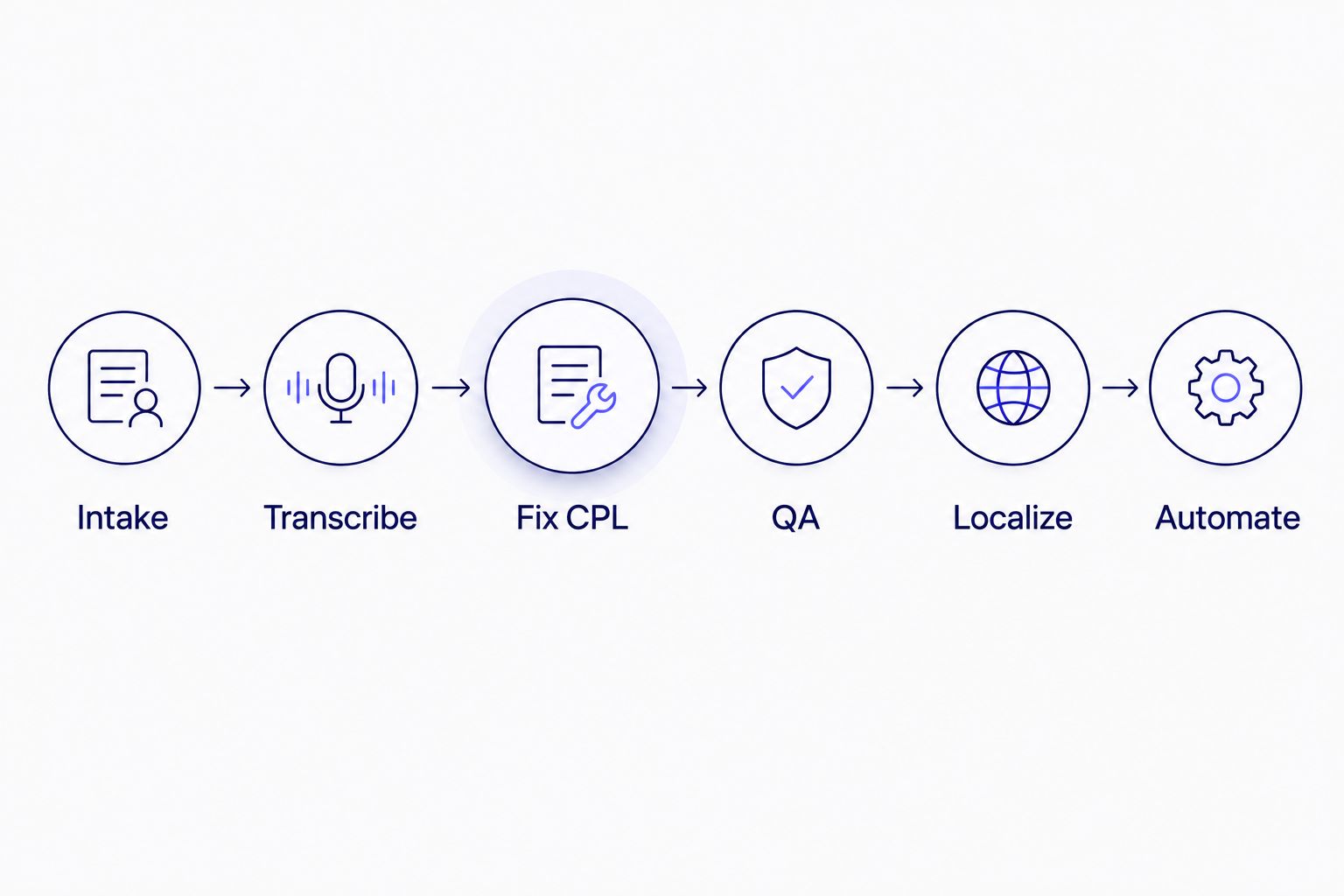
Each step depends on the one before it — QA before localization catches errors once instead of in every language.
Run subtitle QA against a written style guide
QA on corporate video usually fails not because nobody checked it, but because there was nothing written down to check it against. A one-page style guide covering CPL, terminology, and formatting removes most of the department-to-department inconsistency.
- Write down CPL/CPS limits, line-break rules, and punctuation conventions once, per department if needed
- Run every file through a synced cue editor rather than eyeballing an SRT file in a text editor
- Check for overlaps, gaps, and reading-speed violations as a pass separate from a spelling/grammar pass
- Reformat to whatever external guideline applies — Rev-style, GoTranscript-style, or a custom internal spec — before delivery to a department that redistributes the video externally
- Spot-check acronym and product-name spelling against a maintained glossary, not memory
A published comparison of dedicated QA tools, including what each one catches automatically versus manually, is on VideoText's subtitle QA tools comparison.
Localize subtitles for global offices
Multi-region companies ship the same training video to five offices and five languages, and the timing has to survive translation without drifting off the visuals.
- Translate the reviewed transcript, not the raw ASR output, to avoid compounding two error sources
- Preserve original cue timing where sentence length allows; only re-time where the translated line breaks CPL
- Prioritize languages by office headcount, not by request order
- Keep a single source-of-truth transcript per video so re-translations after a video edit start from the corrected version
- Spot-check right-to-left languages and CJK line-break rules separately — Western CPL rules don't apply
Automate the handoff from your recording tool
Manual file transfer between a recording platform and a captioning tool is where corporate video libraries lose track of versions. Automating the handoff removes a step that otherwise depends on someone remembering to do it.
- Connect a recording source (Zoom cloud recordings, a shared drive, Panopto exports) to an automatic transcription queue
- Set batch processing rules so a week's worth of training uploads clears without manual triggering
- Route finished captions to the same folder structure the LMS or intranet expects
- Use an API or Zapier connection to trigger translation automatically for pre-defined target languages
- Log every processed file so a re-cut video triggers a re-caption, not a stale file sitting in the LMS
VideoText's Zapier setup for this exact handoff is documented on the Zapier automatic transcription guide.
Burn or embed captions per channel
The same video often needs open captions burned in for social clips and a separate SRT sidecar for the LMS. Treating these as one output causes format mismatches downstream.
- Burn captions into video destined for social or silent-autoplay placements
- Keep SRT/VTT as a separate sidecar file for LMS platforms and internal video portals that support closed captions natively
- Compress video after captions are finalized, not before, so caption sync isn't affected by a re-encode
- Export DOCX or PDF transcripts alongside captions for accessibility requests that ask for a readable document, not just a caption file



