Subtitle translation for marketing teams is the process of converting caption text into another language while keeping the original cue timing intact, so a video ad, demo, or brand story can run in a new market without re-cutting the timeline. Marketing teams need something most translation buyers don't: multiple language variants of the same 30-second or 90-second asset shipped on the same launch date, with brand terminology locked across every version.
TL;DR
- Subtitle translation for marketing teams means translating cues, not re-typing scripts, so timing survives the language switch.
- German and French subtitle text typically runs 20-35% longer than English, which blows past CPL limits if you don't re-check line length per language.
- VideoText translates subtitles and transcripts across 70+ languages while preserving cue timing, which removes the manual resync step.
- QA every translated language separately before shipping — a clean English file does not guarantee a clean Spanish or Arabic one.
- Batch translation across markets is the fastest path once your glossary and source file are locked, not the first step.
Numbers that matter for this workflow
70+ languages
Supported by VideoText's translation feature
20-35%
Typical text expansion, German vs English
2026
Current year for benchmark references
Why subtitle translation matters for marketing teams
Marketing video assets get localized for a launch date, not a leisurely editorial calendar. A product demo going live in five markets on the same day means five subtitle files, five QA passes, and zero tolerance for a caption that runs half a second behind the voiceover on the German cut. VideoText handles this as one workflow — transcript to subtitles to translation to burn-in — instead of five disconnected tools.
The failure mode marketing teams hit most often isn't bad translation quality. It's a translated subtitle file that no longer matches the source timing because the translator worked from a plain-text script instead of the timed SRT or VTT file. The cue timestamps have to survive translation, or every downstream step — QA, burn-in, delivery — breaks.
Lock your source subtitle file first
Translating before your English (or source-language) subtitles are final means retranslating every time the video gets a revision. Lock the source file before it goes anywhere near a translation step.
- Confirm the final cut of the video is approved, not a working draft
- Export the source subtitle file as SRT or VTT, not a transcript-only TXT
- Run a timing check on the source file for overlaps and gaps before translating
- Freeze the file name and version so translators aren't working off two copies
- Note any on-screen text or graphics that also need translation, separately
Build a glossary of brand and product terms
Machine translation and human translators both guess at product names, feature terms, and taglines unless you tell them not to. A glossary is the single fastest way to cut revision rounds on a marketing subtitle project.
- List product names, feature names, and taglines that must never be translated
- Flag terms with an approved translation per target market (legal or regulatory terms often need one)
- Include tone notes for markets where formal address (German "Sie" vs "du") changes meaning
- Share the glossary with every translator or reviewer touching the project, in 2026 that usually means dropping it into the same tool doing the translation pass
- Update it once, not per video — a shared glossary across campaigns saves the most QA time
Translate the subtitle file, not a copy-pasted script
This is the step that separates a usable translated file from a broken one. Translating a plain-text script and then pasting it back into an SRT loses every timestamp — someone then has to manually resync every cue by hand.
- Translate the SRT or VTT file directly so timestamps carry over automatically
- Confirm the tool preserves cue-by-cue timing rather than regenerating a single translated block of text
- Check that speaker labels (if diarization was used) survive the translation pass
- Verify line breaks aren't just carried over verbatim from the source language — target languages need their own break points
- Spot-check 3-5 cues against the video to confirm the translated text still matches the on-screen action
VideoText's translation feature works from the subtitle or transcript file directly, across 70+ languages, and keeps cue timing intact rather than requiring a manual resync afterward. That's the faster path once your source file and glossary are locked — not a replacement for those two steps.
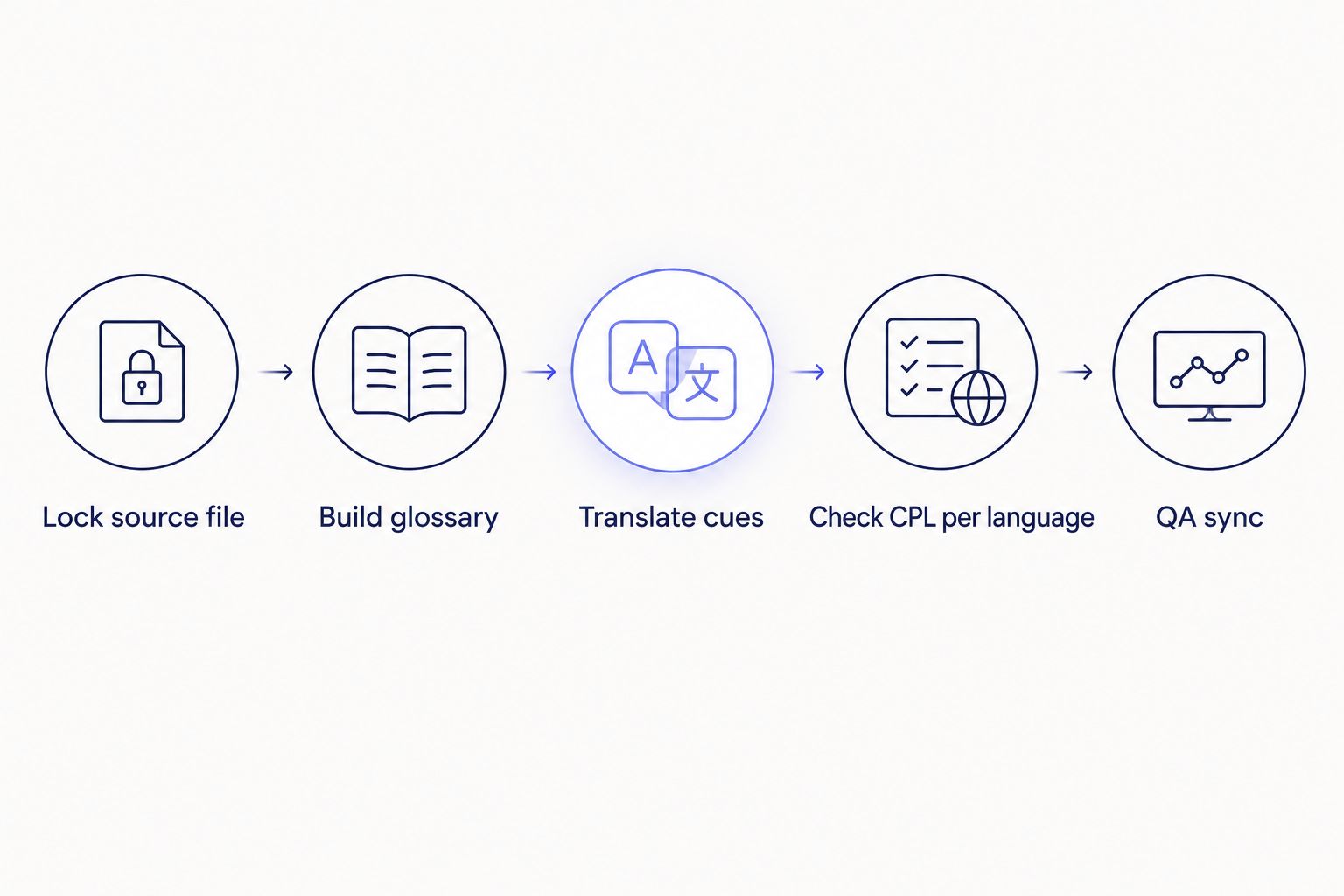
Translation happens after the glossary is built, not before it.
Check CPL and reading speed per target language
A CPL (characters per line) limit that works for English almost never works for German, French, or Finnish, because translated text runs longer for the same spoken duration. This is the step most marketing teams skip, and it's why translated captions look cramped or get truncated on screen.
- Re-check CPL limits per language, not just once for the source file
- Expect German and French text to run roughly 20-35% longer than the English equivalent for the same line
- Recalculate CPS (characters per second, or reading speed) for each language separately
- Watch for languages that need more vertical space per line — Thai and Arabic often need adjusted line-break rules
- Compare your output against published CPL and CPS benchmarks by style guide before delivery, especially if the client specifies Netflix or BBC-style limits
QA sync in every language before shipping
A subtitle file that syncs perfectly in English can drift in a translated language if line breaks or cue durations shifted during translation. Each language needs its own QA pass — not one QA pass on the source file assumed to cover every translation.
- Play back every translated file against the final video, not just the source-language file
- Check for overlapping cues, which show up more often after translation shifts line lengths
- Confirm scene-cut timing still holds — a cue that crossed a cut cleanly in English can land wrong after translation
- Verify filler words and false starts were handled consistently with the source clean verbatim style
- Log any cue that needs manual timing correction rather than assuming the batch is clean
Batch across markets once the workflow is proven
Once one language variant is validated end to end — source locked, glossary applied, timing intact, QA passed — running the same file through additional target languages is a repeat step, not a new project.
- Queue all target languages from the same locked source file
- Apply the same glossary across every language in the batch
- Export each language in the format the destination channel needs (SRT for most platforms, VTT for web players, burned-in for social)
- Run the same CPL/CPS check per language before marking the batch complete
- Route completed files through automation (Zapier, API) if the same campaign repeats monthly — see how to connect VideoText to Zapier for automatic delivery
Translate subtitles without breaking timing
Keep cue sync intact across 70+ languages from one source file.
Try VideoText
Comparison: translation options for marketing teams
| Option |
Best for |
Key limitation |
| In-house bilingual staff |
Teams with 1-2 target languages and steady volume |
Doesn't scale past a handful of languages without hiring |
| Freelance subtitle translator |
One-off campaigns needing native-language nuance |
Turnaround depends on individual availability; no built-in CPL/QA tooling |
| Localization agency |
High-stakes brand campaigns needing full review layers |
Slower for fast-turnaround social or ad variants |
| Copy-paste into Google Translate |
Quick internal drafts, not client-facing |
Breaks cue timing entirely; every timestamp needs manual resync |
| VideoText subtitle translation |
Teams shipping the same asset across many markets on one deadline |
Best paired with human review for brand-sensitive or legal copy |
Verdict: for marketing teams shipping one video into five or more languages on a single launch date, translating the subtitle file directly and keeping cue timing intact beats retyping scripts by hand or resyncing manually — that's the workflow VideoText is built around.
Common mistakes marketing teams make
- Translating the script instead of the subtitle file — loses every timestamp, forcing a manual resync per language
- Reusing English CPL limits for every language — German and French text expansion (20-35% longer) causes overflow and truncation
- Skipping QA on translated languages — a clean English file gives false confidence about the other four
- No shared glossary across campaigns — the same product name gets translated three different ways across three videos
- Burning captions before translation is finalized — a burned-in caption requires a full re-render for every text correction, unlike a soft-subtitle file
FAQ
What is subtitle translation for marketing teams?
It's the process of translating caption text on a video asset into another language while keeping the original cue timestamps, so the video runs correctly without re-editing the timeline. Marketing teams typically need this done across several languages at once for a single campaign launch.
Does translating subtitles change the timing sync?
It shouldn't if you translate the SRT or VTT file directly rather than a plain-text script. Translating a copy-pasted script and pasting the result back into a subtitle file strips the timestamps and forces a manual resync.
How much longer does translated text run compared to English?
German and French text commonly runs 20-35% longer than the English equivalent for the same spoken line. This means CPL and reading-speed limits set for English will overflow in those languages unless rechecked.
How many languages can VideoText translate subtitles into?
VideoText translates subtitles and transcripts across 70+ languages while preserving cue timing on each translated file.
Should marketing teams QA every translated language separately?
Yes. A subtitle file that syncs cleanly in the source language can still drift or overflow in a translated version because line lengths and cue durations shift during translation, so each language needs its own QA pass.
What file format should marketing teams use for subtitle translation?
Translate the SRT or VTT file directly, not a plain-text transcript. SRT and VTT carry the cue timestamps that a translated script alone does not preserve.
Is machine translation accurate enough for marketing subtitles?
It depends on the content. Machine translation works for straightforward narration but needs a human review pass for brand terminology, taglines, and legally sensitive claims — a shared glossary reduces the correction rounds needed either way.
Can subtitles be translated without losing timing sync?
Yes, as long as the translation is applied to the timed subtitle file rather than a separate script. Read the full breakdown on translating subtitles without losing timing sync for the technical detail on how cue timestamps carry over.
One last thing
The part marketing teams underestimate most in 2026 isn't translation accuracy — it's line-length math. A tagline that fits two lines at 42 characters in English can push past that limit in German before the sentence even finishes, and a subtitle that overflows its line looks unfinished on screen even when the translation is correct. Check CPL per language before a campaign ships, not after a client flags it.
Related guides



