Yes — burning subtitles into a video does not lose quality on its own, but the re-encode that burn-in requires can lose quality if the export settings don't match the source. A burn-in at CRF 18-20 (H.264) or an equivalent bitrate is visually indistinguishable from the original footage in 2026 encoder testing; a burn-in exported at CRF 28 or higher shows visible blocking and softness. The hidden cost most people miss: burning in subtitles is a one-way encode — you can't undo it, so any correction to timing or wording means re-exporting the whole file again.
TL;DR
- Burned-in subtitles cause no visible quality loss when the encode matches the source bitrate and stays in the CRF 18-20 range.
- Quality loss comes from re-encoding at a lower bitrate or higher CRF, not from the act of drawing text onto the frame.
- Soft subtitles (SRT/VTT) skip re-encoding entirely and stay lossless — burn-in never does.
- VideoText's burn subtitles tool re-encodes at source-matched settings so captions don't visibly degrade footage.
Why this matters
Editors get asked to "just burn in the captions" constantly, and most assume it's a free operation like adding a text layer. It isn't. Burning subtitles means every frame of video gets decoded, the caption text gets drawn onto the pixel data, and the whole clip gets re-encoded from scratch. That re-encode is where quality is won or lost — not the caption itself.
Get the export settings wrong and a 1080p client delivery comes back with visible macroblocking around fast motion, or a file three times larger than it needs to be. Get them right and nobody can tell the captions were burned in rather than sitting on a soft caption track.
Can subtitles be burned into a video without losing quality?
The comparison below shows why burn-in and soft subtitles behave differently for quality, and where the risk actually sits.
| Method |
Re-encode required |
Quality impact |
Reversible |
File size |
| Burn-in at matched bitrate/CRF |
Yes |
None visible |
No |
Slight increase |
| Burn-in at lower bitrate/higher CRF |
Yes |
Visible blocking, softness |
No |
Decrease |
| Soft subtitles (SRT/VTT sidecar) |
No |
None |
Yes |
No change |
Only the middle row causes a real problem, and it's a settings mistake, not a limitation of burn-in itself. Subtitle burning software that lets you set CRF or target bitrate manually avoids that row entirely.
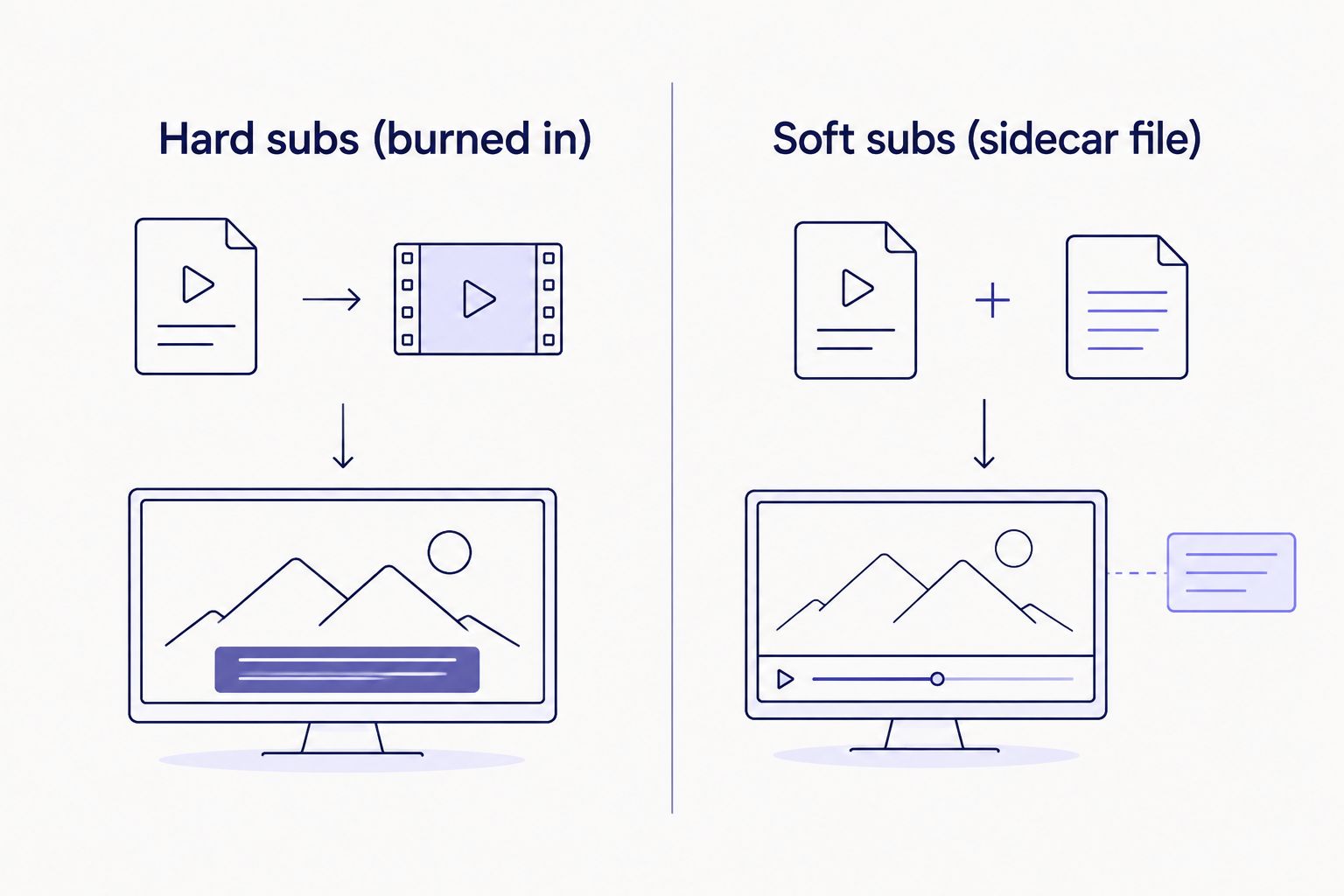
Soft subtitles skip the re-encode step entirely, which is why they never lose quality.
Burning at CRF 18-20: visually lossless
CRF (Constant Rate Factor) is the x264/x265 quality dial, running 0 (lossless) to 51 (worst). CRF 18-20 sits in the range encoders call visually lossless — a trained eye on a calibrated monitor might spot a difference from the raw source in a freeze-frame, but nobody watching at normal speed does. This is the range to target for client delivery in 2026. File size runs larger than default settings, but nothing close to raw or lossless output.
Burning at CRF 23: default encoder setting, fine for most delivery
CRF 23 is the default in most encoders (ffmpeg, HandBrake) and produces a smaller file with quality loss that's hard to spot outside high-motion or heavy-grain footage. For talking-head interviews and lecture captures, CRF 23 burn-in is safe. For b-roll-heavy edits with fast pans, step down to CRF 20.
Burning below CRF 28: visible quality loss
Past CRF 28 the loss stops being theoretical. Skin tones band, dark scenes show visible blocking, and text edges — including the caption text itself — go soft. Never accept a burn-in export above CRF 25-26 for anything going to a paying client. If a vendor's export defaults to a lower bitrate to save render time, that's the setting to flag before delivery, not after.
Why burn-in quality varies
A handful of factors decide whether a burned-in file matches the source or visibly degrades it:
- CRF or bitrate setting relative to the source file's own bitrate
- Codec choice — H.265/HEVC holds more detail per bit than H.264 at the same file size
- Resolution scaling during the burn — upscaling a 720p source to "deliver in 1080p" adds no real detail and can soften text
- Encoder type — hardware (GPU) encoders run faster but generally hold less detail at a given bitrate than software (CPU) encoders
- Single-pass vs two-pass encoding — two-pass allocates bitrate more evenly across a clip, which matters most on long-form footage
- Caption font rendering — heavy anti-aliasing on subtitle text can look soft even when the underlying video encode is clean, which gets mistaken for video quality loss
Running your own CPL and CPS benchmarks before burn-in also catches line-length and reading-speed problems that no amount of encoder tuning fixes after the fact.
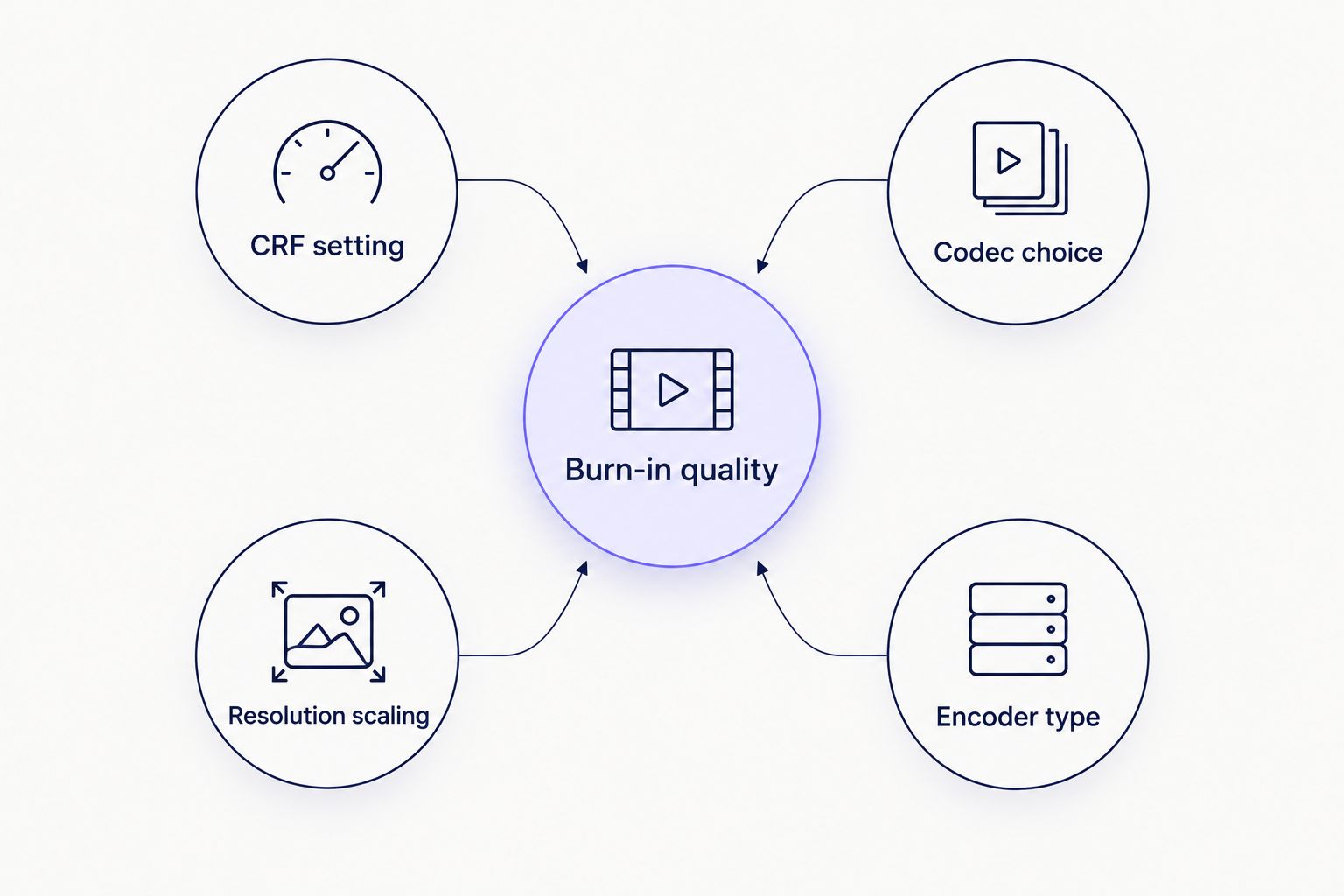
CRF setting has the biggest effect on whether a burned-in export matches the source.
CRF reference range
CRF 18-20
Visually lossless burn-in range
CRF 23
Default encoder setting
CRF 28+
Visible quality loss threshold
“Burning in text never touches pixel quality on its own — the re-encode settings decide that.”
Does burning in subtitles always require re-encoding the whole video?
Yes, burning in subtitles always requires re-encoding the whole video, because the caption text gets drawn directly onto the pixel data frame by frame. There's no way to "stream copy" a video track and burn text onto it at the same time — every frame that carries a caption has to be decoded, modified, and re-encoded.
Is burning in subtitles reversible?
No, burning in subtitles is not reversible once the file is exported. The captions become part of the video's pixel data permanently, so any wording fix or timing correction means going back to the source clip and the original SRT/VTT and re-exporting — not editing the delivered file. If a client might request changes, translate the subtitles without losing timing sync and keep the soft track as the source of truth, burning in only the final approved version.
Do burned-in subtitles increase file size?
Burned-in subtitles typically increase file size slightly compared to the same footage without captions, because the added detail (text edges, higher local contrast where captions sit) makes those frames marginally harder to compress. The difference is usually a few percent, not a size class jump — a bloated output points to a bitrate or CRF setting mismatch, not the captions themselves.
VideoText's burn subtitles feature exports at settings matched to the source file, so the size increase from captions stays in that few-percent range rather than tripling the file. That's the practical middle ground between a soft-subtitle workflow, which never re-encodes at all, and a manual burn-in with default encoder settings, which can quietly downgrade footage a client will notice.
Burn subtitles without quality loss
Export burned-in captions at settings matched to your source file.
Try VideoText
FAQ
Does burning in subtitles reduce video quality?
Burning in subtitles does not reduce video quality on its own when the export matches the source bitrate or sits in the CRF 18-20 range. Quality loss shows up only when the burn-in re-encode drops the bitrate or pushes CRF above 25-26.
What CRF should I use to burn in subtitles without quality loss?
CRF 18-20 is the visually lossless range for burning in subtitles with H.264. CRF 23 (the common default) is acceptable for most talking-head content but can soften detail on fast-motion footage.
Can I burn subtitles into a video without re-encoding?
No, burning subtitles into a video always requires re-encoding, since the caption text is drawn onto the pixel data frame by frame. A sidecar SRT or VTT file is the only route that skips re-encoding entirely.
Is burning in subtitles the same as hardcoding captions?
Yes, burning in subtitles and hardcoding captions describe the same process — text is permanently rendered onto the video frames rather than delivered as a separate, toggleable caption track.
Do burned-in subtitles increase file size?
Burned-in subtitles increase file size slightly, usually a few percent, because caption text adds local detail that's marginally harder to compress. A large size jump usually means the encoder settings changed, not the captions.
Can burned-in subtitles be removed later?
No, burned-in subtitles cannot be removed later without going back to the original footage and re-exporting without the caption overlay. Once burned in, the text is part of the video's pixel data.
Is H.265 better than H.264 for burning subtitles?
H.265 (HEVC) generally holds more detail per bit than H.264 at the same file size, which gives a small quality margin on burn-in exports. H.264 remains the safer default for compatibility with older players and some client delivery specs.
Does burning subtitles into 4K video cause more quality loss than 1080p?
Burning subtitles into 4K video does not cause more quality loss than 1080p by itself, but 4K files need a proportionally higher bitrate to stay in the visually lossless range. A 1080p CRF setting reused on a 4K export without adjustment will show more visible loss.
One last thing
The quality complaint that actually reaches editors isn't blocky video — it's a client asking why the captions themselves look soft or pixelated at the edges. That's almost always heavy anti-aliasing on the text renderer, not the video encode, and it's fixed by adjusting the caption rendering settings, not by raising the video bitrate again.
Related guides



