ScreenApp records your screen and webcam in the browser, then runs the audio through speech recognition to spit out a transcript and an AI summary. That covers fast meeting capture and quick tutorial notes. It stops short of subtitle production: no CPL/CPS checking, no guideline formatting for client delivery, no dedicated SRT/VTT cue editor. The best ScreenApp alternative in 2026 is VideoText if you deliver client-ready captions and subtitles, Otter.ai if you need live meeting transcription, and Fireflies.ai if your team runs calls through a CRM.
TL;DR
- VideoText is the top ScreenApp alternative in 2026 for teams delivering SRT/VTT subtitles that pass CPL and CPS checks.
- Otter.ai wins on live meeting transcription with real-time captions during Zoom and Teams calls.
- Fireflies.ai wins when call transcripts need to land in Salesforce or HubSpot automatically.
- Fathom is the free-tier pick for internal meeting recording without a subtitle deliverable.
- ScreenApp still works fine for screen-recorded tutorials that never need a client-ready caption file.
Why this matters
ScreenApp is a screen recorder with AI notes bolted on. It was built to capture a browser tab or webcam feed and hand you a summary, not to fix timing drift on a 40-minute interview or reformat a transcript to a client's style guide.
The gap shows up the moment a deliverable needs to be client-ready: overlapping cues, lines that blow past 42 characters, reading speeds that spike above 20 characters per second. None of that gets caught by a tool built around meeting notes. If your work in 2026 involves handing off SRT files, not just recap emails, the tool has to be built around subtitle QA, not around it.
ScreenApp alternatives at a glance
| Tool |
Best for |
Standout feature |
How it differs from ScreenApp |
| ScreenApp |
Quick screen-recorded notes |
Browser recording + AI summary |
Baseline: no subtitle QA, no guideline formatting |
| VideoText |
Client-ready subtitle QA |
CPL/CPS fixing, guideline formatting, translation with timing preserved |
Adds a full subtitle QA and export pipeline ScreenApp doesn't have |
| Otter.ai |
Live meeting transcription |
Real-time captions during Zoom/Teams calls |
Live captioning during the call, not after |
| Fireflies.ai |
CRM-connected call transcripts |
Auto-sync to Salesforce/HubSpot |
Built for sales and revenue teams, not caption delivery |
| Fathom |
Free meeting recording |
Auto-generated highlight clips |
Meeting recap tool, not a subtitle or transcript editor |
1. VideoText: best for client-ready subtitle QA
VideoText turns uploaded video, audio, or a browser voice recording into a timed transcript, then runs subtitle QA on top: overlap detection, CPL and CPS checks, gap and scene-cut span fixes, and reformatting to Rev, GoTranscript, Scribie, or a custom client guideline. Speaker diarization labels who's talking, and AI chapters and summaries come out of the same pipeline. Translation covers 70+ languages with cue timing preserved, and subtitles can be hardcoded (burned in) before export.
Where VideoText shines
- In-browser cue editor synced to video, with issues flagged before you export
- Guideline formatting cuts the manual reformatting pass that eats QA time
- Batch processing and ZIP exports for multi-file jobs (Pro+ tiers)
- Exports to SRT, VTT, TXT, PDF, DOCX, JSON, and CSV, including timecode and speaker layouts
Where VideoText falls short
- No live meeting capture; it's built around uploaded or recorded media, not real-time call notes
- No CRM integration for sales teams that want transcripts synced to deal records
Best for: freelance transcriptionists, subtitle editors, and media agencies delivering client-ready caption files instead of internal meeting recaps.
| Dimension |
ScreenApp |
VideoText |
| Subtitle QA (CPL/CPS/overlap) |
Not built in |
Full QA queue with issue detection |
| Guideline formatting (Rev/GoTranscript/Scribie/custom) |
No |
Yes |
| Batch processing |
No |
Yes, on Pro+ tiers |
| Live transcription |
No |
Yes |
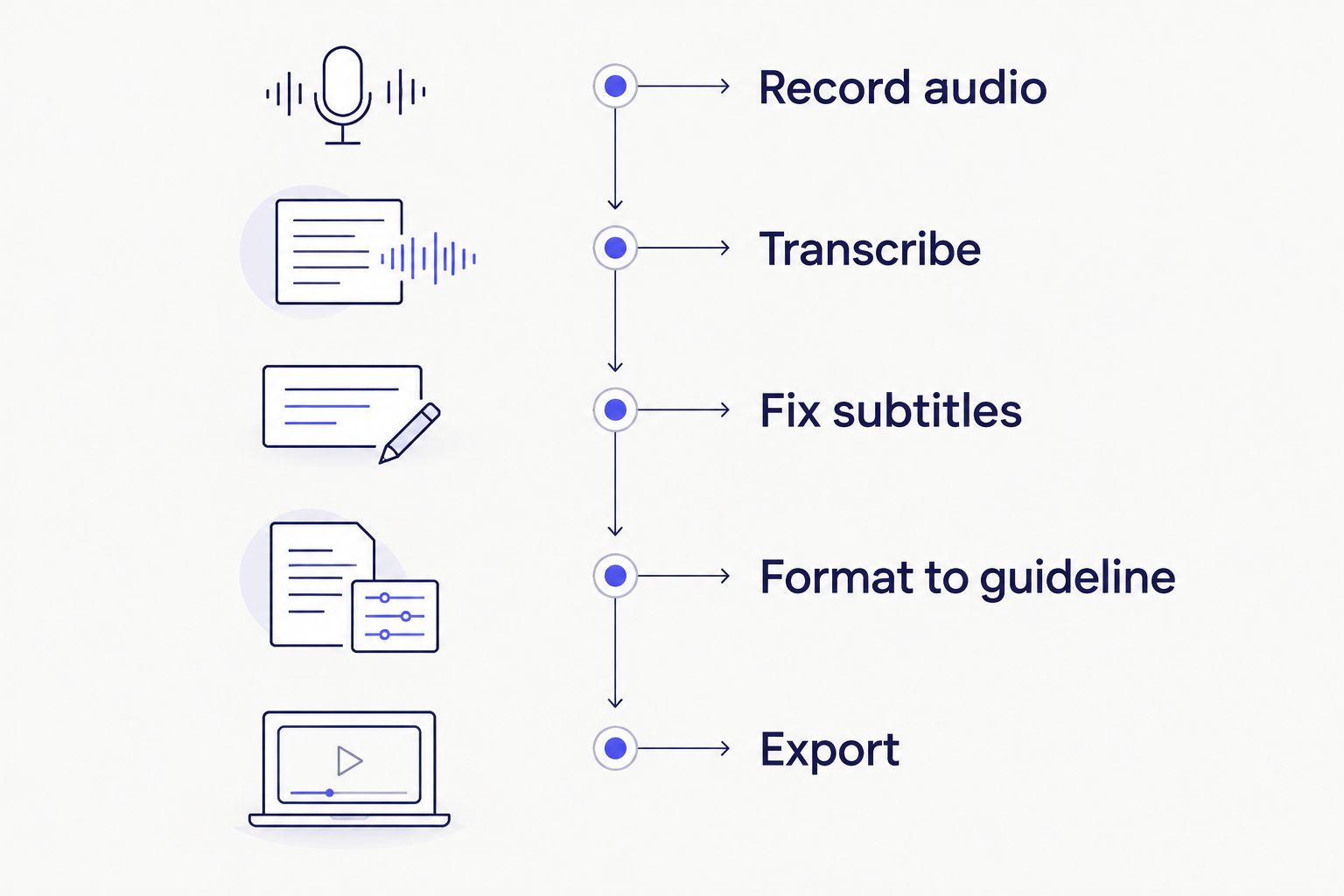
Guideline formatting sits before export, not after a client sends a file back.
2. Otter.ai: best for live meeting transcription
Otter.ai transcribes calls in real time, showing live captions during Zoom and Teams meetings and generating a searchable transcript once the call ends. It's built for note-taking during a live conversation, not for post-production caption work.
Where Otter.ai shines
- Live captions appear on-screen during the call itself
- Automatic meeting summaries with speaker attribution
Where Otter.ai falls short
- No CPL/CPS subtitle QA tooling for exported captions
- No guideline-based reformatting for client delivery standards
Best for: teams who need transcription during the meeting, not a client-ready subtitle file after it.
| Dimension |
ScreenApp |
Otter.ai |
| Live captions |
No |
Yes |
| Screen recording |
Yes |
No |
| Subtitle export QA |
No |
No |
3. Fireflies.ai: best for CRM-connected call transcripts
Fireflies.ai records and transcribes calls, then pushes the transcript and summary into Salesforce, HubSpot, or a similar CRM automatically. It's aimed at sales and customer-success teams who want every call logged against the right account.
Where Fireflies.ai shines
- Automatic sync to CRM records after each call
- Searchable transcript library across a team's full call history
Where Fireflies.ai falls short
- No subtitle formatting or caption export workflow
- Not built for uploaded video/audio outside of live calls
Best for: revenue teams that need call transcripts inside their CRM, not caption deliverables.
| Dimension |
ScreenApp |
Fireflies.ai |
| CRM sync |
No |
Yes |
| Subtitle QA |
No |
No |
| Batch upload of existing media |
Limited |
Limited |
4. Fathom: best for free meeting recording
Fathom records meetings for free and auto-generates highlight clips and a summary after the call. It's a lightweight recap tool built for internal use, not for producing a subtitle file that leaves the building.
Where Fathom shines
- No-cost meeting recording with automatic highlight clips
- Simple recap emails sent right after the call
Where Fathom falls short
- No subtitle export, CPL/CPS checking, or translation
Best for: internal team meetings that need a recap, not a client deliverable.
Why people switch from ScreenApp
- No subtitle QA tooling. ScreenApp's transcript output isn't checked against CPL, CPS, or overlap rules before export, so caption editors do that pass by hand.
- No guideline formatting. Reformatting a transcript to a client's house style (Rev, GoTranscript, Scribie, or a custom spec) is manual work; there's no built-in conversion step.
- No dedicated cue editor. Fixing timing drift or scene-cut spans on a subtitle file means exporting and editing elsewhere.
- Limited export shape for caption work. A summary and transcript cover meeting notes; they don't cover SRT/VTT delivery formats subtitle clients expect.
Teams doing similar comparisons for other tools run into the same pattern — see the breakdown in Notta alternatives for another transcription tool that's strong on notes but light on subtitle production.
When ScreenApp is still the right call
If you only need a quick screen recording with an AI summary for an internal team update, ScreenApp does that job without extra steps. The moment a deliverable needs to survive a client's caption QA checklist, a dedicated subtitle QA tool becomes the better fit for 2026 workflows.
“If the export doesn't survive a CPL check, it isn't client-ready yet.”
See VideoText's subtitle QA tools
Check overlaps, CPL, and CPS before you export a single file.
Try VideoText
FAQ
What is the best ScreenApp alternative in 2026?
VideoText is the best ScreenApp alternative in 2026 for anyone delivering client-ready subtitles, since it adds CPL/CPS checking and guideline formatting ScreenApp doesn't have. Otter.ai and Fireflies.ai are better fits for live meeting notes or CRM-connected calls.
Is Otter.ai better than ScreenApp?
Otter.ai is better for live transcription during a call, since it shows captions in real time on Zoom and Teams. ScreenApp is better for a quick screen recording with a summary after the fact.
Does ScreenApp support subtitle QA?
No, ScreenApp doesn't check exported captions for CPL, CPS, or overlap issues. Teams that need that checking use a dedicated subtitle QA tool like VideoText's cue editor.
Can ScreenApp export SRT or VTT files?
ScreenApp's core output is a transcript and AI summary, not a formatted caption file. For SRT/VTT delivery with timing fixes, a subtitle-focused tool is the better fit.
Which ScreenApp alternative works best for freelance subtitle editors?
VideoText is built around the QA work freelance subtitle editors do daily: fixing timing drift, checking CPL/CPS, and reformatting to a client's style guide before delivery.
Does Fireflies.ai replace ScreenApp?
Fireflies.ai replaces ScreenApp for teams that need call transcripts synced to a CRM, but it doesn't add subtitle export or QA tooling either.
Is Fathom a free alternative to ScreenApp?
Fathom records meetings for free and generates highlight clips, making it a reasonable free alternative for internal recap use, though it has no subtitle export path.
One last thing
Netflix's Timed Text Style Guide caps most English subtitle lines at 42 characters per line, and that limit is the benchmark caption editors get held to even outside streaming work. If a tool doesn't check CPL against a number like that before export, someone catches it after delivery instead — which is the exact QA gap that separates a screen recorder with AI notes from a subtitle production tool in 2026.
Related guides



