Most AI transcription tools notice that non-speech audio is present in a file, but very few can tell you what that sound actually is. Automatic speech recognition (ASR) engines like Whisper are trained to turn words into text, not to classify music, applause, or background noise — that's a separate task called audio event detection, and it ships in far fewer transcription products than word-level transcription does in 2026.
TL;DR
- AI transcription can flag that non-speech audio exists, but most ASR models cannot name the sound (music vs. noise vs. applause).
- Audio event detection, the feature that adds tags like [MUSIC] or [APPLAUSE], is separate from speech-to-text and rarer in transcription tools.
- Voice activity detection (VAD) is the common baseline: it marks silence and non-speech gaps, not sound type.
- VideoText's subtitle QA review flags unlabeled non-speech gaps so an editor can add the correct SDH tag before delivery.
- Client guideline formatting (Netflix, Rev-style) determines exactly how non-speech sound should be bracketed in a transcript.
Why this matters
A transcript that silently drops a music cue or a burst of applause looks clean until a client checks it against the video. Subtitles for the deaf and hard of hearing (SDH) require non-speech sound to be labeled — missing it is a delivery error, not a style choice. Knowing which layer of the pipeline actually detects non-speech audio, and which layer just skips over it, decides whether you catch that gap before or after a client rejects the file.
Can AI transcription detect background music or non-speech audio?
The honest answer splits into three separate capabilities, and conflating them is where most transcription QA mistakes happen.
| Method |
What it actually detects |
Reliable for auto-labeling sound type? |
Best for |
| Voice activity detection (VAD) |
Presence of speech vs. silence/non-speech |
No — marks a gap, not a sound name |
Trimming dead air, flagging review points |
| Audio event detection (AED) |
Specific sound classes (music, applause, laughter) |
Partial — accuracy varies by training data and sound clarity |
Podcasts and video with distinct sound cues |
| Manual QA / editor review |
Whatever the reviewer hears and labels |
Yes, when done by a human against the audio |
SDH delivery, client guideline compliance |
Most ASR pipelines, including Whisper-based systems, run VAD internally to segment the audio before transcribing — that's how they know where speech starts and stops. That gap detection is not the same as knowing a saxophone is playing in the background. If a tool inserts [MUSIC] or [SOUND] tags automatically, it's running a second model layer on top of transcription, and that layer's accuracy depends heavily on how distinct the sound is from speech.
Voice activity detection: reliable, but blind to sound type
VAD is the workhorse behind every modern transcription engine. It tells the system "nothing said here, skip it" so word-level output doesn't fill gaps with garbage text. It is accurate at finding silence and non-speech stretches. It has zero information about whether that stretch is music, wind noise, or a dog barking — it just knows a human wasn't talking. Verdict: reliable for segmentation, useless for sound labeling.
Audio event detection: the layer that actually names the sound
Audio event detection (AED) is a distinct model trained on labeled sound datasets — music, applause, laughter, alarms — separate from the speech model. Tools that advertise automatic [MUSIC] tagging are running AED, not just ASR. Accuracy depends on how clean the audio separation is: a clear instrumental intro is easy, a whispered voice over faint background music is not. Verdict: useful when available, but check output against the actual audio before delivery.
Manual QA review: the only fully reliable step
A human listening against the transcript, or an editor using a synced cue editor, catches what automated layers miss — overlapping speech and music, ambient noise a model wasn't trained to name, or a sound effect specific to the content. This is why subtitle QA workflows still include a listen-through pass even when transcription is automated. Verdict: required for SDH and client-ready delivery, not optional.
VideoText's subtitle QA tools surface gaps where the transcript has no text but the timeline still runs — those are exactly the spots where music or non-speech audio is most likely to be sitting unlabeled. The tool flags the gap; the editor decides and types the tag.
Why detection accuracy varies
- Model training data — ASR models trained mostly on speech corpora have little exposure to music or ambient sound classification.
- Audio separation quality — overlapping speech and music (talking over a soundtrack) is harder to classify than a clean music-only segment.
- Language and accent — non-English audio and heavy accents already stress ASR word accuracy, which compounds when non-speech detection runs on the same signal.
- Client guideline requirements — Netflix and BBC-style SDH guidelines specify exact bracket formats for non-speech sound; a tool without guideline formatting won't match them automatically.
- File source quality — compressed audio, low bitrate uploads, or phone-recorded voice memos degrade the signal both models rely on.
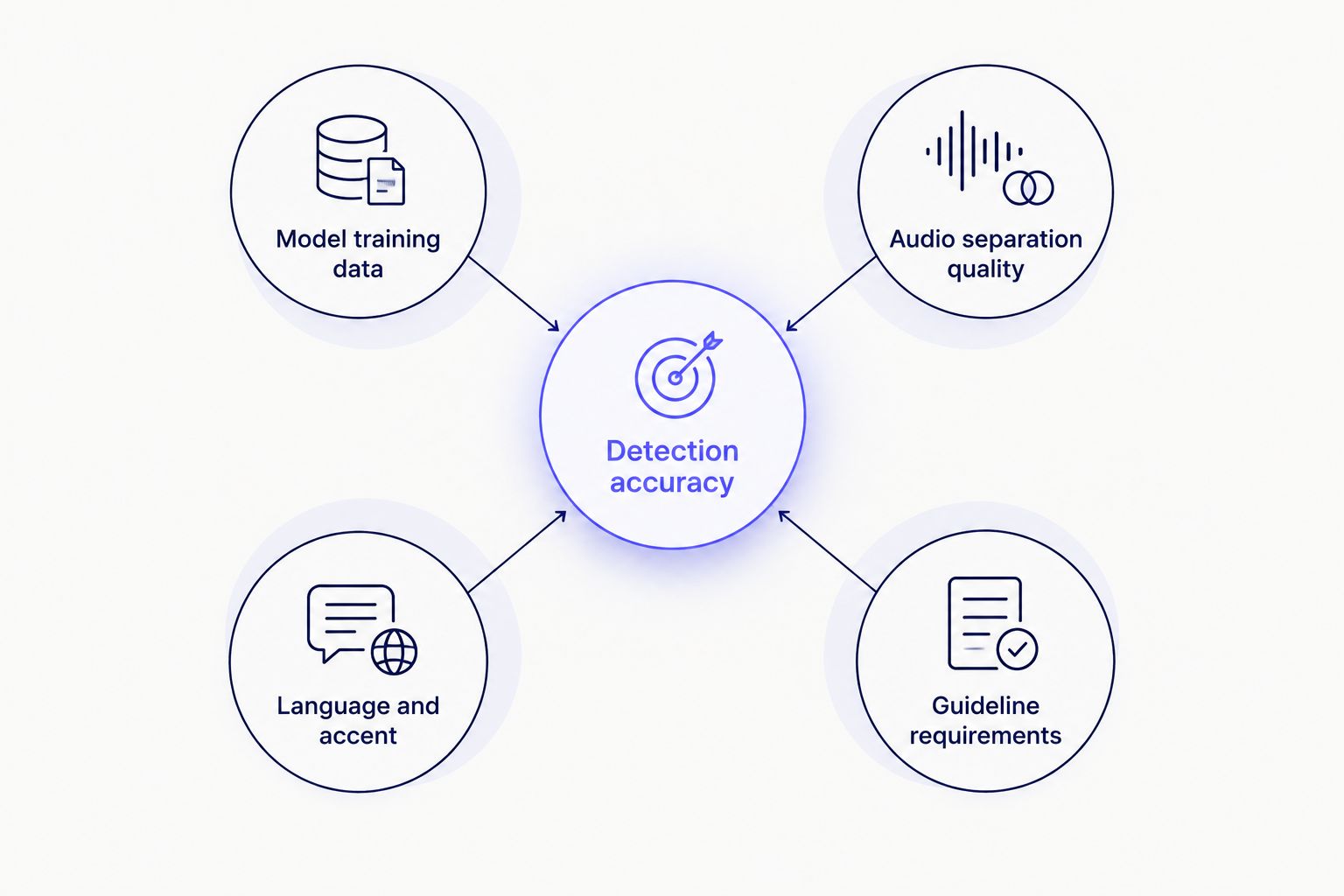
Sound classification accuracy depends on training data and audio quality more than on the transcription engine itself.
Matching a transcript to a client's exact non-speech tagging convention is a formatting problem, not a detection problem. VideoText's CPL and CPS benchmarks by style guide page covers how different guides (Netflix, BBC, custom client specs) expect non-speech sound and reading speed handled together in one subtitle file.
“Automatic speech recognition is built to transcribe words, not classify sound.”
Does AI transcription automatically add [MUSIC] or [APPLAUSE] tags?
Some tools add these tags automatically through a separate audio event detection layer, but most ASR-only transcription tools do not — they skip the segment or leave it blank. Check the output against the source audio before delivery; a blank gap in the transcript where sound is clearly present is the tell that no tagging ran.
How do you catch missed background music in an AI transcript?
Catch missed background music by scanning the transcript for timeline gaps with no corresponding text, since those gaps are where non-speech audio typically hides. A synced cue editor that plays audio against the transcript timeline makes this a visual scan rather than a full re-listen — you're checking for silence-shaped gaps that aren't actually silent.
Can you edit an AI transcript to add non-speech tags manually?
Yes, editing an AI transcript to insert non-speech tags manually is standard practice and often required for SDH delivery, since automated detection rarely covers every sound class a client expects. VideoText's guide on how to edit an AI-generated transcript before exporting it covers the in-browser editing step before final export.
One workflow pattern worth naming directly: run transcription first, run the subtitle QA pass second, and treat every unexplained timeline gap as a non-speech sound until you've confirmed otherwise. That order catches more missed tags than trying to listen for music cues during the first pass, when your attention is on word accuracy.
Check your transcript for missed audio cues
Run a subtitle QA pass to flag unlabeled gaps before client delivery.
Try VideoText
Whether a transcript is "clean enough for delivery" hinges on more than word accuracy — non-speech gaps count. VideoText's breakdown of how you know an AI transcript is clean enough for delivery treats unlabeled non-speech audio as one of the checks, alongside speaker labels and timing drift.
FAQ
Can AI transcription detect background music or non-speech audio?
AI transcription can detect that non-speech audio is present through voice activity detection, but naming the sound (music, applause, noise) requires a separate audio event detection layer that most transcription tools don't run by default in 2026.
Does Whisper detect music or sound effects?
Whisper is a speech recognition model, not a sound classifier, so it does not reliably tag music or sound effects — it segments speech from silence but doesn't name what's in the silence.
What is the difference between voice activity detection and audio event detection?
Voice activity detection (VAD) marks where speech starts and stops without identifying non-speech sound, while audio event detection (AED) is a separate model trained to classify sounds like music, applause, or laughter.
Do subtitles need to label background music?
Subtitles for the deaf and hard of hearing (SDH) require background music and other non-speech sound to be labeled, typically in brackets like [MUSIC PLAYING], per most client and platform style guides.
How accurate is automatic non-speech sound tagging?
Accuracy for automatic non-speech sound tagging varies by audio clarity and the model's training data, and it drops when speech and music overlap in the same segment.
Can you manually add sound tags to an AI-generated transcript?
Yes, manually adding sound tags to an AI-generated transcript is standard practice and often necessary since automated detection frequently misses or skips non-speech segments entirely.
Why does my AI transcript skip parts with music instead of transcribing them?
AI transcripts skip parts with music because the speech recognition model has nothing to transcribe there — it correctly identifies no speech but doesn't fill the gap with a description of the sound.
One last thing
The gap most editors miss isn't a mislabeled sound — it's a silent stretch that reads as "nothing happened" when something clearly did. Treat every unexplained blank in the transcript timeline as a question, not a confirmation of silence, and non-speech audio stops slipping past QA.
Related guides



