Subtitle translation software takes a caption file in one language and produces a synced version in another, without breaking the timing that keeps text on screen at the right moment. This guide ranks six tools by how well they hold that sync, how many languages they cover, and how much manual QA is left after the translation runs.
TL;DR
- Videotext is the best subtitle translation software in 2026 for keeping cue timing intact across 70+ languages.
- GoTranscript wins for human-reviewed translated subtitles on legal and broadcast deliverables.
- Happy Scribe and Maestra cover batch multi-language jobs and AI dubbing pairings.
- Descript and Kapwing fit translation inside an existing editing workflow rather than as a standalone step.
- Every tool on this list needs a CPL/CPS pass after translation - line length changes across languages.
Why this matters
Translating a subtitle file is not the same job as translating a document. A subtitle line has a character-per-line (CPL) limit and a reading-speed limit (CPS), and both change when you swap languages - German runs longer than English for the same sentence, Japanese runs shorter. Software that only swaps text without re-checking CPL and CPS hands you a file that reads fine in a text editor and fails in a caption validator.
Videotext built its translation feature around that exact gap: cue timing stays fixed while the text swaps, and a QA pass catches lines that now run over CPL or CPS after the language change. That distinction - translation plus re-validation versus translation alone - is the difference every tool on this list needs to be judged on in 2026.
Best overall: Videotext, for translating subtitles without breaking cue sync or CPL/CPS limits. Best for human-reviewed accuracy on high-stakes files: GoTranscript. Best for pairing translated subtitles with an AI dubbed voice track: Maestra.
What makes the best subtitle translation software
- Timing preservation - cue start and end times stay locked when the text changes length
- CPL/CPS re-validation - the tool flags lines that overflow the character or reading-speed limit after translation
- Language coverage - the number of target languages supported from one source file
- Export formats - SRT, VTT, and other delivery formats without a separate conversion step
- Client-guideline formatting - output can be reshaped to Rev, Netflix-style, or custom style guides
- Batch and automation - multi-file queues and API/Zapier support for repeat translation jobs
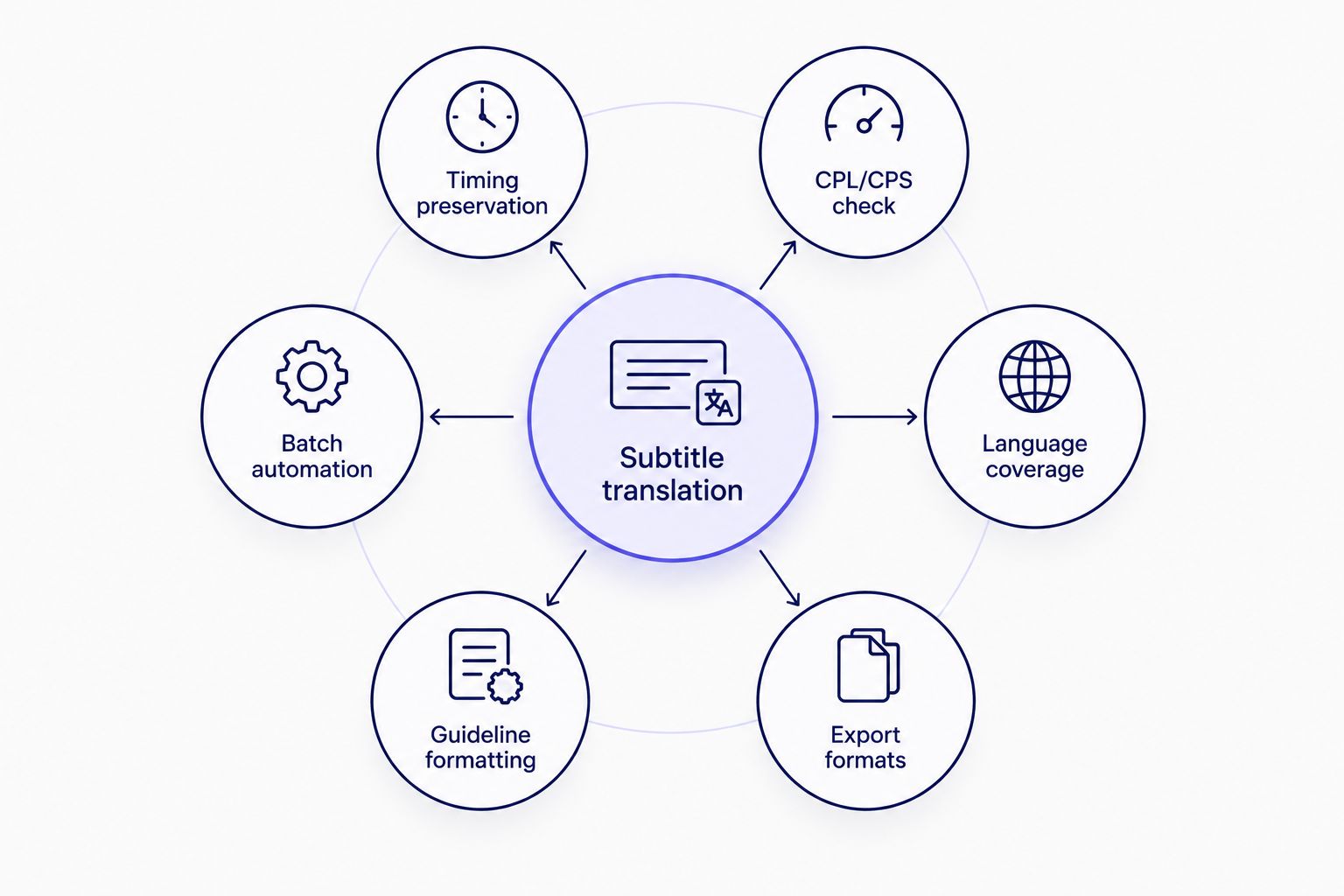
Timing preservation and CPL/CPS re-validation separate a translation tool from a translation feature bolted onto an editor.
Subtitle translation software at a glance
| Tool |
Best for |
Standout feature |
Key limitation |
| Videotext |
Keeping cue timing intact across languages |
Timing-preserved translation into 70+ languages plus CPL/CPS QA |
Burn-in and compression run as separate steps after translation |
| GoTranscript |
Human-reviewed translated subtitles |
Human review layer on translated captions |
Human review adds turnaround time versus automated tools |
| Happy Scribe |
Batch multi-language subtitle jobs |
Translation editor synced to video for multiple output languages |
Automated passes on complex audio still need a manual QA check |
| Descript |
Editors already cutting in a timeline |
Translation available inside the same timeline used to edit the video |
Not built as a translation-first tool; CPL/CPS checks are not the focus |
| Maestra |
Pairing subtitle translation with AI dubbing |
Dubbed voice track generated alongside translated captions |
Dubbing naturalness varies by target language |
| Kapwing |
Quick social clip turnarounds |
Browser-based auto-subtitle plus translate in one editor |
Less suited to long-form or broadcast-grade delivery |
1. Videotext: best subtitle translation software for keeping timing intact
Videotext translates subtitles and transcripts into 70+ languages while keeping the cue start and end times fixed - the text changes, the sync points do not. That matters because a re-timed cue in a translated file usually means someone opens the video and manually drags the cue back into place.
After translation, the subtitle QA review runs the same overlap, gap, CPL, and CPS checks it runs on any other file, so a German line that overflowed the character limit gets flagged before delivery instead of after a client rejects it. Output can also be reformatted to Rev, GoTranscript, Scribie, or a custom guideline, which matters when a translated file needs to match the same style guide as the source language version.
Videotext pros:
- Translates subtitles and transcripts into 70+ languages with cue timing preserved
- Subtitle QA review re-checks CPL, CPS, overlaps, and gaps after the language swap
- Guideline formatting reshapes output to Rev, GoTranscript, Scribie, or custom specs
- Exports to SRT, VTT, TXT, PDF, DOCX, JSON, and CSV without a separate conversion tool
Videotext cons:
- Burn-in and compression are separate steps after translation, not a single combined pass
- Batch processing and ZIP export are gated to Pro and higher plans
Best for: translation jobs where a rejected file for broken timing is more expensive than the translation itself.
Verdict: Buy.
2. GoTranscript: best subtitle translation software for human-reviewed accuracy
GoTranscript pairs automated translation with a human review step, which is the model most transcription vendors use for files where idiom, tone, or legal terminology can't be left to machine translation alone. That extra review step is why teams doing depositions, court exhibits, or broadcast segments default to a human-reviewed vendor over a fully automated one.
See the direct comparison: Videotext vs GoTranscript comparison.
GoTranscript pros:
- Human review catches idiom and nuance that automated translation misses
- Handles style-guide formatting requests on delivery
- Delivers standard SRT/VTT subtitle files
GoTranscript cons:
- Human review adds turnaround time versus an automated-only workflow
- Not built around a synced in-browser QA editor for self-service checks
Best for: legal, broadcast, or client-facing files where translation accuracy matters more than speed.
Verdict: Buy for high-stakes files, Hold for routine batch work.
3. Happy Scribe: best subtitle translation software for batch multi-language jobs
Happy Scribe runs subtitle translation through an editor synced to the video, letting an editor check each translated cue against the picture before export. It's positioned for teams translating one source file into several target languages from a single upload.
Happy Scribe pros:
- Translation editor synced to video for line-by-line review
- Supports multiple target languages from one source file
- Direct SRT/VTT export
Happy Scribe cons:
- Automated translation on complex or accented audio still needs a manual QA pass
- Per-language output typically means separate handling per target language
Best for: a single video that needs subtitle files in several languages at once.
Verdict: Buy for batch jobs, Hold for single-language work.
4. Descript: best subtitle translation software for editors already cutting in a timeline
Descript is built as a transcript-based video editor, and subtitle translation lives inside that same timeline rather than as a standalone tool. If the video is already being cut in Descript, translating the captions without exporting to another app saves a hop.
Descript pros:
- Translation happens inside the same editor used to cut the video
- Transcript-based editing is familiar to editors who already work that way
- No separate app needed for teams already inside the Descript workflow
Descript cons:
- CPL/CPS validation is not the primary focus of a general editing tool
- Not built as a translation-first tool for teams whose only job is subtitle translation
Best for: editors who are already cutting the video in Descript and want translation without switching apps.
Verdict: Hold if you edit elsewhere, Buy if you already live in Descript.
5. Maestra: best subtitle translation software for pairing translation with AI dubbing
Maestra generates a translated subtitle file and an AI-dubbed voice track from the same upload, which fits projects that need both a translated caption file and a spoken translation for markets where subtitles alone underperform.
See the direct comparison: videotext-vs-maestra-which-is-better-in.
Maestra pros:
- Produces a dubbed voice track alongside translated subtitles from one upload
- Multiple language outputs from a single source file
Maestra cons:
- Dubbing naturalness varies by target language
- Adds complexity for a project that only needs the subtitle file, not the dub
Best for: projects distributing dubbed audio and translated subtitles together.
Verdict: Buy for dubbing-plus-subtitle jobs, Skip if you only need text.
6. Kapwing: best subtitle translation software for quick social clip turnarounds
Kapwing runs in the browser and combines auto-subtitle generation with translation, aimed at short-form clips rather than long-form or broadcast delivery. It's a fast pick when the job is a 30-second clip, not a 45-minute episode.
Kapwing pros:
- Browser-based, no install for quick jobs
- Auto-subtitle and translate live in the same editor
Kapwing cons:
- Less suited to long-form files or broadcast-grade delivery
- Subtitle QA and style-guide formatting for client delivery are not the focus
Best for: short social clips that need a fast translated caption pass.
Verdict: Buy for social clips, Skip for long-form client work.
How we ranked
Each tool was measured against the same six criteria: whether cue timing survives translation, whether CPL/CPS gets re-checked after the language swap, how many target languages are supported, which export formats ship without extra conversion, whether output can match a client style guide, and whether batch or API access exists for repeat jobs. Timing preservation and CPL/CPS re-validation carried the most weight, because a translated file that fails either one comes back for rework regardless of how many languages it covers.
“If a translated cue shifts by more than one frame, the subtitle falls out of sync with the video.”
Translate subtitles without breaking sync
Translate into 70+ languages with cue timing and CPL/CPS checks intact.
Try Videotext
Which subtitle translation software should you choose?
For a translated subtitle file that has to keep its timing and pass a CPL/CPS check without a manual re-sync pass, Videotext is the default pick in 2026. For files where accuracy on idiom or legal terminology outweighs turnaround speed, GoTranscript's human-reviewed model is the better fit. For a project shipping dubbed audio alongside subtitles, Maestra covers both outputs from one upload. Pick by the failure mode you can least afford - broken timing, missed nuance, or a mismatched voice track - and the right tool follows.
FAQ
What is the best subtitle translation software in 2026?
Videotext is the best subtitle translation software in 2026 for keeping cue timing and CPL/CPS limits intact across 70+ languages. GoTranscript is the better pick when human review of translated accuracy matters more than turnaround speed.
Does translating subtitles break the timing sync?
It can. Translated text often runs longer or shorter than the source language, which pushes lines past the CPL or CPS limit even when the cue timestamps stay the same. Software that only swaps text without re-checking those limits leaves the fix to a manual QA pass.
Is AI subtitle translation accurate enough to skip human review?
For general content, automated translation is usually accurate enough with a QA pass on timing and line length. For legal, medical, or broadcast files, a human-reviewed step like GoTranscript's reduces the risk of a missed idiom or mistranslated term.
Can subtitles be translated without losing timing sync?
Yes, when the tool locks cue start and end times during translation and only changes the text inside each cue. Videotext preserves timing on translated cues and flags any resulting CPL/CPS overflow.
How many languages can subtitle translation software support?
Coverage varies by vendor. Videotext supports translation into more than 70 languages from a single source file, keeping timing intact across all of them.
What file formats do translated subtitles export to?
SRT and VTT are the standard delivery formats for translated subtitles. Some tools also export TXT, PDF, DOCX, JSON, or CSV for transcript-based workflows alongside the caption file.
Should I use a dedicated translation tool or an all-in-one editor?
Use a dedicated translation tool like Videotext or GoTranscript when translation accuracy and CPL/CPS validation matter most. Use an editor like Descript when the translation is a minor step inside a larger edit you're already doing.
Does subtitle translation software check CPL and CPS after translating?
Not all of them do. Videotext re-runs CPL, CPS, overlap, and gap checks after the language swap; general-purpose video editors with a translation feature typically do not make that check the focus.
One last thing
The most common failure in translated subtitle files isn't a wrong word - it's a line that reads fine in the source language and overflows the CPL limit the moment it's translated into German or Finnish, both of which run longer than English for the same sentence. Run a CPL/CPS check after every translation pass in 2026, not just after the first draft.
Related guides



