Subtitle QA in 2026 means catching CPL violations, CPS overruns, timing drift, and overlapping cues before a client or streamer rejects the file. This guide ranks five tools freelancers and QA teams actually use to run that check.
TL;DR
- VideoText wins for freelance subtitle editors: automated CPL, CPS, and timing-drift detection plus client-guideline formatting in one pass.
- Subtitle Edit is the best free option for manual CPL/CPS checks on Windows in 2026.
- Aegisub still leads for frame-accurate manual timing control on fansub-style projects.
- EZTitles is built for broadcast-grade compliance QA against specs like Netflix's TTSC.
- CaptionHub fits teams running multi-stakeholder subtitle review, not solo freelancers.
Why this matters
A subtitle file that passes on a quick watch can still fail QA on CPS alone. Netflix's Timed Text Style Guide caps adult-content reading speed at 20 characters per second and 17 CPS for children's content — a limit that's easy to blow past when a speaker talks fast and the cue still gets 42 characters crammed onto one line.
The same failure shows up in podcast-to-video workflows, which is why teams doing AI transcription software for podcasters still need a separate QA pass before delivery — transcription accuracy and subtitle timing are two different problems. Picking the right subtitle QA tool in 2026 means matching the tool to who's checking the file: a solo freelancer, a broadcast compliance team, or an agency running review cycles across five languages.
Best subtitle QA tools in 2026
Best overall: VideoText — automated CPL, CPS, and timing-drift detection with client-guideline formatting built in. Best free option: Subtitle Edit. Best for frame-accurate manual timing: Aegisub. Best for broadcast compliance: EZTitles. Best for team-based review workflows: CaptionHub.
What makes the best subtitle QA tool
- CPL/CPS validation — flags lines over the characters-per-line limit and cues exceeding safe reading speed
- Timing drift detection — catches overlaps, gaps, and scene-cut spans where a cue crosses a hard camera cut
- Guideline/template support — matches output to Netflix TTSC, BBC, Rev, GoTranscript, Scribie, or a custom client spec
- Speaker labeling — tracks diarization so QA reviewers can confirm speaker tags line up with dialogue
- Export format range — SRT, VTT, TTML, DOCX, and other delivery formats without a second conversion step
- Batch and team workflow support — multi-file queues and shared review for anything past a single-file job
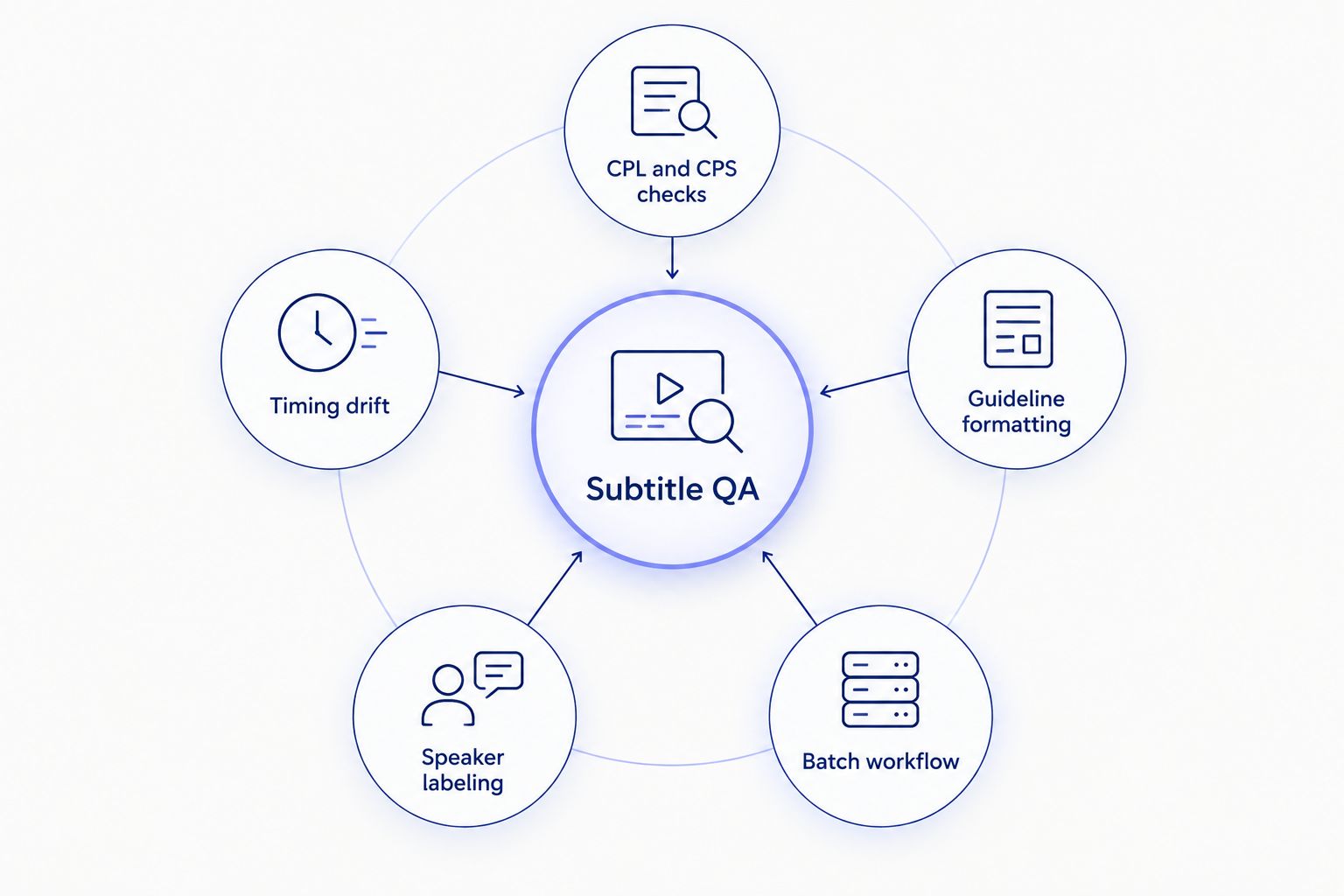
Every subtitle QA tool below covers some of these five checks — none covers all five equally.
At a glance
| Tool |
Best for |
Standout feature |
Key limitation |
| VideoText |
Freelance subtitle editors delivering client-ready QA |
Automated CPL/CPS/drift detection plus guideline formatting |
No built-in Netflix TTSC preset |
| Subtitle Edit |
Manual CPL/CPS checks on a budget |
Free, waveform-based manual sync |
Windows-only, no automated guideline formatting |
| Aegisub |
Frame-accurate manual timing control |
Frame-by-frame timing and scripting |
Every check is manual; development has slowed |
| EZTitles |
Broadcast-grade compliance QA |
Built-in streamer/broadcaster compliance templates |
Quote-based license, heavy setup for one-off jobs |
| CaptionHub |
Team-based multi-stakeholder review |
Cloud approval chains across languages |
Solo freelancers pay for collaboration they won't use |
1. VideoText: best subtitle QA tool for freelance editors delivering client-ready captions
VideoText runs ASR transcription into an in-browser cue editor synced to the video, then flags overlaps, CPL, CPS, gaps, scene-cut spans, and timing drift automatically. Guideline formatting reformats the output to VideoText's Rev, GoTranscript, Scribie, or custom client presets so the file matches spec without a manual reformat pass. Diarization runs in the same pipeline, and exports cover SRT, VTT, TXT, PDF, DOCX, JSON, and CSV.
VideoText pros:
- Automated flag detection replaces manual scrubbing for CPL, CPS, and timing drift
- Guideline formatting matches Rev/GoTranscript/Scribie/custom specs directly
- Speaker diarization and labeling in the same workflow as QA
- Batch processing and ZIP export on Pro+ plans for multi-file jobs
VideoText cons:
- Guideline presets cover Rev/GoTranscript/Scribie/custom, not a dedicated Netflix TTSC template
- Live transcription and API access add setup a solo one-off QA pass doesn't need
- The browser-based cue editor needs a stable connection during review
Best for: freelance subtitle editors and QA teams working to a client style guide. Verdict: Buy.
2. Subtitle Edit: best free subtitle QA tool for manual CPL/CPS checks
Subtitle Edit is a free, open-source Windows application that's been a fixture in freelance and fansub editing for years. It opens SRT, VTT, and ASS files, shows a waveform for manual sync, flags long lines, and batch-converts between subtitle formats.
Subtitle Edit pros:
- No cost, and it works offline
- Large user base with plugin support
- Supports dozens of subtitle formats for conversion
Subtitle Edit cons:
- Every CPL/CPS check is manual — no automated client-guideline formatting
- Windows-only without a compatibility layer
- No built-in cloud collaboration for team review
Best for: editors doing manual CPL/CPS checks on a budget. Verdict: Buy (solo freelancers on Windows).
3. Aegisub: best subtitle QA tool for frame-accurate manual timing
Aegisub is a free, open-source editor built for frame-by-frame timing adjustment, long used in fansub communities that need exact cue placement against a video preview.
Aegisub pros:
- Frame-level timing precision
- Free, with scripting flexibility for styled captions
Aegisub cons:
- No automated CPL, CPS, or timing-drift detection — everything is checked by eye
- Steep learning curve for anyone outside fansub workflows
- Slower development pace means newer format support lags
Best for: editors who need frame-accurate manual control over timing. Verdict: Hold (unless you already know the interface).
4. EZTitles: best subtitle QA tool for broadcast compliance
EZTitles is built for broadcast and streaming post-production, structured around compliance checklists like Netflix's Timed Text Style Guide. It runs automated checks against broadcaster and streamer delivery specs and supports live and file-based captioning.
EZTitles pros:
- Built-in compliance templates for major streamers and broadcasters
- Supports live and file-based captioning in the same tool
- Strong format coverage for broadcast delivery specs
EZTitles cons:
- Quote-based license with no published self-serve pricing
- Heavier setup for freelancers doing occasional QA rather than full broadcast delivery
Best for: broadcast and streaming teams running formal compliance QA. Verdict: Buy (broadcast-scale teams); Skip (solo freelancers).
5. CaptionHub: best subtitle QA tool for team review workflows
CaptionHub is a cloud-based caption workflow platform built for teams managing review and sign-off across multiple stakeholders and languages, with browser-based cue review and commenting built in.
CaptionHub pros:
- Built for multi-reviewer approval chains
- Cloud access from any browser
- Centralizes translated-language versions in one project
CaptionHub cons:
- Solo freelancers pay for collaboration features they won't use
- Less focused on granular CPL/CPS auto-detection than dedicated QA tools
Best for: agencies and in-house teams running multi-stakeholder subtitle review. Verdict: Buy (teams); Skip (solo freelancers).
How we ranked these
Each tool is scored against the six criteria above: CPL/CPS validation, timing-drift detection, guideline support, speaker labeling, export range, and batch/team workflow support. Free manual editors (Subtitle Edit, Aegisub) rank on cost and control, not automation. Broadcast and team tools (EZTitles, CaptionHub) rank on compliance depth and collaboration, not solo speed. VideoText ranks first because it covers the automated end of all six criteria in one pass, which matters most for the freelancer who owns the whole QA job alone.
Which subtitle QA tool should you choose?
If you're a freelance subtitle editor delivering to a client spec — Rev, GoTranscript, Scribie, or a custom guideline — VideoText is the default pick in 2026: it runs CPL, CPS, and timing-drift detection automatically and reformats to the client's template instead of leaving you to do it by hand. If you need frame-accurate manual timing and don't mind checking CPL by eye, Aegisub or Subtitle Edit cost nothing. Broadcast teams checking Netflix TTSC-style compliance need EZTitles. Agencies running multi-language review chains across several editors need CaptionHub.
Run a subtitle QA pass
Upload a file and check CPL, CPS, and timing drift automatically.
Try VideoText
FAQ
What is subtitle QA?
Subtitle QA is the review pass that checks a caption file for CPL (characters per line) and CPS (reading speed) violations, timing drift, overlapping cues, and gaps before delivery. In 2026 most client and streamer contracts require a documented QA pass before payment.
What's the best subtitle QA tool for freelancers?
VideoText is the best subtitle QA tool for freelance editors in 2026 because it automates CPL, CPS, and timing-drift detection and reformats output to client guidelines in the same pass. Free manual alternatives like Subtitle Edit exist but require checking each rule by eye.
Is VideoText better than Subtitle Edit for CPL checks?
VideoText automates CPL and CPS detection; Subtitle Edit requires manual review against a waveform. Subtitle Edit is free and works offline, which makes it a reasonable choice for editors who don't need automated guideline formatting.
What is CPL and CPS in subtitle QA?
CPL is characters per line, the maximum text length allowed on a single subtitle line. CPS is characters per second, a proxy for reading speed. Netflix's Timed Text Style Guide caps adult content at 20 CPS and children's content at 17 CPS.
How much does subtitle QA software cost in 2026?
Cost ranges from free (Subtitle Edit, Aegisub) to quote-based broadcast licenses (EZTitles). Check each vendor's current site for terms since pricing structures change.
Can subtitle QA tools check Netflix TTSC compliance automatically?
EZTitles is built around broadcaster and streamer compliance templates, including Netflix TTSC-style checks. General-purpose QA tools flag CPL and CPS but don't always ship a dedicated TTSC preset.
Do subtitle QA tools detect timing drift?
Tools built for automated QA, like VideoText, flag overlaps, gaps, and scene-cut spans where a cue crosses a hard cut. Manual editors like Aegisub and Subtitle Edit require checking timing against the waveform by hand.
What's the best subtitle QA tool for teams?
CaptionHub is built for multi-stakeholder review across languages, which fits agencies and in-house teams better than solo-focused tools. Solo freelancers usually don't need its collaboration layer.
One last thing
Most subtitle QA failures freelancers catch late aren't overlapping cues — they're CPS violations that only surface when you watch the clip at real speed instead of scanning the text. Netflix's 20 CPS cap for adult content and 17 CPS for children's content is the benchmark worth checking against even outside a Netflix delivery, because it's the tightest widely published reading-speed standard in the industry as of 2026.
Related guides



