VideoText and ScreenApp both turn recordings into text, but they're built for different jobs. Choose VideoText if you deliver client-ready transcripts and subtitles — fixing CPL, CPS, timing drift, and formatting to Rev, GoTranscript, or Scribie guidelines before export. Choose ScreenApp if your main job is capturing screen and webcam recordings — quick internal meeting notes, async video messages, and light auto-transcription attached to those recordings.
The core difference
VideoText starts after the recording exists: upload a file (or record voice in-browser) and get a transcript, SRT/VTT subtitles, speaker labels, an AI summary with chapters, and a subtitle QA editor to fix everything before delivery. ScreenApp starts before the recording exists: it's a screen recorder first, with transcription and AI notes layered on top of what you capture. If your workflow is "record my screen, get a quick summary," that's ScreenApp's lane. If your workflow is "clean this messy transcript, fix subtitle drift, and format it to spec," that's VideoText's lane in 2026.
TL;DR
- VideoText vs ScreenApp: VideoText wins on subtitle QA, CPL/CPS fixing, and client-guideline formatting.
- ScreenApp wins on screen and webcam recording capture with lightweight auto-transcription attached.
- Only VideoText translates subtitles across 70+ languages with timing preserved on cues.
- Freelance subtitle editors and media agencies: VideoText. Teams recording meetings or demos: ScreenApp.
Why this matters
A transcript and a subtitle file are not the same deliverable. A transcript just needs to be readable. A subtitle file has to pass CPL (characters per line) limits, CPS (reading speed) thresholds, and timing sync rules before a client or platform will accept it. Tools built around recording capture rarely go deep on that QA layer — they're solving a different problem. That gap is the whole reason this comparison matters for anyone billing hourly on subtitle cleanup in 2026.
At a glance
| Dimension |
VideoText |
ScreenApp |
| Best for |
Freelance editors, podcast teams, media agencies delivering client-ready files |
Teams recording screen/webcam sessions for internal notes |
| Core function |
Transcript, subtitle, and QA pipeline |
Screen recording with transcription attached |
| Subtitle QA (CPL/CPS/drift) |
In-browser cue editor with issue detection |
Not the primary function |
| Speaker diarization |
Detect, label, and rename speakers in the UI |
Basic speaker separation on recordings |
| Guideline formatting |
Reformat to Rev, GoTranscript, Scribie, or custom specs |
Not offered |
| Translation |
70+ languages, timing preserved on cues |
Not a core feature |
| Subtitle burn-in |
Hardcode/open-caption burn into video |
Not offered |
| Recording capture |
Not the primary function |
Screen and webcam recording |
| Pricing model |
Tiered subscription with usage limits |
Tiered subscription with usage limits |
VideoText offers more subtitle QA depth
Subtitle QA means checking cues against a style guide before delivery: line length, reading speed, overlaps, gaps, and scene-cut spans. VideoText's cue editor flags these issues against CPL/CPS thresholds and syncs to the video so you fix a cue and watch the timing shift in real time. Check the subtitle QA tools breakdown for how this compares across the category.
ScreenApp's transcription output is built for reviewing what was said in a recording, not for passing a caption spec. If your deliverable is an SRT file that has to clear a client's CPL and CPS limits, VideoText is the tool built for that step.
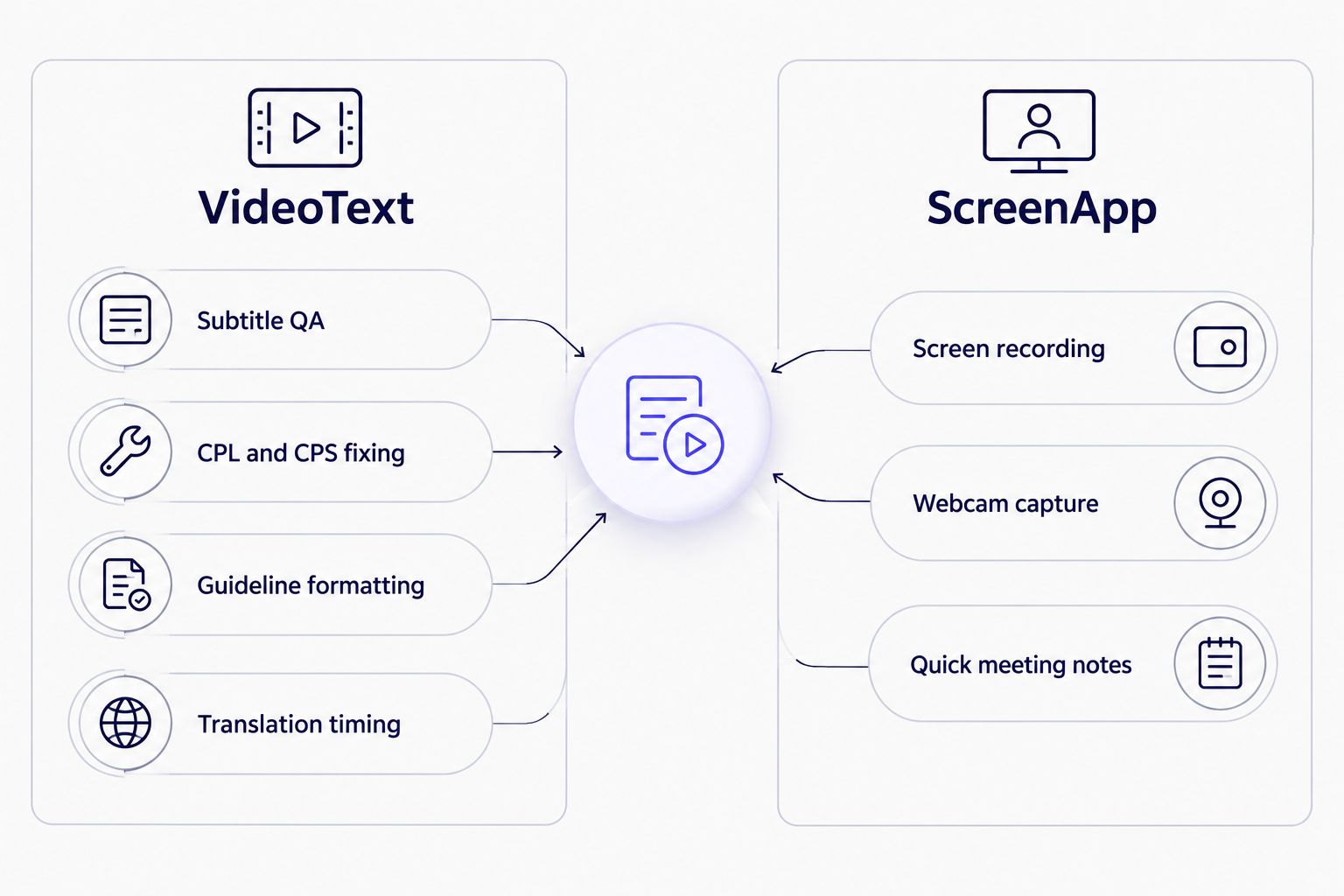
The split is clean: subtitle cleanup on one side, recording capture on the other.
ScreenApp wins on screen and webcam recording capture
ScreenApp records your screen and webcam directly, which VideoText does not do — VideoText works from files you upload or from a browser voice recorder, not from screen capture. If your workflow starts with "record this Zoom call" or "capture this screen demo," ScreenApp's recorder is the starting point VideoText doesn't replace.
Both handle basic speaker separation, but VideoText goes further on control
Detecting who spoke when is table stakes in transcription now. VideoText's diarization lets you rename speakers directly in the transcript UI, which matters when a client wants "Speaker 1" replaced with an actual name across a full episode. ScreenApp's speaker separation supports quick review of who said what in a recording but isn't built around the same relabel-and-export workflow.
VideoText offers translation with timing preserved; ScreenApp doesn't compete here
Translating a subtitle file isn't just swapping text — the translated line still has to fit the same cue timing, or the CPS math breaks in the new language. VideoText translates subtitles and transcripts across 70+ languages while keeping cue timing intact, which is a distinct technical requirement from translating a plain transcript. This isn't a feature ScreenApp is built around.
VideoText offers client-guideline formatting; ScreenApp offers none
Agencies and freelancers working with Rev, GoTranscript, or Scribie know each has its own formatting rules — line breaks, timecodes, speaker tags, punctuation conventions. VideoText reformats output to match those specs (or a custom client guideline) automatically, which is the step that otherwise eats QA hours by hand. See the CPL and CPS benchmarks by style guide for the numbers behind common formatting rules. ScreenApp doesn't offer guideline-specific reformatting.
Pricing: both use tiered subscriptions, different scaling logic
Neither tool publishes a flat rate that fits every use case — both price on tiered plans that scale with usage limits like minutes processed, storage, or export volume. The tradeoff is the same one you'll find across the category in 2026: a predictable flat tier is easier to budget against, but a usage-based tier avoids paying for capacity you don't need. Check current plans on each site directly since limits and tiers change.
Test VideoText's subtitle QA workflow
Upload a file and see the CPL/CPS check before you commit.
Try VideoText
Final verdict
Choose VideoText if you're a freelance subtitle editor or media agency delivering SRT/VTT files that need to pass a client's style guide — the QA editor, guideline formatting, and 70+ language translation with preserved timing are built for exactly that handoff.
Choose ScreenApp if you're a team that needs to record screen and webcam sessions first and get a quick transcript or summary out of them second — the recording layer is the point, not the subtitle cleanup.
Scorecard
| Dimension |
Winner |
| Subtitle QA (CPL/CPS/drift) |
VideoText |
| Speaker diarization control |
VideoText |
| Client-guideline formatting |
VideoText |
| Translation with timing preserved |
VideoText |
| Subtitle burn-in |
VideoText |
| Screen/webcam recording |
ScreenApp |
| Pricing model flexibility |
Tie |
FAQ
Is VideoText better than ScreenApp for subtitles?
Yes for subtitle QA and delivery. VideoText fixes CPL, CPS, timing drift, and formats output to client style guides, which ScreenApp does not do. ScreenApp is built for recording capture, not subtitle cleanup.
Does ScreenApp do screen recording?
Yes, screen and webcam recording is ScreenApp's core function, with transcription and AI notes attached to what you capture. VideoText does not record screens; it works from uploaded files or a browser voice recorder.
Can VideoText translate subtitles without breaking timing?
Yes. VideoText translates subtitles and transcripts across 70+ languages while keeping cue timing preserved, so the translated file still matches the video's timing sync.
Which tool is better for client-ready deliverables in 2026?
VideoText, because it reformats transcripts and subtitles to match Rev, GoTranscript, Scribie, or custom client guidelines before export. ScreenApp doesn't offer guideline-specific formatting.
Does VideoText support speaker diarization?
Yes. VideoText detects speakers automatically and lets you rename them directly in the transcript UI, which matters for multi-speaker podcasts and interviews.
What export formats does VideoText support?
VideoText exports TXT, SRT, VTT, PDF, DOCX, JSON, and CSV, including timecode and speaker layout variants, covering most client delivery specs in 2026.
Is ScreenApp a good fit for freelance transcriptionists?
Not for subtitle QA work specifically. ScreenApp is built around recording capture with basic transcription attached, not the CPL/CPS fixing and guideline formatting that subtitle delivery work requires.
Can I burn subtitles into video with either tool?
VideoText supports subtitle burn-in, hardcoding open captions directly into the video file. This isn't a core ScreenApp feature.
One last thing
The detail that trips up most freelance editors switching tools in 2026 isn't accuracy — it's timing. A transcript can be 100% correct and still fail delivery if the subtitle cues drift out of sync after a translation pass or a re-export. Confirm any tool preserves cue timing through translation and format conversion before you commit a client project to it, not after.
Related guides



