Subtitle QA for streaming platforms means checking every caption file against a specific delivery spec — CPL, CPS, timing, speaker accuracy, and localization — before a platform like Netflix, Hulu, or a smaller OTT service accepts the file. Streaming and OTT teams work under stricter, machine-checked delivery specs than YouTube or social captions, and a single rejected file can push a launch date.
TL;DR
- Subtitle QA for streaming platforms centers on CPL, CPS, timing drift, and scene-cut spans checked against the platform's own delivery spec.
- Netflix's public style guide caps most Latin-script lines at 42 characters and reading speed near 20 characters per second for adult content.
- Manual QA in a spreadsheet works for single episodes; batch QA on a season needs an editor that flags issues automatically.
- VideoText's subtitle QA review catches overlaps, CPL violations, and drift inside a cue editor synced to the video.
- Translated tracks need the same QA pass as the source language — timing sync breaks more often in translation than in the original file.
Common streaming caption specs
42 CPL
Max line length, Latin scripts
Netflix Timed Text Style Guide
20 CPS
Max reading speed, adult content
Netflix Timed Text Style Guide
2 lines
Standard max per cue
Why subtitle QA matters for streaming and OTT platforms
Streaming platforms reject files on machine-checked specs, not editorial judgment. A file with three CPL violations or a handful of overlapping cues bounces back through QA regardless of how good the translation reads.
The volume compounds the problem. A single season of a scripted show can run 8-10 episodes across 5-15 language tracks, and every track needs its own CPL, CPS, and timing pass. Doing that by eye in a video player does not scale past a handful of episodes without missing something.
Getting subtitle QA for streaming platforms right the first time is the difference between one delivery cycle and three. VideoText builds its subtitle QA review specifically for this: catching CPL, CPS, overlap, and drift issues in one pass instead of a manual scrub per file.
Build a repeatable subtitle QA workflow
Validate CPL against the platform's delivery spec
Characters-per-line limits vary by platform and by script — Latin-script lines typically cap around 42 characters, while CJK scripts use a different count entirely. Every platform publishes its own spec, and QA starts by checking every cue against that number, not a generic default.
- Count characters per line against the platform's stated maximum
- Flag any line that breaks mid-word or mid-phrase
- Check two-line cues split at a natural clause break, not an arbitrary character count
- Note any line using non-standard punctuation the guide disallows
- Re-run the check after every text edit, since fixes often introduce new violations
Check reading speed (CPS) against content type
Reading speed measures how fast a viewer has to read a cue relative to its duration. Adult scripted content generally allows a higher ceiling than children's programming, and platforms enforce this differently.
- Calculate characters divided by cue duration in seconds for every line
- Flag cues that exceed the platform's stated CPS ceiling
- Extend cue duration or shorten the line for violations, never both at once
- Check children's or educational content against the stricter reading-speed tier
Check timing: overlaps, gaps, and scene-cut spans
Timing errors are the most common reason a streaming platform bounces a file back. Overlapping cues, gaps shorter than two frames, and cues that span a scene cut without a break all fail automated ingestion checks on most platforms.
- Scrub every cue against the video frame by frame near cuts and transitions
- Flag gaps under two frames as invalid per most delivery specs
- Check for cues spanning a hard scene cut without a break at the cut point
- Track cumulative drift across a full episode, not just spot-checks
Manual frame-by-frame review works for a single episode. For a season, VideoText's subtitle QA review flags overlaps, gaps, and scene-cut spans automatically inside an in-browser cue editor synced to the video, so the fix happens in the same pass as the check.
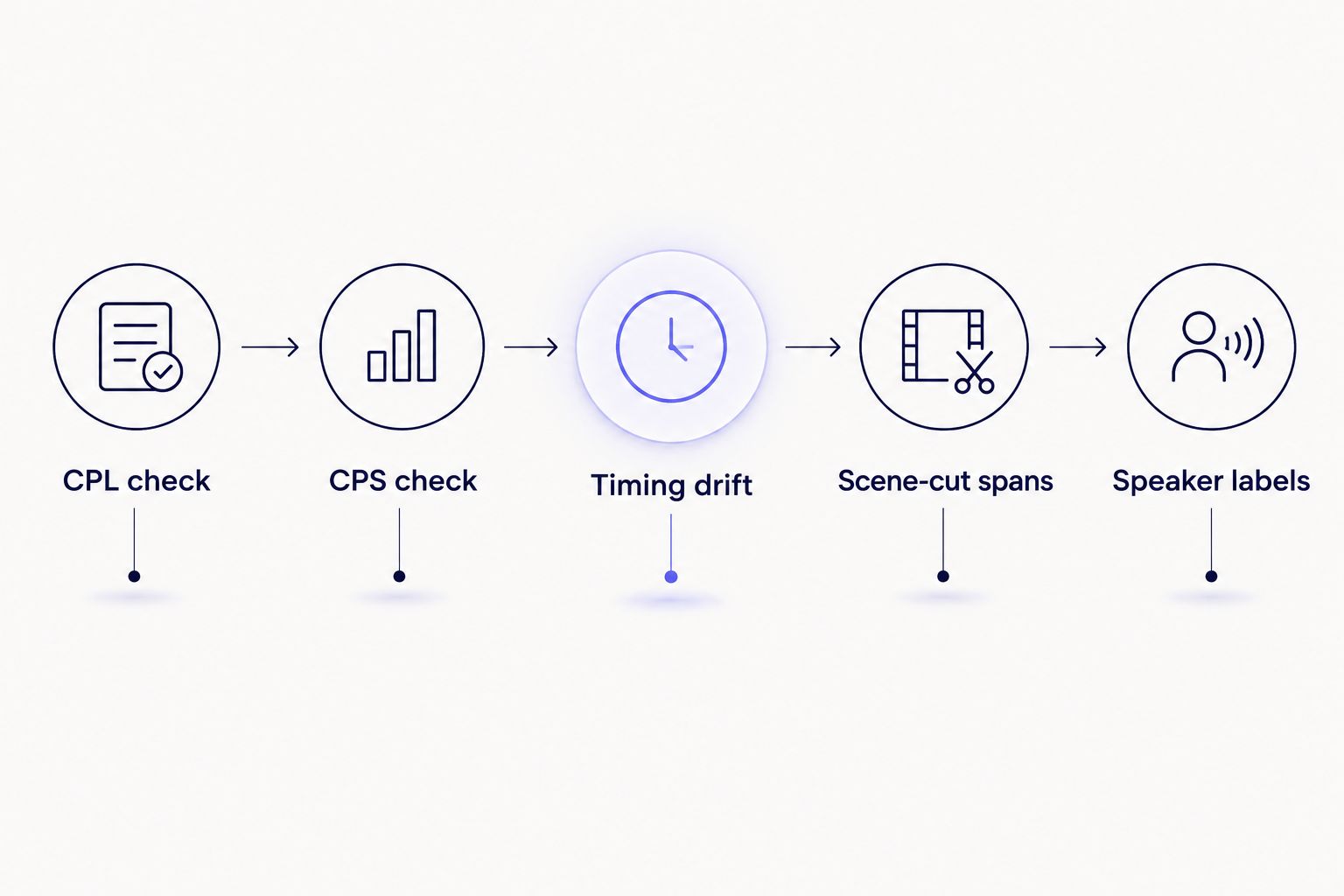
Each checkpoint runs against the platform's own delivery spec, not a generic default.
Review speaker labels and diarization accuracy
Multi-speaker scenes, voiceover, and off-screen dialogue all need correct speaker attribution before a caption file goes to QA. Mislabeled speakers are a common rejection reason on shows with large casts or frequent crosstalk.
- Verify diarization correctly separates overlapping speakers in group scenes
- Rename detected speakers to match the platform's character-naming convention
- Check off-screen and voiceover dialogue is labeled per the style guide, not left blank
- Confirm speaker changes align with actual cuts, not mid-sentence splits
Check line breaks and reading flow
A technically compliant cue can still read badly if the line break falls in the wrong place. Style guides specify breaking at clause boundaries, not at the character limit.
- Break two-line cues at a natural grammatical pause
- Avoid splitting a proper noun or number across two lines
- Keep punctuation attached to the word it belongs to, not orphaned on the next line
- Check that line breaks stay consistent across episodes in the same series
Format subtitles to the platform's exact delivery guideline
Every streaming platform has its own style guide covering line breaks, punctuation, italics for off-screen dialogue, and file-naming conventions. QA teams reformat every file to match before delivery, and this step alone consumes a large share of total QA time.
- Match the platform's punctuation rules for interrupted or trailing dialogue
- Apply italics conventions for off-screen or telephone dialogue exactly as specified
- Check file naming and metadata match the platform's delivery convention
- Confirm the guide's specific rules on numbers, acronyms, and song lyrics
VideoText's guideline formatting reformats a transcript or subtitle file to Rev, GoTranscript, Scribie, or a custom client guideline, and includes Netflix TTSC-style checklist helpers built for exactly this checkpoint. Reducing QA time before client delivery usually comes down to cutting this reformatting pass down from hours to minutes.
QA translated and localized subtitle tracks
Translation introduces its own timing problems. Translated text often runs longer or shorter than the source language, which pushes lines past CPL and CPS limits even when the original file passed clean.
- Re-run CPL and CPS checks on every translated track, not just the source language
- Check that translated text preserves the original cue timing rather than shifting it
- Verify cultural or idiomatic substitutions still fit the platform's line-length rules
- Confirm speaker labels translate consistently across all language tracks
Translating subtitles without losing timing sync is a separate skill from translating text alone — the cue timing has to survive the translation pass intact, or the QA cycle starts over.
Final export and pre-delivery check
The last checkpoint before delivery confirms the file format, encoding, and naming match exactly what the platform ingests. A correctly QA'd file in the wrong format still bounces.
- Confirm the exported format (SRT, VTT, or the platform's required format) matches spec
- Check character encoding renders accented and non-Latin characters correctly
- Verify file naming matches the platform's required convention exactly
- Run one final playback check against the finished video before sending
Cut subtitle QA time before delivery
Flag CPL, CPS, and timing issues in one editor synced to the video.
Try VideoText
Comparing subtitle QA options for streaming teams
| Option |
Best for |
Key limitation |
| Manual review in a video player |
Single episodes, low volume |
Slow and error-prone at scale; no automated flagging |
| Spreadsheet-tracked QA |
Small teams tracking violations manually |
No sync to video; timing errors get missed |
| General subtitle editors |
Basic timing and text edits |
Most lack CPL/CPS validation built for streaming specs |
| VideoText subtitle QA review |
Teams QA'ing multiple episodes or language tracks |
Requires uploading files to the platform for processing |
For a full breakdown of CPL and CPS numbers by style guide, check the CPL and CPS benchmarks by style guide reference before setting up a QA checklist for a new platform.
Common mistakes streaming and OTT QA teams make
- Checking CPL against a generic default instead of the platform's actual spec. Netflix, Amazon, and smaller OTT platforms each publish different numbers; using one checklist for all of them causes false passes.
- QA'ing only the source-language track and assuming translations inherit the same timing. Translated lines routinely run longer, breaking CPS limits the source file passed.
- Treating scene-cut spans as a minor issue. Automated ingestion checks on most platforms reject cues that span a hard cut without a break, regardless of readability.
- Skipping a final playback check after reformatting. Guideline reformatting can shift line breaks or punctuation in ways that only show up on actual playback.
- Not tracking drift across a full episode. Small timing offsets of a few frames per cue compound into visible sync problems by the episode's final act.
FAQ
What is subtitle QA for streaming platforms?
Subtitle QA for streaming platforms is the process of checking caption files against a platform's specific delivery spec, covering CPL, CPS, timing, speaker labels, and formatting before the file is accepted. Netflix, Amazon, and other OTT services each enforce their own numbers, so QA checks against the exact platform spec, not a generic standard.
What CPL does Netflix require for subtitles?
Netflix's Timed Text Style Guide caps most Latin-script subtitle lines at 42 characters per line. Other scripts, like CJK, use a different character count under the same guide.
What is a good subtitle reading speed for streaming content?
Netflix's public guide sets a reading speed ceiling near 20 characters per second for adult content, with a lower ceiling for children's programming. Reading speed is calculated as characters per line divided by cue duration in seconds.
How is subtitle QA different for streaming versus YouTube captions?
Streaming platforms enforce machine-checked delivery specs — CPL, CPS, scene-cut span rules — that trigger automatic rejection on ingestion. YouTube captions have no equivalent automated gatekeeping, so QA there is more about viewer readability than spec compliance.
Can AI tools handle subtitle QA for streaming delivery?
AI-assisted tools can flag CPL, CPS, overlap, and drift issues automatically, which speeds up the first QA pass significantly. A human review pass still catches context-specific issues like speaker misattribution and idiomatic translation problems that automated checks miss.
How do you QA translated subtitle tracks for streaming platforms?
Translated tracks need the same CPL and CPS checks as the source language, run separately, since translated text often runs longer or shorter than the original. Timing sync is checked independently because translation is the most common point where cue timing drifts.
What causes a streaming platform to reject a subtitle file?
The most common rejection reasons are CPL or CPS violations, overlapping cues, gaps shorter than the platform's minimum frame count, and cues that span a scene cut without a break. File naming and encoding errors also trigger automatic rejection on ingestion.
How long does subtitle QA take for a full season of episodes?
QA time scales with episode count and language track count, since every track needs its own CPL, CPS, and timing pass. Manual review per episode takes significantly longer than a workflow that flags issues automatically across a batch.
One last thing
Most rejected streaming subtitle files fail on timing, not translation quality — a translator can nail every line and still get bounced back over a two-frame gap or a scene-cut span nobody caught on the first pass. Build the timing check into every QA pass before the reading pass, not after.
Related guides



