Panopto exports captions as SRT or VTT, but the automatic transcription underneath still needs a QA pass before it's client-ready or ADA/508 compliant. Instead of manually re-timing every drifted cue after export, run the file through one fix-and-format pipeline and ship it once.
TL;DR
- The panopto to captions workflow: export SRT from Panopto, then run Fix subtitles in VideoText for CPL/CPS/drift.
- VideoText adds speaker diarization that Panopto's built-in ASR skips, useful for lecture Q&A and panel sessions.
- Guideline formatting matches Rev, GoTranscript, Scribie, or a custom client profile before delivery, no manual reformatting.
- Translation keeps cue timing intact across 70+ languages once the English track passes QA in 2026.
Why this matters
Panopto's automatic captioning does one thing: it turns speech into text with rough timing. It doesn't enforce a characters-per-line limit, doesn't label speakers by name, and doesn't reformat to a client's style guide. For a higher-ed course, that gap is an ADA/508 exposure. For a freelance editor delivering to Rev or GoTranscript specs, it's a rejected file.
The fix isn't re-transcribing from scratch. It's exporting the Panopto file once, running it through a subtitle QA pass, and formatting to the delivery spec before the file ever reaches a client or LMS in 2026.
Before you start
- Panopto Creator or Editor access on the session, so the Manage view's export/download options are unlocked.
- A VideoText account for the Fix subtitles, Guideline formatting, and Translate tools.
- The gotcha: Panopto splits caption cues at its own scene-cut markers, not at sentence boundaries. Export the underlying MP4 alongside the caption file, not the caption file alone — editing an SRT without the source video makes timing drift compound with every fix.
Export the session from Panopto
- Open the session in Panopto's Manage view.
- Under Export, download the source video (Podcast/MP4 format), then separately download the caption track: Captions > Download > SRT or WebVTT.
- Confirm automatic captions were actually enabled for that session. If not, the export is video-only and needs transcription from scratch rather than a cleanup pass.
Expected result: an MP4 (or MP3) file, plus an SRT/VTT if captions existed, in the same folder.
Upload to VideoText and generate the transcript
- Open VideoText and click New Transcript.
- Upload the MP4/MP3 for a fresh ASR pass, or upload the Panopto SRT directly if the existing caption track is usable.
- Turn on Speaker diarization before processing if more than one person talks. Panopto's own captions don't label speakers by name — this is where a diarization pass earns its place, and the comparison of speaker diarization software breaks down which engines handle overlapping classroom speech best.
Expected result: a timed transcript with labeled speaker turns, ready for QA.
Fix subtitles: CPL, CPS, and timing drift
- Open the file in Subtitle QA review. The in-browser cue editor flags overlaps, gaps, and CPL/CPS violations against the synced video.
- Run Fix subtitles to correct scene-cut spans. Panopto's slide-change points frequently split a cue mid-sentence — the tool re-merges those fragments.
- Apply Guideline formatting and pick Rev, GoTranscript, Scribie, or a custom client profile. Line breaks and reading-speed targets adjust automatically to match.
Expected result: an SRT/VTT that passes CPL/CPS checks and matches the delivery style guide.
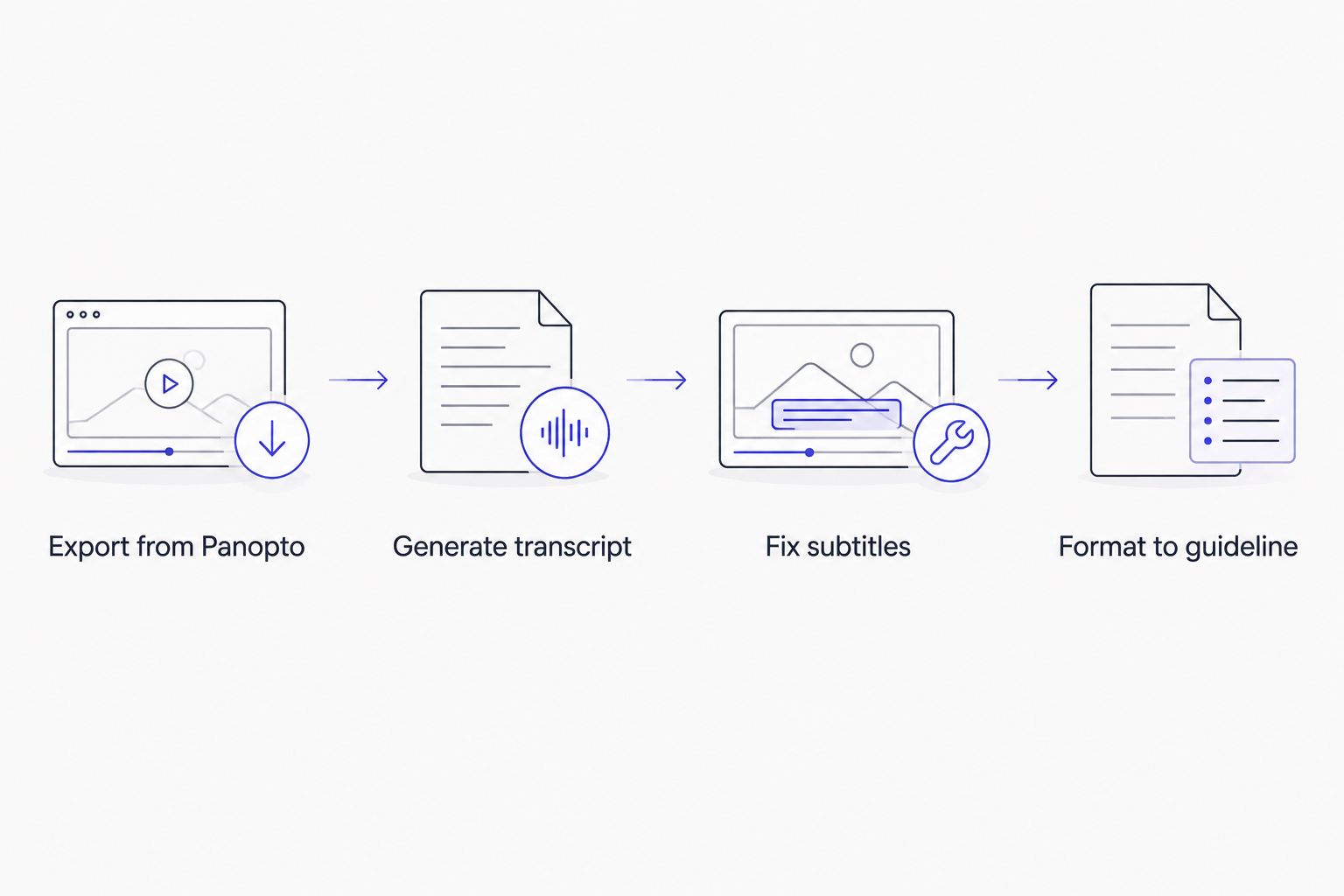
Each step feeds the next — skipping the fix step is what leaves CPL and drift issues in the delivered file.
Translate and burn, then export
- For multi-language delivery, run Translate — cue timing carries over, so no per-language re-sync is needed.
- If the delivery spec calls for open captions baked into the video, run Burn subtitles before final export.
- Export as SRT, VTT, PDF, DOCX, or whatever format the LMS or client requires.
Expected result: a caption file, or a burned-in video, matching the original delivery spec, translated where needed.
Variant: republishing a Panopto lecture to YouTube
When a Panopto recording gets clipped for a course preview or public lecture archive, the caption requirements shift. YouTube's automatic captions run a separate ASR pass and don't inherit anything from the Panopto file, which means a second round of cleanup if you rely on them.
Skip the duplicate work: process the Panopto export through the same pipeline above, pull the finished SRT, and upload it directly to YouTube's caption manager instead of letting YouTube auto-caption from scratch. The subtitle generator tools for YouTube comparison covers file requirements and chapter markers specific to that platform.
Troubleshooting
- Speaker labels come out wrong. Diarization struggles when three or more people talk in quick succession during Q&A. Set the expected speaker count manually before reprocessing.
- CPL flags on nearly every line. Expected on a first pass — Panopto's own caption export doesn't enforce a character-per-line limit, so almost every raw file trips the checker.
- Timing drift returns after manual edits. Re-run Fix subtitles rather than nudging timestamps by hand. Manual nudges on multi-scene lecture files compound instead of resolving.
- A batch of weekly lecture sessions piles up. Queue them through Batch processing instead of uploading one file at a time.
- The SRT looks fine in a text editor but fails QA. CPL/CPS violations aren't visible as plain text — they only surface once the cue is checked against reading speed and line length, which is why the QA review step matters more than a visual scan.
Customize your workflow
A course library large enough to generate weekly exports is a candidate for automation: the API and Zapier integration can pick up new Panopto files and route them through Fix subtitles and Translate without a manual trigger each time.
Teams evaluating this against a clip-based editor like Descript should note that Panopto's scene-cut caption spans behave differently than Descript's word-level edits — the cleanup step matters more here, not less. Podcast-style lecture series that also get repackaged as standalone episodes follow a near-identical pipeline, just with different chapter and summary needs.
Run your first Panopto export through it
Upload the SRT or MP4 and see the CPL/CPS flags before you touch a client file.
Try VideoText
FAQ
What is the panopto to captions workflow?
It's the process of exporting a Panopto session's video and caption file, then running it through subtitle QA to fix CPL, CPS, and timing drift before delivery. Panopto's own export doesn't enforce those checks, so a cleanup pass is required for client or ADA-ready files.
Does Panopto's automatic captioning meet ADA/508 requirements?
Automatic captions alone rarely meet ADA/508 standards for accuracy and formatting. Institutions typically run a QA and correction pass on top of the automatic output before publishing.
Is Panopto's SRT export CPL/CPS compliant?
No. Panopto's caption export doesn't enforce characters-per-line or reading-speed limits, so most raw exports fail common CPL/CPS checks on the first pass.
Can VideoText add speaker names to Panopto lecture recordings?
Yes. Speaker diarization detects and labels distinct speakers in the audio, and names can be renamed in the UI after processing. Panopto's own captions don't include speaker labels by default.
How do I translate Panopto captions into another language?
Upload the exported SRT or the source video and run the translation tool, which supports 70+ languages and keeps cue timing intact so no manual re-sync is needed per language.
Can I batch process multiple Panopto sessions at once?
Yes, batch processing queues multiple files and returns a ZIP export, which is faster than uploading weekly lecture sessions one at a time.
What formats can I export the fixed captions in?
Exports include SRT, VTT, TXT, PDF, DOCX, JSON, and CSV, covering most LMS and client delivery specs.
Should I re-export from Panopto or edit the SRT directly?
Export the source video alongside the caption file rather than editing the SRT in isolation. Editing a caption file without the synced video makes timing drift compound with each fix.
One last thing
The CPL checker most subtitle QA tools compare against traces back to Netflix's timed text style guide, which sets a common target around 42 characters per line — a spec written for streaming, not lecture capture, but the one nearly every client guideline in 2026 still points back to.
“Panopto's own caption export doesn't enforce a character-per-line limit, so almost every raw file trips a CPL checker on the first pass.”
Related guides



