Yes, every transcription tool caps file length in some form — by total file size in GB, by audio or video duration in hours, or by a plan-based monthly quota — and there's no single industry-wide number because each provider sets its own ceiling for 2026. The part most freelancers and editors miss isn't the headline cap itself: a longer file also takes longer to process and is more likely to hit a browser upload timeout, even when the plan technically allows the size.
TL;DR
- Every transcription tool caps files by size, duration, or plan quota — no universal file length limit exists in 2026.
- A 1-hour MP3 at 128kbps runs about 57MB, well under most standard upload caps.
- Compress, trim, and batch processing on VideoText work around size limits without re-recording anything.
- Multi-hour podcast episodes and long interviews are the files most likely to hit a ceiling.
- Browser upload timeouts, not the plan's stated cap, are the most common failure point on long files.
Why this matters
A transcript job that stalls at 80% because a file exceeded some undocumented ceiling costs more time than the transcription itself. Freelance transcriptionists and subtitle editors working with client-supplied media rarely control the source file's size or duration, so understanding where limits actually live — size, duration, or account quota — determines whether you split the file, compress it, or just upload it and move on. VideoText builds trim, compress, and batch processing into the same pipeline as transcription for exactly this reason: so a long file doesn't mean a manual workaround before the job even starts.
Is there a file length limit for transcription?
Yes — but "limit" usually means one of four separate things, and mixing them up is why creators get confused about what's actually blocking an upload.
| Limit type |
What it controls |
Common workaround |
| File size cap |
Max upload size in GB |
Compress the video before upload |
| Duration cap |
Max hours per single file |
Trim to the relevant section or split into parts |
| Plan quota |
Total minutes/hours per billing cycle |
Upgrade tier or spread uploads across cycles |
| Browser upload limit |
Max size before a browser connection times out |
Use an API or Zapier integration instead of drag-and-drop |
Most "my file won't upload" problems in 2026 are actually browser upload limits, not the provider's stated plan cap — a distinction that matters when you're troubleshooting a stuck job at 11pm before a client deadline.
File size limits: the most common ceiling
File size is measured in gigabytes, and it's the first wall most people hit because video files are large by default. A 1-hour MP3 at a standard 128kbps bitrate runs roughly 57MB — small enough to upload almost anywhere. A 1-hour 1080p video file, by contrast, can run into multiple gigabytes depending on codec and bitrate, which is why video jobs hit size caps far more often than audio-only jobs.
Compressing the video before transcription — reducing resolution or bitrate without touching the audio track — is the standard fix. VideoText's compression step applies quality presets before the file enters the transcription pipeline, so the audio used for ASR stays intact even as the container shrinks.
Duration limits: hours, not minutes
Some providers cap by clock time instead of (or in addition to) file size — a single-file duration ceiling measured in hours. This matters most for long-form content: full podcast episodes, panel recordings, deposition audio, multi-hour interviews. If a provider enforces a duration cap, trimming dead air or splitting the file into segments before upload gets around it without losing content, and VideoText's trim tool cuts the start and end before the file ever hits the transcription queue.
Plan-based quotas: the cap you hit over time, not per file
The third limit type isn't about any single file — it's a running total of minutes or hours transcribed per billing cycle. A file well under the size and duration caps can still fail if it pushes an account over its monthly quota. Batch processing, available on paid tiers, is built for exactly this: queueing multiple files and exporting them as a ZIP once the quota resets, rather than uploading one at a time and guessing at the remaining balance.
Check your file against real limits
Upload a file and see size, duration, and format handled directly.
Try VideoText
Why file length limits vary
- ASR model memory and processing time scale with duration — a 3-hour file takes proportionally longer to transcribe than a 20-minute one, and some infrastructure caps duration to keep processing predictable.
- Server-side storage costs rise with raw upload size, which is why free tiers tend to cap size more aggressively than paid tiers.
- Browser upload stability drops off above a few gigabytes on standard connections, independent of what the account plan technically permits.
- Batch processing availability differs by tier — Pro-level plans typically unlock multi-file queues that free tiers don't.
- Real-time (live) transcription and batch transcription measure "length" differently — live streaming has no file to cap, only a session duration.
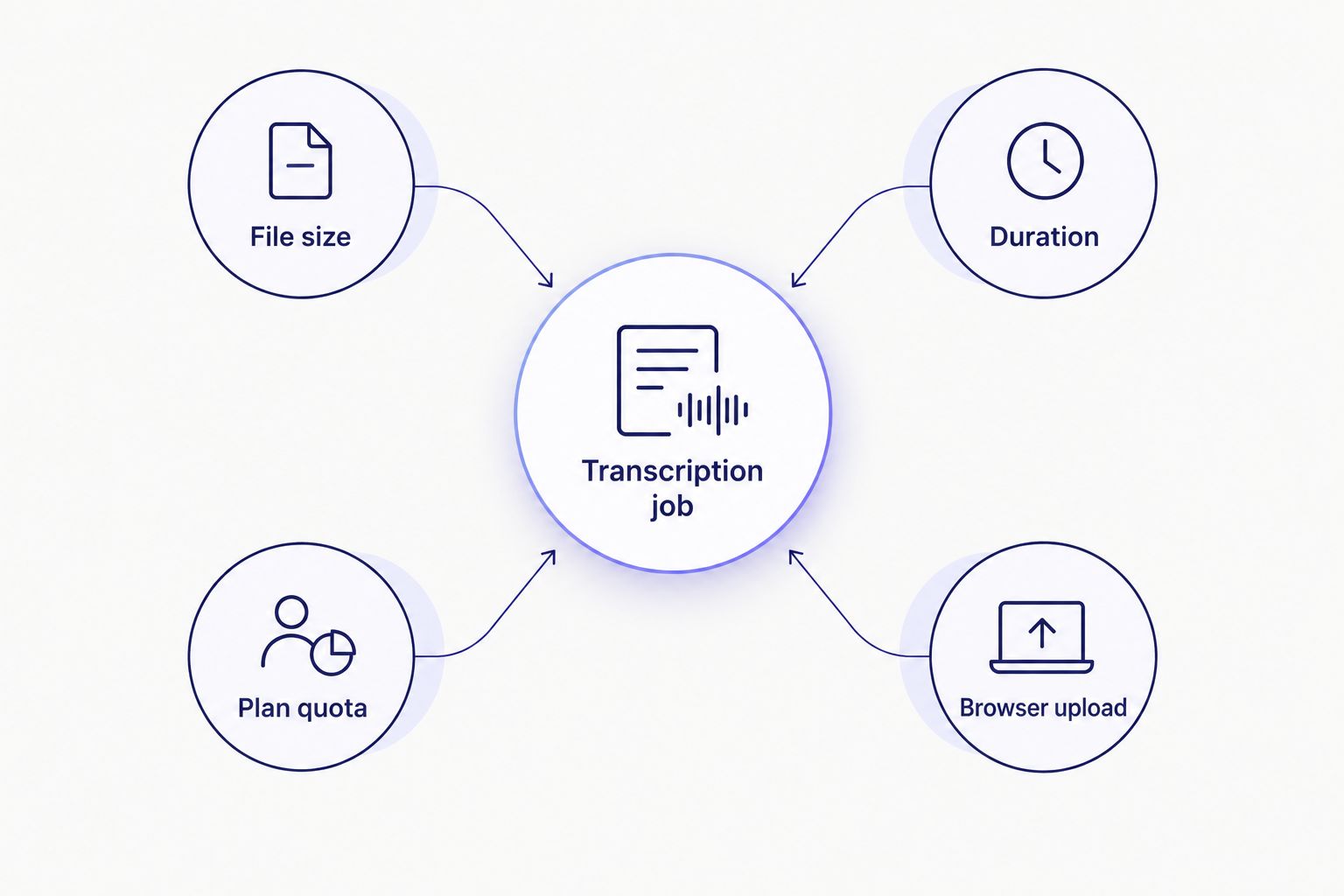
A stuck upload is usually one of four separate limits, not a single universal cap.
Related questions
Does file length affect transcription accuracy?
File length itself doesn't degrade accuracy — audio quality, background noise, overlapping speakers, and accents drive word error rate far more than duration does. A clean 3-hour recording transcribes as accurately as a clean 10-minute clip; the practical difference is processing time and the odds you'll need speaker diarization to keep multiple voices separated across a long file.
Can I transcribe a 3-hour podcast episode?
Yes — a 3-hour episode is a duration and file-size question, not an accuracy question, so trimming dead air and compressing the video track (if any) before upload is the standard prep step. Reviewing podcast transcription workflows is worth doing before a long recurring show, since batch processing and chaptering matter more at that length than they do for short clips.
What happens if my file exceeds the limit?
Most providers either reject the upload outright with an error, or silently truncate the file at the cap — the second outcome is worse because you don't find out until you're reviewing a transcript that stops mid-sentence. Splitting the file into parts before upload, or compressing it first, avoids both failure modes.
Do audio-only files have higher limits than video?
Audio-only files are almost always smaller than video at the same duration, since the video stream carries most of a file's total size — stripping a video down to its audio track before upload is a fast way to shrink a file that's hitting a size cap without losing any transcribable content.
FAQ
Is there a file length limit for transcription in 2026?
Yes, but the limit takes different forms across providers: file size in GB, duration in hours, or a plan-based monthly quota. There's no single universal number, so check the specific cap type before uploading a long file.
How long can a video file be for automatic transcription?
It depends on whether the provider caps by size or by duration — a compressed 1-hour video is far less likely to hit a size limit than an uncompressed one at the same length. Trimming and compressing before upload is the standard workaround for long recordings.
Does a longer audio file cost more to transcribe?
On plans billed by minutes or hours, yes — longer files consume more of a monthly quota. Batch processing across a billing cycle helps spread long jobs without hitting the ceiling on a single file.
What's the smallest file size for an hour of audio?
A 1-hour MP3 at 128kbps runs roughly 57MB, which is small enough to clear almost any provider's upload limit. Higher bitrates or lossless formats push that size up significantly.
Can I split a long file into parts to get around a limit?
Yes, splitting a file into segments before upload is a standard workaround for both size and duration caps. Just track speaker labels and timestamps across the parts so they line up correctly when the transcript is reassembled.
Is there a difference between live transcription limits and file upload limits?
Yes, live transcription caps a session's duration in real time rather than a stored file's size, since there's no file being uploaded. Batch transcription of a recorded file is governed by the size and duration limits covered above.
Does compressing a video reduce transcription accuracy?
No, compressing the video track doesn't touch the audio stream ASR relies on, so accuracy stays the same. Compression only reduces the file size to clear an upload limit, not the audio quality used for transcription.
One last thing
The fastest way to shrink a file that's hitting a size cap isn't heavier video compression — it's stripping the video track entirely and uploading audio only, since the video stream carries most of a file's total size at any given duration. For a transcript-only job in 2026, there's no reason to upload the video at all.
Related guides



