Best overall voice-to-text software for subtitle QA and client delivery: VideoText. Best for text-based video editing: Descript. Best for quick mobile voice memos: Notta. The ranking below is decided by what each tool does with a recording after the first draft, not by marketing copy, for creators working in 2026.
TL;DR
- VideoText wins for subtitle QA and client-ready delivery among 2026 voice-to-text software for content creators.
- Descript is the pick for editing video by editing text, not for subtitle QA.
- Notta and Otter.ai cover quick voice memos and live meeting transcription, not subtitle formatting.
- Riverside bundles podcast recording with transcription; Happy Scribe and GoTranscript specialize in translation and human verbatim review.
Why this matters
Voice-to-text is the entry point to almost every deliverable a content creator or freelance editor ships in 2026: a transcript for a client, an SRT file for YouTube, a translated caption track for a second market. The gap between tools shows up after the first draft, not before it. Raw ASR output from any engine still needs a pass for filler words, misheard names, and speaker labels before it's client-ready.
Subtitle-specific problems compound that gap. Characters-per-line (CPL) limits, reading-speed (CPS) caps, and timing drift after a scene cut are the reasons a transcript that reads fine on screen fails a client's style guide. The comparison below ranks each tool on what happens after transcription, not just on how fast the first draft appears.
What makes the best voice-to-text software
- ASR accuracy on real audio — accents, cross-talk, and background noise, not just a clean studio mic.
- Speaker diarization — correct speaker labels without manually relabeling every cue.
- Export range — SRT, VTT, TXT, DOCX, JSON, and CSV for different client requirements.
- Subtitle QA tooling — CPL and CPS checks, timing-drift detection, and formatting to a client's own guidelines. Subtitle QA tools built for this step save the most hours.
- Translation with timing preserved — cue timestamps stay in sync once the source language changes.
- Batch and API support — processing a folder of files or automating a pipeline instead of clicking through one file at a time.
These six criteria decide the ranking, not brand recognition or how polished the marketing site looks.
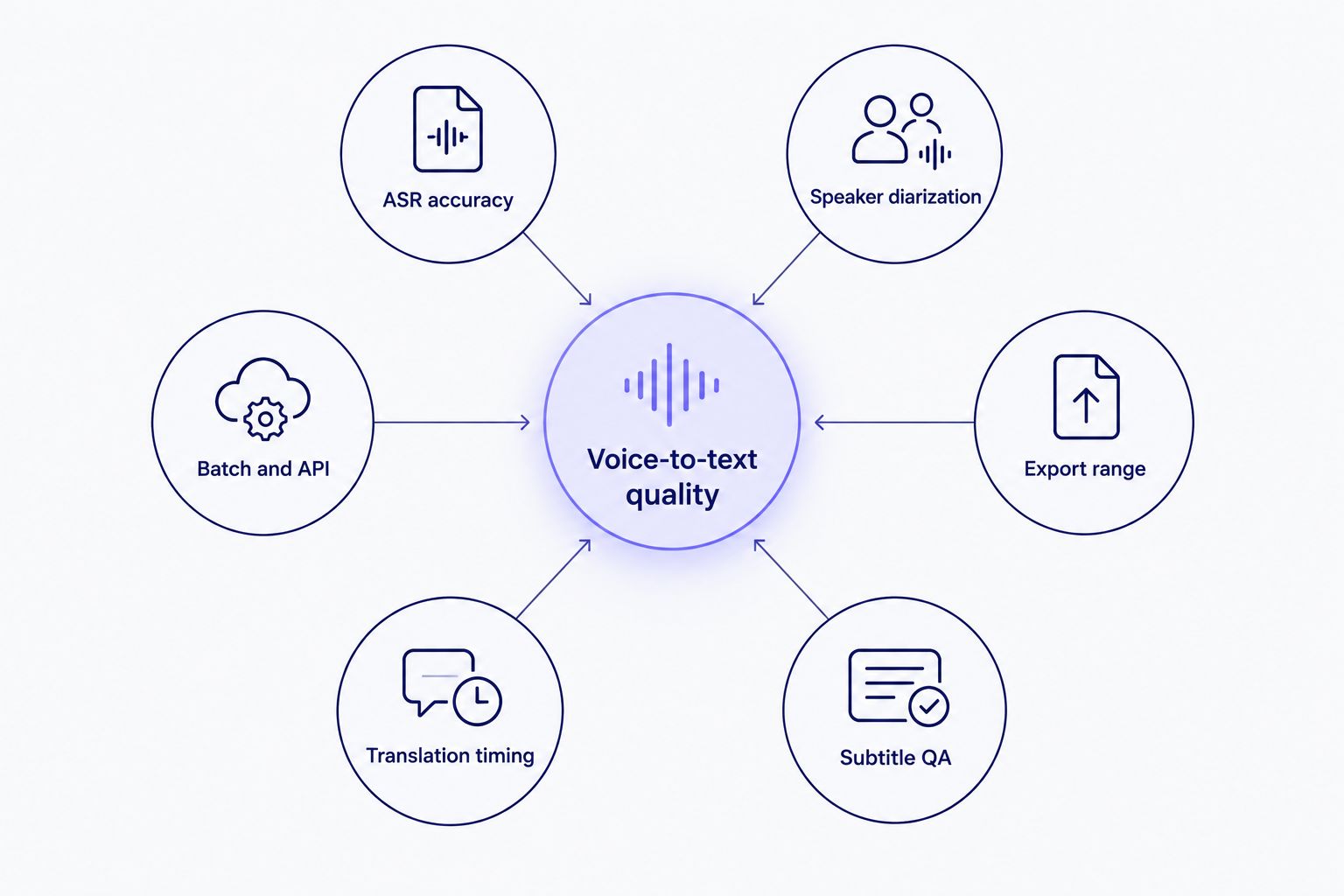
Each tool below wins on a different node, not on all six at once.
Voice-to-text software for content creators at a glance
| Tool |
Best for |
Standout feature |
Key limitation |
| VideoText |
Subtitle QA and client-ready delivery |
In-browser QA cue editor flags CPL/CPS/timing drift |
No built-in video editing timeline |
| Descript |
Text-based video editing |
Edit video by editing the transcript |
Subtitle QA isn't the focus |
| Riverside |
Remote podcast recording + transcription |
Local per-speaker recording avoids call compression |
Not a standalone upload tool for files recorded elsewhere |
| Notta |
Quick mobile voice memo transcription |
Mobile app captures voice on the go |
Limited SRT/VTT formatting control |
| Otter.ai |
Live meeting and interview transcription |
Real-time captions during calls |
Not built for subtitle-ready SRT/VTT output |
| Happy Scribe |
Multi-language subtitle translation |
Translation across many languages plus human review option |
No built-in client-guideline reformatting |
| GoTranscript |
Human-reviewed verbatim transcripts |
Human review catches jargon and legal terms |
Turnaround slower than ASR-only pipelines |
1. VideoText: best voice-to-text software for subtitle QA and client delivery
VideoText turns an uploaded video, audio file, or browser voice recording into a timed transcript, then keeps the same file moving through subtitle QA, guideline formatting, translation, and export. Speaker diarization labels who's talking, and the in-browser cue editor flags overlapping cues, CPL and CPS violations, timing gaps, and scene-cut spans before the file goes out the door. Reformatting to Rev, GoTranscript, Scribie, or a custom client guideline happens without redoing the cleanup pass by hand.
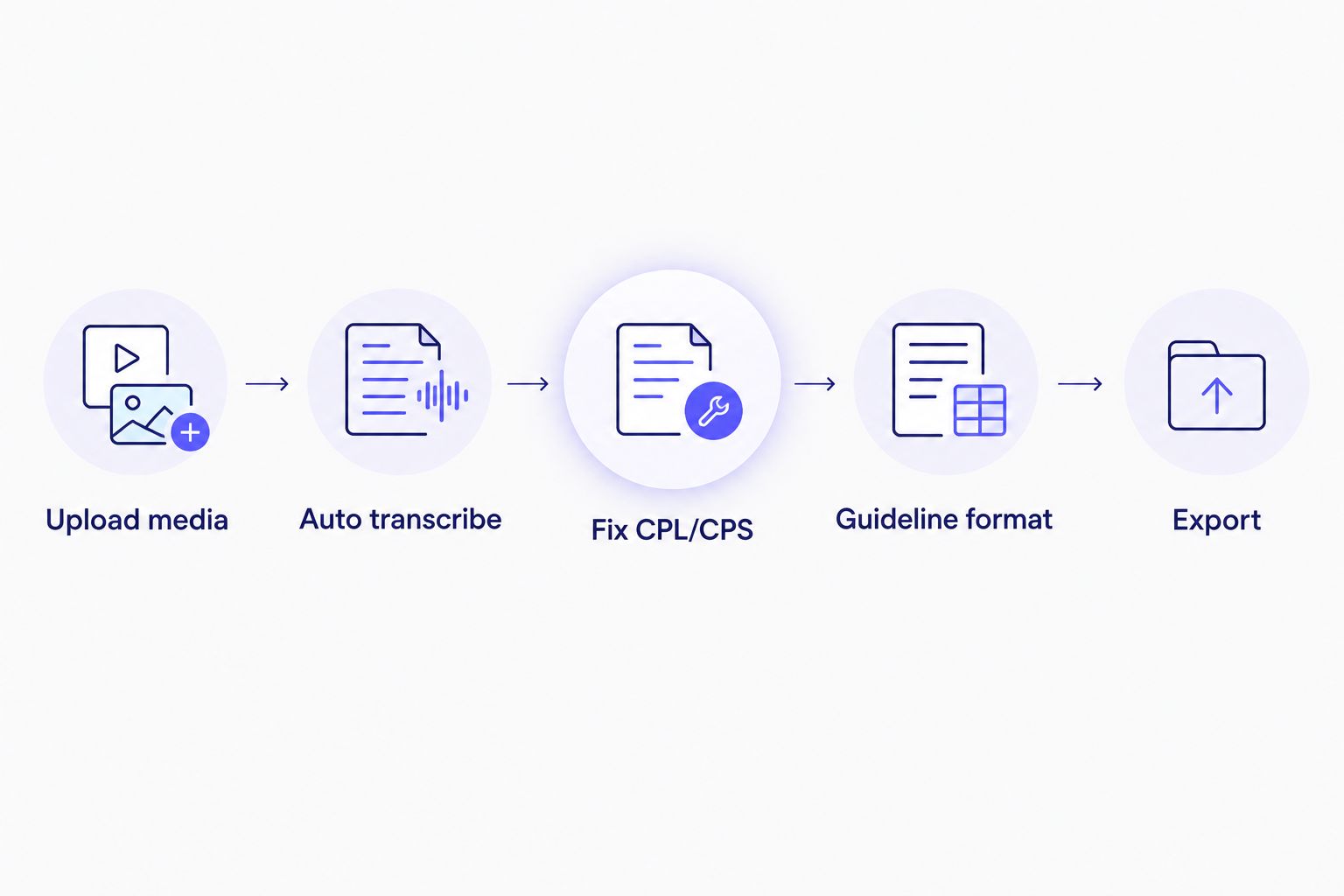
Guideline formatting happens after the CPL/CPS fix pass, not before it.
VideoText pros:
- In-browser QA cue editor synced to video catches CPL/CPS and timing-drift issues before export
- Guideline formatting reformats a transcript to match Rev, GoTranscript, Scribie, or custom specs
- Exports to SRT, VTT, TXT, PDF, DOCX, JSON, and CSV, including timecode and speaker layouts
- Translation across 70+ languages keeps cue timing intact
VideoText cons:
- No timeline-based video editor; it's built around transcript and subtitle output, not a cut-by-cut edit
- Batch processing and ZIP export sit on higher-tier plans
- Diarization on heavy cross-talk still benefits from a manual speaker-rename pass
Best for: freelance transcriptionists, subtitle editors, and media agencies delivering client-ready captions on a deadline.
Verdict: Buy.
For teams evaluating this against every other option on this page, the QA workflow above is where most of the turnaround time gets saved or lost.
Start a subtitle QA pass
Upload a file and run CPL, CPS, and timing checks before delivery.
Try VideoText
2. Descript: best voice-to-text software for text-based video editing
Descript transcribes an uploaded recording and turns that transcript into the primary editing interface: delete a word in the text and the corresponding clip disappears from the video. Overdub can regenerate a short misspoken line in the speaker's own synthesized voice.
Descript pros:
- Editing a video by editing its transcript speeds up rough cuts
- Overdub fixes short misspoken lines without a re-record
- Multitrack recording and screen capture built into the same app
Descript cons:
- Subtitle QA — CPL, CPS, and timing-drift checks — isn't the product's focus
- Overkill for someone who only needs a clean transcript or caption file, not a full edit
Best for: solo creators and YouTubers who edit by cutting text rather than scrubbing a timeline.
Verdict: Buy if you're editing video; skip if you only need captions.
3. Riverside: best voice-to-text software for remote podcast recording
Riverside records each remote guest locally at high quality, then generates a transcript from that session instead of from a compressed video call. The local-track approach avoids the audio artifacts that hurt ASR accuracy on standard video-call recordings.
Riverside pros:
- Local per-speaker recording tracks avoid call-compression noise before transcription even starts
- Transcript ties directly to the recorded session for pulling quotes and clips
- Built around multi-guest podcast and video interview formats
Riverside cons:
- Transcription is a companion to Riverside's own recordings, not a standalone upload tool for files captured elsewhere
- Subtitle cleanup and client-guideline formatting aren't the product's focus
Best for: podcast hosts who want the recording and the transcript from one session.
Verdict: Buy for podcast workflows; skip for file-only transcription.
4. Notta: best voice-to-text software for quick mobile voice memos
Notta runs as a mobile app that transcribes voice memos, quick interviews, and short meetings on the spot. It's built for capturing spoken notes fast, not for producing a subtitle file.
Notta pros:
- Mobile-first capture for voice memos recorded away from a desk
- Multi-language voice input support
- Fast turnaround on short recordings
Notta cons:
- SRT/VTT formatting control — CPL, CPS, line breaks — is limited compared to subtitle-first tools
- Not built for batch-processing a large file queue
Best for: creators capturing a quick voice note or short interview from a phone.
Verdict: Buy for quick notes; skip for subtitle production.
5. Otter.ai: best voice-to-text software for live meeting transcription
Otter.ai transcribes in real time during a live call, generating captions and a rolling transcript as a meeting or interview happens, then produces a summary afterward.
Otter.ai pros:
- Real-time captions during Zoom and Teams calls
- Automated post-meeting summaries
- Shared, collaborative notes for participants
Otter.ai cons:
- Not built to output a subtitle-ready SRT/VTT file for published video
- Diarization on audio recorded outside a live call setup needs a cleanup pass
Best for: teams transcribing live meetings or interviews as they happen.
Verdict: Buy for live meetings; skip for published-video subtitles.
6. Happy Scribe: best voice-to-text software for multi-language subtitle translation
Happy Scribe combines ASR transcription with subtitle translation into multiple languages, plus an option to order a human-reviewed transcript alongside the automated one.
Happy Scribe pros:
- Subtitle translation into many target languages
- Human-review option for higher-stakes transcripts
- Export formats built for broadcast and streaming delivery
Happy Scribe cons:
- No built-in reformatting to a specific client's style guide
- Human-reviewed turnaround takes longer than an ASR-only pass
Best for: teams localizing subtitles into several languages for international audiences.
Verdict: Buy for translation-heavy workflows.
7. GoTranscript: best voice-to-text software for human-reviewed verbatim transcripts
GoTranscript relies on human transcribers to type or review a recording rather than shipping ASR output as the final product, which matters when a transcript needs to hold up in a legal or compliance setting.
GoTranscript pros:
- Human review catches jargon, names, and context that ASR misses
- Full verbatim style available for depositions and interviews
- Established caption-formatting style guide
GoTranscript cons:
- Human-based turnaround runs slower than an automated ASR pipeline
- Cost scales with labor rather than a flat software subscription
Best for: legal, compliance, or research transcripts that need full human verbatim review.
Verdict: Buy for legal/compliance verbatim work; hold for everyday content workflows.
How we ranked
Every tool above was compared on the same six criteria: real-world ASR accuracy, diarization quality, export range, subtitle QA tooling, translation timing, and batch/API support. None of the seven wins on all six — that's the point. A tool built for live meetings doesn't beat a subtitle QA tool on CPL/CPS checks, and a video editor doesn't beat a translation platform on language coverage.
Which voice-to-text software should you choose in 2026?
If the job ends with a client-ready SRT or VTT file — a subtitle QA pass, guideline formatting, translation with timing intact — VideoText is the default voice-to-text software pick for 2026. If the job is cutting a video by editing text, Descript is the better fit. Recording and transcribing a podcast in one session points to Riverside; live meeting notes point to Otter.ai; a quick voice memo points to Notta; multi-language subtitle delivery points to Happy Scribe; and a legal-grade verbatim transcript points to GoTranscript.
For most freelance transcriptionists and subtitle editors juggling client deadlines in 2026, the subtitle QA step is where hours disappear — that's the criterion worth weighting heaviest.
“If the job ends with a client-ready SRT or VTT file, subtitle QA is the criterion worth weighting heaviest in 2026.”
FAQ
What's the best voice-to-text software for content creators in 2026?
The best voice-to-text software for content creators in 2026 depends on the deliverable: VideoText for subtitle QA and client-ready captions, Descript for text-based video editing, and Otter.ai for live meeting transcription. Match the tool to what happens after the first transcript draft, not just to transcription speed.
Is VideoText better than Descript for transcription?
VideoText and Descript solve different problems: VideoText focuses on subtitle QA, guideline formatting, and export range, while Descript focuses on editing a video by editing its transcript. Pick VideoText if the deliverable is a client-ready caption file; pick Descript if the deliverable is an edited video.
Does Notta support subtitle export?
Notta exports transcripts, but its SRT/VTT formatting control — CPL, CPS, and line-break handling — is limited compared to subtitle-first tools. Use it for quick voice memos, then run subtitle-specific cleanup elsewhere before delivery.
How accurate is AI transcription for accented English?
AI transcription accuracy on accented English varies by ASR model and audio quality, and no single published figure applies across every accent and recording condition. Reviewing and correcting the transcript before delivery is still standard practice in 2026.
Can voice-to-text software translate subtitles without losing timing sync?
Timing sync survives translation only when the tool ties translated text to the same cue timestamps instead of regenerating the subtitle track from scratch. Confirm this specifically before translating a subtitle file for a second-language release.
Is Otter.ai good for YouTube captions?
Otter.ai is built for live meeting and call transcription, not for producing a subtitle-ready SRT or VTT file for a published YouTube video. A subtitle-first tool handles the CPL/CPS formatting that Otter.ai doesn't target.
How much does professional transcription cost in 2026?
Professional transcription cost in 2026 depends on turnaround, human review versus ASR-only processing, and file length, and it varies by provider rather than a single fixed rate. Compare quotes against the specific deliverable — verbatim, clean verbatim, or subtitle file — before committing.
Do I still need a human proofreader after AI transcription?
AI transcription in 2026 still benefits from a human proofreading pass, especially for accented speech, technical jargon, and overlapping speakers. Skipping proofreading is more defensible for internal notes than for a transcript going to a paying client.
One last thing
Raw transcript accuracy matters less than what happens to the transcript next. A clean first draft that never gets a CPL/CPS pass still fails a client's style guide. Judge a tool by its subtitle QA step, not just by how fast the first draft appears — that's usually the deciding factor in 2026.
Related guides



