Instead of retyping captions off a Vimeo player or scrambling to retime a subtitle file after a client asks for a translated version, set up one pipeline that pulls the source file out of Vimeo, transcribes it, cleans the subtitle timing, and translates the cues without breaking sync.
TL;DR
- The fastest vimeo video to subtitles workflow in 2026 downloads the source file, transcribes it, then fixes CPL and CPS before translating.
- Videotext keeps cue timing intact when translating subtitles into any of 70+ languages — no manual retiming pass needed.
- Vimeo blocks direct downloads unless the video owner turns on the Download setting first — check this before you start.
- Already have an SRT from the client? Skip transcription entirely and translate the file directly.
- Reading speed and character-per-line limits still apply after translation — target languages expand text length and can push cues past CPL again.
Numbers that matter for this workflow
70+
Languages supported for subtitle translation
42 characters
Standard subtitle line length (Netflix CPL)
17-20 cps
Common reading speed target range
Why this matters
Vimeo doesn't run subtitle QA and it doesn't translate captions. It stores whatever SRT or VTT you upload and plays it back. If a client wants a video captioned in a second language, or an editor needs to fix drift on a file a client already flagged, that work has to happen outside Vimeo, before the file goes back up.
The two failure points are predictable: the source file is locked behind Vimeo's privacy settings, and the subtitle file breaks CPL or timing once it's translated without losing timing sync. Both are fixable in the same pipeline, in order, before either one becomes a QA fire drill on delivery day.
Before you start
- A Vimeo account with the Download setting enabled on the video — this lives in the video's Privacy tab and is off by default on most Pro and Business plans.
- A Videotext account for transcription, subtitle fix, and translation, since all three steps run on the same file without re-uploading between passes.
- The target language list decided upfront — one clean transcript can translate into several languages in the same project, so pick the languages before you transcribe, not after.
The gotcha that stalls people at step one: if the Vimeo video owner never turned on Download under Privacy settings, there's no local file to pull, and pasting the Vimeo URL into a transcription tool won't work around it. Get that toggle switched on, or get the MP4 sent directly, before touching anything else in this workflow.
Get the video out of Vimeo
- Open the video's edit page in Vimeo and go to Settings, then the Privacy tab.
- Confirm Download is toggled on. If it's off, the video owner has to switch it — a shared editor account usually can't override it.
- On the video's page, click the Download button and save the MP4 locally.
Expected result: an MP4 file on disk, ready to upload into a transcription tool.
Transcribe and generate the first subtitle draft
- In Videotext, click Upload and select the MP4 pulled from Vimeo.
- Let ASR transcription run — segments come back as timed text, with speaker labels attached if diarization is on.
- Export SRT or VTT once transcription finishes, so you have a subtitle file to check before cleanup.
Expected result: a first-draft subtitle file with correct wording but likely drift, overlaps, and CPL breaches still in it.
Fix subtitle QA issues before translating
- Open Fix Subtitles and run detection on the exported file.
- Review flagged overlaps, CPL breaches, scene-cut spans, and gaps directly in the cue editor.
- Apply the automatic fix pass, then check reading speed against the CPL and CPS benchmarks for whatever guideline the client uses.
Expected result: a subtitle file clean enough that line-length and timing errors don't carry into the translated version.
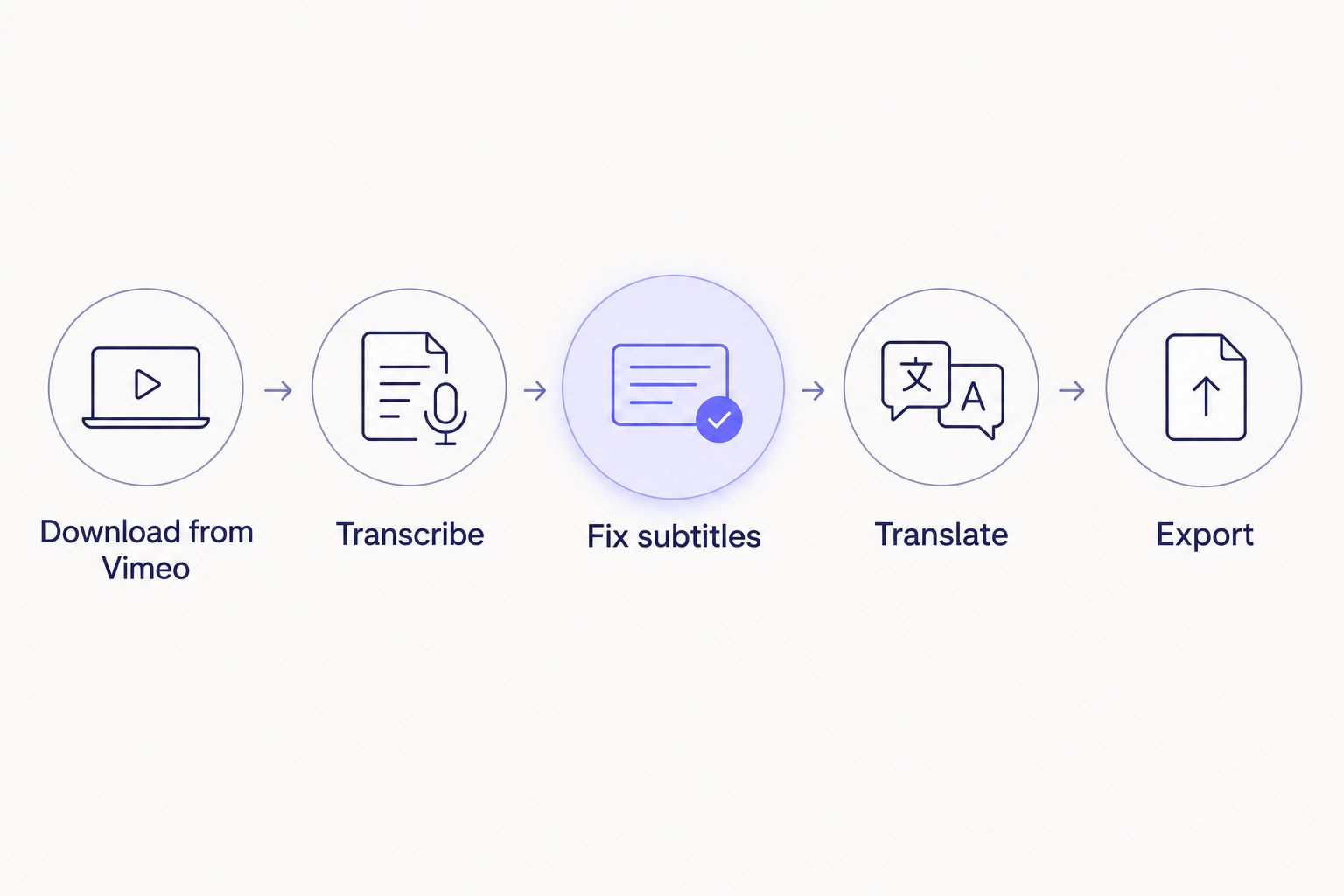
Fixing CPL and timing before translation stops errors from doubling across languages.
Translate the subtitles without breaking timing
- Select Translate on the cleaned SRT or VTT — not the raw export from transcription.
- Pick target languages from the supported list of 70+.
- Export one file per language. Cue start and end codes stay locked to the source file; only the text inside each cue changes.
Expected result: a translated SRT or VTT per language, same cue count and same timecodes as the source file, ready to re-upload to Vimeo.
Fixing CPL and timing before translation, rather than after, is the one rule that keeps a translated caption job from doubling your QA time.
Already have an SRT? Translate it directly
If a client sends an existing, approved Vimeo caption file instead of raw video, skip the download and transcription steps entirely. Upload the SRT or VTT straight into Translate. This is the workflow for translation-only jobs — the source captions are already client-signed, and re-transcribing the video would just introduce a second version of the same text.
Troubleshooting
- Download button greyed out on Vimeo. The owner hasn't switched on Download in the Privacy tab. Editor-level access usually can't flip this — get the owner to enable it or send the MP4 directly.
- Translated lines blow past CPL right after export. Languages like German and Finnish routinely expand text length by 20-30% over English. Re-run the CPL check in Fix Subtitles after translation, not just before it.
- Speaker labels swap mid-file. Diarization can mislabel overlapping speakers on cross-talk-heavy sections. Rename the speaker once in the cue editor and the corrected label carries through the rest of the file.
- Client rejects the export format. Reformat to their specific spec — Netflix, Rev, GoTranscript, or a custom in-house guideline — rather than re-exporting the same SRT with a different file extension.
- A long file stalls mid-batch. Check the file length before queuing multiple Vimeo exports together; split unusually long recordings before they enter the batch.
Use the subtitle QA tools checklist as a second pass before delivery, since a translated file can pass CPL on one language and still fail on another.
Customize your workflow
Once this pipeline runs cleanly on one Vimeo video, the next move is automating the trigger instead of running each step by hand. Set up an automatic transcription trigger so new Vimeo uploads feed straight into the pipeline — see how to connect Videotext to Zapier for automatic transcription for the exact setup.
Set up your subtitle pipeline
Transcribe, fix CPL drift, and translate Vimeo captions in one workflow.
Try Videotext
If the same client sends video from other platforms alongside Vimeo, the same fix-then-translate order applies regardless of source — the download step is the only part that changes per platform.
FAQ
What's the best way to get subtitles from a Vimeo video in 2026?
Download the MP4 from Vimeo once the owner enables the Download setting, transcribe it, fix CPL and timing issues, then export SRT or VTT. Translating before the fix pass just carries the same errors into every language.
Can subtitles be translated without losing timing sync?
Yes — translation tools built for subtitles keep the original cue start and end codes and only replace the text inside each cue. Retiming is only needed if the source file had drift before translation.
How long does it take to add and sync subtitles to a video?
Transcription runs in the background once the file uploads, and cleanup time depends on how many CPL, overlap, or drift issues the detection pass flags. A clean short file needs far less review time than a long file with heavy cross-talk.
Does Vimeo accept SRT and VTT files for captions?
Yes, Vimeo supports uploading SRT and VTT caption files directly to a video's caption settings. It does not generate or translate captions on its own.
Is AI transcription accurate enough to skip human proofreading?
ASR accuracy depends heavily on audio quality and accents, so a proofreading or QA pass is still standard practice before client delivery in 2026. Skipping it works only on very clean, single-speaker audio.
Can speaker labels be edited after automatic detection?
Yes — diarization output can be renamed in the editor, and the corrected label applies to every instance of that speaker in the rest of the file.
What CPL and CPS should subtitles follow before translation?
Netflix's widely used standard caps lines around 42 characters, with reading speed targets typically between 17 and 20 characters per second depending on content type. Check the fix before translating, since expanded text in the target language can push cues past these limits again.
Can you batch process multiple Vimeo exports at once?
Batch processing multiple files through the same transcription and fix pipeline is supported on higher-tier plans, with results delivered as a queued set rather than one at a time.
One last thing
The step people skip is re-checking CPL after translation, not before it. A file that passes reading-speed checks in English can fail the same check in German or Finnish once the text expands, and that failure shows up on delivery day, not during transcription.
Related guides



