Tactiq turns live meetings into searchable transcripts the moment you hang up — that part works. But Tactiq is built around one job: capturing what gets said in a Zoom, Google Meet, or Microsoft Teams call while it happens. It has no answer for a video editor who needs SRT files fixed for CPL and reading speed, or a freelancer who has to reformat a transcript to Rev or GoTranscript guidelines before a client will accept it. The best Tactiq alternative in 2026 is VideoText if your work is subtitle QA and client-ready delivery; Otter.ai if you just need better live meeting notes.
TL;DR
- VideoText is the top tactiq alternatives pick in 2026 for subtitle QA, CPL/CPS fixing, and client-guideline formatting.
- Tactiq's strength is real-time capture inside Zoom, Google Meet, and Teams — it has no subtitle timing or export QA tools.
- Otter.ai stays closest to Tactiq's live-meeting use case but doesn't fix subtitle drift either.
- Descript is the pick for text-based video editing, not for delivering client-ready caption files.
- Stay with Tactiq if your only job is capturing meeting notes, not producing SRT/VTT deliverables.
Why this matters
Tactiq's browser extension is fine for what it was built to do: join a call, transcribe it live, and hand back an AI summary. That workflow breaks the moment your job is producing a subtitle file that has to pass a client's QA checklist — reading speed under a CPS limit, no overlapping cues, lines broken at clause boundaries.
Freelance transcriptionists, subtitle editors, and media agencies searching for tactiq alternatives in 2026 are usually hitting one of two walls: Tactiq doesn't take uploaded video files well, and it has zero tooling for the timing and formatting fixes that eat hours before delivery. That's a different job than meeting notes, and it needs different software.
Tactiq alternatives at a glance
| Tool |
Best for |
Standout feature |
How it differs from Tactiq |
| Tactiq |
Live meeting transcripts in Zoom, Google Meet, Teams |
Real-time capture via browser extension |
Baseline — built for live calls, not uploaded media |
| VideoText |
Subtitle QA and client-ready transcript delivery |
CPL/CPS drift detection plus guideline reformatting |
Works on uploaded video/audio and YouTube links, not live calls |
| Otter.ai |
Teams wanting meeting notes with calendar sync |
Auto-join and speaker-tagged live notes |
Same live-meeting focus, no subtitle timing tools |
| Fireflies.ai |
Sales and CRM teams recording calls |
Auto-push of call notes into CRM software |
Built around call intelligence, not subtitle files |
| Descript |
Editors who cut video by editing the transcript |
Text-based video editing timeline |
Edits the video itself; no CPL/CPS or guideline formatting |
1. VideoText: best for subtitle QA and client-ready delivery
VideoText takes uploaded video, audio, or a YouTube link and runs it through ASR transcription, then lets you fix the subtitle problems that actually cost freelancers time: overlapping cues, lines over the CPL limit, reading speed above CPS thresholds, and timing drift against scene cuts. It also reformats output to Rev, GoTranscript, Scribie, or a custom client spec, which is the step most meeting-note tools skip entirely.
Where VideoText shines:
- In-browser subtitle QA review synced to the video, with issue detection instead of manual scrubbing
- CPL and CPS checks against named style guides, not a generic default
- Speaker diarization with renaming, AI summary and chapters, translation across 70+ languages with cue timing preserved
- Exports to SRT, VTT, TXT, PDF, DOCX, JSON, and CSV, including timecode and speaker layouts
Where VideoText falls short:
- No live meeting capture — it processes uploaded or recorded media, not a call happening right now
- No calendar integration to auto-join a Zoom or Meet call the way Tactiq does
Best for: freelance transcriptionists, subtitle editors, and media agencies delivering finished caption files under a style guide.
| Dimension |
VideoText |
Tactiq |
| Live meeting capture |
No — works on uploaded/recorded files |
Yes — live Zoom/Meet/Teams capture |
| Subtitle CPL/CPS fixing |
Yes — overlaps, reading speed, timing drift |
No |
| Client-guideline formatting |
Yes — Rev/GoTranscript/Scribie/custom presets |
No |
| Export formats |
SRT, VTT, TXT, PDF, DOCX, JSON, CSV |
Text export, meeting summary docs |
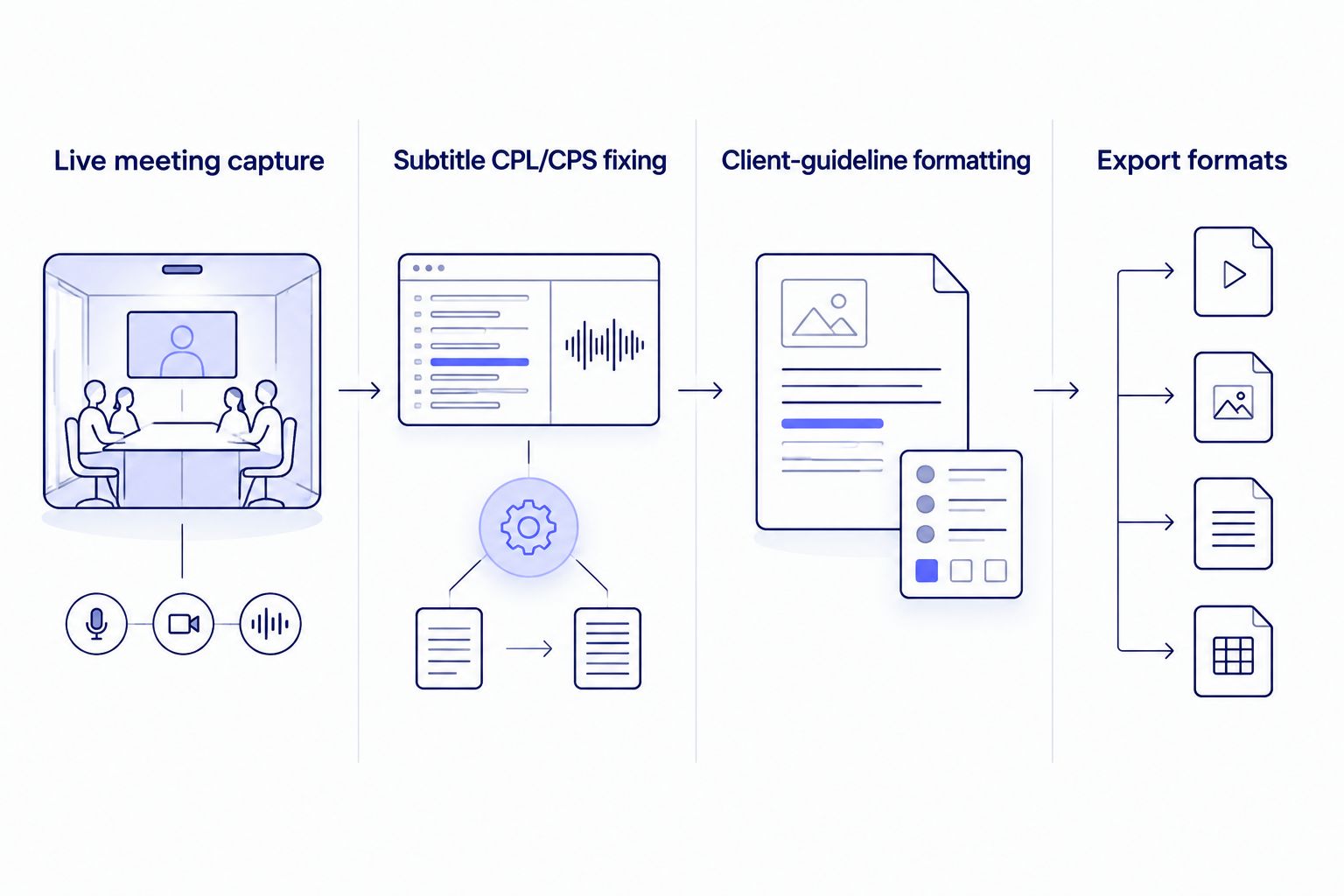
The gap between the two tools shows up in timing fixes and guideline formatting, not transcription accuracy.
2. Otter.ai: best for live meeting notes with calendar sync
Otter.ai stays closest to Tactiq's core job — it joins scheduled calls, transcribes them live, and tags speakers automatically. If your workflow is internal meeting notes rather than deliverable subtitle files, it's a direct swap.
Where Otter.ai shines:
- Automatic calendar-based meeting join across major video platforms
- Speaker-tagged live transcript with searchable notes
Where Otter.ai falls short:
- No CPL/CPS checking or subtitle timing tools
- Not built for uploaded video files or SRT/VTT export workflows
Best for: teams that need meeting notes, not caption deliverables.
3. Fireflies.ai: best for sales calls and CRM sync
Fireflies.ai records sales and customer calls, then pushes summarized notes straight into CRM tools like Salesforce or HubSpot. It's built for revenue teams, not content production.
Where Fireflies.ai shines:
- Direct CRM integrations that log call notes automatically
- Searchable call library across a sales team
Where Fireflies.ai falls short:
- No subtitle export or timing-fix tooling of any kind
- Not designed for editors or freelancers producing client caption files
Best for: sales and customer-success teams, not transcription freelancers or subtitle editors.
4. Descript: best for text-based video editing
Descript lets you cut a video by deleting words in a transcript — the edit follows the text. It's a video editor with a transcript layer, not a subtitle QA tool. If you're comparing dedicated options, the Descript alternatives breakdown covers that decision separately.
Where Descript shines:
- Editing video by cutting transcript text directly
- Overdub and screen-recording tools built into the same timeline
Where Descript falls short:
- No CPL/CPS checking or client-guideline reformatting
- Subtitle export is basic compared to a dedicated QA workflow
Best for: solo creators editing talking-head video, not agencies delivering styled subtitle files.
Why people switch from Tactiq
- No uploaded-file workflow. Tactiq is built to capture a call as it happens; freelancers with a folder of pre-recorded MP4s or a YouTube link have to route around it.
- No subtitle timing tools. There's nothing in Tactiq for CPL limits, reading speed (CPS), overlapping cues, or drift after a scene cut — all standard QA checks on a delivered SRT.
- No client-guideline formatting. Reformatting a transcript to Rev, GoTranscript, or Scribie house style is manual work outside Tactiq's scope.
- No batch processing for a queue of files. A media agency handling a dozen episodes a week needs a queue and ZIP export, not one call at a time.
Fix subtitle timing before you deliver
Run uploaded video through CPL, CPS, and drift checks in one pass.
Try VideoText
When staying with Tactiq is the right call
If your entire workflow is internal meeting notes — join a call, get a transcript and an AI summary, move on — Tactiq's live capture is still the simplest path in 2026. Switching only makes sense once your output has to be a subtitle file that passes a client's QA checklist, not a set of notes for your own team.
FAQ
What is the best Tactiq alternative in 2026?
VideoText is the best Tactiq alternative in 2026 for anyone delivering subtitle files, since it adds CPL/CPS checking and client-guideline formatting that Tactiq doesn't have. Otter.ai is the closer swap if you only need live meeting transcripts.
Does Tactiq support uploaded video files?
Tactiq is built around live capture inside Zoom, Google Meet, and Microsoft Teams, not uploaded media processing. Tools built for uploaded video or YouTube links, like VideoText, cover that gap.
Can Tactiq fix subtitle timing or CPL issues?
No. Tactiq has no tooling for CPL limits, reading speed (CPS), overlapping cues, or timing drift. Those checks require a dedicated subtitle QA tool.
Is Otter.ai better than Tactiq for meeting notes?
Otter.ai and Tactiq cover similar ground for live meeting transcription with calendar-based joining. Neither includes subtitle timing tools, so the choice comes down to interface preference for meeting-note use cases.
What's the difference between VideoText and Descript?
VideoText focuses on subtitle QA, CPL/CPS fixing, and client-guideline formatting for delivered caption files. Descript is a text-based video editor that cuts footage by editing a transcript, with lighter subtitle export tooling.
Does Fireflies.ai work for subtitle delivery?
No. Fireflies.ai is built for sales and customer calls with CRM integrations, not for producing SRT or VTT files that meet a style guide.
Can subtitles be translated without losing timing sync?
Yes, when the tool preserves cue timing during translation rather than regenerating timestamps from scratch. VideoText translates subtitles and transcripts across 70+ languages while keeping the original cue timing.
Do I need a separate tool for client-guideline formatting?
If your client requires Rev, GoTranscript, Scribie, or a custom house style, you need a tool that reformats to that spec directly. Neither Tactiq, Otter.ai, nor Fireflies.ai includes this step.
One last thing
The real split between these tools isn't accuracy — it's what happens after the transcript exists. Tactiq, Otter.ai, and Fireflies.ai all stop at the transcript or the summary. Subtitle QA — CPL, CPS, overlap, drift, guideline formatting — is a separate job most meeting tools were never built for, and it's the step that actually determines whether a client accepts the file on first pass in 2026.
Related guides



