TikTok videos live or die on caption readability, and the tool you pick decides whether you spend two minutes fixing a caption file or twenty. Best overall for TikTok subtitle accuracy: VideoText. Best for fast native captions: CapCut. Best for zero-setup captioning: TikTok's built-in auto-captions. Best for branded styling across a batch: Veed.io. Best for text-based editing: Descript.
TL;DR
- VideoText wins the best caption tools for TikTok comparison for accuracy and CPL/CPS quality control before burn-in.
- CapCut wins for one-tap, native-style captions inside TikTok's own app in 2026.
- TikTok's built-in auto-captions wins for zero-setup captioning with no export step.
- Veed.io wins for branded caption styles reused across a batch of clips.
- Descript wins for creators who prefer editing video by editing the transcript text.
Why this matters
TikTok's algorithm rewards watch time, and captions keep viewers on a clip that autoplays without sound. A caption that runs too long per line, drifts out of sync after a jump cut, or misreads slang costs you completion rate. VideoText approaches this as a QA problem: fix characters-per-line (CPL), reading speed (CPS), and timing drift before you burn captions into the export, instead of catching errors after the clip is already live.
The tools below split into two camps: apps built for one-tap posting inside TikTok's own ecosystem, and transcript-first tools built for creators who repurpose the same clip across TikTok, YouTube Shorts, and Instagram Reels. If you're already comparing options for longer-form YouTube uploads, the logic in subtitle generator tools for YouTube carries over directly to short-form caption QA.
What makes the best caption tool for TikTok
- Caption accuracy on fast, informal, overlapping speech, not scripted narration
- CPL and CPS control — character-per-line limits and reading-speed caps that keep captions inside a viewer's attention window
- Timing drift and sync — captions that stay locked to jump cuts, not just the raw audio track
- Burn-in support — hardcoded, open captions baked directly into the video file before TikTok upload
- Multi-language translation with timing preserved on each cue
- Batch handling for creators posting several clips a day
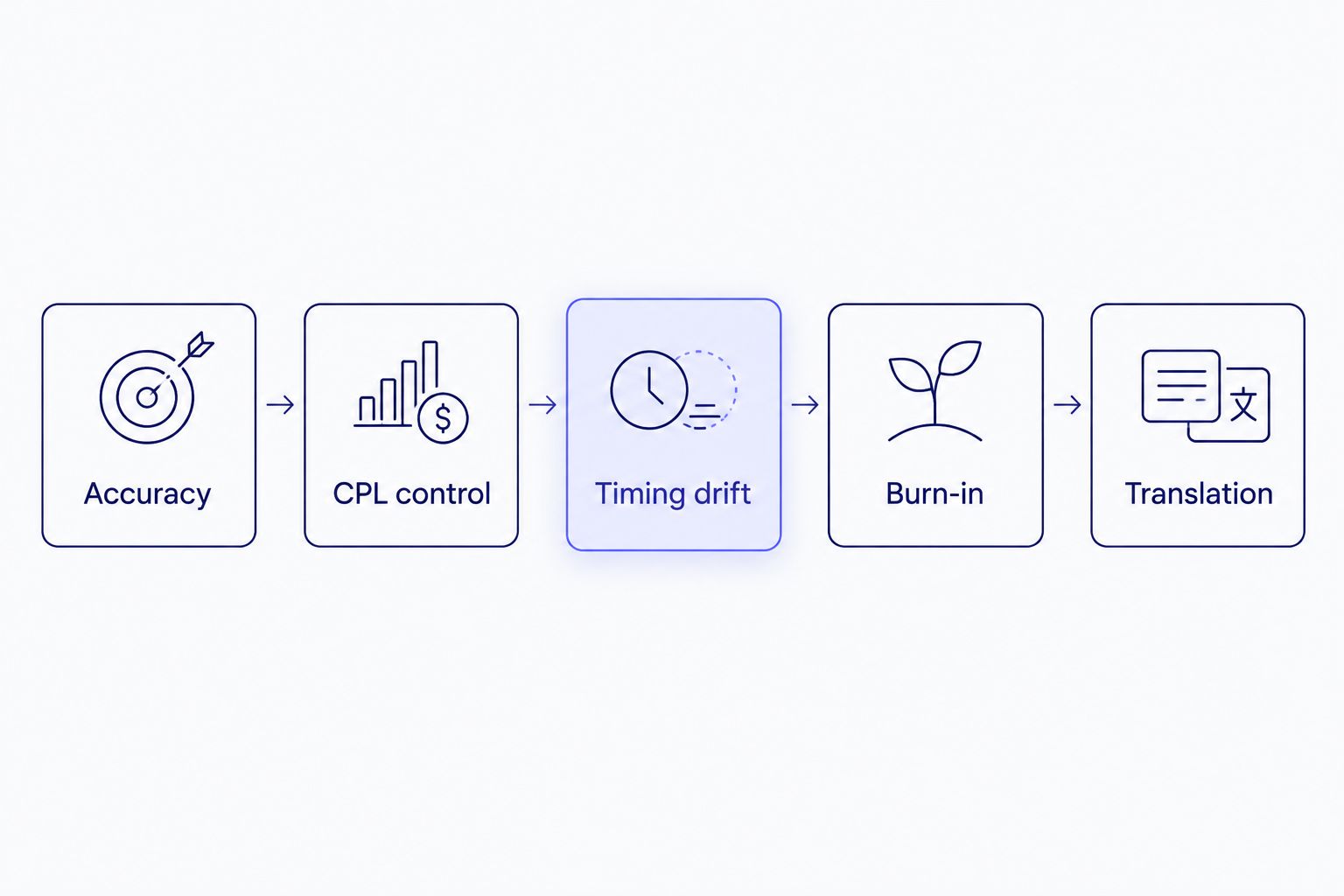
Accuracy gets a tool on the list; CPL and timing drift decide if it stays there.
Best caption tools for TikTok at a glance
| Tool |
Best for |
Standout feature |
Key limitation |
| VideoText |
Accuracy and subtitle QA before burn-in |
CPL/CPS fixing, timing-drift repair, and translation into 70+ languages on the same cues |
No native one-tap publish into the TikTok app |
| CapCut |
Fast native-style captions inside TikTok's ecosystem |
One-tap auto-captions with TikTok-matched templates |
Little control over line length or reading speed once captions are applied |
| TikTok built-in captions |
Zero-setup captioning inside the app |
Automatic detection with no upload or export step |
No transcript or SRT/VTT export for reuse on other platforms |
| Veed.io |
Branded caption styling across a batch of clips |
Reusable style templates and brand kit across projects |
Fewer built-in checks for reading-speed limits |
| Descript |
Editing video by editing the transcript text |
Text edits reflect instantly in the video timeline |
Slower turnaround for a high-volume, short-clip TikTok workflow |
1. VideoText: best caption tool for TikTok for accuracy and subtitle QA
VideoText transcribes the uploaded clip with timed segments, then runs the transcript through subtitle QA: overlap detection, CPL and CPS checks, gap and timing-drift fixes, and grammar and filler cleanup — before you export SRT/VTT or burn captions directly into the video. Speaker diarization labels who's talking when a clip has more than one voice, and translation carries the same cue timing into any of 70+ languages.
VideoText pros:
- CPL/CPS and timing-drift fixes run inside the same pipeline as transcription, no separate tool needed
- Burn-in produces a hardcoded caption file ready for direct TikTok upload
- Translation preserves cue timing across 70+ languages for multi-market repurposing
- Batch processing and ZIP export handle multiple short clips in one queue
VideoText cons:
- No built-in TikTok publishing step — you export and upload manually
- No trending-caption templates matched to current TikTok visual styles
Best for: creators and editors who repurpose the same clip across platforms and need a clean, QA-checked caption file before it goes live.
Verdict: Buy if caption accuracy and CPL/CPS control matter more to you than one-tap posting.
2. CapCut: best caption tool for TikTok for native, in-app auto-captions
CapCut is owned by ByteDance, the same company behind TikTok, and its auto-caption feature is built to match TikTok's native visual style. Upload a clip, generate captions, apply a template, and export straight into the TikTok posting flow.
CapCut pros:
- One-tap auto-captioning with templates styled for TikTok's format
- Tight integration with TikTok's own upload flow
- Free to use for basic captioning and editing
CapCut cons:
- Limited control over character-per-line limits or reading speed once captions apply
- No SRT/VTT export path built for reusing the transcript on other platforms
- No speaker diarization for multi-voice clips
Best for: creators posting exclusively to TikTok who want speed over precision.
Verdict: Buy if you're not repurposing the clip anywhere else.
3. TikTok's built-in captions: best caption tool for TikTok for zero-setup captioning
TikTok's native auto-caption toggle detects speech during upload and overlays captions without leaving the app. There's no file to prepare and no separate account to manage.
TikTok built-in captions pros:
- Zero setup — toggle it on during upload
- No separate app or account needed
- Free, with no export step required
TikTok built-in captions cons:
- No transcript or SRT/VTT file to reuse on YouTube or Instagram
- No way to fix timing drift or misread words after the fact beyond manual in-app edits
- Accuracy drops on fast speech, accents, or noisy audio
Best for: one-off posts where the clip never leaves TikTok.
Verdict: Hold for anything you plan to repurpose elsewhere — export a transcript first instead.
“If TikTok's auto-captions misread more than a few words per clip, fix the transcript before you burn it in, not after it's live.”
4. Veed.io: best caption tool for TikTok for branded styling across a batch
Veed.io is a browser-based video editor with a caption module built around reusable style templates and a brand kit, so a creator or agency running multiple TikTok accounts can apply the same look across clips.
Veed.io pros:
- Reusable caption style templates and brand kit across projects
- Browser-based, no local software install
- Works across TikTok, YouTube Shorts, and Instagram Reels formats
Veed.io cons:
- Fewer built-in checks for reading speed or line length limits
- No dedicated subtitle QA cue editor for catching timing drift
Best for: agencies and teams managing branded captions across several TikTok accounts.
Verdict: Buy if consistent branding across a batch matters more than per-cue QA.
5. Descript: best caption tool for TikTok for text-based editing workflows
Descript transcribes the clip and lets you edit the video by editing the transcript text — delete a sentence in the transcript and the matching video segment cuts out. Captions generate from the same transcript. Creators comparing Descript against other transcript-first tools can check the full breakdown in Descript alternatives.
Descript pros:
- Text-based editing reflects instantly in the video timeline
- Transcript and captions come from the same source, reducing mismatch
- Useful for longer talking-head clips before trimming down for TikTok
Descript cons:
- Slower per-clip turnaround for high-volume, short-form posting
- Heavier tool than most TikTok-only workflows need
Best for: creators editing longer footage down into TikTok clips, not posting raw short-form daily.
Verdict: Hold for pure TikTok caption work; better fit for edit-heavy pre-production.
How we ranked these
Each tool was checked against the same six criteria: caption accuracy on informal speech, CPL/CPS control, timing-drift handling, burn-in support, translation with preserved timing, and batch handling. No tool wins on every criterion — that's why the list assigns a distinct use case to each entry instead of stacking them into one leaderboard.
Fix TikTok caption timing before you burn it in
Run CPL, CPS, and drift checks on your transcript first.
Try VideoText
Which caption tool should you choose?
If you post one clip to TikTok and never touch it again, TikTok's built-in captions or CapCut cover it in seconds. If the same clip gets cut for YouTube Shorts, Instagram, or a client deliverable in another language, VideoText's transcript-first, CPL/CPS-checked pipeline is the safer default in 2026 because the caption file survives the move between platforms. Agencies running branded accounts at volume should look at Veed.io; creators building clips from long-form footage should start in Descript, not a caption-only tool.
FAQ
What's the best caption tool for TikTok in 2026?
VideoText is the best overall pick for accuracy and subtitle QA, CapCut wins for fast native-style captions, and TikTok's own auto-caption toggle covers one-off posts with zero setup.
Is CapCut better than TikTok's built-in captions?
CapCut gives more template control and matches TikTok's visual style closely, but TikTok's built-in captions require no separate app at all. CapCut wins on styling; TikTok's native toggle wins on speed.
How do I fix caption timing drift on TikTok clips?
Timing drift happens when captions fall out of sync after a jump cut or trim. A subtitle QA tool with cue-level editing, like VideoText's fix-subtitles feature, detects and corrects gaps and drift before export.
What is CPL and CPS in TikTok captions?
CPL is characters per line, and CPS is characters per second, a measure of reading speed. Captions that exceed comfortable CPL/CPS limits run faster than a viewer can read them.
Can I translate TikTok captions into other languages?
Yes. VideoText translates subtitles and transcripts into 70+ languages while preserving the original cue timing, so the translated captions stay synced to the same cuts.
How do I burn captions into a TikTok video?
Burning captions means hardcoding them into the video file as open captions instead of a separate subtitle track. VideoText's burn-in step does this after subtitle QA, producing a file ready for direct upload.
Is TikTok's auto-caption feature accurate enough for viral clips?
Accuracy drops on fast speech, accents, and background noise with TikTok's native auto-captions. For clips you expect to perform well or repurpose elsewhere, running the transcript through a dedicated QA step first catches misreads TikTok's in-app tool misses.
What format should I export TikTok captions in?
SRT or VTT if you're keeping a separate caption track for repurposing on YouTube or Instagram, or burned-in open captions if the file is going straight to TikTok and won't be edited again.
One last thing
TikTok clips get watched muted more often than long-form video, which is exactly why CPS matters more here than on a 20-minute YouTube upload: a caption line that outruns a scrolling thumb gets skipped, not read. Check reading speed before you check spelling — it's the harder error to spot by eye.
Related guides



