CapCut Alternative When You Need an SRT or a Transcript
VideoText editorial team · Published · Updated · 5 min read
Short answer: stay in CapCut when the finished piece is a video you are editing there and the captions are part of that edit. Switch the caption step when you need a separate file: an SRT or VTT a platform or a client can turn on and off, a transcript someone can read, or a readability check before delivery. Export the finished picture, then generate the file from that export.
CapCut’s own feature list changes. At the time of writing, check CapCut’s site before you rely on a price, an export format, or a caption control. This post is about the job, not a score.
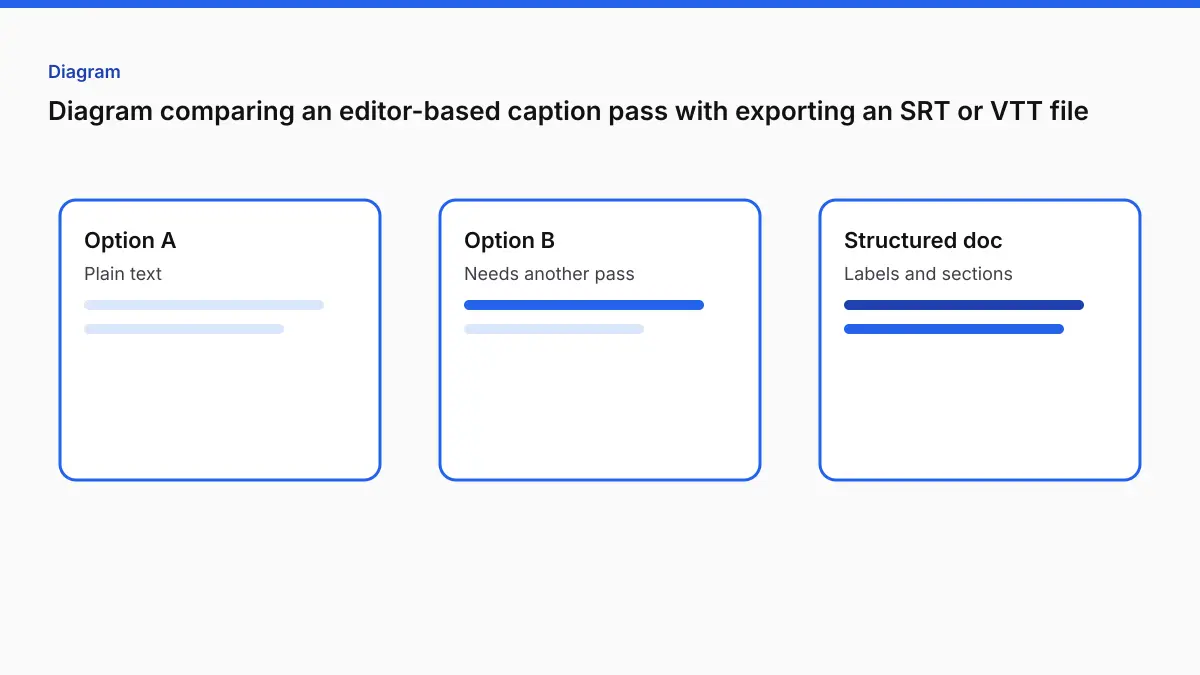
Two different caption jobs
| Job | Done means | Where it usually lives |
|---|---|---|
| Captions inside the edit | Styled text in the picture, judged by eye, exported as video | The editor (CapCut, or a burn tool) |
| A caption file | .srt or .vtt with cue numbers or cue times a player can read |
A subtitle tool |
| A transcript | Sentences a person can read, quote, or edit in a document | A transcript tool |
| Captions in a second language | The same cue times, different words | A subtitle translator, then another readability check |
Burned-in captions cannot be switched off, and a screen reader cannot read them as text. A caption file does not appear in a feed that ignores caption tracks. If one video goes to both places, you want both. The editor is a good place to design the picture. It is an awkward place to be the only copy of the words.
When to stay in CapCut
- You are cutting vertical video in CapCut and the captions are a design choice in that timeline.
- The only delivery is the exported video, and you are happy judging the captions by eye.
- You do not need to hand someone an
.srt.
That is a real workflow. An “alternative” is the wrong word for it.
When the file workflow fits better
- A platform, a course, or a client asked for SRT or VTT.
- You need the words as a document (DOCX, PDF, TXT) as well as captions.
- You need overlaps, line length, and reading speed checked before you deliver.
- You need the same cues translated, with the timing left alone.
- The video is already exported and you are not going back into the edit.
People also land here after captions drift. In any editor, captions timed before a trim or a speed change will not match the new cut. The reliable order is to lock the edit, export the picture, and generate captions from that file. Those times cannot disagree with a later trim, because they were made from the file you are shipping.
The file workflow
1. Export the video
Export the locked cut. If you will burn styled captions later, export a clean picture. If CapCut’s captions are the look you want for the feed, you can still export that video and, separately, make an SRT from the same picture for the places that need a file.
2. Generate SRT and VTT
Upload the file to Video to Subtitles or Video to SRT. They use the same cues. Leave the language on auto-detect, or pick it when the opening is music, silence, or a different language. Download SRT for editors and most uploads. Download VTT for web players.
| Plan | Length | Size | Subtitle download |
|---|---|---|---|
| Free | 30 minutes | 2 GB | Two short watermark cues |
| Pro ($14.99/month or $120/year) | 4 hours | 10 GB | No watermark |
Pro includes 30 hours of speech a month. Guests can start a job. You sign up free to download. There is no names field on the subtitle page. Correct a name in the review on Pro, or in a text editor. If you want names and terms entered first, that field is on Video to Transcript, and that job also exports SRT and VTT.
3. Check the file before it goes anywhere
A valid SRT can still be hard to read. Fix Subtitles is free with an account. It separates overlapping cues, wraps lines to 42 characters, and gives cues above 20 characters per second more time where the gap allows. The report lists what it changed and what still needs a person. The defaults line up with the Netflix English guide’s 42-character and 20-CPS figures. They are not a Netflix certification. If the client wants 37 characters, use the character checker and edit by hand.
If a player rejects the file, the SRT file not working guide covers commas in the timing line, encoding, and overlaps. The Subtitle Validator runs in the browser.
4. Translate, or burn, only if the delivery needs it
Translate Subtitles keeps the cue times. Pro translates into 104 languages. Translated lines are often longer, so run Fix Subtitles again. The Spanish walkthrough shows that check.
Burn captions into the picture with Burn Subtitles when the feed will not use a caption file. Free burn exports are 720p, up to 30 minutes, and free exports retain VideoText branding. Pro burn is original resolution, no watermark, up to 2 hours. Subtitle Style Studio has 12 presets, five of them on Free. You approve the layout before export. It is not a freeform motion-graphics tool. For that kind of styling, stay in the editor. The Canva captions and Clipchamp captions posts are the same split: design in the editor, files in a subtitle tool.
What not to expect
VideoText does not edit your CapCut timeline, and it does not replace CapCut’s effects, music, or templates. It also does not start from a link. You upload the video file you exported.
Speaker labels on a transcript are Pro, and you opt in before transcribing. Subtitle cues are short lines, not speaker-labelled paragraphs. If the client wants “who said what” in a document, use Video to Transcript and the speaker labels note, then make the SRT from that job or from Video to SRT.
A simple choice
| Situation | Use |
|---|---|
| Captions are part of a CapCut design and the export is the only delivery | CapCut |
You need an .srt or .vtt of the locked cut |
VideoText, from the exported file |
| The SRT is valid and still hard to read | Fix Subtitles |
| You also need a document | Video to Transcript |
| You need the cues in another language | Translate Subtitles, then Fix Subtitles |
| You need the words in the picture for a feed that ignores caption files | Burn Subtitles, or the editor’s own burn |
FAQ
Is VideoText a CapCut replacement?
No. CapCut is where you edit the video. VideoText is where you make a transcript or a subtitle file from a video you already have, and where you check or translate that file.
Can I get an SRT out of a video I edited in CapCut?
Export the video, then upload that file to Video to SRT. At the time of writing, confirm on CapCut’s own site whether their captions also download as a separate subtitle file. This workflow does not depend on that.
Why did captions made in the editor drift?
They were timed to an earlier cut. Generate the SRT from the final export if the picture changed after the captions.
What does the free plan include?
Speech files up to 30 minutes and 2 GB, with watermark cues on the subtitle download. Fix Subtitles is free with an account. Pro is $14.99/month or $120/year, with files up to 4 hours, 30 hours of speech a month, and no watermark on those exports.
Do I upload a link?
No. Upload the video file.
Related tools and guides
- Video to Subtitles
Upload a video and download timed SRT or VTT subtitles.
- Fix Subtitles
Repair timing, overlap, and line breaks in an SRT or VTT you already have.
- Add timestamps to a transcript you already have
- Automatically transcribe podcast episodes when they're uploaded
- Can a transcript be converted into SRT captions automatically?
- Aegisub Alternative: When to Switch and When to Stay
- Canva Captions Alternative for Vertical Video & SRT