Translate SRT to Spanish Without Breaking the Timing
VideoText editorial team · Published · Updated · 8 min read
Short answer: upload the English .srt (or .vtt) to Translate Subtitles, choose Spanish, check the flagged lines, and download. Every cue keeps its number and its exact start and end time, so the file lines up with the video without re-timing. Then run the Spanish file through Fix Subtitles, because Spanish lines often run longer and Spanish has a lower reading-speed limit than English.
That second step is the one most guides skip, and it's why "translated" files bounce in QC.
Why a perfect English SRT can fail once it's in Spanish
Timing is kept, and that's the point. But it creates a squeeze: the same 2.5-second cue now has to carry a longer line, read against a stricter limit.
| English (USA) | Spanish (Latin America & Spain) | |
|---|---|---|
| Max characters per line | 42 | 42 |
| Max lines | 2 | 2 |
| Reading speed, adult | 20 CPS | 17 CPS |
| Reading speed, children | 17 CPS | 13 CPS |
| Source | Netflix English TTSG | Netflix Spanish TTSG |
Netflix counts spaces and punctuation toward both line length and reading speed (how reading speed is measured). In Spanish, the opening ¿ and ¡ count too.
A worked example from VideoText's own published sample:
5
00:00:16,240 --> 00:00:19,920
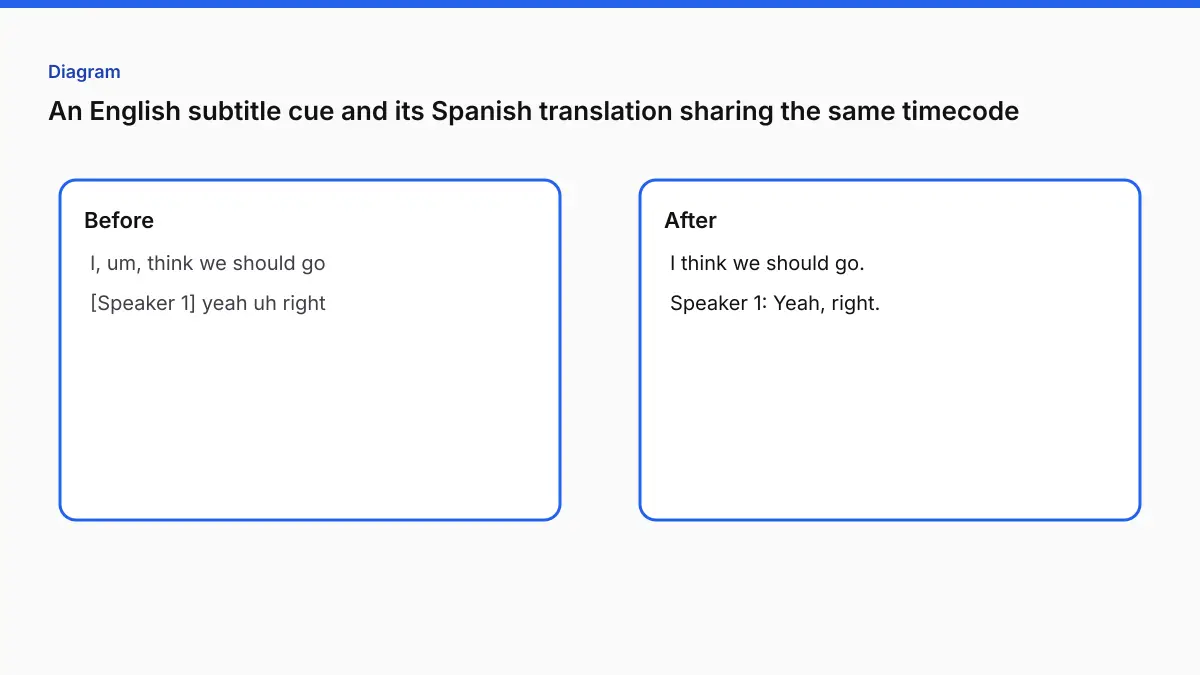
First, it is a carbon-rich asteroid that could harbor amino acids
5
00:00:16,240 --> 00:00:19,920
Primero, es un asteroide rico en carbono que podría albergar aminoácidos
The cue lasts 3.68 s. The English line is 65 characters, or 17.7 CPS, which passes the 20 CPS English limit. The Spanish line is 72 characters, or 19.6 CPS, which fails the 17 CPS Spanish limit. It's also over 42 characters, so it needs to be split into two lines. The translation is fine. The subtitle isn't deliverable yet.
Step by step
The steps match the labels on the live Translate Subtitles page.
1. Upload SRT or VTT
Subtitle files up to 20 MB. You can also translate documents (TXT, DOCX, JSON) or pasted text, but for subtitles always upload the subtitle file, so the timing comes with it.
Before uploading: make sure the English file is clean. Translation carries every existing problem across. Overlaps, a broken timecode, or a cue with two speakers merged together will all still be there in Spanish. Run the English through the Subtitle Validator first if you inherited it.
2. Choose the language
Pick Spanish from the 104 target languages.
The picker has one plain Spanish entry. When we tested it, there was no separate option for Spain or for Latin America, so don't expect output tuned to one region.
Writing for Spain or for Latin America? If your client names an audience, translate to Spanish, then have a native reviewer from that region go over the vocabulary (computadora vs ordenador, ustedes vs vosotros). Netflix keeps one style guide for both, but vocabulary and forms of address differ, and audiences notice.
3. Check the translation
Review the translated cues alongside their original timings. Lines that look untranslated or mixed-language are flagged, and so are cues that break subtitle limits. In our test, the review flagged cues running to "3 lines (maximum 2)" and reading speeds of 21 to 23 CPS on cues 3, 4 and 7, and a banner suggested a pass with Fix timing & CPL. On Pro, correct any translated line before downloading.
What to look at first:
- Names and brand terms that shouldn't be translated.
- Idioms translated literally.
- Gender and formality: English "you" has to become tú, usted or ustedes. Pick one per relationship and keep it consistent across the file.
- Cues split mid-sentence. Spanish word order can move the verb across a cue boundary, so read each pair of split cues together.
4. Download
Translated SRT or VTT, in the same format you uploaded, or styled VTT/ASS. The Free plan includes 2 downloads per job.
5. Fix reading speed and line length
Upload the Spanish file to Fix Subtitles. It re-wraps lines to 42 characters at word boundaries and gives cues above 20 CPS more time where the next cue allows (capped at 10 seconds per cue). Note that its default threshold is 20 CPS, the English adult figure. For a Spanish delivery to the Netflix 17 CPS limit, check the result with the reading speed checker and fix the remaining cues by hand: shorten the wording, or merge with a neighbouring cue.
From our test. We translated a 50-cue English SRT into Spanish. All 50 cues kept their numbers and their exact start and end times, and accents and ¿ came through correctly. We then counted the downloaded Spanish file ourselves, Netflix-style, with spaces and punctuation included. No line was over 42 characters, but 7 of the 50 cues had wrapped to three lines, and 43 of the 50 ran above 17 CPS. The English source had no cue above 20 CPS. That's the squeeze from the table above, measured on a real file, and it's why the fit pass below isn't optional.
Shortening Spanish subtitles without losing meaning
When a cue can't get more time, cut words. Professional subtitlers condense rather than paraphrase. Common moves:
| Instead of | Try | Saves |
|---|---|---|
| En este momento | Ahora | 10 chars |
| Tenemos que | Hay que | 4 chars |
| Es muy importante que | Es clave que | 9 chars |
| ¿Puedes decirme dónde está…? | ¿Dónde está…? | 15 chars |
| Repeated subject pronouns (yo creo que yo…) | Drop them. Spanish verbs carry the person | varies |
Keep names, numbers and negatives intact. Those are the words viewers notice when they're wrong.
False friends that slip through machine translation
Literal translation is most dangerous when the Spanish word exists but means something else. These are worth a search in every English-to-Spanish file:
| English | Wrong (literal) | Usually right |
|---|---|---|
| actually | actualmente (= currently) | en realidad |
| eventually | eventualmente (= possibly) | al final, finalmente |
| realize | realizar (= carry out) | darse cuenta |
| embarrassed | embarazada (= pregnant) | avergonzado/a |
| assist | asistir (= attend) | ayudar |
| library | librería (= bookshop) | biblioteca |
Context decides, so don't find-and-replace these. Read each hit in its cue.
Line breaks in Spanish
Netflix's Spanish guide asks for breaks at syntactic units, and it prefers a pyramid shape (for bottom-positioned subtitles, line two longer than line one) only when the syntax allows. Don't split:
- an article from its noun (la / casa),
- a noun from its adjective,
- a first name from a last name,
- a verb from its auxiliary or negation (no / ha venido).
Fix Subtitles wraps at word boundaries, not by grammar, so read every two-line cue it produces.
Review a translated file in four passes, not one
Reading a translated SRT top to bottom while also checking timing is how errors get through. Split the job:
- Terms pass (5 minutes). Search the file for every name, product and recurring term. Make each one consistent: same spelling, same choice to translate or not.
- Meaning pass. Read only the Spanish, as a viewer would. Anything that reads oddly gets checked against the English. This is where literal idioms and wrong tú/usted choices show up.
- Fit pass. Run the reading speed checker and fix every cue above your CPS limit and every line over 42 characters.
- Playback pass. Watch with sound on at normal speed. Check cue breaks that split a phrase awkwardly, and lines that appear before the speaker starts.
A small term sheet saves the first pass on every later file in a series:
| English | Spanish | Rule |
|---|---|---|
| Dashboard | Panel | Translate |
| VideoText | VideoText | Never translate brand names |
| Sign up | Regístrate | Imperative, tú |
| Workspace | Espacio de trabajo | Translate. Shorten to espacio if a cue is tight |
SRT, VTT and encoding for Spanish
- Save and deliver as UTF-8, or
ñ,áand¿turn intoñ,áand¿in some players. WebVTT requires UTF-8 by spec. - Keep the same base name plus a language code if the platform supports it, e.g.
episode-01.es.srt, orepisode-01.es-419.srtif your reviewer adapted the file for Latin America and the platform reads region codes. - If the platform needs VTT, convert after translation with SRT to VTT so you only QC one file.
Translating many files or a long video
One language per run, so ten files into Spanish means ten runs (or one run per file per language). For films, lectures and long events, long-video subtitle translation keeps timestamps across the full runtime. If you need the subtitles burned into a Spanish version, hand the fixed file to Burn Subtitles.
When VideoText isn't the right fit
- Broadcast or streaming delivery with a mandatory human translator credit and linguistic QC. Use VideoText for the draft, but the deliverable needs a professional translator's review and sign-off.
- Dubbing scripts. Lip-sync adaptation is a different craft from subtitling.
- Your source subtitles are a different cut from the final video. Regenerate the English first (MP4 to SRT), then translate.
QC checklist before you deliver
- Cue count and numbering match the English file.
- No cue over 42 characters per line or 2 lines.
- Reading speed at or below your spec (17 CPS for Netflix-style adult Spanish).
¿…?and¡…!are paired, and their opening marks aren't lost to encoding.- Names, numbers and negatives checked against the English.
- Played back against the video at three points: the first line, the fastest exchange, the last line.
If the file won't load after all this, it's usually syntax or encoding. See SRT file not working?.
FAQ
Do the timestamps change when I translate an SRT?
No. Every cue keeps its original start and end time and its number. Only the text is translated, and SRT stays SRT (VTT stays VTT).
Why does my Spanish file fail reading-speed checks when the English passed?
Spanish lines often run longer than the English, and the Netflix Spanish guide allows 17 characters per second for adult content against 20 for English. The same cue duration with more characters can push a cue over the limit. Run Fix Subtitles afterward to give those cues more time where there's room.
Can I translate subtitles to Spanish for free?
A free account can translate an SRT. Each free result allows 2 downloads, and those downloads include a watermark. Editing the translated lines is on Pro. When the daily quota is on for that account, the cap is 1 successful translation per UTC day. While the daily quota is off, a free translation counts toward the shared allowance of 3 imports per month.
Can I translate one file into several languages?
Yes, one language per run. Run it again for each target. Translation covers 104 target languages.
I only have the video, not an SRT. Where do I start?
Generate subtitles with Video to Subtitles first, then translate the SRT.
Related tools and guides
- Translate Subtitles
Translate an SRT or VTT file. Translation supports 104 languages.
- Video to Subtitles
Upload a video and download timed SRT or VTT subtitles.
- Can subtitles be translated without losing timing sync?
- Can subtitles be burned into a video without losing video quality?
- Best subtitle translation software in 2026
- Translate SRT and VTT subtitle files online (keep timecodes + ship bilingual captions)
- Aegisub Alternative: When to Switch and When to Stay