Transcript Cleanup: How to Clean Up a Transcript Fast (2026 Workflow)
VideoText editorial team · Published · Updated · 3 min read
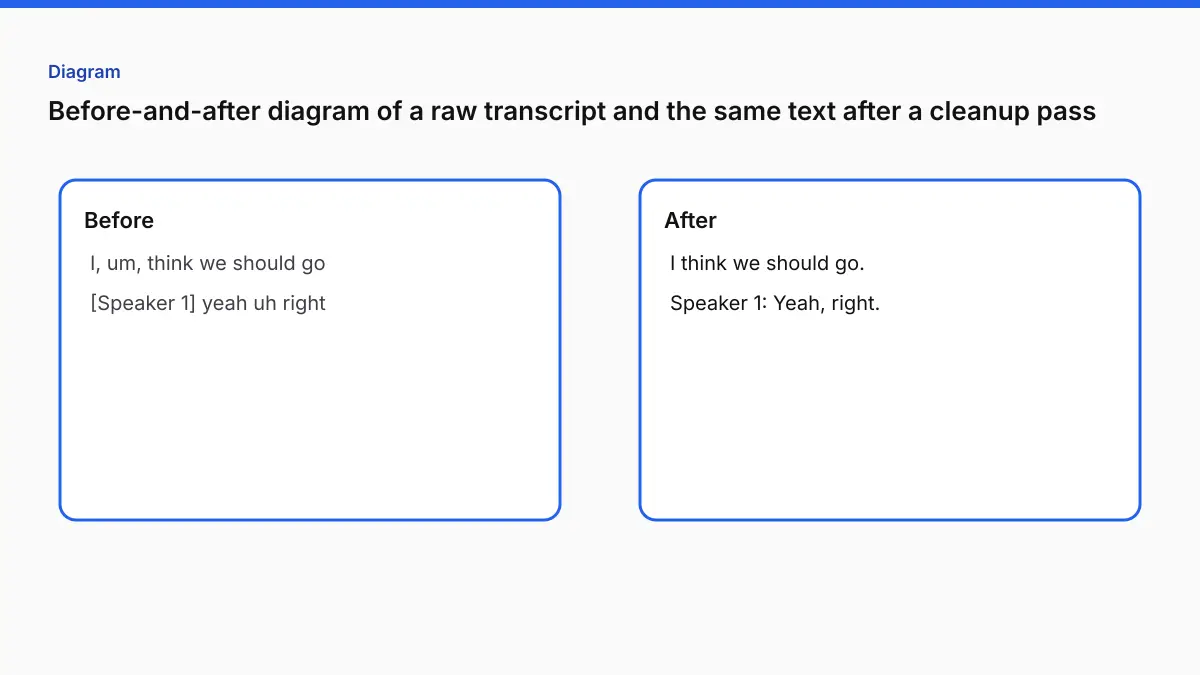
Transcript cleanup (also searched as clean up transcript, transcript cleaner, and clean transcription) is the step between raw AI output and a deliverable clients accept. This is the real workflow professional transcriptionists use — not the idealized training-doc version.
What “transcript cleanup” actually means
People searching transcript cleaner or transcript cleanup usually mean one of three jobs:
| Intent | What they need | VideoText tool |
|---|---|---|
| Fix word errors after AI | Listen pass + glossary | Video → Transcript |
| Fix formatting / style guide | Speaker labels, tags, numbers | Format → Client guidelines |
| Fix subtitle timing | SRT/VTT drift, ordering | Fix subtitles |
Clean up transcript work is not one pass — it is a sequence. Order matters as much as the fixes themselves.
Before you start: 10-minute setup that saves 40 minutes
The biggest beginner mistake: open audio + transcript together and “fix as you listen.” That feels fast. It is slower and sloppier than separating passes.
1. Read the job brief completely — verbatim mode, speaker names, glossary, timestamp rules.
2. Open the style guide side-by-side — Rev, GoTranscript, or custom PDF. You will reference it on the formatting pass.
3. Build a quick glossary — names, products, technical terms. Five minutes upfront beats re-fixing the same proper noun twelve times.
4. Sanity-check word count vs. audio length — ~130–150 words/minute on clear speech. A 30-minute file with 2,000 words likely has skipped content.
Pass 1: Structural pass (no audio)
Read only. Look for:
- Timestamp gaps (skipped audio)
- Inconsistent speaker labels (
Speaker 1vsspeaker 1) - Paragraph logic (new speaker = new paragraph)
- Macro issues that would force restructuring later
Do not fix individual words yet. Restructuring after word-level edits wastes time.
Benchmark: 4–8 minutes per 30 minutes of transcript.
Pass 2: Transcript cleaner — global find-and-replace
This is the transcript cleaner pass most guides skip. Mechanical fixes:
- Normalize speaker labels (one canonical format)
- Fix tag casing:
[Inaudible]→[inaudible] - Zero-pad timestamps:
[1:05:23]→[01:05:23] - Remove double spaces, trailing spaces
- Clean verbatim: search
gonna,um,uhif fillers must go
Find-and-replace catches errors your brain normalizes on read-through.
Pass 3: Proper noun pass (no audio)
Use your glossary. Search each expected term. AI substitutes phonetically similar common words for unfamiliar names — consistently wrong across the doc.
Batch-correct with find-and-replace when the error pattern is clear. Flag uncertain terms for the listen pass.
Pass 4: Targeted listen pass (not full playback)
Do not play 90 minutes linearly unless accuracy is poor throughout.
Instead:
- Listen only to flagged segments from earlier passes
- Use 1.25x–1.5x on clean sections; normal speed on noisy/cross-talk
- Flag, don’t stop — fix in a final edit sweep
Benchmark: 0.5x–0.8x audio length on 95%+ accurate AI output.
Pass 5: Formatting and style pass
Content decisions are done. Now apply rules:
- Number formatting (spell 1–10, digits 11+)
- Punctuation for full vs clean verbatim
- Style guide compliance — systematic, not memory-based
- Final timestamp + speaker label check
Mixing formatting into the listen pass produces worse accuracy and worse compliance.
Time math (proficient transcriptionist, 95%+ AI accuracy)
| Audio | Setup | Structural | Find-replace | Nouns | Listen | Format | Total |
|---|---|---|---|---|---|---|---|
| 30 min | 8 | 5 | 3 | 5 | 20 | 8 | ~49 min |
| 60 min | 10 | 9 | 4 | 8 | 38 | 12 | ~81 min |
| 90 min | 12 | 13 | 5 | 10 | 55 | 16 | ~111 min |
Combined listen-and-fix passes typically run 40–60% longer for the same quality.
Cut cleanup time: AI first, rules second
The formatting pass shrinks dramatically when style rules are pre-applied:
- Step 1: Video → Transcript — speaker labels, export-ready timestamps
- Step 2: Format → Client guidelines — editable Rev/GoTranscript preset cards; verify compliance instead of applying cold
You are verifying rules, not discovering them from a PDF at 11pm.
FAQ
What is one way to clean up a transcript?
Separate passes: structure → find-replace → proper nouns → targeted listen → formatting. Never combine listen + formatting.
Is there a transcript cleaner tool?
Generic “cleaners” only fix spacing. Real cleanup needs AI transcription + style-rule formatting. VideoText covers both: transcribe then format to client guidelines.
How is transcript cleanup different from transcript QA?
Cleanup is the transcriptionist’s pass before delivery. Transcript QA is the structured review checklist agencies use to catch rejections.
Clean transcription vs clean verbatim?
Clean transcription removes fillers for readability. Clean verbatim vs full verbatim → explains when each mode applies.
Related tools and guides
- Fix Transcript
Upload a transcript you already have and correct it before delivery.
- Guideline Format
Apply a client style guide to a transcript before review.
- Best AI transcription software for podcasters in 2026
- Best batch transcription software in 2026
- Best live transcription software in 2026
- Aegisub Alternative: When to Switch and When to Stay
- Canva Captions Alternative for Vertical Video & SRT