Video to GIF Converter — Make a GIF from a Clip
Turn a moment from a video into a looping animated GIF. Choose the start, a length up to 15 seconds, the width, and the frame rate. Colours come from a palette built from your clip.
Need the full video to work on mute? Caption the original video →
Choose a video or drop it here
MP4, MOV, WebM, MKV, AVI — processed in your browser, never uploaded
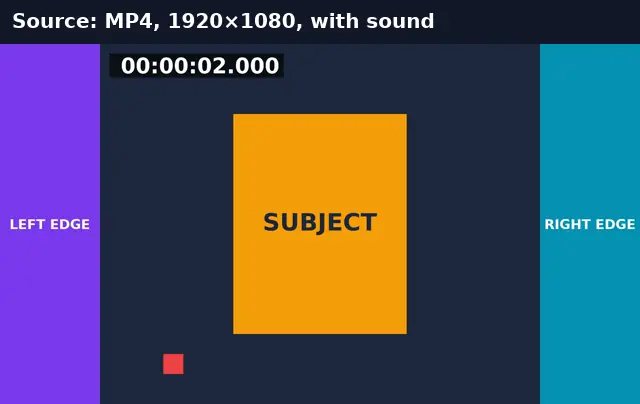
Before and after: 3 seconds of MP4 as a GIF
Three seconds of a 1080p clip at 480 px wide and 12 fps.
Before
After
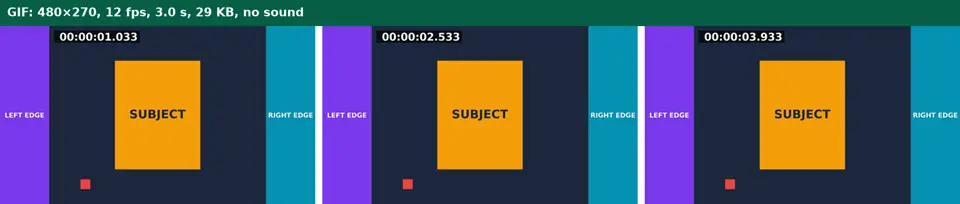
Real run of this tool in Chrome on an 8-second 1920×1080 test clip with a burned-in timecode, measured with ffprobe. No mock-ups. The test clip is flat graphics; real footage makes larger GIFs.
Video to GIF vs keeping an MP4
GIF plays everywhere, but it is an old format.
| GIF | MP4 | |
|---|---|---|
| Sound | Never | Yes |
| Colours | 256 per frame | Millions |
| File size for the same clip | Usually several times larger | Small |
| Autoplays and loops in chats, docs, email | Yes | Often not |
| Best for | Short reactions, UI demos, loops under ~10 s | Anything longer or with sound |
Video to GIF: troubleshooting
- The GIF is too big to post
- Shorten it, lower the width to 320 px, or use 8 fps.
- Gradients look banded
- GIF holds 256 colours per frame. Shorter clips with fewer scene changes look best.
- There’s no sound
- GIF can’t contain audio. Keep the MP4 if sound matters.
Privacy and file limits
FFmpeg runs inside this browser tab, so your files are never uploaded. There is no account, watermark, or usage limit; the size limit is your device’s memory: about 750 MB on a laptop and 250 MB on a phone. Re-encoding long videos can take minutes, and the page shows an estimate first.
How to use Video to GIF
- 1
Choose a video
MP4, MOV, WebM, or MKV.
- 2
Set start and length
Up to 15 seconds. Use the player and “Use current time”.
- 3
Pick width and frame rate
480 px at 12 fps is a good balance; halving the width roughly quarters the size.
- 4
Convert and download
A palette is built from your clip, then every frame is mapped to it.
Frequently Asked Questions
- How long can the GIF be?
- Up to 15 seconds. Longer GIFs grow very large; share a video instead.
- Why is my GIF larger than the MP4?
- GIF compression is decades older than video codecs. A few seconds of real footage can be several megabytes.
- What frame rate should I use?
- 12 fps for most clips; 15–24 fps for fast motion. Higher rates mean larger files.
- Does the GIF loop?
- Yes, forever, like most GIFs.
- Is the GIF upscaled?
- Never: a 360 px wide video stays 360 px even if you choose 480.
Most social video is watched on mute
The GIF is the teaser — caption the video
Generate subtitles for the full video so it works on mute where the GIF leads people.
- ✓Timed SRT and VTT subtitles from the speech in your video
- ✓Translate the subtitles into any of 104 languages
- ✓Burn styled captions in for TikTok, Reels, and Shorts